Tocic
Firefox extension that adds a table of contents navigator to AI chatbot conversations
Gallery
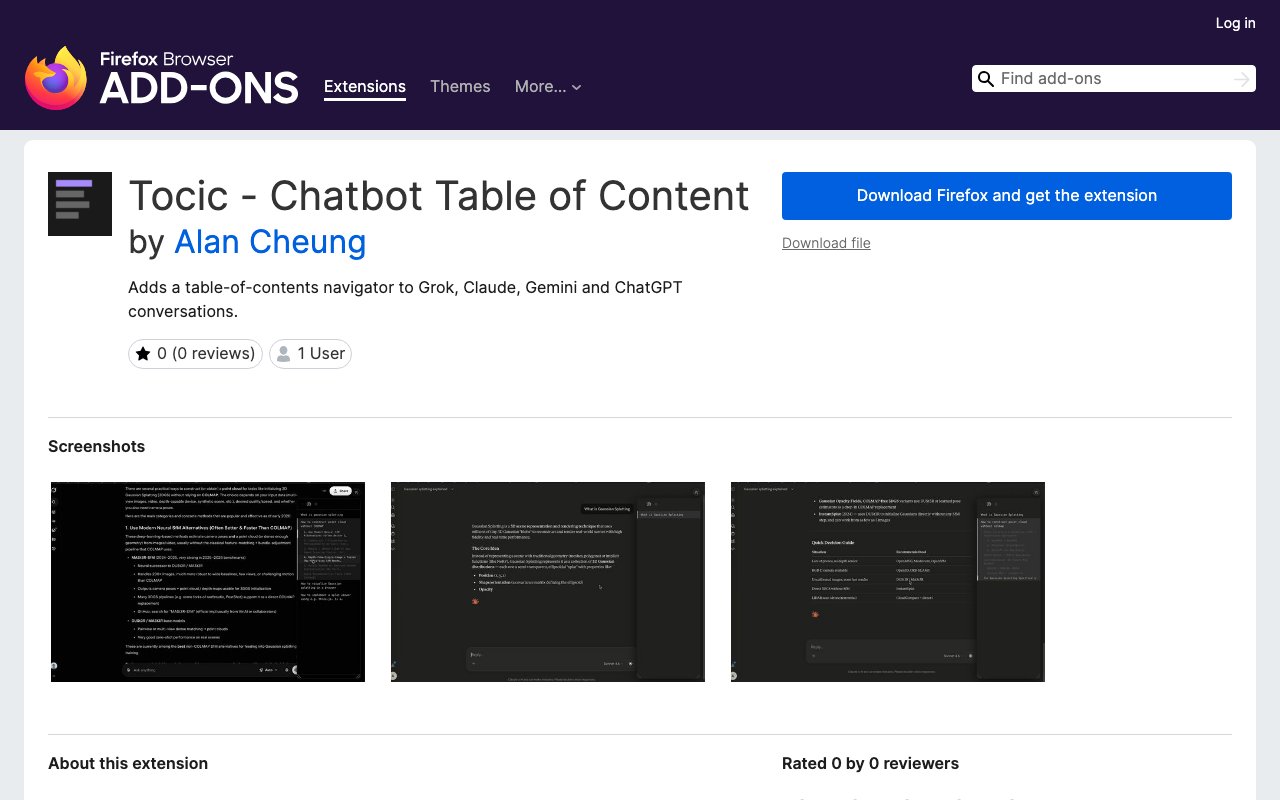
About Tocic
Tocic is a Firefox browser extension that adds a table of contents navigator to AI chatbot conversations in Grok, Claude, Gemini, and ChatGPT. Anyone who uses these platforms regularly knows how quickly a conversation can grow into dozens or hundreds of exchanges, making it tedious to scroll back and find an earlier answer. Tocic solves that by parsing the conversation structure and rendering a clickable outline that lets you jump directly to specific sections without hunting through the entire thread manually.
The extension detects conversation content automatically when you open a supported chatbot interface. It identifies the boundaries between exchanges and generates a navigable list that updates as the conversation grows. Clicking an entry in the table of contents scrolls you directly to that part of the chat. The experience is similar to how document editors handle outline navigation, but applied to the unique structure of back-and-forth AI conversations where each exchange can contain paragraphs or entire code blocks. Version 2.0.1, released August 7, 2026, updated the HTML selectors to work with the current ChatGPT interface, so the table of contents now appears correctly on chatgpt.com after their recent UI changes.
Cross-platform support is the main advantage over single-service workarounds. Many power users don't stick to one chatbot. You might use Claude for long-form writing assistance, ChatGPT for quick factual questions, Gemini for research, and Grok for something else. Tocic covers all four in a single install, so you get consistent navigation behavior regardless of which service you're using at the moment. That unified approach is cleaner than maintaining separate bookmarklets or userscripts for each platform. The extension requires Firefox 109.0a1 or later and is not compatible with Android, so it's desktop-only.
Installation follows the standard Firefox add-on flow. You visit the Mozilla add-ons site, click to install, and grant the extension permission to access browser tabs, data for all websites, and storage. There's no configuration to fuss with, no account to create, and no sign-up process. The next time you open a conversation in Claude, ChatGPT, Gemini, or Grok, the table of contents navigator appears automatically. The extension runs entirely within your browser and processes conversations client-side, so it doesn't transmit your chat content to any external server. The developer explicitly states that no data is collected.
The project is open source under the MIT license, with all development and issue tracking happening on GitHub. That transparency matters for users who care about what browser extensions are actually doing, especially since chatbot conversations often contain sensitive work, personal questions, or proprietary code. If you're cautious about which extensions you install, you can audit the source code yourself before deciding to trust it. The codebase is relatively small, which makes review straightforward for anyone comfortable reading JavaScript. Support requests go through the GitHub issues page, and the developer has been responsive to interface changes on the supported platforms.
Tocic is completely free with no paid tier, premium features, or subscription. The developer, Alan Cheung, maintains it as a solo project, which keeps the extension lightweight and focused but also means the update schedule depends on one person's availability. As of August 2026, the extension remains actively maintained with recent updates addressing interface changes in ChatGPT specifically. The extension launched in March 2026 and is categorized under Appearance on the Mozilla add-ons site. The small user base is typical for niche productivity extensions, but it also means fewer people testing edge cases, so occasional bugs are possible when chatbot platforms push UI updates.
The target audience is anyone who regularly has long, reference-heavy conversations with AI chatbots and wants faster navigation. Writers working through multiple drafts in a single session, researchers asking follow-up questions across many turns, developers iterating on code with detailed explanations, and students working through complex material all fit the profile. If your typical AI chat fits on a single screen, you won't get much value from Tocic. But if your conversations routinely stretch into dozens of exchanges covering multiple topics, the navigation overhead becomes real, and having a clickable outline cuts through that friction meaningfully.
The extension occupies a narrow niche, but for the people in that niche, it addresses a genuine usability gap that the chatbot platforms themselves don't solve. None of the four supported services offer built-in navigation for long conversations. You're stuck scrolling or using browser find, neither of which helps when you don't remember the exact wording. Tocic fills that gap with a simple, zero-configuration tool that works across the major chatbot interfaces. If you've ever lost track of where a specific answer was in a multi-hour research session, this is the kind of utility that pays for itself in the first use.
Key Features
- Table of contents for chatbot conversations
- Support for Grok, Claude, Gemini, and ChatGPT
- One-click navigation to conversation sections
- No account or configuration required
- Open source under MIT license
- Local browser extension with no data collection
Pros & Cons
What we like
- Works across four major chatbot platforms
- Completely free with no paid tier
- Open source so you can audit the code
- Lightweight and requires no setup
Room for improvement
- Firefox only, no Chrome or Safari version
- Maintained by a single developer
- Limited to supported chatbot interfaces
- Small user base as a newer extension
Frequently Asked Questions
What is Tocic?
Is Tocic free?
Does Tocic collect my conversation data?
Does it work on Chrome?
Best For
Featured in
Alternatives to Tocic

CalendHub
Smart scheduling and calendar management for teams
Kevin Gabeci Toolkits
Seven AI toolkits for writing books, making music, cutting video, and building agents.

Eased Into AI
Learn AI from zero. No jargon, no hype, just steps that work.

Fix It Gently
Calm, plain-English fixes for everyday tech problems.
Reviews (0)
Badge builder
Add Tocic to your website
Choose a badge style and size, preview it here, then copy the generated HTML. Badge images are self-contained SVGs and do not require an external script.

<a href="https://toolindex.net/tools/tocic?ref=badge" target="_blank" rel="noopener">
  <img src="https://toolindex.net/badge/tocic/medium.svg" alt="Tocic - Listed on Tool Index" width="180" height="50" />
</a>How to use the badge
- 1. Pick the style, size, and theme that fit your layout.
- 2. Copy the generated HTML from the code block.
- 3. Paste it into your footer, homepage, or press page.
Standard badge available
The standard listing badge is available now. Score and circle badges are limited to tools currently ranked in the top 10 of a category.
Badge clicks return visitors to this profile with a referral tag so the source remains identifiable.
Related Tools

Confluence
Atlassian's long-running team wiki that anchors many enterprise knowledge stacks
Asana
Project management for teams that live in projects, tasks and dependencies
Kevin Gabeci Toolkits
Seven AI toolkits for writing books, making music, cutting video, and building agents.

Logseq
An open-source outliner notes app where every bullet is a first-class block
Work on Tocic? Request listing access or correction