
Torment Nexus
Open-source AI control plane with persistent memory and multi-agent orchestration
Gallery
About Torment Nexus
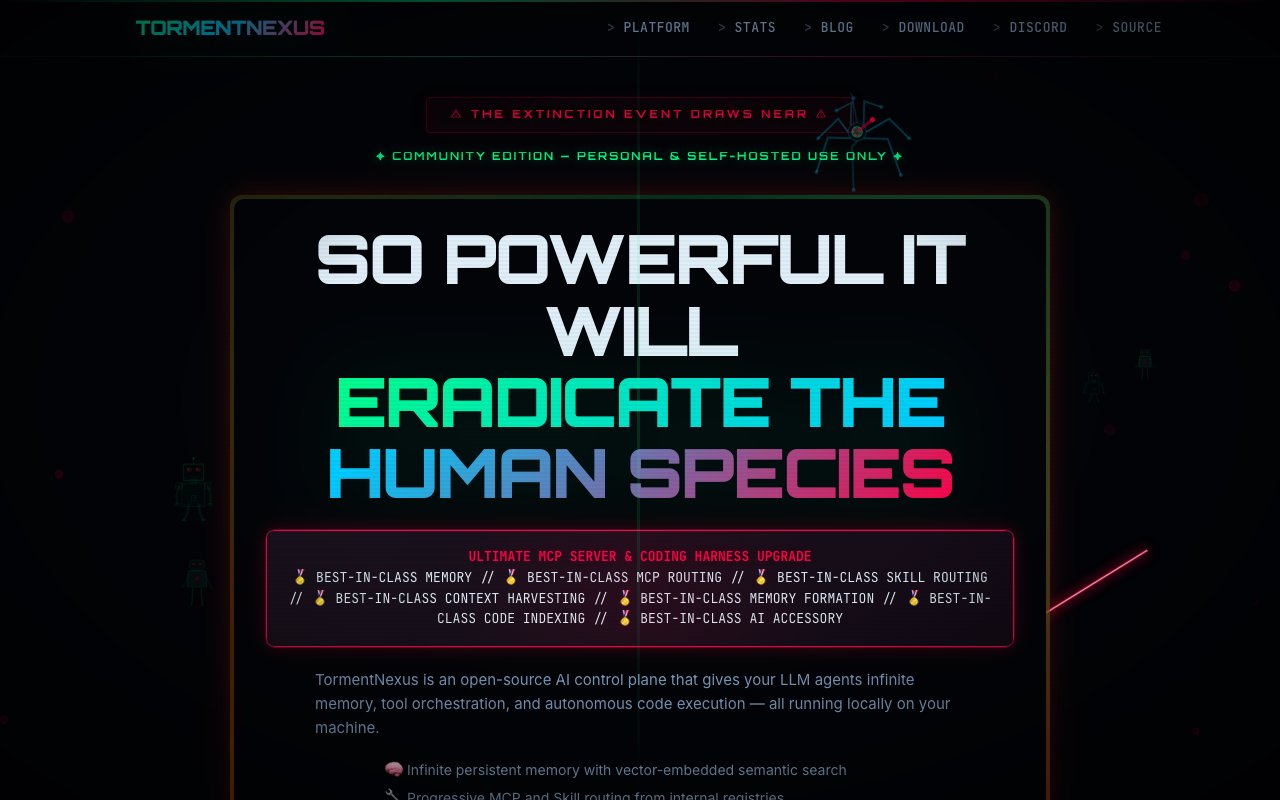
Torment Nexus is an open-source control plane that gives your LLM agents persistent memory, tool orchestration, and autonomous code execution, all running locally on your own machine. It takes the ephemeral nature of most AI agent setups and replaces it with infrastructure designed for continuity. Agents remember context across sessions, coordinate as a swarm with specialized roles, and work through codebases with structural understanding rather than raw text matching. The system operates without cloud dependencies, keeping all data on your hardware.
The core feature is a three-tier memory engine that handles both short-term working memory and long-term retention. The first layer is a hundred-entry in-RAM scratchpad that uses heat-score eviction to keep frequently accessed items immediately available. Hot items stay in fast memory while cooler items get pushed down. The second layer is a SQLite vault with 384-dimensional embeddings and vector search for semantic retrieval. When an agent needs to recall something from earlier sessions, it queries this layer by meaning rather than exact text match. The third layer is a gzip cold archive with ninety-day retention before automatic deletion. An hourly sleep cycle runs consolidation and reflection processes, which means the system actively manages what it remembers rather than just accumulating tokens until something breaks. Memory gets compressed, reorganized, and pruned on a schedule.
For orchestration, Torment Nexus supports multi-agent swarms with defined roles including Planner, Implementer, Tester, and Critic. These agents communicate through type-safe message brokering with heartbeat monitoring. When a task requires multiple perspectives, like writing code, testing it, and reviewing the result, the swarm coordinates without you manually managing handoffs. Audit logging tracks high-stakes consensus decisions so you can see what happened and why. If you have used other agent frameworks and wished they could coordinate multiple specialists instead of running one model end to end, this is the architecture for that.
A four-layer MCP tool router handles over eleven thousand tools pulled from multiple catalogs. Vector search with cosine similarity and BM25 ranking selects which tools to surface for a given task, preventing context bloat from dumping the entire tool registry into every prompt. The code indexing is AST-aware, using LanceDB and TypeScript parsing to understand projects structurally rather than just textually. Function-level indexing means the system can locate specific code with precision and assess blast radius before making changes. That structural understanding matters when agents need to modify real codebases rather than generate code in isolation.
The LLM provider cascade handles model selection and failover automatically. It falls through Google, Anthropic, OpenAI, DeepSeek, OpenRouter, and local Ollama in order based on adaptive ranking driven by latency metrics. You can set preferred providers or let the system route dynamically. When one provider fails or slows down, traffic shifts to the next in the cascade. Session import lets you pull history from other AI tools if you want to migrate context from previous workflows. A real-time dashboard visualizes memory state, shows active tools in the registry, and displays the swarm coordination status.
Deployment is local-first with a one-command setup that handles PM2 process management and optional SSL for Linux VMs. The code lives on GitHub under the HyperNexusSoft organization, licensed for personal and self-hosted use under the Community Edition. Commercial deployments get directed to the separate HyperNexus site for enterprise licensing, though specific pricing is not published. Because everything runs on your infrastructure, you retain complete control over data, logs, and configuration.
The target audience is developers who want agent infrastructure they control completely. If you have been stitching together memory solutions, tool routers, and orchestration layers yourself, Torment Nexus bundles those into a single open-source stack. If you have been frustrated by hosted agent platforms that limit what you can customize or charge per-seat fees that scale poorly, this is the self-hosted alternative. Developers building internal tools, researchers experimenting with agent architectures, and teams that need to keep all inference on-premise for compliance reasons all fit the use case.
Limitations are typical for a self-hosted tool. Setup requires comfort with Docker, PM2, and command-line configuration. The community is smaller compared to commercial agent platforms, and documentation is still catching up to the feature set. You will spend more time on setup and maintenance than you would with a managed service. But for the technically inclined who prioritize control over convenience, Torment Nexus offers infrastructure that hosted alternatives cannot match.
Key Features
- Three-tier persistent memory engine
- Multi-agent swarm coordination
- 11,000+ tool MCP router
- AST-aware TypeScript code indexing
- LLM provider cascade with fallback
- Real-time memory and tool dashboard
Pros & Cons
What we like
- Runs entirely on your own hardware
- Agents retain memory across sessions
- Coordinates multiple agent roles in a swarm
- Falls back through multiple LLM providers automatically
Room for improvement
- Requires technical setup and server knowledge
- Community edition is personal use only
- Documentation lags behind the feature set
- No managed hosting option
Frequently Asked Questions
What is Torment Nexus?
Is Torment Nexus free?
How does the memory system work?
What LLM providers does Torment Nexus support?
Best For
Featured in
Alternatives to Torment Nexus
View all
Almanac
A hosted, source-cited wiki that turns your files into context your AI agents can use

Demi AI
Demi helps busy professionals eliminate repetitive admin work across their favorite tools.

Mtok Market
Non-custodial spot market for AI inference tokens, settled in USDC on Base

Meltbox
A personal workspace and inbox for your AI agents to reach you wherever they run
Reviews (0)
Badge builder
Add Torment Nexus to your website
Choose a badge style and size, preview it here, then copy the generated HTML. Badge images are self-contained SVGs and do not require an external script.

<a href="https://toolindex.net/tools/torment-nexus?ref=badge" target="_blank" rel="noopener">
  <img src="https://toolindex.net/badge/torment-nexus/medium.svg" alt="Torment Nexus - Listed on Tool Index" width="180" height="50" />
</a>How to use the badge
- 1. Pick the style, size, and theme that fit your layout.
- 2. Copy the generated HTML from the code block.
- 3. Paste it into your footer, homepage, or press page.
Standard badge available
The standard listing badge is available now. Score and circle badges are limited to tools currently ranked in the top 10 of a category.
Badge clicks return visitors to this profile with a referral tag so the source remains identifiable.
Related Tools

OpenBenchmarks
Public, externally validated benchmarks that help agents pick SaaS APIs
Almanac
A hosted, source-cited wiki that turns your files into context your AI agents can use

Wizard
Self-extending Rust terminal AI agent that works with any model

Chariot
Elastic cloud infrastructure for deploying and scaling AI agent fleets with persistent storage
Work on Torment Nexus? Request listing access or correction