TouchNow
Control a Mac from iPhone or iPad with touch, trackpad and game controller modes over an encrypted link
Gallery
About TouchNow
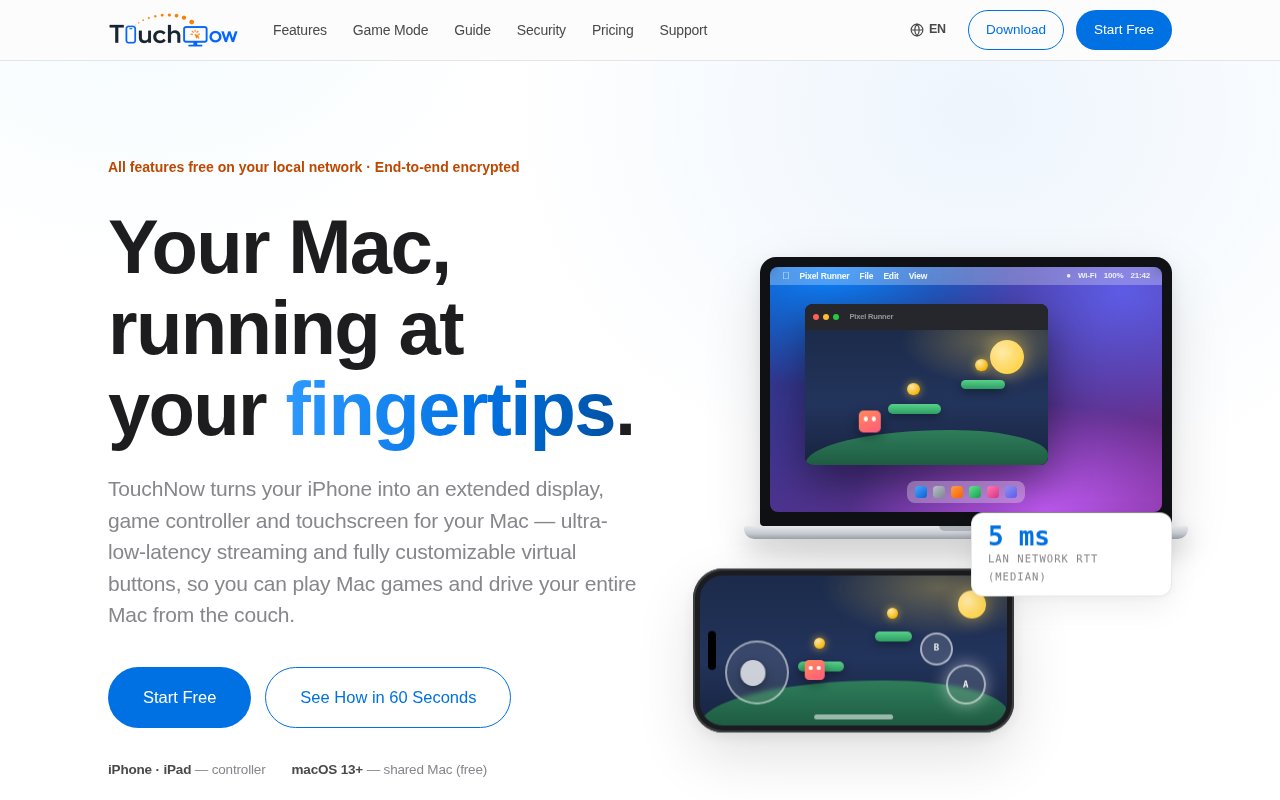
TouchNow is a remote control app that turns an iPhone or iPad into a trackpad, a touchscreen, a keyboard or a game controller for a Mac. You install the free TouchNow Host on the Mac, pair the phone by scanning a QR code or entering a PIN, and the Mac's screen streams to the phone over an encrypted peer-to-peer connection on your local Wi-Fi. Everything works on the same network for free, and a small subscription adds access from outside the house.
The problem it's answering is the awkward gap between a Mac sitting on a desk and the person who isn't sitting at it. Maybe the Mac is driving a TV and you want a trackpad from the sofa. Maybe there's a game with keyboard controls that would be better on a touch controller. Maybe you want a quick look at a long-running process from another room without walking over. TouchNow covers those cases with one host app and one phone app rather than a general purpose remote desktop tool built for IT departments.
There are three control modes. Trackpad mode gives you a precise cursor with two-finger scrolling. Direct touch maps your finger to the screen with a built-in magnifier so small targets are hittable. Game mode lays out virtual buttons and sticks that map to keyboard input, with unlimited buttons you drag into place, multi-key combos on a single button, separate bindings per stick direction, adjustable trigger sensitivity, and automatic takeover when you plug in a physical MFi, Xbox or PlayStation controller. A full MacBook keyboard layout is included, with Escape, the function keys, arrows and modifier combinations.
The streaming side is tuned for latency. The site quotes a median LAN round trip of 5 milliseconds, 60 frames per second at 1080p, an adaptive jitter buffer of 0 to 30 milliseconds, and a 50 millisecond heartbeat that stops keys sticking if a packet goes missing. Beyond mirroring, the phone or tablet can act as an extended display, a second desktop you drag windows onto rather than a copy of the main one, and you can stream a single Mac window with taps raising that window automatically. Picture in picture, lock-screen streaming, two-way clipboard sync, audio streaming, Wake-on-LAN and auto-reconnect with visible progress round it out.
Security is treated as a feature rather than a footnote. There's no account and no sign-up. Connections are allowlist only, pairings can be revoked, pairing codes are protected with PBKDF2 at 210,000 iterations plus AES-GCM, and a red banner across the top of the Mac's screen shows who is in control. Remote access uses a signaling server for connection setup only, public STUN for NAT traversal, and a relay only when a direct connection isn't possible, with screen and input data end-to-end encrypted so the servers can't read it. The Mac needs Screen Recording permission to stream and Accessibility permission to inject input, and viewing works without the second one.
Where it differs from a general remote desktop tool is the phone-first design. Remote desktop products are built for administering a machine from another computer and treat a phone as a small window onto a big screen. TouchNow starts from the phone's strengths, touch, motion and a controller layout you design, and adds the pieces a Mac owner actually wants at home, like an extended display and a single window streamed to the sofa. It's not trying to be a fleet management tool, and there's no cloud account holding your machines.
It suits Mac owners who game with keyboard controls, people running a Mac as a media or home machine, and anyone who wants to glance at or nudge a Mac from a phone. The host requires macOS 13 or later on Apple Silicon or Intel, and the phone side needs iOS 15 or later. The host isn't on the Mac App Store; it's a download from the website, with a setup guide and FAQ alongside it.
Getting started is short. You download TouchNow Host from the website, grant it Screen Recording and Accessibility in System Settings under Privacy and Security, open the phone app, and pair by pointing the camera at the QR code on the Mac or typing the PIN. From there you pick a mode, and the site's guide and FAQ cover the setup steps and the permission prompts. The performance panel shows what the link is doing, and quality tuning lets you trade resolution for responsiveness on a busy network. Multi-display selection matters for anyone with more than one monitor, since you choose which display streams rather than getting all of them squeezed onto a phone screen.
Access is freemium with an unusually firm promise. On the local network every feature is free forever, with no trial period and no watermark, including all three control modes, the customizable controller, extended display, multi-display selection, quality tuning, the performance panel and the magnifier. Remote Access, for connecting across networks when you're away from home, costs $2.99 a month or $19.99 a year, and the site states that features that are free today will never move behind a paywall and that no other subscriptions are planned. Support is by email through the contact link on the site.
Key Features
- Trackpad, direct touch and game controller modes
- Customizable virtual buttons and sticks
- iPhone or iPad as an extended display
- Single-window streaming to the phone
- End-to-end encrypted peer-to-peer link
- Allowlist pairing with no account
Pros & Cons
What we like
- Every local network feature is free forever
- Low latency, 5 ms median LAN round trip claimed
- Physical controllers take over automatically
- No sign-up and a visible banner shows who is in control
Room for improvement
- Mac host and iOS client only
- Host isn't on the Mac App Store
- Needs Screen Recording and Accessibility permissions
- Remote access across networks is a paid add-on
Frequently Asked Questions
What is TouchNow?
Is TouchNow free?
What do I need to run it?
Is the connection secure?
Best For
Featured in
Alternatives to TouchNow
View all
CalendHub
Smart scheduling and calendar management for teams
Kevin Gabeci Toolkits
Seven AI toolkits for writing books, making music, cutting video, and building agents.

Eased Into AI
Learn AI from zero. No jargon, no hype, just steps that work.

Fix It Gently
Calm, plain-English fixes for everyday tech problems.
Our take
Tool Index Editorial · Sep 2026· 4.0/5
TouchNow turns an iPhone or iPad into a Mac trackpad, touchscreen, keyboard, game controller, or second display. It is designed for Mac owners controlling a media machine from the sofa, playing keyboard-driven games, or checking work from another room. Every local network feature is free. Cross-network access costs EUR 2.99 monthly or EUR 22.99 yearly, with screen and input traffic described as end-to-end encrypted.
We found the phone-first controls, real setup guide, and free local mode unusually generous. Direct touch, custom game layouts, single-window streaming, and an extended desktop cover more than a basic remote mouse app. The host is downloaded outside the Mac App Store and needs Screen Recording plus Accessibility access, so users should be comfortable granting powerful permissions. It is also an Apple-only setup, requiring macOS 13 and iOS or iPadOS 15 or later.
Editorial opinion from the Tool Index team, written from the public product pages. Not a user review.
Reviews (0)
Badge builder
Add TouchNow to your website
Choose a badge style and size, preview it here, then copy the generated HTML. Badge images are self-contained SVGs and do not require an external script.

<a href="https://toolindex.net/tools/touchnow?ref=badge" target="_blank" rel="noopener">
  <img src="https://toolindex.net/badge/touchnow/medium.svg" alt="TouchNow - Listed on Tool Index" width="180" height="50" />
</a>How to use the badge
- 1. Pick the style, size, and theme that fit your layout.
- 2. Copy the generated HTML from the code block.
- 3. Paste it into your footer, homepage, or press page.
Standard badge available
The standard listing badge is available now. Score and circle badges are limited to tools currently ranked in the top 10 of a category.
Badge clicks return visitors to this profile with a referral tag so the source remains identifiable.
Related Tools

Confluence
Atlassian's long-running team wiki that anchors many enterprise knowledge stacks
Asana
Project management for teams that live in projects, tasks and dependencies
Kevin Gabeci Toolkits
Seven AI toolkits for writing books, making music, cutting video, and building agents.

Logseq
An open-source outliner notes app where every bullet is a first-class block
Work on TouchNow? Request listing access or correction