
Tuziyo
AI image and video studio with multiple generation models and editing tools
Gallery
About Tuziyo
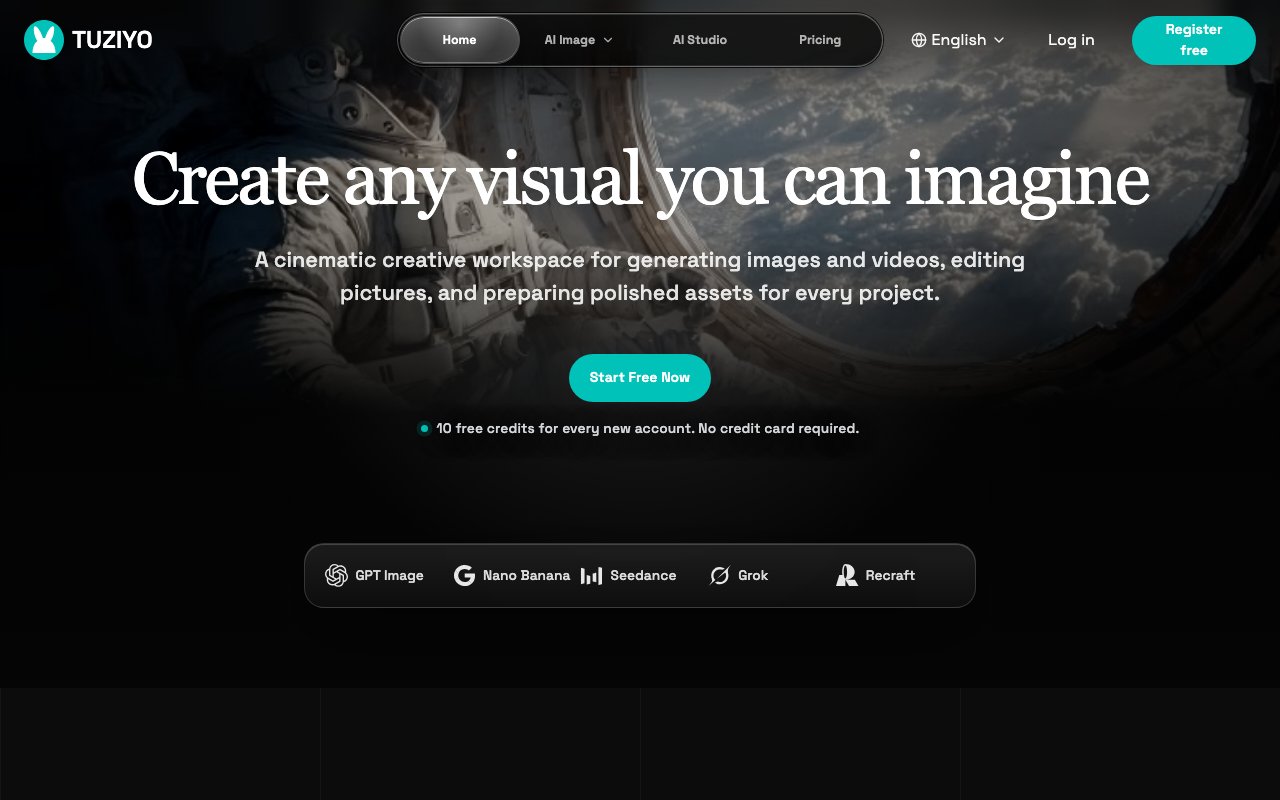
Tuziyo is a web-based creative studio that combines AI image and video generation with practical editing tools in one workspace. Instead of bouncing between different AI generators for images, separate tools for video, and yet another app for post-production touchups, you can create, refine, and export assets without leaving the browser. The platform describes itself as a cinematic creative workspace, and the focus is on moving from prompt to polished asset in a streamlined flow rather than juggling multiple services. For teams producing visual content regularly, having generation and finishing in the same place removes a lot of the friction that slows down content production.
The generation side covers both images and videos through a selection of AI models. Available models include GPT Image 2 from OpenAI, the Nano Banana family with its Pro and 2 variants, Seedream 5 Pro from ByteDance, Recraft for design-focused outputs, and Grok. Each model has its own strengths and aesthetic tendencies, so having them in one place lets you compare outputs and choose what fits your project without signing up for separate accounts on each platform. Reference image support means you can guide generation with existing visuals rather than relying purely on text descriptions, which helps when you need consistency across a campaign or product line. If you have a brand style or existing assets to match, you can upload those as references and the models will factor them into the generation.
Where Tuziyo pulls ahead of pure generators is the editing layer. Once you have an image, you can inpaint to fix specific areas that didn't generate well, retouch details, crop to different aspect ratios for various platforms, resize for web or print specifications, and convert between formats. That takes assets from rough generation to campaign-ready without needing Photoshop or a separate editing app. For teams producing content at volume, whether for social media, product pages, or marketing campaigns, this workflow compression matters. You can go from concept to export in minutes rather than hours, and the person generating the content can also finish it without handing off to a designer for every tweak.
The interface is multilingual, supporting English, Simplified Chinese, French, Japanese, Korean, Russian, and Italian. That makes it accessible to global teams without needing workarounds for language barriers or separate localized versions of the interface. The visual workspace moves from prompt entry through model selection to generation and editing in a linear flow that's easy to follow even for users who haven't worked with AI generation tools before. Reusable sessions let you pick up where you left off on longer projects, so you don't lose your work or have to recreate setups between visits.
Target users are content creators, marketing teams, product designers, and agencies who need polished visual assets quickly. If you're producing images for social media posts, product photography for e-commerce listings, campaign visuals for launches, cover images for blog posts, or any context where you need variants fast and don't want to hand off to a designer for every tweak, Tuziyo covers that loop. The combination of multiple models plus integrated editing means you can experiment with styles and refine results in the same session. You might try the same prompt across three different models, pick the best output, then crop and resize it for Instagram, Twitter, and your website all in one place.
New accounts get 10 free credits with no credit card required, so you can test the platform and see output quality before deciding whether to pay. Premium pricing exists for heavier use, though the site doesn't break down exact tiers publicly on the main pages. The tradeoff for free accounts is likely limited credits and possibly resolution or feature caps, but the trial gives you a real sense of the quality and workflow before committing to a paid plan. That's enough to generate several images, try the editing tools, and evaluate whether the platform fits your production needs.
The limitation is scope. This is a generation and light editing tool, not a full design suite. If you need complex compositing with dozens of layers, vector work, or heavy retouching that requires precise masking and adjustment layers, you'll still reach for something like Photoshop or Figma. Video generation is also more limited compared to dedicated video AI platforms, so if motion content is your primary focus, evaluate whether the video features meet your needs. But for the specific job of going from idea to production-ready image or short video clip with AI assistance, Tuziyo streamlines the path considerably and keeps everything in one browser tab rather than scattered across multiple apps.
Key Features
- Multiple AI image and video models
- Reference image guided generation
- Inpainting and retouching tools
- Crop, resize, and format conversion
- Multilingual interface in seven languages
- Browser-based creative workspace
Pros & Cons
What we like
- Access to multiple generation models in one place
- Editing tools let you finish assets without switching apps
- Free trial with 10 credits and no card required
- Multilingual support for global teams
Room for improvement
- Premium pricing not detailed publicly
- Not a full design suite for complex compositing
- Newer platform with less community content
- Video generation may be limited compared to dedicated tools
Frequently Asked Questions
What is Tuziyo?
Is Tuziyo free?
Which AI models does Tuziyo support?
Who is Tuziyo for?
Best For
Featured in
Alternatives to Tuziyo
View all
HairstylesPro
Try hundreds of hairstyles on your own photo before you commit to a cut

Recraft
AI image generator built around vector output and brand styles

AutoSprite
AI spritesheet generator that turns a character image into game-ready animations

Midjourney
Create stunning AI artwork from text prompts
Our take
Tool Index Editorial · Oct 2026· 3.5/5
Tuziyo is a browser workspace for generating images and short video concepts across a large menu of current models, then comparing and organizing the outputs. The practical value is model choice in one place, with reference support and reusable sessions. New accounts get 10 free credits without a card. Paid plans start at $19 a month for 350 credits, rise to $49 for 1,000, and reach $149 for 3,500.
We like the clear credit counts, model list, concurrency limits, and private output on the two higher plans. The weakness is that credits vary by model, output type, and complexity, so the advertised image estimates are only rough. Starter generations are public, and the site shows organization and comparison more clearly than deep editing. Tuziyo makes sense for creators comparing models, but buyers should test actual credit burn and output rights first.
Editorial opinion from the Tool Index team, written from the public product pages. Not a user review.
Reviews (0)
Badge builder
Add Tuziyo to your website
Choose a badge style and size, preview it here, then copy the generated HTML. Badge images are self-contained SVGs and do not require an external script.

<a href="https://toolindex.net/tools/tuziyo?ref=badge" target="_blank" rel="noopener">
  <img src="https://toolindex.net/badge/tuziyo/medium.svg" alt="Tuziyo - Listed on Tool Index" width="180" height="50" />
</a>How to use the badge
- 1. Pick the style, size, and theme that fit your layout.
- 2. Copy the generated HTML from the code block.
- 3. Paste it into your footer, homepage, or press page.
Standard badge available
The standard listing badge is available now. Score and circle badges are limited to tools currently ranked in the top 10 of a category.
Badge clicks return visitors to this profile with a referral tag so the source remains identifiable.
Related Tools
HairstylesPro
Try hundreds of hairstyles on your own photo before you commit to a cut
Recraft
AI image generator built around vector output and brand styles

AIMakeTattoo
Turn text descriptions into visual tattoo concepts with style and placement options
Flux by Black Forest Labs
Open and hosted image models that power half the AI art stack
Work on Tuziyo? Request listing access or correction