
TypeUI Micro Interactions
Preview purposeful UI behaviors and copy prompts for AI coding tools
Gallery
About TypeUI Micro Interactions
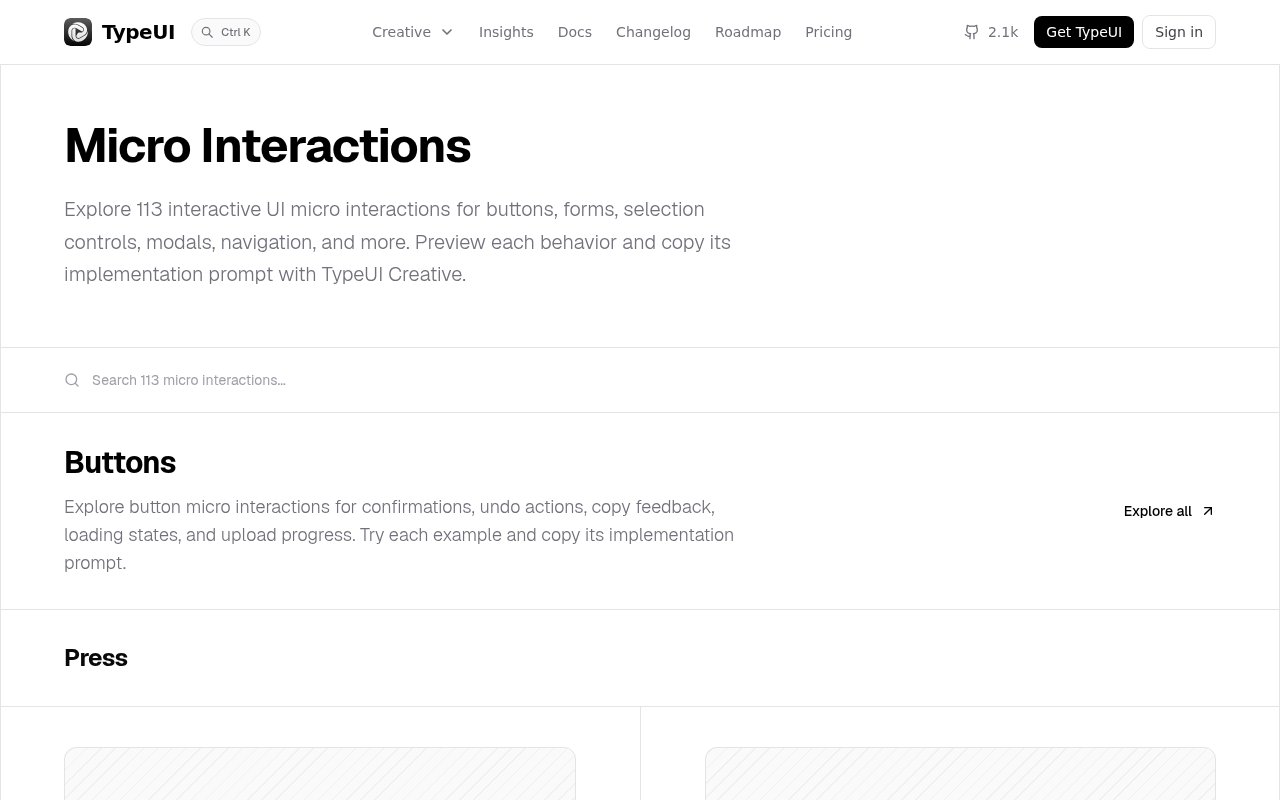
TypeUI Micro Interactions is an interactive reference library for small interface behaviors, paired with implementation prompts for AI coding tools. Its catalog currently contains 113 examples covering buttons, inputs, selection controls, modals, drawers, tooltips, toasts, step navigation, lists, sliders, and cards. Instead of describing motion with a vague request such as making a control feel polished, it lets a designer or developer try the behavior in the browser and give an agent a prompt for that specific pattern. The goal is practical feedback and clarity, not animation for its own sake.
Each entry is a working miniature interface. A visitor can press buttons, type into fields, change selections, open panels, drag controls, or trigger loading states to see both the movement and the state change it communicates. Examples include a hold-to-confirm action, undo countdown, upload progress, inline validation, select-all cascade, drag-linked backdrop, promise toast, blocked step advance, archive with undo, dual-thumb range, and expandable card. The library groups related behaviors by component, and search helps narrow the full collection. Some examples expose a prompt directly, while the rest show an unlock action tied to TypeUI Creative access.
The patterns are more useful than a gallery of visual effects because they connect motion to a product outcome. Input examples show validation, autosave, formatting, counts, and suggestions. Selection patterns reveal dependent settings, update totals, or enable an action only when its conditions are met. Modal examples cover blocked dismissal and exact-match confirmation, while list patterns preserve context during moves, inserts, pinning, and archiving. Many controls also demonstrate recovery and status, which matters when an interface is changing data or waiting on a request. This makes the collection a source of interaction decisions as well as visual inspiration.
TypeUI is designed to sit beside AI-assisted development. A user can preview an interaction, copy its human-tested prompt, and use that instruction with an AI coding tool rather than reverse engineering timing and behavior from a video. The wider TypeUI Creative product can connect to Codex, Claude, Cursor, and other compatible tools through an MCP server. It also provides design skills, UI prompts, animations, sound effects, foundations, brand kits, audits, and published design systems. The micro-interaction catalog is still useful on its own, but it becomes a more direct building workflow when those prompts and design rules are available inside the coding agent.
It suits product designers, frontend developers, founders, and teams that use coding agents but still want deliberate interface behavior. A designer can use the live states to explain an interaction during review. A developer can compare patterns before implementing a risky confirmation or multi-step form. A founder without a motion specialist can give an agent a precise target instead of iterating on adjectives. It is especially relevant to web products with forms, settings, onboarding, dashboards, and asynchronous actions. It isn't a downloadable component library, so teams should expect their coding tool to adapt the prompt to the project's framework and existing design system.
The breadth of the catalog also helps teams compare similar ideas before committing to one. A loading state might use bouncing dots, a dual ring, a wave, a progress fill, or a shimmer, and each carries a different visual weight. A destructive action might ask for a second press, a hold, an exact match, or an undo window. Seeing those choices behave in place is more informative than reading their names in a design document. It encourages a team to choose feedback that matches the risk and duration of the action, while the grouped pages make it easy to review a family of controls without jumping between unrelated inspiration sites.
The public page allows visitors to explore every category and try the demonstrations, with a limited set of prompts available to copy. Full prompt access sits in the paid TypeUI Creative plan, which is listed at $120 per year and can also be billed monthly. Creative includes the broader prompt, animation, design-skill, foundation, and design-system workspace rather than selling this collection separately. That makes the access model freemium in practice. The free catalog is enough to judge the interaction quality and borrow ideas, while regular prompt use is aimed at paying TypeUI users. The narrow focus is a strength for choosing micro behaviors, though teams seeking production-ready source components will need to generate or write the final implementation themselves.
Key Features
- 113 interactive behavior examples
- Component-based pattern browsing
- Searchable interaction catalog
- Copyable AI implementation prompts
- Live light and dark previews
- TypeUI Creative workflow integration
Pros & Cons
What we like
- Examples are interactive instead of static
- Patterns connect motion to clear feedback
- Broad coverage across common UI components
- Prompts fit AI-assisted development workflows
Room for improvement
- Many implementation prompts require paid access
- It doesn't provide production-ready components
- Best suited to AI-assisted coding workflows
- Catalog focuses on web interface patterns
Frequently Asked Questions
What is TypeUI Micro Interactions?
Does it provide code components?
Is TypeUI Micro Interactions free?
Who is this library for?
Best For
Featured in
Alternatives to TypeUI Micro Interactions
View all
Framer
Visual website builder that lets designers ship production-grade marketing sites with real CMS, SEO controls, and code components.

Tailwind CSS
Rapidly build custom designs without leaving your HTML

Apatero Studio
Creator studio for AI image, video, audio, 3D, and avatars. Every model worth using, in one workspace.

Pixel Painters
Unlimited graphic design subscriptions built only for churches and ministries
Reviews (0)
No reviews yet
Be the first to share your experience with TypeUI Micro Interactions
Sign in to write a reviewBadge builder
Add TypeUI Micro Interactions to your website
Choose a badge style and size, preview it here, then copy the generated HTML. Badge images are self-contained SVGs and do not require an external script.

<a href="https://toolindex.net/tools/typeui?ref=badge" target="_blank" rel="noopener">
  <img src="https://toolindex.net/badge/typeui/medium.svg" alt="TypeUI Micro Interactions - Listed on Tool Index" width="180" height="50" />
</a>How to use the badge
- 1. Pick the style, size, and theme that fit your layout.
- 2. Copy the generated HTML from the code block.
- 3. Paste it into your footer, homepage, or press page.
Standard badge available
The standard listing badge is available now. Score and circle badges are limited to tools currently ranked in the top 10 of a category.
Badge clicks return visitors to this profile with a referral tag so the source remains identifiable.
Related Tools
Apatero Studio
Creator studio for AI image, video, audio, 3D, and avatars. Every model worth using, in one workspace.
Tailwind CSS
Rapidly build custom designs without leaving your HTML

Figma
Collaborative interface design tool

Marvel
Lightweight prototyping platform for turning images and screens into clickable mobile and web prototypes.
Work on TypeUI Micro Interactions? Request listing access or correction