
VectorArtGen
AI-powered text-to-SVG generator for logos, icons, and illustrations
Gallery
About VectorArtGen
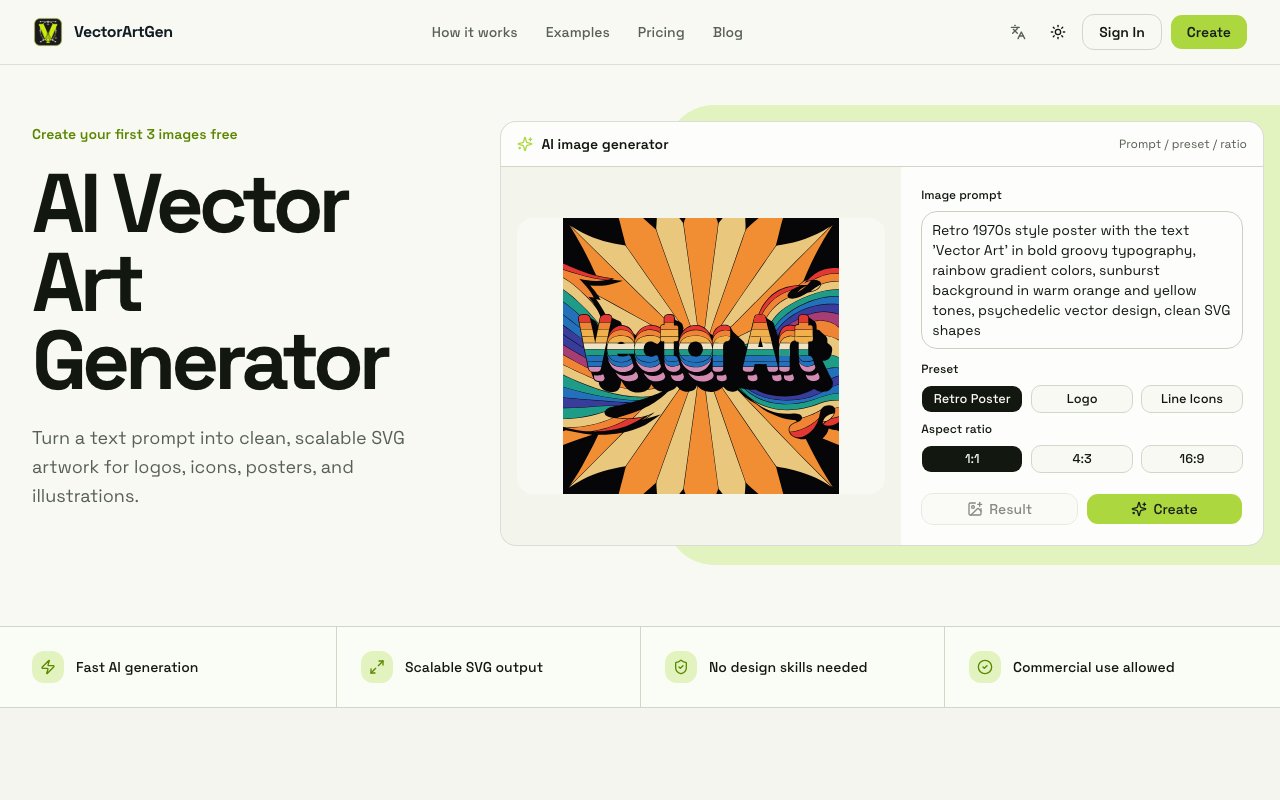
VectorArtGen takes the text to image generation concept that has become commonplace across the AI landscape and applies it specifically to scalable vector graphics, a format that behaves fundamentally differently from the raster images most generators produce. Instead of creating pixel based images that degrade and become fuzzy when you scale them up, the platform generates clean SVG artwork from plain language descriptions. You describe what you want using natural language, specify the visual style and color palette you're aiming for, and the system builds a composition with mathematically defined edges, readable silhouettes, and controlled color regions. The output scales infinitely without quality loss because SVG files contain path definitions and coordinates rather than pixel grids with fixed resolutions.
The workflow follows three distinct stages designed to keep things approachable for people who aren't trained designers by background or profession. In the first stage you write a description covering the subject matter, visual direction, color mood, and intended use case for the artwork. The platform offers preset categories including logos, posters, line icons, and editorial illustrations that guide the AI toward output appropriate for each context. These presets matter because vector artwork for a mobile app icon needs different characteristics than artwork destined for a conference poster or magazine illustration. In the second stage generation happens, producing vector compositions that follow established design conventions for the category you selected. The third stage lets you refine through prompt adjustments, visual direction changes, or aspect ratio modifications until the result matches what you actually need. Multiple aspect ratios are supported including square, landscape, portrait, and wide formats to fit different contexts and placement requirements.
The exclusive focus on SVG output distinguishes VectorArtGen from the broader field of general purpose image generators that primarily produce raster formats. Raster formats like PNG and JPEG work fine for photographs and complex photographic imagery, but logos, icons, brand marks, and technical illustrations need to work at business card scale and billboard scale simultaneously without quality degradation. SVG handles that scalability requirement natively because the format describes shapes mathematically rather than as fixed pixel grids. The clean edge quality and controlled color regions the platform emphasizes are characteristics that make vector artwork usable in professional production contexts rather than just visually interesting experiments.
Target users span several distinct categories with different needs but shared interest in vector output. Designers and creative professionals can use it for rapid concept exploration, generating multiple variations in seconds rather than manually sketching each potential direction. Founders and startup teams without in house design resources get access to logo and brand asset creation without the expense and timeline of hiring design contractors. Agencies handling multiple client projects across varied industries can accelerate their ideation and concepting phases significantly. Anyone who needs vector graphics for branding, social media, icon sets, presentations, merchandise, or print materials but lacks illustration skills has a viable path to producing those assets themselves.
Pricing operates on an annual subscription model structured across four tiers to match different usage patterns and needs. The free tier provides 5 standard resolution generations with watermarks applied to the output, enough to evaluate whether the generation quality and style control meet your requirements before paying. The Starter tier at 120 dollars per year delivers 300 high definition exports without watermarks. Vector Pro at 290 dollars yearly increases capacity to 1,200 ultra high definition exports and includes commercial licensing rights that matter when you're creating assets for clients or products you'll sell. The Studio tier at 790 dollars yearly provides 4,800 exports, adds team seats for collaborative workflows, and includes API access for integrating VectorArtGen's generation capabilities into other tools or automated pipelines you're building.
The platform launched in 2026 and supports both English and Chinese language interfaces for its user base. Separate tools available on the site handle converting existing raster images like JPGs and PNGs into SVG format, addressing the related but distinct problem of vectorizing artwork you already possess rather than generating entirely new pieces from text descriptions. For teams that work heavily with vector formats across their design and development workflows, having both generation and conversion capabilities available in a single platform simplifies the overall tool stack and reduces context switching between different services.
Key Features
- Native SVG file output
- Text-to-vector prompt generation
- Preset templates for logos and icons
- Multiple aspect ratio options
- Commercial use on paid plans
- Browser-based, no software needed
Pros & Cons
What we like
- Outputs scalable vector files, not raster images
- Quick iteration from prompt to downloadable SVG
- No design skills or software required
- Commercial rights included with paid tiers
Room for improvement
- Complex compositions can lose clarity
- Precise symmetry is inconsistent
- Usage-based pricing adds up for heavy use
- Some cleanup needed in a vector editor for final work
Frequently Asked Questions
What is VectorArtGen?
Is VectorArtGen free?
Who is VectorArtGen for?
What file format does it output?
Best For
Featured in
Alternatives to VectorArtGen
View all

Reviews (9)
Two months in, no regrets
Have been running VectorArtGen for a while, here is where I land. Got real value out of outputs scalable vector files, not raster images. Would sign up again without thinking twice.
Pulled its weight from week one
VectorArtGen has quietly become part of my daily flow. Their take on outputs scalable vector files, not raster images is genuinely good. It fits well for mocking up logo directions for a new brand.
Worth a look
Picked VectorArtGen for the price, stayed for the quality. It has shaved real time off my week. The thing I keep coming back to is how reliable it is. No regrets so far.
Two months in, no regrets
VectorArtGen has quietly become part of my daily flow. Their take on multiple aspect ratio options is genuinely good. Mostly using it for producing placeholder illustrations for prototypes. No regrets so far.
Genuinely impressed
Started using VectorArtGen casually, now it is pinned in my dock. Where it really wins is preset templates for logos and icons. It earns its place in my stack.
It just works
Found VectorArtGen on a Show HN thread and I am glad I clicked. It has shaved real time off my week. It does what it says, which is rarer than it should be. No regrets so far.
Two months in, no regrets
Picked VectorArtGen for the price, stayed for the quality. What stands out is how it handles browser-based, no software needed. It has shaved real time off my week. It earns its place in my stack.
Does the job, a few gripes
VectorArtGen has quietly become part of my daily flow. The output quality holds up better than I expected. It slotted into my routine without much fuss. Found it works best for creating social graphics without a designer. One thing that bugs me is precise symmetry is inconsistent. Easy yes for anyone weighing the same trade offs.
It just works
Three months of VectorArtGen later, here is what holds up. Where it really wins is native svg file output. Easy yes for anyone weighing the same trade offs.
Badge builder
Add VectorArtGen to your website
Choose a badge style and size, preview it here, then copy the generated HTML. Badge images are self-contained SVGs and do not require an external script.

<a href="https://toolindex.net/tools/vectorartgen?ref=badge" target="_blank" rel="noopener">
  <img src="https://toolindex.net/badge/vectorartgen/medium.svg" alt="VectorArtGen - Listed on Tool Index" width="180" height="50" />
</a>How to use the badge
- 1. Pick the style, size, and theme that fit your layout.
- 2. Copy the generated HTML from the code block.
- 3. Paste it into your footer, homepage, or press page.
Score badge available
VectorArtGen qualifies for the score and circle badges based on its current top-10 positionin AI Image Generators.
Badge clicks return visitors to this profile with a referral tag so the source remains identifiable.
Related Tools

HairstylesPro
Try hundreds of hairstyles on your own photo before you commit to a cut

Recraft
AI image generator built around vector output and brand styles

AIMakeTattoo
Turn text descriptions into visual tattoo concepts with style and placement options
Flux by Black Forest Labs
Open and hosted image models that power half the AI art stack
Work on VectorArtGen? Request listing access or correction