
Wysebee
Connect a local AI agent to browsers, containers, databases, and APIs
Gallery
About Wysebee
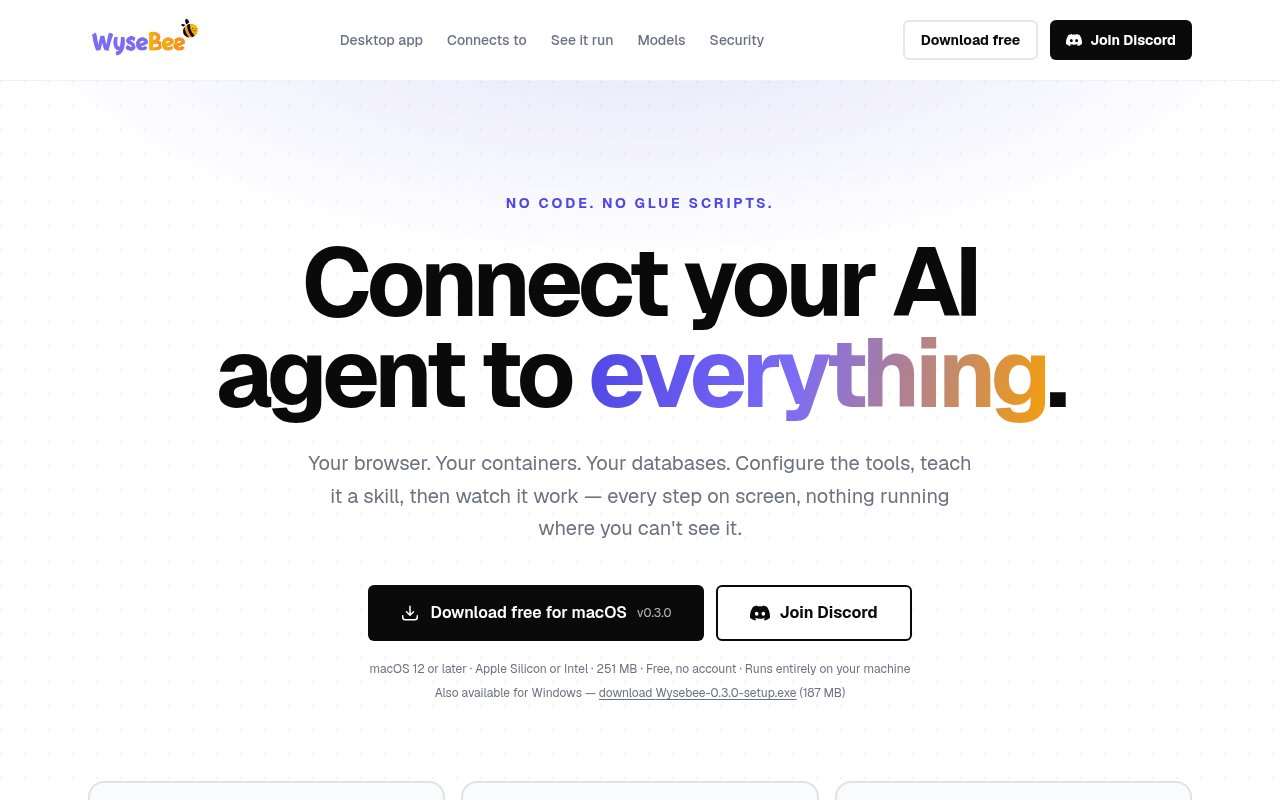
Wysebee is a free desktop application that gives an AI agent controlled access to a browser, containers, databases, APIs, and a small set of local tools. It is aimed at jobs that require an agent to act rather than only answer a question. A configured agent can click and read web pages, fill forms, query connected data, call an HTTP service, or run commands inside a workspace. The work stays visible in the app as it happens, and the user can stop a run midway. Wysebee runs on macOS and Windows, requires no account, and stores its durable data on the machine. It can use a hosted model through the user's own provider key or connect to a compatible model running locally.
The core organizing unit is a node, which is a named bundle of only the tools an agent may use for a particular job. A user creates a node, chooses tools from forms, and writes a skill in plain language that explains how the job should be done. The agent loads that skill when it needs it, so a recurring process doesn't depend on pasting the same prompt every session. Tools can point at a browser, a database, an HTTP API, a fixed JSON response, a command inside a container, or a fixed local executable. Built in tool packs add file operations and shell access when a node has a workspace, plus skill loading when at least one skill is present. The usual setup path is configuration rather than SDK work or a server deployment.
The browser tool works with a visible tab on the user's computer. It can open pages, click, scroll, read, and fill fields, which makes sites without a public API reachable to the agent. Database connections let the agent query an existing database directly without an export or a second synchronized copy. An HTTP Request tool can call an API and inject a stored credential into the header without exposing that secret to the model. Workspaces use Docker containers and can start from Debian, Python with Jupyter, PostgreSQL, MySQL, or a custom Dockerfile.
Oversight and containment are central to how Wysebee is presented. Each action appears on screen as it occurs, including the page opened, command run, or row changed. The user can inspect the transcript and interrupt a run instead of waiting for a hidden process to return a final answer. Shell commands run inside the node's Docker workspace rather than on the host. The container uses an unprivileged user, resource limits, an allowed environment, and file access confined to the workspace. Symbolic links are checked before file access. The explicit exception is an administrator only Local Command tool that runs a fixed host program, with arguments kept out of a shell.
Model choice remains with the user. Wysebee accepts keys from several hosted model providers, encrypts them on the machine, and doesn't show them again to the interface or agent. It can alternatively connect to Ollama, LM Studio, or another OpenAI compatible server on the local machine or network. With a local model and no key, the prompt, page contents, and queried rows can remain local. The chosen model needs tool calling support. This approach is helpful for people who already have a preferred provider or want to experiment with local inference without changing the tools and skills built around it.
The product fits individual operators, developers, analysts, and technically curious users who want an agent to complete repeatable work across systems they already use. A node can combine an internal web dashboard with a database or a bounded container workspace. The desktop app is designed for one person and one machine. It doesn't yet provide the shared accounts, single sign-on, or audit logs a larger team would expect, and there is no Linux build. Docker is optional for basic use but becomes necessary when a workspace needs to run shell commands.
Its main distinction is the combination of no code configuration, visible execution, and local control. Many agent platforms either require writing tool servers or move the entire run to managed infrastructure. Wysebee turns each tool into a form, keeps the instruction skill readable, and shows every call while the agent works on owned hardware. It also gives browser tasks first class treatment, which matters when a site has no API. The security posture is concrete but not magic. A browser page can still try to influence an agent, local model quality varies, and the user must decide which tools belong in each node. Publishing through a tunnel also exposes every node on the forwarded port rather than offering a separate publish switch for each one.
Wysebee Desktop is free to download and use with no sign-in, no account, and no telemetry. The official builds support macOS 12 or later on Apple Silicon and Intel, plus 64 bit Windows 10 or later. Configuration lives in a local SQLite file, while workspace data lives in separate folders that remain if the application is uninstalled. The current release notes recommend backing up the database before an upgrade because it doesn't yet run a database migration step. That makes the product accessible for individual experimentation, with the practical caveat that it is still a young desktop release with several clearly documented limitations.
Key Features
- Visible browser automation
- Sandboxed container commands
- Direct database querying
- Plain language reusable skills
- Hosted and local models
- Configurable node tool bundles
Pros & Cons
What we like
- Runs locally with no account or telemetry
- Shows every agent action while it happens
- Supports several hosted and local model providers
- Builds agent tools through forms instead of code
Room for improvement
- No Linux build is available yet
- Docker is required for workspace shell commands
- Desktop use is designed for one person
- Publishing lacks a per node switch
Frequently Asked Questions
What does Wysebee do?
Is Wysebee free?
Which AI models work with Wysebee?
Can a Wysebee agent access the whole computer?
Best For
Featured in
Alternatives to Wysebee
Rememori
Embedded memory engine for AI agents in TypeScript with zero dependencies

Demi AI
Demi helps busy professionals eliminate repetitive admin work across their favorite tools.

Lindy
No-code AI agents that handle email, meetings, and recurring workflows
Vapi
Build voice AI agents that take and place phone calls
Our take
Tool Index Editorial · Oct 2026· 3.5/5
Wysebee is a free Mac and Windows app that lets an AI agent drive a visible browser for regression checks and repetitive web tasks. We found a clear workflow built around plain language instructions, reusable skills, on-screen execution, screenshots, recordings, and a generated Playwright spec. It can use a hosted model key or a local model, and the site says no account is required.
The local, observable approach is appealing for individuals who want to watch and stop an agent rather than hand a browser session to a remote service. It still asks users to trust model decisions inside a logged-in browser, and no-selector tests can be less deterministic than conventional automation. There is no Linux build shown, and teams needing shared administration or mature audit controls should treat this as a personal desktop tool first.
Editorial opinion from the Tool Index team, written from the public product pages. Not a user review.
Reviews (0)
Badge builder
Add Wysebee to your website
Choose a badge style and size, preview it here, then copy the generated HTML. Badge images are self-contained SVGs and do not require an external script.

<a href="https://toolindex.net/tools/wysebee?ref=badge" target="_blank" rel="noopener">
  <img src="https://toolindex.net/badge/wysebee/medium.svg" alt="Wysebee - Listed on Tool Index" width="180" height="50" />
</a>How to use the badge
- 1. Pick the style, size, and theme that fit your layout.
- 2. Copy the generated HTML from the code block.
- 3. Paste it into your footer, homepage, or press page.
Standard badge available
The standard listing badge is available now. Score and circle badges are limited to tools currently ranked in the top 10 of a category.
Badge clicks return visitors to this profile with a referral tag so the source remains identifiable.
Related Tools

OpenBenchmarks
Public, externally validated benchmarks that help agents pick SaaS APIs

Almanac
A hosted, source-cited wiki that turns your files into context your AI agents can use

Wizard
Self-extending Rust terminal AI agent that works with any model

Chariot
Elastic cloud infrastructure for deploying and scaling AI agent fleets with persistent storage
Work on Wysebee? Request listing access or correction