Yap
Private, open-source voice dictation that runs entirely on a Mac
Gallery
About Yap
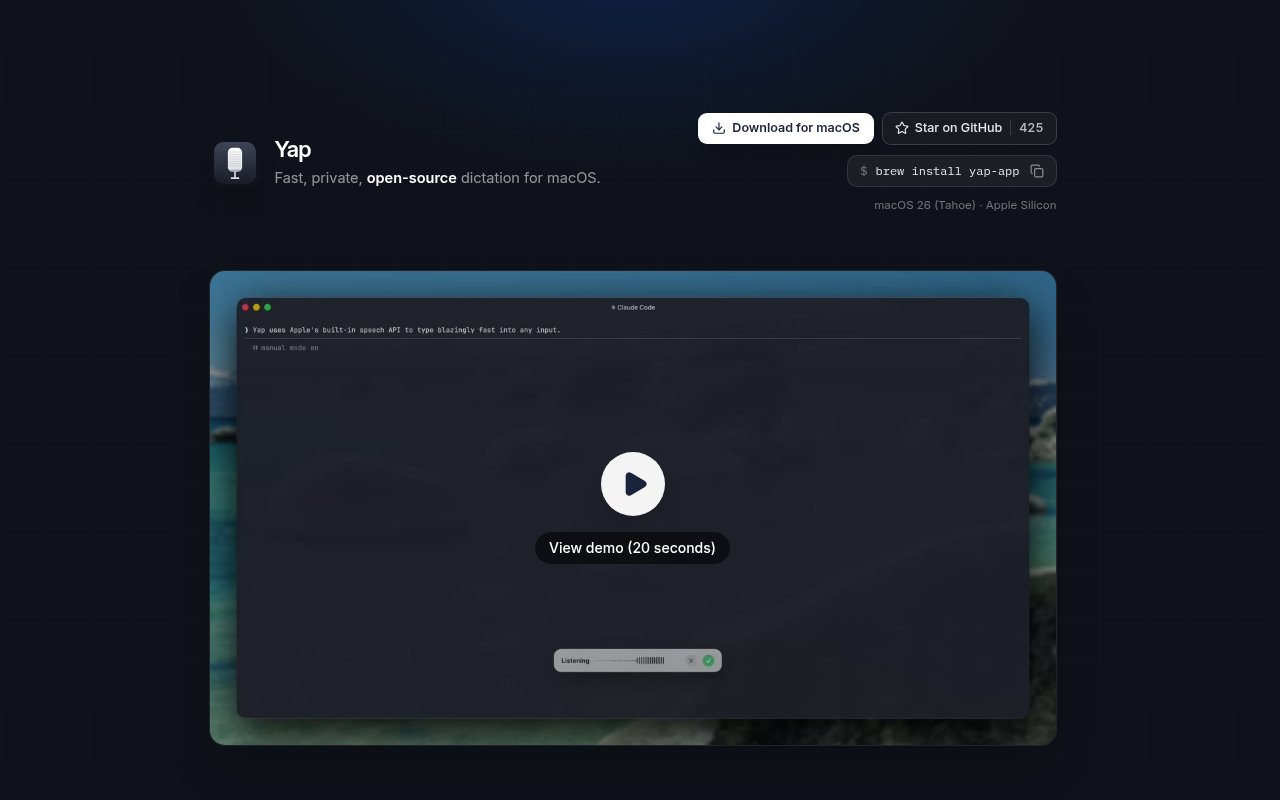
Yap is a small open-source dictation app for macOS from the team behind Frigade. It turns speech into text and places the result into the field a user was already working in, whether that field is in a terminal, browser, email client, or another Mac application. The product is built around speed and privacy rather than a large writing workspace. It does not ask users to move their work into a separate editor, create an account, or send audio to a hosted transcription service. The current release requires macOS 26, also known as Tahoe, and an Apple Silicon Mac.
The interaction is intentionally simple. A user presses a keyboard shortcut to begin dictating, speaks, then presses again to stop. The shortcut can be rebound to a preferred key, which makes the app easier to fit around an existing set of commands. When transcription finishes, the text is pasted into the active field. That keeps Yap useful across many contexts without a dedicated integration for each one. A developer can speak a prompt into a terminal, while another user can dictate an email or message in the app where it will ultimately be sent. The app follows the cursor rather than asking the user to copy text out of a separate dashboard. Moving from a coding prompt to a browser form does not require changing the capture process or setting up another destination.
Speech recognition runs through Apple's on-device Speech framework. Yap says it contains no network code, needs no API key, collects no telemetry, and never sends audio off the Mac. It also works offline, including when a user has no signal. There is no separate model download described on the product page because it uses the speech capability provided on the device. This setup gives the user a clear privacy boundary. Spoken material is processed on their own computer, which is especially relevant when a draft contains work details that should not be uploaded to a third-party transcription account.
Yap keeps a local history of transcripts on the Mac. That history is searchable, so dictated text can be found and reused after it has been pasted somewhere else. This is helpful when a sentence was entered into the wrong field, a longer prompt needs to be recovered, or an earlier draft becomes useful again. The history remains consistent with the rest of the product's local posture. It is not presented as a shared team archive or a cloud document system. Instead, it gives one person a practical record of what the app has transcribed on that device. Search also makes history more than a temporary clipboard. A user can return to language they spoke earlier without relying on the destination app to preserve it.
Frigade says its team built Yap because they spend much of the day prompting coding agents, writing emails, and sending Slack messages. Those examples define the product's most natural audience. It suits people who already know where the text should go but find speaking faster or more comfortable than typing it. The active-field workflow is also useful for switching between tools during the day because the dictation control stays the same. Yap is not described as a meeting recorder, speaker diarization service, or long-form audio processing platform. Its narrow job is live personal dictation into the current Mac workflow.
The strongest distinction is how few external pieces are involved. Many dictation products rely on an account, remote model, subscription, or API credential. Yap uses Apple's local framework and has no network path at all. That removes ongoing service setup and allows dictation to continue offline. It also means a user does not have to manage usage credits or provide a service key before the first transcription. The same design sets firm boundaries. It is limited to supported Apple hardware and the newest named macOS release, and there is no cross-device cloud layer. Transcription behavior is tied to the on-device speech framework rather than a choice among hosted models. Buyers who need Windows, older Macs, collaborative transcript storage, or server-side audio processing will need something broader.
Yap can be downloaded from its public GitHub project or installed through Homebrew with the published yap-app package. It is MIT licensed, and the site presents it as open source rather than as a paid SaaS product. No price, subscription, premium tier, or account requirement is listed. That makes it an approachable utility for Apple Silicon users already on macOS 26 who want quick speech input without sending recordings across the internet. Its value comes from staying out of the way. One shortcut handles capture, text lands in the current field, and searchable history remains on the same Mac.
Key Features
- On-device Apple speech recognition
- Rebindable dictation shortcut
- Text pasting into any field
- Searchable local transcript history
- Fully offline operation
- No accounts or telemetry
Pros & Cons
What we like
- Audio never leaves the Mac
- Works across terminals, browsers, and apps
- Simple shortcut keeps dictation quick
- MIT license makes the code inspectable
Room for improvement
- Requires macOS 26 on Apple Silicon
- No Windows or Linux version
- Local history does not sync across devices
- Focused on dictation rather than meeting transcription
Frequently Asked Questions
What is Yap?
Does Yap send audio to the cloud?
Which Macs can run Yap?
Is Yap free?
Best For
Featured in
Alternatives to Yap

CalendHub
Smart scheduling and calendar management for teams
Kevin Gabeci Toolkits
Seven AI toolkits for writing books, making music, cutting video, and building agents.

Eased Into AI
Learn AI from zero. No jargon, no hype, just steps that work.

Fix It Gently
Calm, plain-English fixes for everyday tech problems.
Reviews (0)
Badge builder
Add Yap to your website
Choose a badge style and size, preview it here, then copy the generated HTML. Badge images are self-contained SVGs and do not require an external script.

<a href="https://toolindex.net/tools/yap?ref=badge" target="_blank" rel="noopener">
  <img src="https://toolindex.net/badge/yap/medium.svg" alt="Yap - Listed on Tool Index" width="180" height="50" />
</a>How to use the badge
- 1. Pick the style, size, and theme that fit your layout.
- 2. Copy the generated HTML from the code block.
- 3. Paste it into your footer, homepage, or press page.
Standard badge available
The standard listing badge is available now. Score and circle badges are limited to tools currently ranked in the top 10 of a category.
Badge clicks return visitors to this profile with a referral tag so the source remains identifiable.
Related Tools

Confluence
Atlassian's long-running team wiki that anchors many enterprise knowledge stacks
Asana
Project management for teams that live in projects, tasks and dependencies
Kevin Gabeci Toolkits
Seven AI toolkits for writing books, making music, cutting video, and building agents.

Logseq
An open-source outliner notes app where every bullet is a first-class block
Work on Yap? Request listing access or correction