
ZenMode OS
Replace the Android home screen with calmer search, limits, accountability, and rewards
Gallery
About ZenMode OS
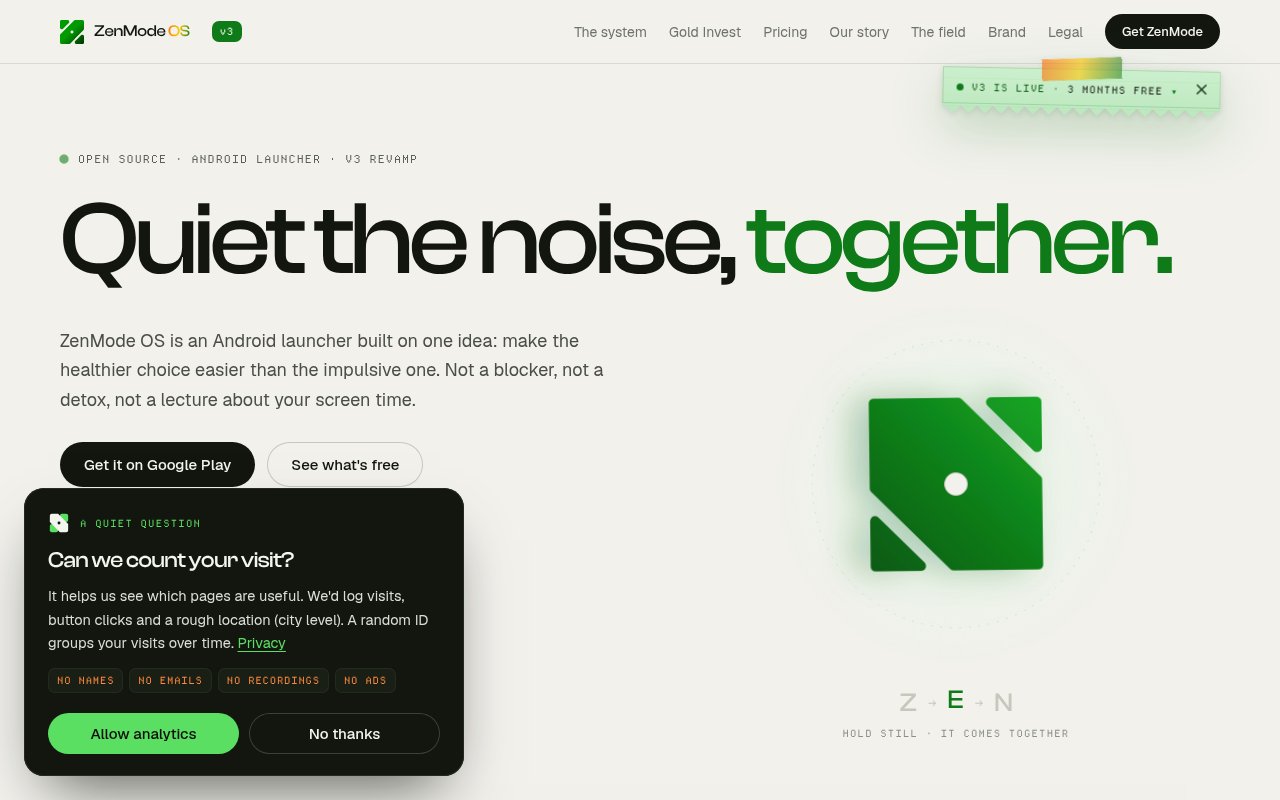
ZenMode OS is an open source Android launcher designed to reduce unintentional phone use without making the phone unusable. It replaces the home screen, which puts it between the user's intention and the apps most likely to pull that intention off course. Instead of relying only on warnings after time has already been spent, it combines a quieter launcher, selective blocking, a personal screen time promise, accountability, and optional rewards. Users can keep practical parts of an app available while limiting the feeds that tend to turn a quick check into a much longer session.
The home screen is intentionally spare. A user chooses roughly eight important apps and sees them on a black screen without badges or widgets competing for attention. One central search bar can find apps, files, settings, and the web, so reaching a specific destination doesn't require browsing a colorful grid. Search results can show how much time remains for a limited app before it opens. This design is less about banning the phone and more about removing prompts that encourage an aimless tap. Light and dark display choices remain available without restoring the usual attention grabbing home screen clutter.
Its distraction blocker works at a more precise level than blocking an entire app. ZenMode can quiet Instagram Reels while leaving direct messages available, or block YouTube Shorts while preserving search. Pro users can use a limited thirty minute pause rather than switching a rule off indefinitely. The launcher also asks users to set a daily screen time promise and can add a short moment of intention before opening an app. These small points of friction are meant to make a deliberate session easier to distinguish from automatic browsing. Free users can revise the promise weekly, while Pro allows another edit within the same week.
Progress is summarized through a Zen Score out of ten. Most of the score reflects screen time against the daily promise, while the rest reflects whether sessions were calm and intentional. A daily report explains the gains and deductions with minutes attached, and weekly recaps show patterns such as how often a distracting app tried to pull attention back. Free accounts keep seven days of history. Pro extends that view to all-time history, adds downloadable data, and includes longer report access. A score of seven or more is treated as a mindful day, but the site is clear that the measure isn't a medical diagnosis.
Accountability comes through Zen Circle and Random Connect. A user can pair with another ZenMode user without building a social feed or exposing detailed activity. The other person sees the score and its direction rather than messages, logs, or the contents of phone use. The free plan allows a smaller number of random connections each week, while Pro raises that limit and priority. The approach provides a human nudge without turning screen time into another endlessly browsable network.
Zen Gold adds an optional financial reward for keeping a promise on enough days in a week. The user chooses units of Gold BeES, and ZenMode hands the purchase to Zerodha Kite. Zerodha handles identity checks, payment, execution, settlement, and custody, while the units remain in the user's own demat account. ZenMode says it doesn't touch the money and isn't a broker or investment adviser. Gold BeES trades on the market and can lose value, so this feature is best viewed as an optional habit mechanism for eligible Indian users, not a guaranteed reward.
The launcher and its public interfaces and mock backend are released under GPLv3, and a clean clone can run without private service keys. A separate private module handles Firebase, analytics, and pairing for hosted account features. Usage calculations happen on the phone, while account features necessarily use ZenMode's servers. That split is more transparent than a fully closed wellbeing app, though it isn't the same as every hosted feature being open or self-contained. The core launcher is free forever with no ads, centralized search, daily scoring, Zen Circle beta access, and seven days of history. Pro is sold through Google Play with monthly and annual options. The site currently advertises a discounted annual launch price and trials, but store pricing may change by region. Android is the only supported platform. ZenMode OS is a thoughtful fit for people who want their phone to remain useful while making feeds harder to enter, especially those comfortable replacing the default launcher and testing a young product that is still being built in public.
Key Features
- Quiet Android home screen
- Apps files and web search
- Feed-level distraction blocking
- Daily Zen Score
- Private accountability pairing
- Optional Gold BeES rewards
Pros & Cons
What we like
- Reduces visual prompts at the launcher level
- Blocks distracting feeds while preserving useful functions
- Explains screen time changes through a daily score
- Publishes the core launcher under GPLv3
Room for improvement
- Available only on Android
- Long history and exports require Pro
- Gold rewards require a compatible Zerodha account
- Hosted pairing relies on a private service module
Frequently Asked Questions
What is ZenMode OS?
Is ZenMode OS free?
Is all of ZenMode OS open source?
Does ZenMode OS invest money for users?
Best For
Featured in
Alternatives to ZenMode OS

CalendHub
Smart scheduling and calendar management for teams
Kevin Gabeci Toolkits
Seven AI toolkits for writing books, making music, cutting video, and building agents.

Eased Into AI
Learn AI from zero. No jargon, no hype, just steps that work.

Fix It Gently
Calm, plain-English fixes for everyday tech problems.
Our take
Tool Index Editorial · Oct 2026· 4.0/5
ZenMode OS replaces the Android home screen with a quieter launcher, direct search, selective feed blocking, a daily score, and lightweight accountability. We like the decision to block distractions such as short video feeds without making the useful parts of an app inaccessible. The core launcher is free with no ads and seven days of history. Pro is listed at INR 699 per year for new users or INR 208 monthly.
Replacing a launcher is a bigger commitment than installing a timer, and Android is the only supported platform. Longer history, exports, and blocker pauses sit behind Pro, while the scoring system can only simplify a complicated behavior. Still, the combination of fewer visual prompts and more precise blocking is more thoughtful than a generic screen time warning.
Editorial opinion from the Tool Index team, written from the public product pages. Not a user review.
Reviews (0)
Badge builder
Add ZenMode OS to your website
Choose a badge style and size, preview it here, then copy the generated HTML. Badge images are self-contained SVGs and do not require an external script.

<a href="https://toolindex.net/tools/zenmode-os?ref=badge" target="_blank" rel="noopener">
  <img src="https://toolindex.net/badge/zenmode-os/medium.svg" alt="ZenMode OS - Listed on Tool Index" width="180" height="50" />
</a>How to use the badge
- 1. Pick the style, size, and theme that fit your layout.
- 2. Copy the generated HTML from the code block.
- 3. Paste it into your footer, homepage, or press page.
Standard badge available
The standard listing badge is available now. Score and circle badges are limited to tools currently ranked in the top 10 of a category.
Badge clicks return visitors to this profile with a referral tag so the source remains identifiable.
Related Tools

Confluence
Atlassian's long-running team wiki that anchors many enterprise knowledge stacks
Asana
Project management for teams that live in projects, tasks and dependencies
Kevin Gabeci Toolkits
Seven AI toolkits for writing books, making music, cutting video, and building agents.

Logseq
An open-source outliner notes app where every bullet is a first-class block
Work on ZenMode OS? Request listing access or correction