
Zeus
Build, test, connect, and improve AI voice agents through one conversational workspace
Gallery
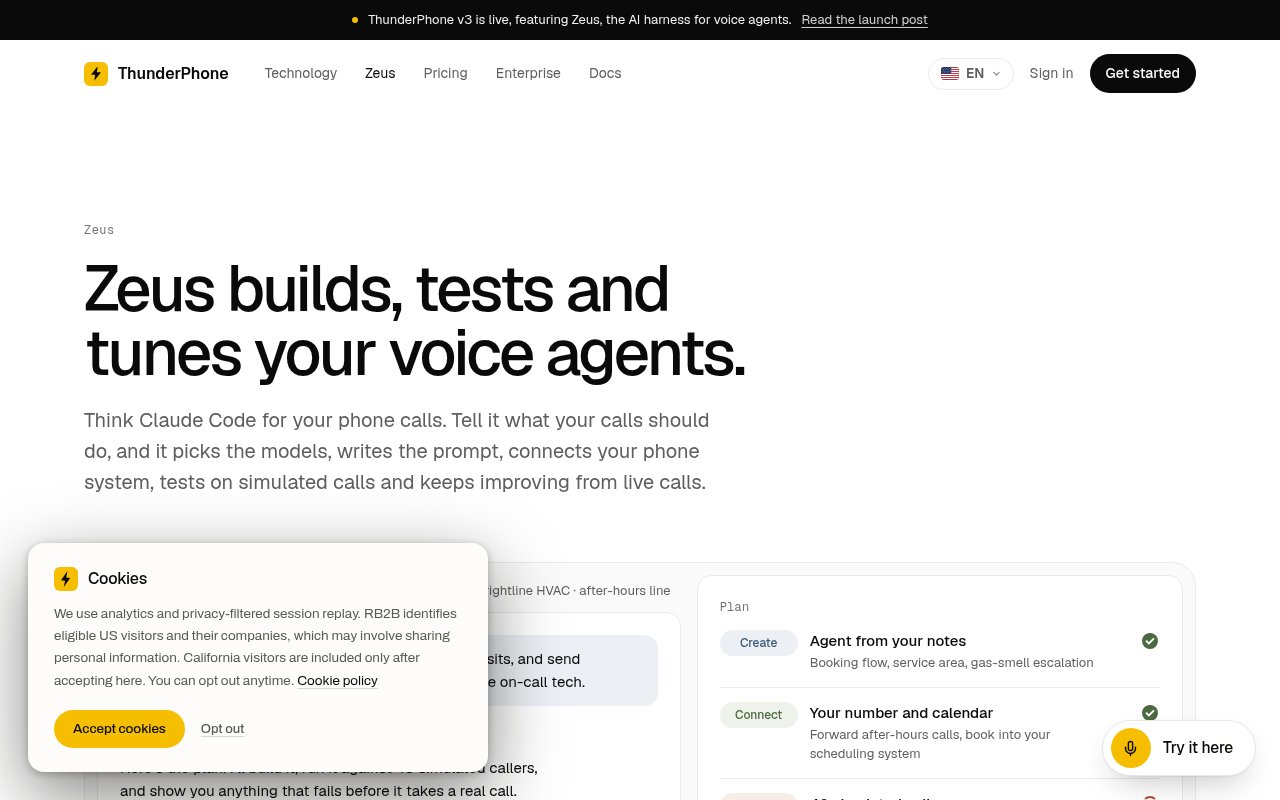
About Zeus
Zeus is ThunderPhone's AI agent for creating and operating other AI voice agents. A user describes what a business's calls should accomplish, and Zeus turns that brief into an agent, chooses the relevant voice and model configuration, writes the prompt, helps connect phone and software systems, and tests the result before it handles real callers. ThunderPhone frames it as a coding agent for phone calls, but its scope goes beyond initial setup. Zeus stays involved after launch by examining live calls, finding repeated problems, proposing changes, and measuring whether those changes improve a practical goal such as completed bookings or fewer hangups.
There are several ways to start. Zeus can work from a conversation about the business, a prompt written by the user, existing scripts and standard operating procedures, or recordings that show how a call center handles conversations. It can also import agents from Vapi, Retell, ElevenLabs, or Bland, with the product page explaining that it brings over the usable configuration and identifies anything that still needs input. The agent remains editable, so a team isn't locked into whatever Zeus drafts first. This is important for regulated scripts, escalation rules, pricing policies, and other instructions where the business needs to own the final wording rather than accept a generated flow without review.
Testing is the center of the product's closed loop. Zeus can simulate text and audio callers across difficult situations such as noisy lines, interruptions, confused callers, and unusual requests. It can replay past conversations against a proposed version, rerun a specific turn that failed, and show whether a change creates new errors elsewhere. Once an agent is live, Zeus looks for patterns such as hangups, loops, wrong transfers, and missed bookings. It links a recommendation back to the calls that motivated it, tests fixes on simulated and historical calls first, and can propose an A/B test against the outcome the team cares about. That process gives its suggestions more context than a generic assistant working only from a prompt.
Deployment and integration work also sit inside the workflow. Zeus helps connect SIP trunks or purchased phone numbers, configures warm, cold, and whisper transfers, and works through connections to calendars, customer systems, or other APIs. The underlying ThunderPhone service supports phone calls as well as voice experiences in web or app interfaces. Its voice library covers 62 languages, and agents can change languages during a call when the caller does. Zeus helps select among voice options where naturalness, stability, and cost pull in different directions. Zeus runs in ThunderPhone's web application, where chat, simulations, live call review, and experiments share one workspace. Developers who prefer their own environment can use ThunderPhone plugins, an MCP server, or the API for many of the same tools, though the site distinguishes those interfaces from the complete Zeus experience in the web app.
Control over changes is explicit rather than all or nothing. A team can require approval before every live change or grant more autonomy, then revise that choice later. Versions are saved, can run side by side, and can split a chosen share of traffic to a variant before the team promotes it. Zeus can tune prompts, voices, and model choices around cost, speed, and call quality, while the user sets business priorities and can place limits on what it does. That makes it most relevant to companies operating inbound service lines, appointment booking, qualification, sales, or other repeatable calling work where behavior can be tested against a clear result. It won't remove the need for owners to review policy, recording consent, and high impact call decisions.
Zeus is currently described as free, while the calls and simulations it runs use ThunderPhone's usage-based billing. The dedicated product page says calls start at 2 cents per minute, and the launch material offers new users $10 in call credit without requiring a credit card. ThunderPhone also says Zeus itself will eventually have paid options, with an intention to keep a lighter version free, so buyers shouldn't treat today's assistant price as permanent. The product is still early, which makes the visible approval controls, version history, and test workflow especially relevant. Teams can try the builder with included credit, but meaningful production evaluation should budget for simulated and live call usage, telephony where applicable, and the human time needed to verify the agent's behavior.
Key Features
- Voice agent creation from requirements
- Text and audio call simulations
- Live call issue detection
- Backtesting against past calls
- Controlled A/B experiments
- Phone and software connections
Pros & Cons
What we like
- Covers the full voice agent lifecycle
- Tests changes before wider rollout
- Connects recommendations to real calls
- Lets teams choose approval boundaries
Room for improvement
- Zeus is still an early product
- Simulated calls incur usage charges
- Voice behavior still needs human review
- Full experience requires ThunderPhone's web app
Frequently Asked Questions
What is Zeus?
How does Zeus test a voice agent?
Can Zeus import an existing agent?
Is Zeus free?
Best For
Featured in
Alternatives to Zeus
View all
Stack AI
No-code platform for building and deploying enterprise AI agents and workflows on a visual canvas

Almanac
A hosted, source-cited wiki that turns your files into context your AI agents can use

Demi AI
Demi helps busy professionals eliminate repetitive admin work across their favorite tools.
n8n
Fair-code workflow automation with 400+ integrations
Reviews (0)
Badge builder
Add Zeus to your website
Choose a badge style and size, preview it here, then copy the generated HTML. Badge images are self-contained SVGs and do not require an external script.

<a href="https://toolindex.net/tools/zeus?ref=badge" target="_blank" rel="noopener">
  <img src="https://toolindex.net/badge/zeus/medium.svg" alt="Zeus - Listed on Tool Index" width="180" height="50" />
</a>How to use the badge
- 1. Pick the style, size, and theme that fit your layout.
- 2. Copy the generated HTML from the code block.
- 3. Paste it into your footer, homepage, or press page.
Standard badge available
The standard listing badge is available now. Score and circle badges are limited to tools currently ranked in the top 10 of a category.
Badge clicks return visitors to this profile with a referral tag so the source remains identifiable.
Related Tools

OpenBenchmarks
Public, externally validated benchmarks that help agents pick SaaS APIs
Almanac
A hosted, source-cited wiki that turns your files into context your AI agents can use

Wizard
Self-extending Rust terminal AI agent that works with any model

Chariot
Elastic cloud infrastructure for deploying and scaling AI agent fleets with persistent storage
Work on Zeus? Request listing access or correction