
ZWPlayer
Web video player with interactive annotations, visual editors, and multi-protocol streaming
Gallery
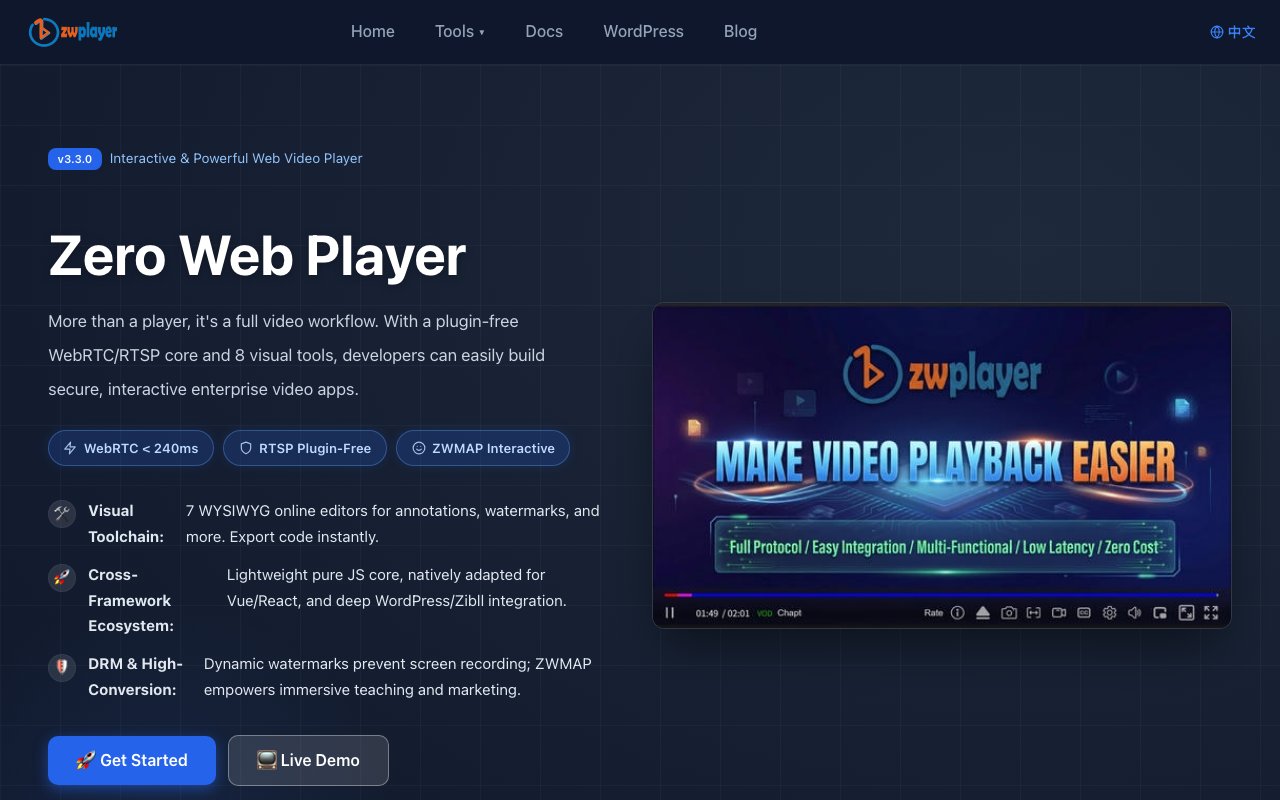
About ZWPlayer
ZWPlayer is a web-based video player that handles nearly every streaming protocol you might encounter in a production environment. It plays HLS, DASH, FLV, WebRTC, RTSP, and RTMP through a single unified interface with automatic stream type detection. You point it at a video source, and the player figures out which protocol handler to use without requiring manual configuration. The most technically impressive capability is plugin-free RTSP playback directly in browsers. RTSP streams from security cameras and industrial equipment typically require external software or complex server-side protocol conversion. ZWPlayer achieves browser-native playback through lightweight media gateways that translate RTSP on the fly without Flash, browser extensions, or desktop applications.
Modern codec support extends to H.265, AV1, and low-latency HLS variants. For real-time applications where delay matters, ZWPlayer integrates with WebRTC-based streaming systems including WHEP, Aliyun ARTC, Tencent TRTC, and BRTC to achieve latencies under 240 milliseconds. This makes it suitable for live surveillance monitoring, interactive broadcasts, remote collaboration tools, and any scenario where sub-second responsiveness is required. The combination of broad protocol support and cutting-edge codec compatibility means you can use one player across different infrastructure setups rather than maintaining separate playback solutions for each streaming backend or video format your system handles.
Beyond basic playback, ZWPlayer includes a built-in annotation engine that transforms passive video viewing into interactive experiences. You can overlay quizzes that pause playback until answered, forms that collect viewer input, branching paths that let viewers choose what happens next, voting elements for audience participation, and thirteen other dynamic node types. Educational platforms use this for inline assessments that test comprehension during lecture videos. Marketing teams create choose-your-own-adventure product demonstrations. Corporate training departments build compliance modules where employees must demonstrate understanding before proceeding. The annotations are authored through a visual WYSIWYG editor rather than code, making interactive video accessible to content creators without programming backgrounds.
Security features address enterprise concerns about content protection and leak prevention. Dynamic watermarks render at the millisecond level, embedding viewer identification information directly into the video display in ways that resist removal. The system includes anti-screen-recording capabilities that make unauthorized capture traceable. Any recording of a watermarked video includes the identification data, providing forensic evidence if content appears somewhere it shouldn't. Beyond watermarking, the player supports local file parsing that runs entirely in the browser without sending video data to external servers. Organizations handling sensitive footage like unreleased content, legal depositions, or confidential presentations can deploy ZWPlayer within private networks, keeping everything completely on-premise with no external data transmission.
The technical implementation offers flexibility for different development environments and team preferences. A pure JavaScript version distributed via CDN provides quick integration for any web project. Dedicated Vue 2, Vue 3, and React component packages offer framework-native experiences with proper lifecycle management and state integration. A WordPress plugin includes sandbox-level CSS isolation, preventing styling conflicts with existing themes. ZWPlayer uses its own ZWMAP protocol specification, a JSON format that unifies how the player handles playlists, subtitles, chapters, watermarks, and annotations into a consistent structure. This standardization simplifies content management when you're dealing with videos that combine multiple metadata types.
Eight companion tools extend the player's capabilities beyond simple embedding. An online player interface lets you test streams by dragging local files directly into the browser window. A code generator produces ready-to-use configuration snippets for your specific setup without manual JSON authoring. The annotation editor provides visual hotspot design with preview functionality. Subtitle, chapter, thumbnail sprite, playlist, and watermark editors each handle their respective data types through point-and-click interfaces. These tools mean you can prepare all your video metadata, interactive elements, and security configurations before deployment rather than hand-editing configuration files or writing custom processing scripts.
ZWPlayer targets development teams building video functionality into products rather than end consumers watching content. Enterprise video platforms managing large content libraries benefit from the unified protocol handling. Educational technology companies need the interactive annotation engine for assessments and engagement. E-commerce sites implementing shoppable video use the branching and hotspot features. Security operations centers monitoring camera networks rely on the RTSP-to-browser capability. The free open-source core library removes licensing barriers for initial development and prototyping, while the full feature set with companion editors justifies integration investment for teams that would otherwise stitch together multiple specialized libraries, each with its own quirks and limitations, to achieve comparable functionality.
Key Features
- HLS, DASH, FLV, WebRTC, and RTSP streaming
- Interactive annotations with quizzes and branching
- Seven WYSIWYG visual editors
- Anti-screen recording with dynamic watermarks
- Subtitle search and bilingual layouts
- Vue, React, and WordPress components
Pros & Cons
What we like
- Supports a wide range of streaming protocols and codecs
- Interactive video features built in, not bolted on
- Free with no visible paid tier
- Components for vanilla JS, Vue, React, and WordPress
Room for improvement
- Documentation is dense and may require time to navigate
- Feature-heavy, which adds complexity if you only need basic playback
- Smaller community compared to Video.js or Plyr
- Enterprise features like watermarking add overhead
Frequently Asked Questions
What is ZWPlayer?
What frameworks does ZWPlayer support?
Is ZWPlayer free?
How does the interactive video feature work?
Best For
Featured in
Alternatives to ZWPlayer
View allKling AI
Kuaishou's video model that punches above its weight on motion
Luma Dream Machine
Fast, photoreal video generation from the team behind Genie 3D

Zoom
The default video meeting tool of the post-2020 internet

Loom
Async video messages that replace meetings with a quick screen recording
Reviews (0)
Badge builder
Add ZWPlayer to your website
Choose a badge style and size, preview it here, then copy the generated HTML. Badge images are self-contained SVGs and do not require an external script.

<a href="https://toolindex.net/tools/zwplayer?ref=badge" target="_blank" rel="noopener">
  <img src="https://toolindex.net/badge/zwplayer/medium.svg" alt="ZWPlayer - Listed on Tool Index" width="180" height="50" />
</a>How to use the badge
- 1. Pick the style, size, and theme that fit your layout.
- 2. Copy the generated HTML from the code block.
- 3. Paste it into your footer, homepage, or press page.
Standard badge available
The standard listing badge is available now. Score and circle badges are limited to tools currently ranked in the top 10 of a category.
Badge clicks return visitors to this profile with a referral tag so the source remains identifiable.
Related Tools

Apatero AI
The creator studio for AI image, video, audio, 3D, and avatars, now at apatero.ai.

LocalClip
Local-first AI video clipper for Mac that turns long videos into vertical clips

Melodex
Turn your idea into an AI-generated music video
Apatero Studio
Creator studio for AI image, video, audio, 3D, and avatars. Every model worth using, in one workspace.
Work on ZWPlayer? Request listing access or correction