AliasFleet
Create private email aliases that forward to your inbox and switch off spam sources
Gallery
About AliasFleet
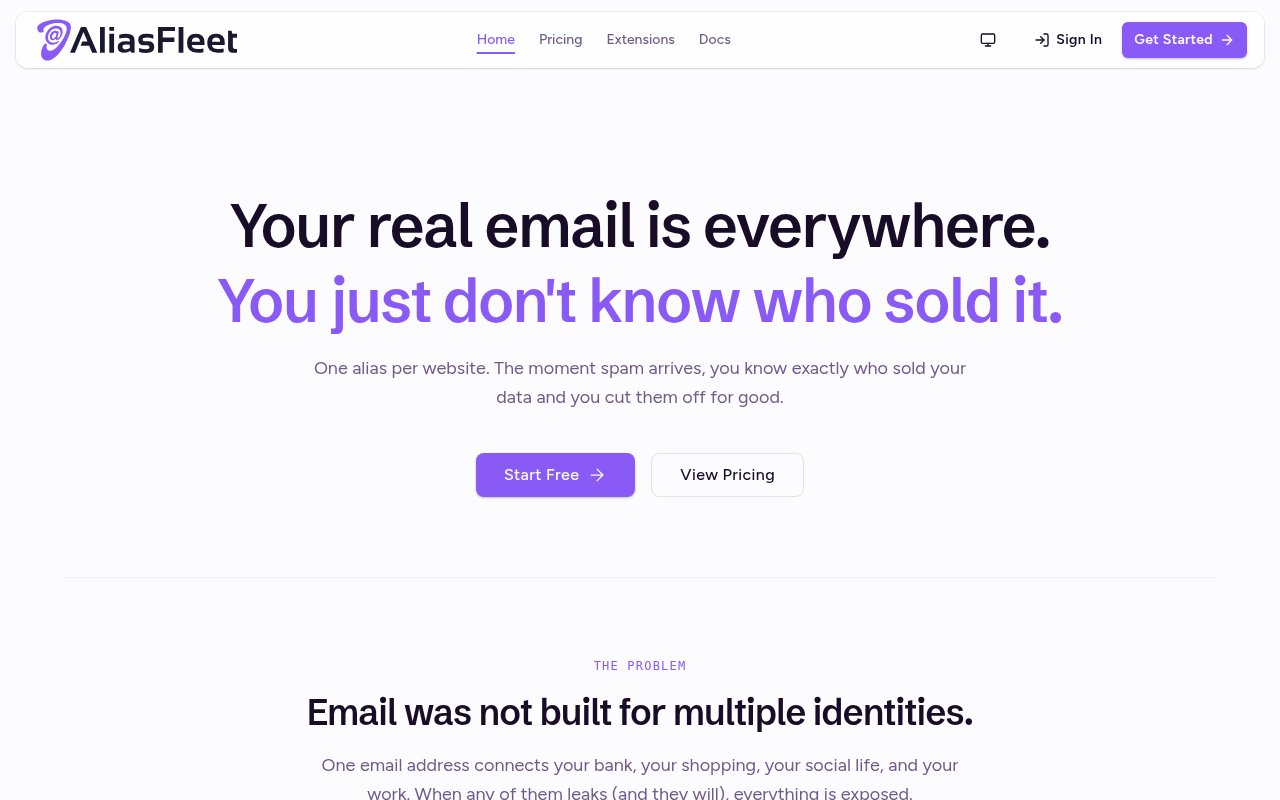
AliasFleet is an email aliasing and private forwarding service that lets people keep their real address away from websites, newsletters, shops, and online accounts. A user creates a separate address for a service and mail sent to that alias arrives in a verified destination inbox. The sender sees the alias rather than the underlying address. If unwanted mail starts arriving, the alias identifies which address was used and can be disabled without replacing the person's real email. The approach turns one inbox into a set of controlled identities while leaving everyday email delivery in the inbox a user already has.
Creating an alias takes place in the dashboard or through a browser extension. Each alias can be labeled for the site or purpose it belongs to, copied into a signup form, and managed later through list or grid views, search, filters, groups, and categories. Chrome and Firefox extensions are available for generating aliases and filling email fields in the browser. Incoming messages are forwarded to a chosen destination, and two-way reply forwarding lets a user respond from the inbox while keeping the real address out of view. AliasFleet also provides a built-in Quick Send composer for starting an outbound message from an alias.
The service is particularly useful when every website gets a different address. Mail arriving through one alias reveals where that address was originally shared, which provides a practical signal when spam or an unexpected sender appears. A one-click control can deactivate the affected alias while the others keep working. Sender rules provide more selective allow and block controls, and the dashboard includes activity and analytics views for alias performance, top senders, trends, bounces, bandwidth, and category breakdowns. The documentation also covers account sessions, two-factor authentication, per-alias settings, troubleshooting, and export, giving users more control than a disposable address that simply expires. Custom domain tools include DNS verification, domain health indicators, subdomain management, and catch-all routing. Destinations must be verified, and users can choose a default destination or route aliases differently when their plan supports it. The documentation also explains email threading, bounce handling, and how replies continue through the alias instead of exposing the destination address.
Paid plans extend the system beyond the shared AliasFleet domains. Pro supports unlimited active aliases, multiple verified destination inboxes, custom domains with catch-all behavior, managed subdomains, PGP encryption, tracker pixel stripping, link scrubbing, leak detection, and the Quick Send allowance published on the pricing page. Business increases custom domain and destination limits, allows several destinations per alias, removes the monthly forwarding bandwidth cap, and adds scoped REST API keys, raw MIME webhook payloads, deliverability diagnostics, bounce telemetry, and per-alias analytics. Those capabilities make it relevant to creators, professionals, teams, and developers as well as individuals protecting shopping or newsletter signups.
AliasFleet's privacy posture is part of the product design. The public site says it does not scan email and does not run ads, while its plan details mention data export and zero-PII privacy logging. Higher tiers offer PGP encryption for forwarding destinations and automatic encryption through WKD where supported. Even with those controls, users are still relying on a forwarding service to receive and relay messages, so evaluating its policies and configuring destination security remain sensible steps. Custom domain setup also requires DNS work, and limits for aliases, bandwidth, destinations, retention, support, and APIs depend on the selected plan.
Access is freemium. The free plan offers five active forwarding aliases, three managed subdomains, one verified destination inbox, 50 MB of monthly forwarding bandwidth, browser extensions, and seven days of activity log retention. It is free forever and the signup page says no credit card is required. The public pricing page advertises early Founder Club rates of $7 per month for Pro and $17 per month for Business, with a seven-day money-back guarantee and cancellation at any time. The free tier is enough to test forwarding with a few identities. People who want an alias for every site, their own domain, stronger privacy controls, team routing, or developer access will need one of the paid tiers.
Key Features
- Per-site forwarding aliases
- One-click alias deactivation
- Private two-way email replies
- Chrome and Firefox extensions
- Custom domain support
- REST API and webhooks
Pros & Cons
What we like
- Keeps real addresses hidden from websites
- Reveals which alias receives unwanted mail
- Supports replies without exposing the inbox
- Offers plans for individuals and teams
Room for improvement
- Free plan allows five active aliases
- Custom domains require a paid plan
- Free forwarding bandwidth is capped
- Edge and Safari extensions remain in progress
Frequently Asked Questions
What is AliasFleet?
Can users reply from an AliasFleet alias?
Is AliasFleet free?
Does AliasFleet support custom domains?
Best For
Featured in
Alternatives to AliasFleet
View all
1Password
Password and secrets manager for individuals, families, and developer teams with strong CLI and SSH agent support.
Clerk
Drop-in authentication and user management for modern apps

Tailscale
WireGuard-based mesh VPN that connects your devices, servers, and cloud resources into one private network in minutes.

BackPedal
UK bike theft protection that sends recovery agents after your stolen bike
Our take
Tool Index Editorial · Sep 2026· 3.5/5
AliasFleet is an email alias and forwarding service that keeps a real inbox address away from signups while preserving replies and outbound mail. We found useful depth in its browser extensions, per-alias controls, sender rules, destinations, custom domains, PGP options, analytics, API, and webhooks. The free plan allows five active aliases and 50 MB of monthly forwarding, while advertised early rates are $7 per month for Pro and $17 for Business.
A unique alias can show where an address was used and lets the owner disable one noisy route without changing the real inbox. It doesn't prove that the original site sold the address, despite the site's stronger wording. Users also must trust AliasFleet to relay their mail, and custom domains, unlimited aliases, stronger privacy controls, and larger limits require payment. Chrome and Firefox are supported, while Edge and Safari extensions are still in progress.
Editorial opinion from the Tool Index team, written from the public product pages. Not a user review.
Reviews (0)
Badge builder
Add AliasFleet to your website
Choose a badge style and size, preview it here, then copy the generated HTML. Badge images are self-contained SVGs and do not require an external script.

<a href="https://toolindex.net/tools/aliasfleet?ref=badge" target="_blank" rel="noopener">
  <img src="https://toolindex.net/badge/aliasfleet/medium.svg" alt="AliasFleet - Listed on Tool Index" width="180" height="50" />
</a>How to use the badge
- 1. Pick the style, size, and theme that fit your layout.
- 2. Copy the generated HTML from the code block.
- 3. Paste it into your footer, homepage, or press page.
Standard badge available
The standard listing badge is available now. Score and circle badges are limited to tools currently ranked in the top 10 of a category.
Badge clicks return visitors to this profile with a referral tag so the source remains identifiable.
Related Tools
Clerk
Drop-in authentication and user management for modern apps

DomeSOC
Autonomous SOC that grades every AI claim against evidence before it reaches an analyst
Reel
Forensic evidence capture for regulated Kubernetes, plus a free open-source VEX hub

HeimWall
Menu bar app that catches secrets and PII before you paste them into AI coding tools
Work on AliasFleet? Request listing access or correction