
AppMaker
Build structured business apps with AI, visual tools, JavaScript, and SQL
Gallery
About AppMaker
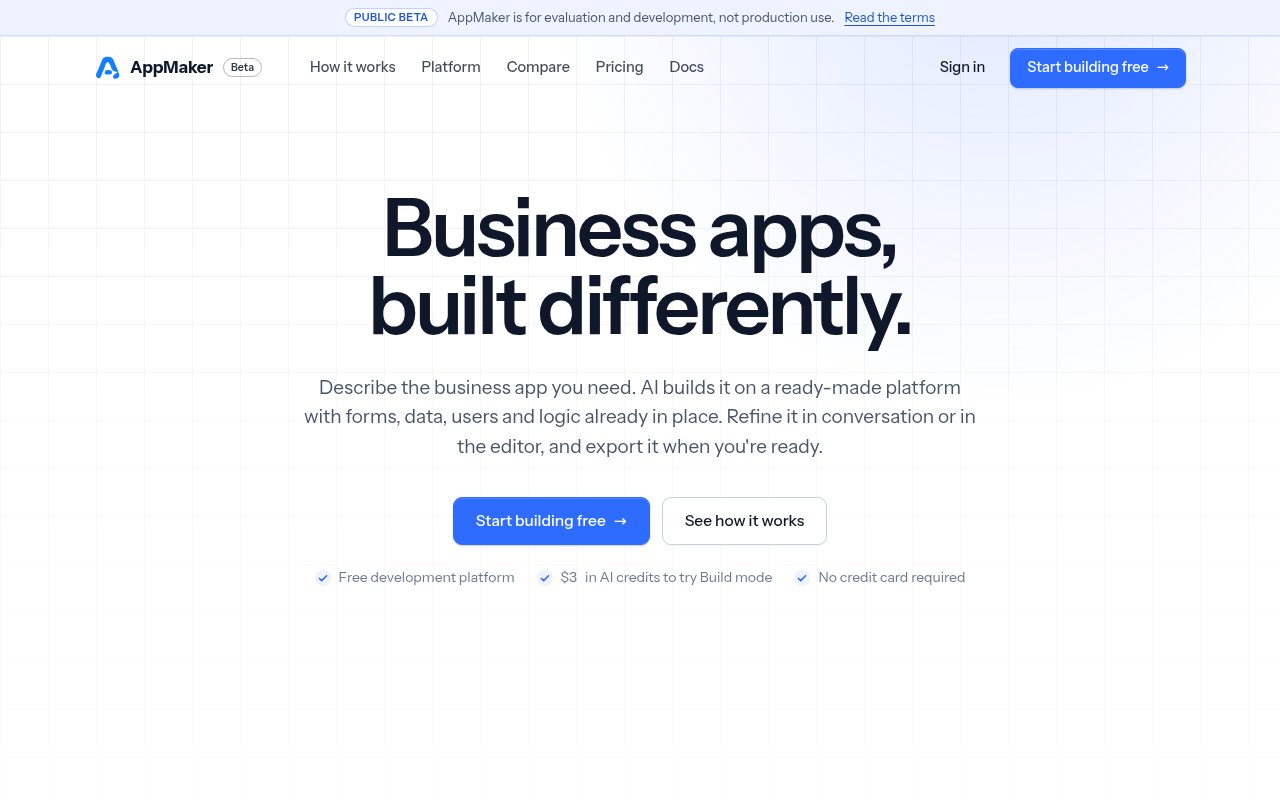
AppMaker is an AI-assisted development platform for structured, data-driven business applications. A user can describe an app in plain language, watch the AI create a working version, and then refine it through conversation or by editing the underlying project directly. It focuses on software built around forms, records, roles, rules, and repeatable processes, such as internal tools, customer management systems, inventory trackers, approval flows, and operational dashboards. That narrower scope gives each project a defined architecture from the start instead of asking the AI to invent an entire stack for every prompt. It also means AppMaker is aimed at web business software rather than arbitrary websites, native mobile apps, or projects that need a completely bespoke technical foundation.
Work is split between two views that operate on the same project. Build mode is the conversational side, where a request can add screens, data, and logic while the app runs beside the chat. Each completed AI task reports what changed and can be undone or rewound through automatic checkpoints. Design mode opens those results as concrete forms, controls, tables, client scripts, server scripts, workflows, and settings. A developer can adjust a layout visually, edit JavaScript or SQL, test the result, and hand a later change back to the AI. Nothing needs to be converted when moving between the two modes. This makes the generated work inspectable and gives people a practical path from an initial prompt to careful manual refinement.
The platform supplies much of the routine application plumbing. It includes 32 interface widgets, six navigation shells, responsive layouts, and a visual form designer. Every project has its own SQLite database, with tools for tables, relationships, indexes, seed rows, and SQL queries. Client-side JavaScript handles browser behavior, while server-side JavaScript runs beside the data and can call external services. Server functions can also be exposed as REST endpoints with routes, access rules, and API keys. Built-in capabilities cover file storage, encrypted secrets, scheduled jobs, background runs, and long-running workflows. These parts share a consistent project model, so an AI change and a hand-written change land in places a developer can find and review.
Authentication is part of that foundation too. An app can use email and password sign-in, allow open registration or invitations, and manage users from a built-in page. Roles govern access to menu items and APIs, while data-level rules remain checks that the builder writes in server scripts. That distinction matters because the platform provides useful structure without pretending that access control and generated logic are automatically correct. AppMaker says AI output still needs review and testing, just like other code. Its agent currently uses Anthropic Claude models, but the selected model is a platform setting rather than something embedded in the exported application.
AppMaker fits independent developers, consultants, and small technical teams that often build database-backed tools for a business. Its form, control, property, and event model will feel particularly familiar to people who have used rapid application development environments such as Visual Basic, Delphi, or Windows Forms. It can also help a less experienced builder get a small idea running through conversation, but the deeper control comes from understanding JavaScript, SQL, APIs, and application rules. The platform's examples center on expense approvals, customer records, laboratory information, booking, inventory, and similar operational software. It is less suitable when a team wants a general-purpose coding workspace, an unusual framework, or a native app distributed through an app store.
Portability is one of the more useful parts of the approach. A project can be downloaded as a standalone Node.js application containing the AppMaker runtime and the project, then run wherever Node.js 24 is available. The exported app creates its own database when it first starts, and projects can also be moved through zip exports and imports. A team can continue editing in AppMaker and export again, or take the files and carry on outside the designer. The result is still an AppMaker application with its runtime, not a framework-neutral collection of arbitrary source files, but hosting is not tied to an AppMaker production cloud. Dedicated, on-premises, and embedded platform installations can be discussed separately, with no standard public package or price listed.
The development platform is free during the public beta, with no platform subscription, per-user charge, or credit card required. New accounts receive $3 in AI credits, which the site describes as enough to try Build mode on a small app. AI generation and conversational changes consume those credits, while manual design, coding, templates, running projects, and exporting do not. Buying more credits is planned but is not yet available, so the AI pauses when the included balance runs out and the rest of the project remains usable. The largest practical caveat is the beta itself. AppMaker explicitly says it is for evaluation and development, not production use, and notes that parts of its APIs may still change. It is a credible way to explore structured app building now, but teams should not treat the current service as a production deployment platform.
Key Features
- Conversational AI app building
- Visual form and layout designer
- Built-in SQLite database
- Client and server JavaScript
- Workflows, jobs, and REST APIs
- Standalone Node.js app export
Pros & Cons
What we like
- Generated changes stay visible and editable
- Common business app infrastructure comes built in
- Manual building remains free after AI credits end
- Projects export for self-managed hosting
Room for improvement
- Public beta is not approved for production use
- AI credit purchases are not available yet
- No native mobile app builds
- Opinionated runtime limits arbitrary technology choices
Frequently Asked Questions
What is AppMaker?
Is AppMaker free?
Can AppMaker projects run in production?
Who is AppMaker for?
Best For
Featured in
Alternatives to AppMaker
View all
Framer
Visual website builder that lets designers ship production-grade marketing sites with real CMS, SEO controls, and code components.
Contentful
Headless CMS that models content as structured data and delivers it through APIs to web, mobile, and other channels.

Sanity
Composable content platform with a customizable studio, real-time collaboration, and a queryable structured content backend.

Teachizy
France-based no-code platform for building, hosting, and selling online courses without tech skills
Our take
Tool Index Editorial · Oct 2026· 3.5/5
AppMaker builds structured business apps from a prompt, then exposes the forms, SQL, JavaScript, workflows, and roles for manual editing. It is aimed at developers, consultants, and technical operators making internal tools, approval flows, and database-backed client apps. The development platform is free in public beta, and new accounts get $3 in AI credits.
We like that generated work remains inspectable and that projects export as standalone Node.js applications. Undo and rewind also make AI changes less opaque. The decisive limitation is the beta label. AppMaker explicitly says it is for evaluation and development, not production, and additional AI credits cannot yet be purchased. The exported runtime is portable, but it is still AppMaker's architecture and requires Node.js 24 or later.
Editorial opinion from the Tool Index team, written from the public product pages. Not a user review.
Reviews (0)
Badge builder
Add AppMaker to your website
Choose a badge style and size, preview it here, then copy the generated HTML. Badge images are self-contained SVGs and do not require an external script.

<a href="https://toolindex.net/tools/appmaker?ref=badge" target="_blank" rel="noopener">
  <img src="https://toolindex.net/badge/appmaker/medium.svg" alt="AppMaker - Listed on Tool Index" width="180" height="50" />
</a>How to use the badge
- 1. Pick the style, size, and theme that fit your layout.
- 2. Copy the generated HTML from the code block.
- 3. Paste it into your footer, homepage, or press page.
Standard badge available
The standard listing badge is available now. Score and circle badges are limited to tools currently ranked in the top 10 of a category.
Badge clicks return visitors to this profile with a referral tag so the source remains identifiable.
Related Tools
Sanity
Composable content platform with a customizable studio, real-time collaboration, and a queryable structured content backend.

Bubble
Full-stack no-code platform for building real web applications with visual programming, a database, and a workflow engine.

Tally
Form builder with a Notion-like editor, conditional logic, payments, and a generous free tier with unlimited submissions.

Glide
No-code platform that turns spreadsheets and databases into mobile and web apps, with computed columns and AI actions.
Work on AppMaker? Request listing access or correction