
Tally
Form builder with a Notion-like editor, conditional logic, payments, and a generous free tier with unlimited submissions.
Gallery
About Tally
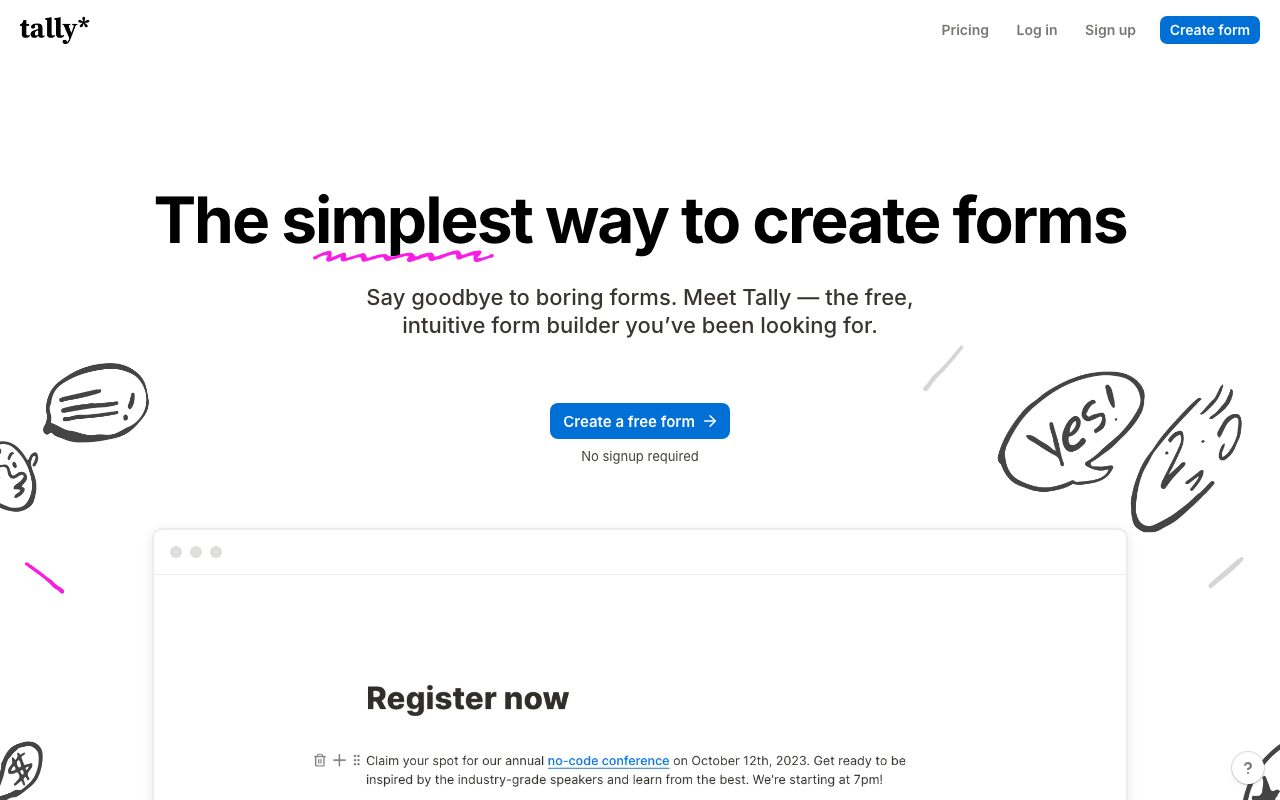
Tally is the form builder that took the Notion block model and applied it to forms. You type. You add fields by typing slash commands. The result is an unbloated form that doesn't look like every other Typeform clone.
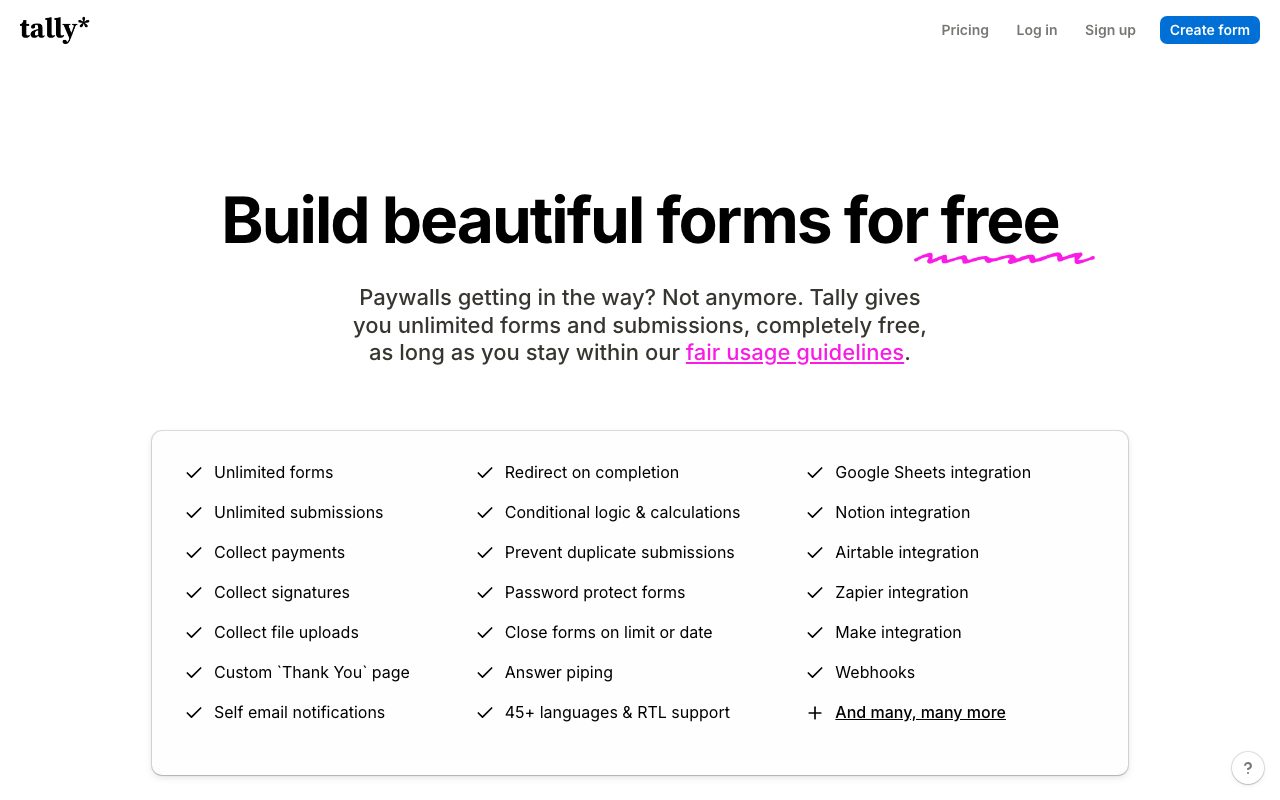
The pitch hits because most form builders feel heavy. Typeform got expensive. Google Forms is ugly. Tally split the difference. Free for unlimited forms and unlimited submissions, with paid features layered on.
It's not perfect. The integration ecosystem is smaller than Typeform's. But for most use cases, Tally is the cleanest path from "I need a form" to "form is live."
What Tally does
You open the Tally editor. You type the question. You hit slash to add a field type (short answer, long answer, multiple choice, file upload, payment, signature, dropdown, rating, etc.). You publish.
The form gets a public URL. You can embed it in a website. Submissions land in Tally's dashboard, and you can route them to email, Slack, Notion, Airtable, Google Sheets, or webhooks.
Tally also includes conditional logic, calculations, multi page forms, custom theming, hidden fields, and pre filled URLs. Most of the Typeform feature set without the Typeform price.
Who Tally is for
Indie hackers collecting waitlist signups. Founders running customer interviews. Marketers running surveys. Recruiters collecting applications. Pretty much anyone who needs a form.
Solopreneurs love the free tier. Unlimited forms. Unlimited submissions. The features that matter for a side project are all there for $0.
Small teams use Tally for internal forms and external lead capture. The Notion style editor makes form building feel like writing a doc.
Pricing in 2026
The free tier is unusually generous. Unlimited forms, unlimited submissions, unlimited responses. The catch is the Tally branding on the form and limits on customization.
Tally Pro starts around $29 per month and unlocks custom branding, custom domain, advanced calculations, file upload limits, integrations, and team collaboration. Annual pricing drops the monthly cost.
The pricing model is a deliberate jab at Typeform. Tally bets that paid users come from love, not from artificial limits. Plenty of indie hackers are happy to pay just to support the company.
Features that earn the slot
The Notion style editor is the differentiator. Adding a field feels like writing. Slash commands. No nested menu navigation. You build a form in three minutes that would take 15 in Typeform.
Conditional logic is solid. Show or hide questions based on previous answers. Route to different end pages. Calculate scores. The logic builder is visual and approachable.
Native integrations cover the common ones. Notion (obvious), Airtable, Google Sheets, Slack, Mailchimp, Zapier, webhooks. Stripe and payments are first class for paid forms.
Where Tally falls short
The integration ecosystem is smaller than Typeform's. If you need a niche connector (Marketo, Salesforce CDP, weird internal tools), you'll often go via Zapier rather than direct integration.
Multi step forms with heavy branching are workable but not as polished as a dedicated survey tool like SurveyMonkey or Qualtrics. Tally is best for short to medium forms.
The custom theming is limited. You can change colors, fonts, and a logo. Full design control like a custom Typeform layout is not the goal here. Simplicity over flexibility.
Tally vs the alternatives
Typeform is the obvious comparison. Prettier transitions, more polish, much more expensive. We compare them in Tally vs Typeform.
Google Forms is free and works. Ugly but free. Browse best form builders for the field.
Jotform and Formspree handle webhook centric and developer use cases. See Tally alternatives for more.
If you're paying Typeform $99 a month and you don't use the polish, switch to Tally Pro for $29. You'll save $840 a year and your forms will load faster.
Common Tally questions
Is Tally really free for unlimited submissions? Yes, on the free plan. The paid plan unlocks branding and advanced features, not raw submission limits.
Can Tally accept payments? Yes, via Stripe integration. Useful for selling digital products or accepting payments through forms. Browse form tools for related picks.
Does Tally support multi step forms? Yes, with progress indicators and conditional routing.
The bottom line on Tally
Tally is the modern form builder I default to in 2026. The Notion style editor, the generous free tier, and the fair Pro pricing make it the obvious pick for indie projects.
If you're spinning up a waitlist, a feedback form, a job application, or a simple survey, start in Tally. The free tier covers most needs and the upgrade is cheap when you want branding off.
The category has been crowded for years but Tally found a clean position. It's quietly become a favorite in the indie hacker scene and that momentum hasn't slowed. Browse the toolindex catalog for the surrounding stack.
Common Tally use cases
Waitlist forms for product launches. Three fields. Name, email, why you want in. Embedded on a landing page. Submissions flow to Mailchimp via integration.
Customer feedback. Five questions. Branching logic based on satisfaction score. Promoters get an ask for a review. Detractors get a follow up call request.
Internal request forms. New project intake. Vacation requests. Bug reports. Tally as a lightweight intake layer for ops.
Tally branching and logic
Conditional fields show or hide based on previous answers. Useful for forms that adapt to the respondent.
Page logic routes between pages based on responses. Useful for forms with distinct paths based on persona or use case.
Calculations let you compute scores, totals, or derived values. Useful for quizzes, ROI calculators, and pricing estimators.
Tally embedding patterns
Inline embed places the form in your page content. Best for landing pages with dedicated form sections.
Popup embed triggers on click or scroll. Best for content sites that want to collect signups without dedicating a page section.
Notion embed pastes the form URL into a Notion page. Useful for internal forms shared with the team.
Tally integrations worth wiring
Notion. New submissions create rows in a Notion database. Useful for content teams.
Airtable. Same idea, different destination. Useful for ops heavy workflows.
Stripe. Forms that take payments tie directly to Stripe. The customer is created on submit. Useful for digital product sales or service intake with deposits.
Webhooks. The escape hatch for everything not natively integrated. Combined with Make or Zapier, anything reachable from the internet can receive Tally data.
Tally workspace and team setup
Workspaces hold related forms. Useful for separating client work, internal forms, and personal projects.
Team members get added per workspace. Permissions control who can edit, view submissions, or manage settings.
For agencies, one workspace per client keeps the data isolated. Billing simpler. Handover easier when the engagement ends.
Tally compared to typed code form libraries
Developers sometimes build forms with React Hook Form, Tanstack Form, or Formik. The tradeoff is control vs speed.
Tally wins for non technical users and quick iteration. The form is live in five minutes. No deploy required.
Code wins for deep customization, complex validation, and forms tightly tied to product flows. Pick based on the use case, not by default.
Tally for product feedback loops
NPS surveys via Tally. Single rating field. One open follow up question. Embed in your product or send via email.
Customer interview signups. Tally form on a landing page. Submissions create rows in a tracking sheet. Calendly link for scheduling.
Bug report intake. Multi field form with screenshot upload. Routes to Linear or Jira via webhook.
Tally accessibility and localization
Forms render with semantic HTML. Screen readers handle them well.
Multi language forms work via separate forms or a custom field for language preference. The native localization is light.
For global products, consider a dedicated form tool with deeper localization. For most use cases Tally is fine.
Tally for newsletter and waitlist signup
The classic indie pattern. Landing page with a Tally form. Form connects to Mailchimp or Buttondown. New signups trigger a welcome sequence.
Customize the post submit message. "Thanks, check your email" works but a personality driven note converts better. Tally's redirect feature lets you send signups anywhere.
Track conversion. The Tally analytics show form views vs submissions. Aim for above 30 percent for warm traffic. Below that, the form or page needs work.
Tally FAQ
Is Tally GDPR compliant? Yes. Configure consent fields and data handling per your privacy policy.
Can I export submissions? Yes, as CSV. Plus integrations push to other tools live.
Does Tally handle file uploads? Yes, on the paid plans with size limits per file.
Tally for events and registrations
Event signup forms with payment processing. Tally plus Stripe handles paid registrations cleanly.
Capacity limits per event option. Sell out tracks. The form closes that option when full.
Email confirmations route through your email tool of choice. Tally fires the data, your tool handles the customer experience.
Tally for community building
Member application forms for private communities. Vet new members through the form. Approve manually before granting access.
Survey existing members for feedback. Track responses over time. Show progress on community priorities.
Onboarding forms for new joiners. Capture introductions, interests, and preferred channels. Make the welcome personal at scale.
Tally and the form builder market
The market has fragmented. Each tool has a specific niche. Tally won the indie hacker and modern small team niche.
The trend toward simpler, more affordable tools continues. Tally rides this wave well.
Expect the category to keep evolving. New entrants will push pricing further down. Tally's free tier sets a high bar.
Tutorial / Demo
Key Features
- Notion-style block editor for form composition
- Unlimited forms and submissions on the free tier
- Conditional logic and calculation fields
- Stripe payments for one-time and recurring charges
- Webhook and Zapier integrations
- File uploads, signatures, and matrix question types
Pros & Cons
What we like
- Unlimited submissions on free tier is rare in this category
- Editor experience is fastest in class for form creation
- Honest pricing with no per-submission caps
Room for improvement
- Visual customization less open-ended than dedicated design tools
- Native CRM and marketing integrations lighter than Typeform
Frequently Asked Questions
Does Tally really have unlimited submissions on the free plan?
Tally vs Typeform, which is better?
Can Tally collect payments?
Does Tally support conditional logic?
Can I embed a Tally form on my website?
Best For
Featured in
Tags
Alternatives to Tally
n8n
Fair-code workflow automation with 400+ integrations

CalendHub
Smart scheduling and calendar management for teams

Confluence
Atlassian's long-running team wiki that anchors many enterprise knowledge stacks

Teachizy
France-based no-code platform for building, hosting, and selling online courses without tech skills
Our take
Tool Index Editorial · May 2026· 4.8/5
Tally positions itself as form builder with a notion-like editor, conditional logic, payments, and a generous free tier with unlimited submissions, and on the whole it earns the framing.
Worth highlighting: Unlimited submissions on free tier is rare in this category, Editor experience is fastest in class for form creation, and Honest pricing with no per-submission caps. What to watch for: Visual customization less open-ended than dedicated design tools and Native CRM and marketing integrations lighter than Typeform.
In short: Tally is a strong pick when you need customer interviews and product research surveys, and a harder sell if visual customization less open-ended than dedicated design tools would be a dealbreaker.
Editorial opinion from the Tool Index team, written from the public product pages. Not a user review.
Reviews (9)
Onboarded the team in a day
Found Tally on a Reddit thread, glad I clicked. What stands out is how honest pricing with no per-submission caps. Stripe payments for one-time and recurring charges works the way you'd hope. One thing that bugs me: native CRM and marketing integrations lighter than Typeform. Sticking with Tally.
Pros
- Honest pricing with no per-submission caps
- Unlimited submissions on free tier is rare in this category
Cons
- Visual customization less open-ended than dedicated design tools
Stuck the landing for our team
Tally has quietly become part of my daily flow. Genuine strength: honest pricing with no per-submission caps.
Pros
- Honest pricing with no per-submission caps
- Unlimited submissions on free tier is rare in this category
Pulled its weight from week one
Been using Tally for three months now. Real selling point: editor experience is fastest in class for form creation. Found it works best for customer interviews and product research surveys. Glad I made the switch.
Good for most of what we need
Tally has quietly become part of my daily flow. Where it really wins is editor experience is fastest in class for form creation. The stripe payments for one-time and recurring charges is more useful than I expected. Main use case: event registration with payment collection. It would be a 5 if not for native CRM and marketing integrations lighter than Typeform. Decent value once you accept the rough edges.
Pros
- Honest pricing with no per-submission caps
- Editor experience is fastest in class for form creation
Bought it for one feature, stayed for ten
Got Tally on the recommendation of someone I trust. The thing I keep coming back to: unlimited submissions on free tier is rare in this category. Found it works best for quote builders and scoring calculators. Worth the price for what I get out of it.
Recommended without reservation
Honest take: Tally delivers most of what the marketing promises. The thing I keep coming back to: unlimited submissions on free tier is rare in this category. Worth calling out the stripe payments for one-time and recurring charges too. That said, visual customization less open-ended than dedicated design tools is a real gripe. Hard to imagine going back to my previous setup.
Pros
- Unlimited submissions on free tier is rare in this category
- Editor experience is fastest in class for form creation
- Honest pricing with no per-submission caps
Cons
- Visual customization less open-ended than dedicated design tools
- Native CRM and marketing integrations lighter than Typeform
Did exactly what I needed
Have been using Tally for a while, here's where I land. The biggest win has been unlimited submissions on free tier is rare in this category. Their take on conditional logic and calculation fields is solid. Main use case: customer interviews and product research surveys.
Pros
- Unlimited submissions on free tier is rare in this category
- Honest pricing with no per-submission caps
- Editor experience is fastest in class for form creation
Genuinely impressed
Been using Tally for two quarters now. Where it really wins is editor experience is fastest in class for form creation. The conditional logic and calculation fields is more useful than I expected. One thing that bugs me: visual customization less open-ended than dedicated design tools. Easy yes for anyone weighing the same trade-offs.
Cons
- Visual customization less open-ended than dedicated design tools
- Native CRM and marketing integrations lighter than Typeform
Honest take after six months
First impression of Tally was 'huh, this is actually thought through.' The biggest win has been unlimited submissions on free tier is rare in this category. Their take on webhook and Zapier integrations is solid. Mostly using it for customer interviews and product research surveys. Easy yes for anyone weighing the same trade-offs.
Pros
- Honest pricing with no per-submission caps
- Editor experience is fastest in class for form creation
- Unlimited submissions on free tier is rare in this category
Badge builder
Add Tally to your website
Choose a badge style and size, preview it here, then copy the generated HTML. Badge images are self-contained SVGs and do not require an external script.

<a href="https://toolindex.net/tools/tally?ref=badge" target="_blank" rel="noopener">
  <img src="https://toolindex.net/badge/tally/medium.svg" alt="Tally - Listed on Tool Index" width="180" height="50" />
</a>How to use the badge
- 1. Pick the style, size, and theme that fit your layout.
- 2. Copy the generated HTML from the code block.
- 3. Paste it into your footer, homepage, or press page.
Score badge available
Tally qualifies for the score and circle badges based on its current top-10 positionin No-Code.
Badge clicks return visitors to this profile with a referral tag so the source remains identifiable.
Related Tools
Confluence
Atlassian's long-running team wiki that anchors many enterprise knowledge stacks
Asana
Project management for teams that live in projects, tasks and dependencies
Kevin Gabeci Toolkits
Seven AI toolkits for writing books, making music, cutting video, and building agents.

Logseq
An open-source outliner notes app where every bullet is a first-class block
Work on Tally? Request listing access or correction