
Appwrite
Open-source backend platform with auth, databases, storage, functions, messaging, and hosting
Gallery
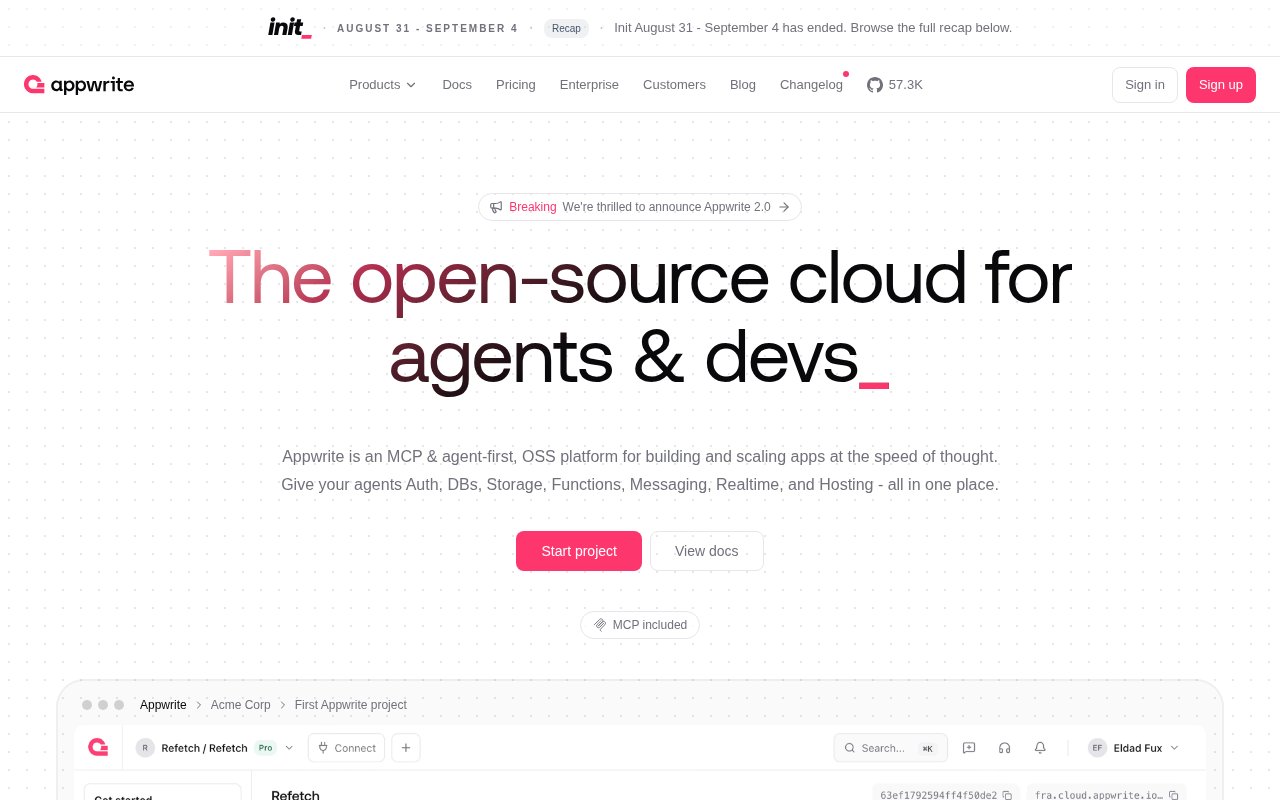
About Appwrite
Appwrite is an open-source backend platform that bundles the services most applications need, authentication, databases, file storage, serverless functions, messaging, realtime events, and web hosting, behind one console and one set of SDKs. It runs as a hosted cloud or self-hosted from the Community Edition, and it positions itself as the open-source cloud for agents and developers. The site reports more than 500,000 developers, and the GitHub repository sits above 57,000 stars.
The services are broad. Auth covers email and password, SMS, OAuth providers, anonymous sessions, and magic URLs, and since version 2.0 an organisation can act as its own identity provider through a built-in OAuth 2.1 and OpenID Connect server with dynamic client registration. Databases include the managed Appwrite database plus native PostgreSQL 18 and MySQL 8.4 that you reach with ordinary psql and mysql clients, with extensions such as PostGIS and pgvector, a schemaless VectorsDB with HNSW indexing and built-in embedding models, and a schemaless DocumentsDB for JSON. Storage handles compression, encryption, and image transformations, and exposes an S3-compatible API with Signature Version 4 authentication. Functions run in isolated runtimes and can be triggered by events, Messaging sends email, SMS, and push, Realtime streams events to clients, and Sites hosts static, server-rendered, and client-rendered frontends.
Appwrite 2.0 shipped on 31 August 2026, and its theme is dropping what the team calls the abstraction tax. Where earlier versions wrapped everything in Appwrite's own APIs, 2.0 leans on standard protocols, real database engines you can connect to directly, an S3 API for buckets, and OAuth as a server rather than only a client. It added Domains for registration and DNS management, an organisation-level Firewall with IP, header, and location rules plus rate limiting, and a rebuilt console, Console IV, that folds the docs, blog, and changelog into one interface alongside a built-in terminal and API explorer. Under it is a new coroutine-based engine, Hyperloop B, which the announcement credits with seven times the throughput at a sixth of the memory. Existing projects keep working and no migration is required.
Working with it means picking an SDK. There's first-party support for React, Vue, Next.js, Svelte, Angular, Flutter, iOS, and Android, and the platform integrates with AI agents including Claude, ChatGPT, and Cursor. Migration tooling moves data between third-party services and between cloud and self-hosted environments, which matters for teams who want to start on the cloud and move in-house later, or the reverse.
It's for startups through to enterprises who want a Firebase-shaped backend without the lock-in, and increasingly for teams building agent-driven apps that need vector search and standard database access in the same place. Self-hosters get the full 2.0 release in the Community Edition, with Domains and Firewall the two pieces that remain cloud-only.
Where it stands apart is that the open-source core is the product, not a teaser. The same services run on your own hardware, the databases are real Postgres and MySQL rather than a proprietary store, and the storage speaks S3, so the exit path is a standard tool rather than an export job. The cost is that it's a large platform to learn, and self-hosting a stack this size is real operational work.
Access is open source with a hosted cloud. The Free plan costs nothing and includes 5 GB of bandwidth a month, 2 GB of storage, 750,000 function executions, 75,000 monthly active users, two projects with shared resources and one database, one bucket, and two functions each, and community support, with projects paused after a week of inactivity. Pro starts at $25 a month with 2 TB of bandwidth, 150 GB of storage, 3.5 million executions, 200,000 monthly active users, unlimited databases, buckets, and functions, email support, daily backups kept for seven days, and $10 of credit toward database usage. Enterprise is custom and adds uptime SLAs, 24/7 Slack support with a success manager, SOC 2, HIPAA, and BAA coverage, 90-day log retention, SSO, and activity logs. Add-ons are metered, $15 per 100 GB of bandwidth, $2.80 per 100 GB of storage, $3 per 1,000 extra users, $0.06 per 100,000 database reads, $0.10 per 100,000 writes, dedicated databases from $10 a month, and PostgreSQL and MySQL compute tiers from $10 a month. There's no published contact email; sales and enterprise go through contact pages.
Key Features
- Auth with OAuth, magic URLs, and an OIDC server
- Native PostgreSQL and MySQL plus vector and document stores
- S3-compatible storage with image transformations
- Serverless functions and realtime events
- Email, SMS, and push messaging
- Sites hosting for static and server-rendered apps
Pros & Cons
What we like
- Self-hostable Community Edition with the full 2.0 release
- Real Postgres and MySQL you can reach with standard clients
- Generous free tier on the cloud
- SDKs across web, Flutter, iOS, and Android
Room for improvement
- Large platform with a learning curve
- Self-hosting a stack this size is real ops work
- Domains and Firewall are cloud-only
- Free projects pause after a week of inactivity
Frequently Asked Questions
What is Appwrite?
Is Appwrite free?
What changed in Appwrite 2.0?
Can I self-host Appwrite?
Best For
Featured in
Alternatives to Appwrite
View allMongoDB Atlas
The fully-managed cloud version of MongoDB with built-in search, vector search, time series, and serverless tiers.
Hetzner
High-performance European cloud hosting at unbeatable prices

Neon
Serverless Postgres with database branching, scale-to-zero compute, and a generous free tier.
Cloudflare Pages
Free Jamstack hosting on Cloudflares edge with unlimited bandwidth and tight integration with Workers.
Our take
Tool Index Editorial · Sep 2026· 4.0/5
Appwrite is an open source backend platform covering authentication, databases, storage, functions, hosting, messaging, realtime events, and security controls. It offers both a hosted cloud and self hosting, with SDKs across common web and mobile frameworks. The free cloud plan is generous for small projects, while Pro starts at $25 a month and adds production allowances, backups, support, and usage based expansion.
We found the breadth and exit path stronger than most backend as a service products. Standard PostgreSQL and MySQL access, S3 compatible storage, migration tools, and a full Community Edition reduce dependence on proprietary interfaces. The price of that scope is complexity. Self hosting is real operations work, cloud function runtimes do not all have equal availability, and free projects pause after a week of inactivity. It is a strong default for teams that want an integrated backend without giving up control.
Editorial opinion from the Tool Index team, written from the public product pages. Not a user review.
Reviews (0)
Badge builder
Add Appwrite to your website
Choose a badge style and size, preview it here, then copy the generated HTML. Badge images are self-contained SVGs and do not require an external script.

<a href="https://toolindex.net/tools/appwrite?ref=badge" target="_blank" rel="noopener">
  <img src="https://toolindex.net/badge/appwrite/medium.svg" alt="Appwrite - Listed on Tool Index" width="180" height="50" />
</a>How to use the badge
- 1. Pick the style, size, and theme that fit your layout.
- 2. Copy the generated HTML from the code block.
- 3. Paste it into your footer, homepage, or press page.
Standard badge available
The standard listing badge is available now. Score and circle badges are limited to tools currently ranked in the top 10 of a category.
Badge clicks return visitors to this profile with a referral tag so the source remains identifiable.
Related Tools

Coolify
Self-hostable, open source alternative to Heroku and Netlify
Hetzner
High-performance European cloud hosting at unbeatable prices

Upstash
Serverless Redis, Kafka, and QStash for modern applications

Heroku
The original git-push PaaS. Owned by Salesforce, still kicking, still the easiest way to deploy a Rails or Django app.
Work on Appwrite? Request listing access or correction