Clustta
Open-source version control and asset management built for artists and studios
Gallery
About Clustta
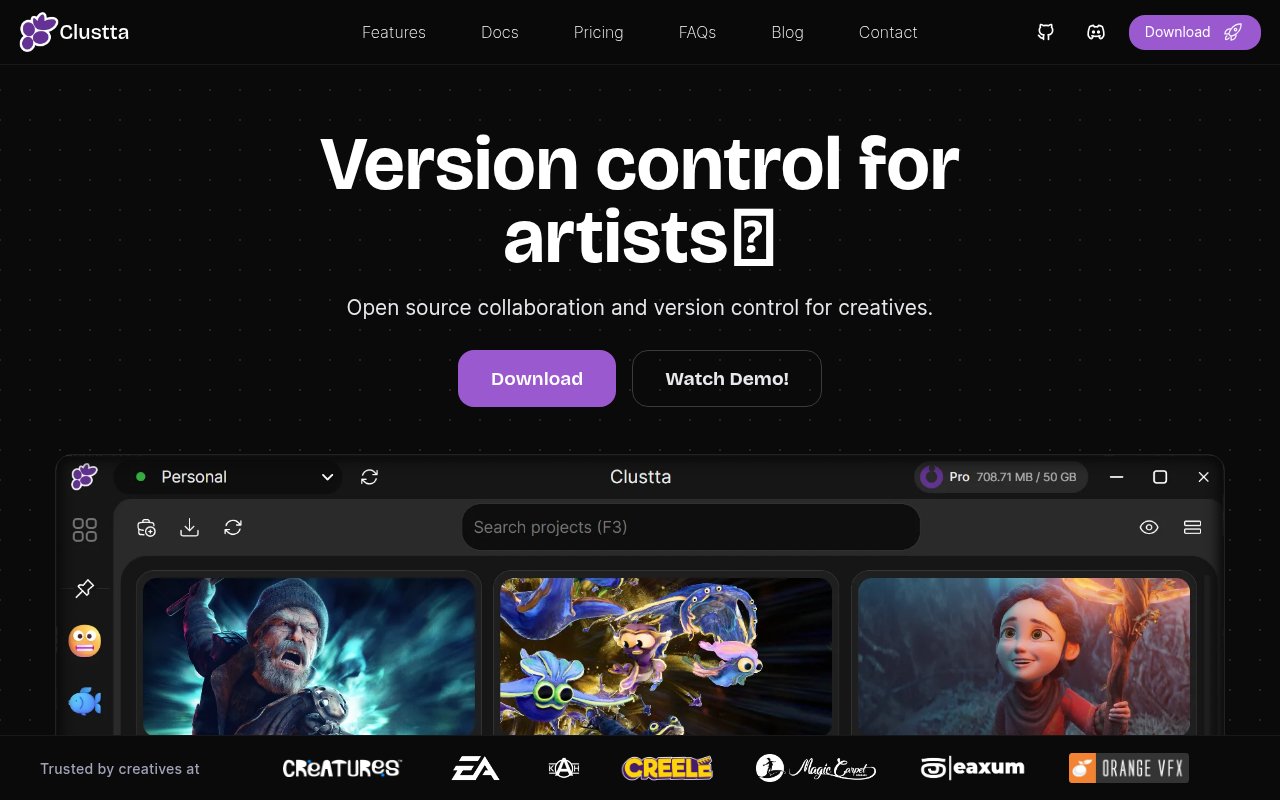
Clustta is open-source version control and asset management built for creative work rather than code. It gives animators, illustrators, designers, video editors, 3D artists and game developers the intentional versioning of a tool like Git, wrapped in a desktop app that behaves more like the file sharing tools artists already use. Files of any type and any size get checkpoints, history, collaboration and access control, and the whole thing can run locally, on a self-hosted server or on a managed cloud.
The problem is familiar in any studio. Git chokes on multi-gigabyte binaries, Git LFS bolts on a fix that still leaves artists dealing with branches and merges that mean nothing for a Photoshop file, and Dropbox style sync silently overwrites the version someone was still working on. Perforce and the enterprise asset managers solve it, but at enterprise prices with dated interfaces. Clustta is aimed squarely at that gap, with a storage engine designed for large binary files and a workflow that never syncs anything without an artist asking it to.
Under the hood, files are split into chunks using content-defined chunking, each chunk is compressed with Zstandard and hashed with SHA-256, and only the chunks that actually changed are stored or transferred between versions. That's what makes versioning a huge scene file practical. Instead of auto-save, artists create checkpoints, which are snapshots with a note and metadata, and sync is triggered by hand with a shortcut, so nobody's stable working copy gets clobbered in the background. Because sync is manual, an artist can checkpoint locally all day and push once the work is ready to share. Projects are stored as .clst files, which are SQLite databases, and the client works fully offline.
On top of the versioning sits the production layer. Assets are organized into collections with tags, dependencies and workflows, teammates get assignments and status tracking, conflicts are surfaced for resolution rather than resolved silently, and role-based permissions control who can touch what. Selective sync lets a workstation pull only the parts of a project it needs. There's a Kitsu integration for studios running that production tracker, a DCC bridge for the creative applications themselves, share links for people outside the tool, and an optional AI assistant where you bring your own key from OpenAI, Anthropic, Gemini, Groq or Ollama.
The desktop app is built in Go and Vue 3 through Wails and runs on Windows 10 and 11, macOS on Intel and Apple Silicon, and Linux, with distribution through the Microsoft Store, the Mac App Store and direct download. It's format-agnostic, so Blender, Photoshop, Maya, Houdini, Unreal, Unity and anything else that saves to disk work the same way. A Personal mode runs entirely locally with no server, while Studio mode adds a coordinating server that you can host yourself in Docker or leave to the managed ClusttaCloud.
It fits solo creatives who want versioning and recovery without standing up a server, small studios that want collaboration without the price of enterprise production tools, and larger studios that want a self-hostable, open-source alternative to proprietary asset managers. Clustta is developed by Eaxum, an animation studio in Nigeria, and is in production use there, which shows in how the features map to real pipeline needs rather than to a generic file sync product. The documentation walks a new user from install to a first project and on into the architecture, which is more than most early open-source tools offer.
What sets it apart is that it takes the storage problem and the interface seriously at the same time. The project publishes a benchmark in which a 148 GB production replay processed in 12.8 minutes using 36.6 GB of storage, which it positions against Git LFS, Git, SVN and Perforce. On the other side, the GUI-first design means artists never see a command line. The caveats are that it's a young project with a small GitHub following, the AGPL v3 license deserves a read before a studio embeds it, and the collaboration features assume a team willing to adopt checkpoints as a habit.
Access is open source. Personal mode is free forever, self-hosting the studio server is free beyond your own infrastructure, and cloud studios are on tiered paid plans listed at clustta.com. The AI features don't train on customer files, and personal projects never leave the machine. Support runs through GitHub issues and a Discord community, with support@clustta.com for paid tiers, and the documentation at docs.clustta.com covers install, a first project and the architecture in detail.
Key Features
- Chunk-level deduplication for large binaries
- Checkpoints instead of auto-save
- User-triggered sync and conflict resolution
- Windows, macOS and Linux desktop app
- Self-hosted Docker server or ClusttaCloud
- Kitsu integration and DCC bridge
Pros & Cons
What we like
- Built for multi-gigabyte creative files
- Artists never touch a command line
- Personal mode is free with no server
- Works fully offline
Room for improvement
- AGPL v3 license needs review for studio use
- Young project with a small GitHub following
- Checkpoint habit takes team discipline
- Cloud plan prices are only on the site
Frequently Asked Questions
What is Clustta?
Is Clustta free?
How is it different from Git or Dropbox?
Which applications does it work with?
Best For
Featured in
Alternatives to Clustta
View all
Framer
Visual website builder that lets designers ship production-grade marketing sites with real CMS, SEO controls, and code components.

Webflow
Visual website builder that produces clean, semantic HTML and CSS, with a CMS, e-commerce, and a Webflow-hosted CDN.

Apatero Studio
Creator studio for AI image, video, audio, 3D, and avatars. Every model worth using, in one workspace.

Pixel Painters
Unlimited graphic design subscriptions built only for churches and ministries
Our take
Tool Index Editorial · Sep 2026· 4.0/5
Clustta is open-source version control and production organization for artists working with large binary files. It combines checkpoints, history, selective sync, permissions, Kanban views, dependencies, and self-hosting in a desktop interface for animation, design, video, and game teams. Local individual projects are free. Cloud Pro costs $9 monthly for 50 GB, while Pro Plus costs $19 for 100 GB, and both list three collaborators per remote project.
We found the artist-first workflow and content-aware storage approach much better matched to Blender, Photoshop, and video assets than ordinary Git. Offline work, explicit sync, and recovery checkpoints are strong foundations, and the public site offers real setup guides and benchmarks. The project is still young, cloud collaboration caps are modest, and intentional checkpoints only work when a team adopts the habit. Studios should test a representative large project and review the open-source license before migrating active production.
Editorial opinion from the Tool Index team, written from the public product pages. Not a user review.
Reviews (0)
Badge builder
Add Clustta to your website
Choose a badge style and size, preview it here, then copy the generated HTML. Badge images are self-contained SVGs and do not require an external script.

<a href="https://toolindex.net/tools/clustta?ref=badge" target="_blank" rel="noopener">
  <img src="https://toolindex.net/badge/clustta/medium.svg" alt="Clustta - Listed on Tool Index" width="180" height="50" />
</a>How to use the badge
- 1. Pick the style, size, and theme that fit your layout.
- 2. Copy the generated HTML from the code block.
- 3. Paste it into your footer, homepage, or press page.
Standard badge available
The standard listing badge is available now. Score and circle badges are limited to tools currently ranked in the top 10 of a category.
Badge clicks return visitors to this profile with a referral tag so the source remains identifiable.
Related Tools
Apatero Studio
Creator studio for AI image, video, audio, 3D, and avatars. Every model worth using, in one workspace.

Tailwind CSS
Rapidly build custom designs without leaving your HTML

Figma
Collaborative interface design tool

Marvel
Lightweight prototyping platform for turning images and screens into clickable mobile and web prototypes.
Work on Clustta? Request listing access or correction