
CozyJournal
A local-first journal that keeps your entries as plain files on your own computer
Gallery
About CozyJournal
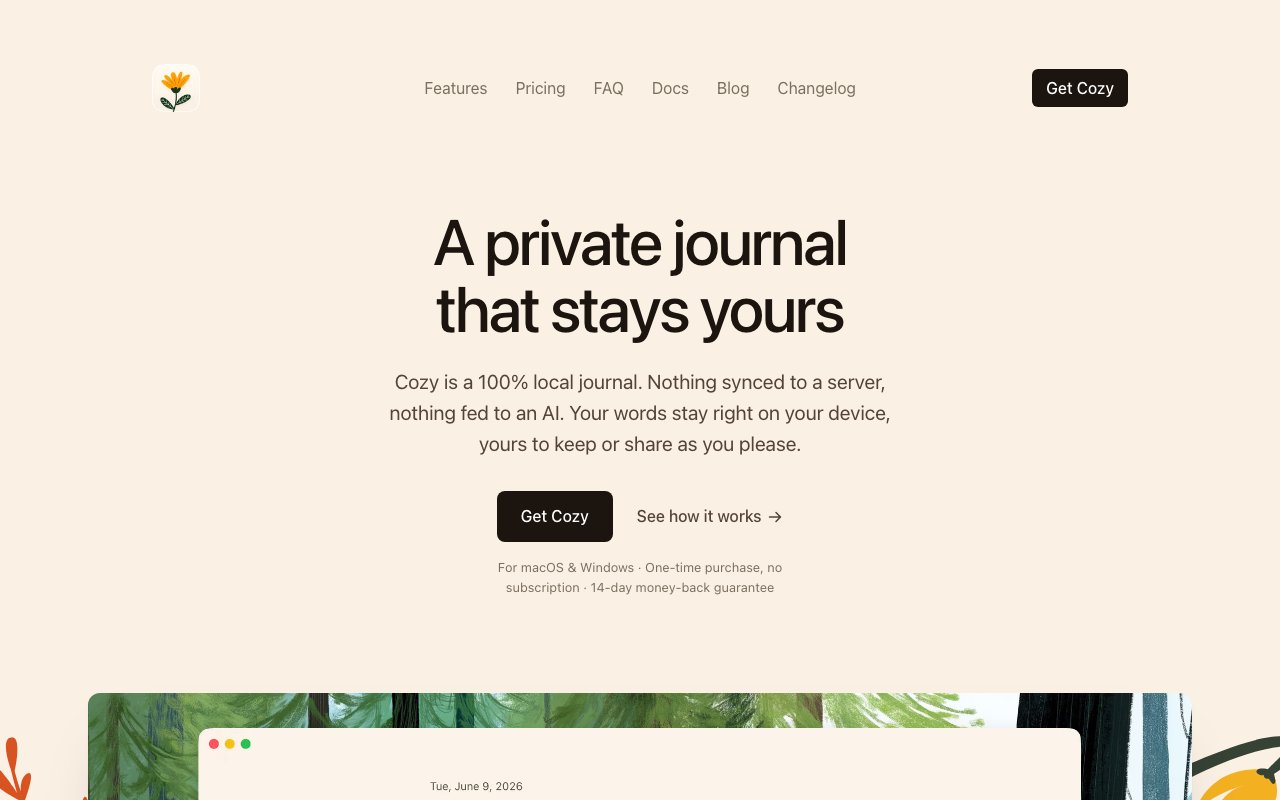
CozyJournal, branded simply as Cozy on its own site, is a local-first journaling app that keeps everything you write in plain files on your own computer. There's no account to create and no server holding your entries. When you buy it you get a desktop application that opens, writes, and reads files inside a folder you pick, and that folder is your journal. Both the app and the folder live on your machine, which is the whole idea behind the tagline about your journal being yours to keep. It's the sort of tool you set up once and then mostly forget is running, because it behaves like a folder you happen to write into.
The problem it's reacting to is the state of most journaling apps, which lock your words inside a subscription and a database you'll never see. Cozy takes the opposite stance. Nothing you write is scraped, read, or shipped off to an algorithm, and none of it feeds anyone's AI training. Because the entries are ordinary files on disk, you can back them up, move them, or open them years from now without the original app, which is a kind of durability that cloud-only diaries can't really promise. If the company ever disappeared, your journal would still open, because in the end it's just files.
Day to day it behaves like a proper journal rather than a stripped-down note pad. Each entry records the date, your mood, a location, and any tags you add alongside the writing itself. You can drop in a photo or several, an audio clip, or a video, whether the file already sits on your computer or comes from a YouTube link. On top of that you can build your own trackers for any habit or metric you want to follow over time, so the app doubles as a lightweight mood and habit log next to the daily entries. Over months, those tags, moods, and trackers turn a loose pile of entries into something you can actually look back through and learn from. Because a video can come straight from a YouTube link, you can pin the songs, clips, or moments that defined a day without downloading anything first.
The writing experience leans on small touches meant to make you want to come back, rather than gamified streaks that guilt you into it. It's built as a calm, private space to think, and the local-first design is what makes that feel believable. There's no feed, no sharing, and no sense that a stranger or a model is reading over your shoulder. For a lot of people that quiet is the entire point of keeping a journal in the first place, and it's hard to get from an app that treats your diary as content to mine.
Because the journal is just a folder, syncing works through whatever service you already trust. The desktop apps read the same folder, so they stay in step through iCloud, Dropbox, or any other sync tool you point at it. There's no proprietary cloud in the middle and no separate CozyJournal account to manage, which keeps the privacy promise intact while still letting you move between machines. The trade-off is that you own the setup, since the app doesn't run its own backup for you, so a sensible sync or backup habit is left in your hands. In practice many people already keep an iCloud or Dropbox folder synced, so the setup is often just pointing the app at that folder the first time you open it.
The people this suits are the ones who want a private place to think without renting it month to month. That includes long-time journalers wary of handing their inner life to a startup, anyone who wants their memories in a format they control, and writers who like the idea of plain text they can archive or search themselves. If you've ever quit a journaling app and lost years of entries behind a paywall, this is the exact frustration it's built around.
A mobile version for iPhone and Android is in the works and will ship as its own app on the App Store and Google Play. It reads the same journal folder as the desktop version, so phone and computer stay in sync through your chosen service rather than through a Cozy server. Until it lands, the product is desktop-first for Mac and PC, which is worth knowing if you mostly write on a phone rather than at a desk.
Pricing is a one-time purchase, which is the headline. Cozy is $35 once for the desktop app, and a single license covers every Mac and PC you own, with no subscription, no renewals, and no lock-in. The mobile app, when it arrives, will be a separate $12 one-time purchase on each store. For anyone tired of paying a recurring fee just to keep access to their own diary, paying once and keeping the files forever is the core appeal, and it lines up neatly with the plain-files philosophy running through the rest of the product.
Key Features
- Local-first plain-text journal storage
- One-time purchase, no subscription
- Photo, audio, and video attachments
- Mood, location, and tag metadata
- Custom habit and mood trackers
- Folder sync via iCloud or Dropbox
Pros & Cons
What we like
- Your entries stay on your own computer
- Nothing is sent to a server or AI
- Pay once instead of an ongoing subscription
- Rich entries with media, tags, and trackers
Room for improvement
- Desktop version costs $35 up front
- Mobile app is still in development
- Sync relies on a service you set up yourself
- No built-in cloud backup or web access
Frequently Asked Questions
What is CozyJournal?
Where is my journal data stored?
Is CozyJournal a subscription?
Does CozyJournal work on my phone?
Best For
Featured in
Alternatives to CozyJournal
Trello
The kanban board that taught the rest of the industry what a card was

CalendHub
Smart scheduling and calendar management for teams

Confluence
Atlassian's long-running team wiki that anchors many enterprise knowledge stacks
Kibu
Vertical software for disability service providers covering compliance, documentation, and programming
Reviews (10)
Two months in, no regrets
Started using CozyJournal casually, now it is pinned in my dock. Performance has been steady even when I lean on it hard. The defaults are sensible, so I was not fighting settings on day one. It fits well for storing memories with photos and audio. Recommending it to people in a similar spot.
Quietly excellent
Three months of CozyJournal later, here is what holds up. What stands out is how it handles mood, location, and tag metadata. Mostly using it for storing memories with photos and audio. It earns its place in my stack.
Exactly what I needed
Have been running CozyJournal for a while, here is where I land. It does what it says, which is rarer than it should be. It fits well for owning your writing without a subscription.
Quietly excellent
Picked CozyJournal for the price, stayed for the quality. Their take on folder sync via icloud or dropbox is genuinely good. It does what it says, which is rarer than it should be. It fits well for storing memories with photos and audio.
Solid daily driver
Three months of CozyJournal later, here is what holds up. It does what it says, which is rarer than it should be. Mostly using it for logging moods and habits over time. Recommending it to people in a similar spot.
Two months in, no regrets
Started using CozyJournal casually, now it is pinned in my dock. It does what it says, which is rarer than it should be. Performance has been steady even when I lean on it hard. No regrets so far.
Pulled its weight from week one
CozyJournal has quietly become part of my daily flow. Their take on one-time purchase, no subscription is genuinely good. Found it works best for storing memories with photos and audio.
Finally something that fits
Started using CozyJournal casually, now it is pinned in my dock. The core workflow is smooth once you are set up.
Exactly what I needed
Three months of CozyJournal later, here is what holds up. The local-first plain-text journal storage is more useful than I expected. Support actually answered when I had a question, which surprised me. Mostly using it for owning your writing without a subscription. Would sign up again without thinking twice.
Quietly excellent
Came to CozyJournal after getting frustrated with what I had before. The pay once instead of an ongoing subscription is more useful than I expected. Worth it for what I get out of it.
Badge builder
Add CozyJournal to your website
Choose a badge style and size, preview it here, then copy the generated HTML. Badge images are self-contained SVGs and do not require an external script.

<a href="https://toolindex.net/tools/cozyjournal?ref=badge" target="_blank" rel="noopener">
  <img src="https://toolindex.net/badge/cozyjournal/medium.svg" alt="CozyJournal - Listed on Tool Index" width="180" height="50" />
</a>How to use the badge
- 1. Pick the style, size, and theme that fit your layout.
- 2. Copy the generated HTML from the code block.
- 3. Paste it into your footer, homepage, or press page.
Standard badge available
The standard listing badge is available now. Score and circle badges are limited to tools currently ranked in the top 10 of a category.
Badge clicks return visitors to this profile with a referral tag so the source remains identifiable.
Related Tools
Confluence
Atlassian's long-running team wiki that anchors many enterprise knowledge stacks
Asana
Project management for teams that live in projects, tasks and dependencies
Kevin Gabeci Toolkits
Seven AI toolkits for writing books, making music, cutting video, and building agents.

Logseq
An open-source outliner notes app where every bullet is a first-class block
Work on CozyJournal? Request listing access or correction