
Envy
macOS note-taking app that stores everything as plain Markdown files you own
Gallery
About Envy
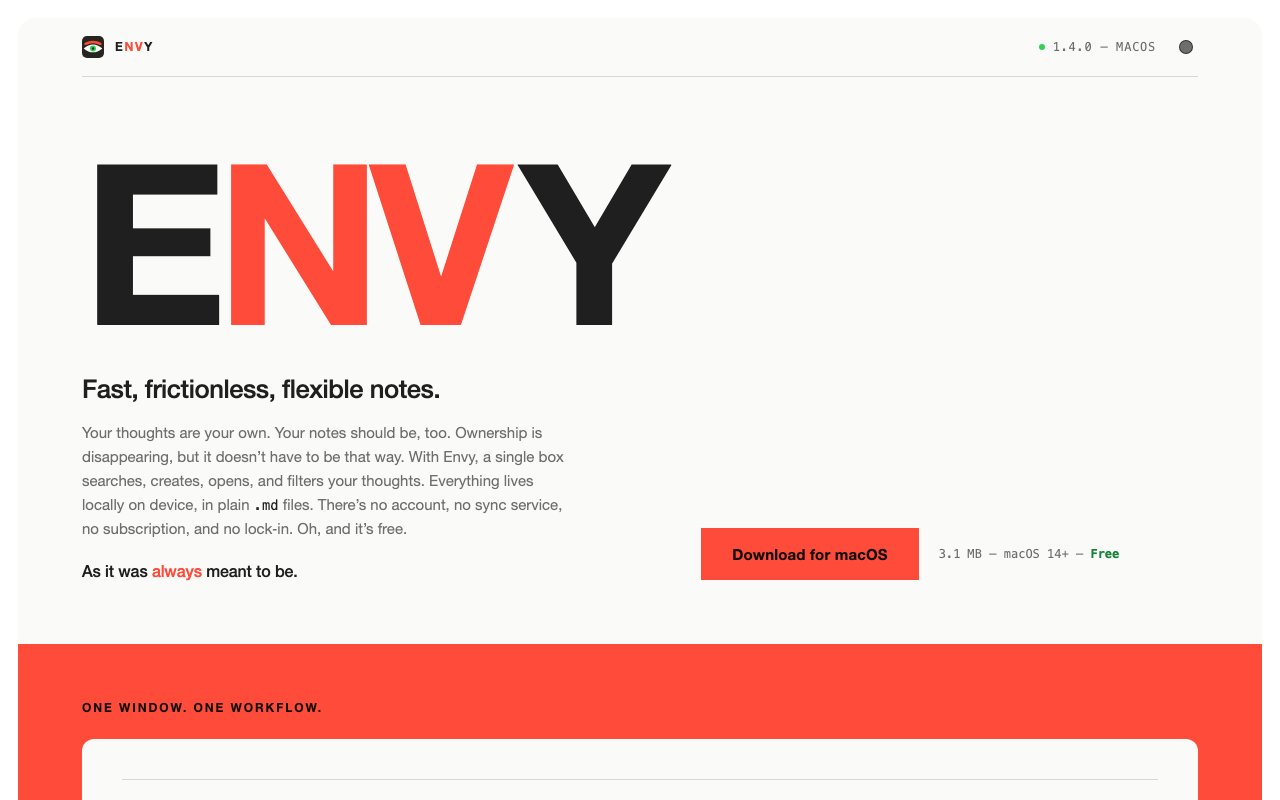
Envy is a note-taking app built around a single conviction: your thoughts belong to you and nobody else. Everything lives locally on your device in plain Markdown files stored in a folder you control. There's no cloud sync, no database, no proprietary format that locks your content into the application. If you delete Envy tomorrow, your notes remain as readable text files that any text editor, code editor, or future note app can open without conversion. This isn't a feature buried in advanced settings or a premium export option. It's the entire design philosophy that shapes every decision the app makes.
The interface centers on what Envy calls one box search. Start typing and your notes filter in real-time. No folder hierarchy to navigate first, no tags to remember, no need to recall where you filed something three months ago. Just a single input field that surfaces whatever you're looking for across your entire library. This approach works especially well for people who accumulate hundreds or thousands of notes over time and need instant retrieval without organizational overhead. The search indexes everything including note titles, full content, and metadata, so obscure phrases from buried paragraphs surface just as easily as recent work.
Tags and folders exist if you prefer visual organization alongside flat search. Tags can be colorized so different projects or contexts stand out visually when scanning your library. Folders provide traditional hierarchy for people who think spatially about their notes. But neither system is required. You can use one, both, or neither depending on how your brain prefers to organize information. The flexibility accommodates different working styles rather than forcing a single methodology.
Wiki-style linking connects notes using double bracket syntax familiar from tools like Obsidian or Roam. Type the name of another note in brackets and Envy creates a clickable reference. Click it to jump directly to that note. If you rename the linked note later, every reference updates automatically across your entire library. This eliminates broken links and manual maintenance as your collection evolves. There's also an embed syntax that pulls the content of one note directly inline into another, which is useful for assembling documents from reusable blocks, maintaining a single source of truth that appears in multiple contexts, or building indexes that summarize information scattered across many files.
Task management integrates directly into the Markdown format rather than living in a separate system. Checkboxes work using standard Markdown syntax. Date notation lets you attach due dates to individual items so tasks have temporal context. The fleeting notes inbox captures quick thoughts without forcing you to decide where they belong in the moment. You can sort and file them later when you have more context about what they mean and where they fit. This reduces friction when you're in capture mode and want to get something out of your head quickly without interrupting your flow.
Floating note windows let you work on multiple notes simultaneously by popping them out into separate windows you can arrange across your screen. A global keyboard shortcut summons the app from anywhere on your system, which makes quick captures possible without switching contexts from whatever you're working on. These workflow features add up to an experience that stays out of your way while remaining accessible whenever you need it.
The privacy stance goes beyond just local storage. Envy makes specific commitments that most applications never bother to mention. Zero telemetry means no usage data leaves your machine. No AI features means your writing isn't processed by language models, analyzed for patterns, or used to train anything. No network calls by default means the app works entirely offline, including in airgapped environments where network access doesn't exist by policy. The codebase is open source on GitHub if you want to verify any of these claims yourself rather than trusting marketing copy. Image handling supports drag and drop or paste from clipboard. Attachments store as portable files alongside your Markdown rather than encoded into a database blob you can't easily extract.
Envy runs on macOS 14 and newer with a signed and notarized build that installs without security warnings or Gatekeeper friction. The download weighs around 3.5 megabytes, which is refreshingly small for a modern desktop app. A Windows beta exists for those on Microsoft's platform, though macOS is the primary development target for now. The app is completely free with no subscription, no account requirement, no premium tier waiting to gate features later, and no plans to change that model. For writers, researchers, developers, and knowledge workers who've grown skeptical of note apps that treat their content as product data or vendor lock-in opportunities, Envy offers an alternative where ownership is a structural guarantee rather than a marketing claim.
Key Features
- Plain Markdown file storage
- Real-time search and filtering
- Wiki-style note linking
- Task management with due dates
- Global keyboard shortcut access
- No account or sync required
Pros & Cons
What we like
- Zero lock-in with standard Markdown files
- Completely free with no subscriptions
- Works offline with no telemetry
- Lightweight at 3.1 MB
Room for improvement
- macOS only, no Windows or Linux version
- No built-in sync between devices
- Minimal formatting compared to rich note apps
- Requires macOS 14 or later
Frequently Asked Questions
What is Envy?
Is Envy free?
Does Envy sync notes across devices?
What happens to my notes if Envy stops being developed?
Best For
Featured in
Alternatives to Envy
View all
CalendHub
Smart scheduling and calendar management for teams
Kevin Gabeci Toolkits
Seven AI toolkits for writing books, making music, cutting video, and building agents.

PrimeTask
Offline-first work OS with tasks, CRM, and canvas views you buy once and own forever
Kibu
Vertical software for disability service providers covering compliance, documentation, and programming
Reviews (10)
It just works
Envy has quietly become part of my daily flow. The core workflow is smooth once you are set up. Found it works best for taking notes that outlast any single app.
Recommended without reservation
Three months of Envy later, here is what holds up. The real-time search and filtering is more useful than I expected. Worth it for what I get out of it.
It just works
Three months of Envy later, here is what holds up. Where it really wins is lightweight at 3.1 mb. Would sign up again without thinking twice.
Pulled its weight from week one
Tried Envy on a side project first, then rolled it out everywhere. Got real value out of works offline with no telemetry. It has shaved real time off my week. Hard to imagine going back to my old setup.
Solid daily driver
Have been running Envy for a while, here is where I land. Got real value out of zero lock-in with standard markdown files. No regrets so far.
Two months in, no regrets
Found Envy on a Show HN thread and I am glad I clicked. The interface stays out of my way, which I appreciate. Support actually answered when I had a question, which surprised me. Mostly using it for building a personal knowledge base in plain text. Hard to imagine going back to my old setup.
Finally something that fits
Tried Envy on a side project first, then rolled it out everywhere. The core workflow is smooth once you are set up. It fits well for quick capture with a global keyboard shortcut. Would sign up again without thinking twice.
Pulled its weight from week one
Found Envy on a Show HN thread and I am glad I clicked. Where it really wins is task management with due dates. Support actually answered when I had a question, which surprised me. It fits well for managing tasks and due dates alongside notes. No regrets so far.
Decent with some rough edges
Three months of Envy later, here is what holds up. Where it really wins is global keyboard shortcut access. The catch is minimal formatting compared to rich note apps. It earns its place in my stack.
Genuinely impressed
Have been running Envy for a while, here is where I land. Where it really wins is lightweight at 3.1 mb. Found it works best for quick capture with a global keyboard shortcut. Easy yes for anyone weighing the same trade offs.
Badge builder
Add Envy to your website
Choose a badge style and size, preview it here, then copy the generated HTML. Badge images are self-contained SVGs and do not require an external script.

<a href="https://toolindex.net/tools/envy?ref=badge" target="_blank" rel="noopener">
  <img src="https://toolindex.net/badge/envy/medium.svg" alt="Envy - Listed on Tool Index" width="180" height="50" />
</a>How to use the badge
- 1. Pick the style, size, and theme that fit your layout.
- 2. Copy the generated HTML from the code block.
- 3. Paste it into your footer, homepage, or press page.
Standard badge available
The standard listing badge is available now. Score and circle badges are limited to tools currently ranked in the top 10 of a category.
Badge clicks return visitors to this profile with a referral tag so the source remains identifiable.
Related Tools

Confluence
Atlassian's long-running team wiki that anchors many enterprise knowledge stacks
Asana
Project management for teams that live in projects, tasks and dependencies
Kevin Gabeci Toolkits
Seven AI toolkits for writing books, making music, cutting video, and building agents.

Logseq
An open-source outliner notes app where every bullet is a first-class block
Work on Envy? Request listing access or correction