Layerz
Design, wire up and run native iPhone apps on your iPhone, iPad or Mac without writing code
Gallery
About Layerz
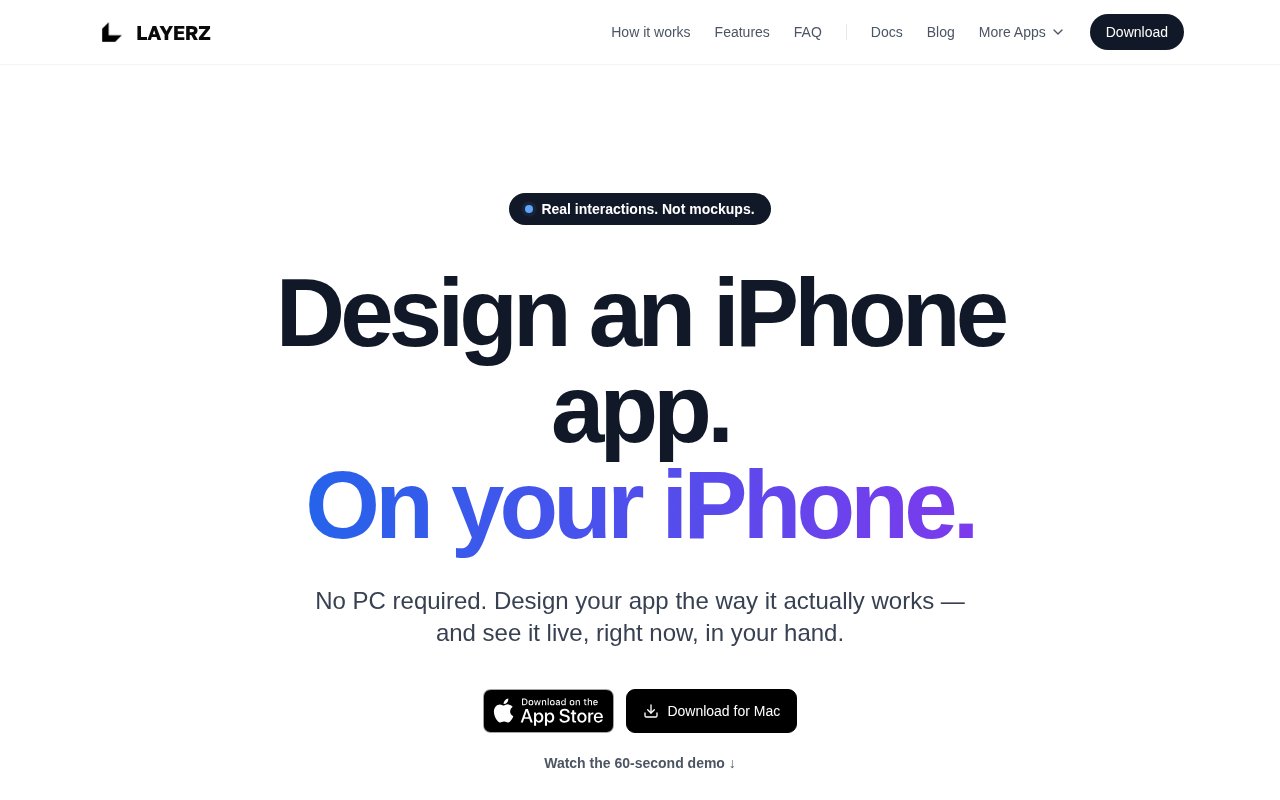
Layerz is an app design tool that runs on an iPhone, iPad or Mac and produces working native iOS apps rather than pictures of them. You draw screens with real iOS components, attach data, wire up behaviour with a visual flow, and run the result on the device in your hand. No computer, no Xcode, no code. It's aimed at the gap between a mockup and a build, where an idea usually gets handed from a designer to a developer and loses something on the way. The copyright line dates the company to 2024, and the App Store listing is where most people will first meet it.
The problem it describes is fragmentation. Traditional app work spreads across several tools and several people. Screens live in a design app, data lives somewhere else, and the behaviour is explained in a document that whoever builds it has to interpret. Layerz keeps design, data and behaviour in one running application, so what you see while designing is what the app actually does when you tap it. It works in four steps. Design is done with native interactive components, Auto Layout, stacks, lists and tabs, rather than web-based drawings that imitate them. Data comes next. You define data models and bind them to the interface, and when the data changes the screen updates on its own. Behaviour is added in Action Flow, the visual logic layer, where a tap can navigate, load, branch on a condition or call a real API. Then you run it, immediately, on iPhone, iPad or Mac, with no build step in between.
The API side is more capable than most prototyping tools. Layerz imports an OpenAPI 3.x or Swagger 2.0 spec and lets you bind live responses to screens on a visual node canvas, so a server developer with a fresh endpoint can see real data flowing through a real interface without writing a client. Beyond that there's a camera with 38 chainable filters, device services such as location, battery, connectivity and timers, support for Lottie animations, video and audio, and a design system built from color and typography tokens grouped into themes you can switch between.
Getting started is installing it from the App Store on the device you want to design on and opening a new canvas. Because the components are the real iOS ones, the first screen you lay out already behaves the way the finished app would, and adding a data model turns placeholder lists into ones backed by actual records. The documentation on the site walks through the concepts and the blog covers what's new, but the site's own pitch is that you learn it by running what you've made and tapping on it.
Compared with a design tool, the difference is that nothing here is a picture. A prototype in a design tool is a set of frames with hotspots, and the moment someone asks what happens with real data the answer is a shrug. Layerz answers by running the thing. Compared with no-code builders that generate a project for you to compile elsewhere, the difference is the absence of a build step and a computer. The design is the app while you're working on it, and it runs on the device in your hand rather than in a simulator on a desk.
The site names planners, designers, server developers, solo developers and hobbyists as the people it's for, and that list is telling. It's for the person who has the idea and the device but not the toolchain, or the backend developer who wants to show an API doing something before a frontend exists. Sharing is built around the .layerz file. Send it to anyone with Layerz installed and they can open it and experience the design for free, on their own device, with the real interactions intact. Where it differs from the usual prototyping tools is that the output isn't a click-through. Components are native, data is live, and the app runs as an app. The limits are the mirror image. Everything is Apple only, a shared app needs Layerz on the other end to open it, and the homepage doesn't describe exporting code or shipping a finished app to the App Store, so it's a design and prototyping tool first and a build tool second. Action Flow is visual, but a complex app still takes time to think through.
Access is free. Layerz is free to download and try on the App Store and the Mac App Store, and a Mac build is also available from the project's GitHub releases. The site doesn't list any paid tier, so if one exists inside the app it isn't described publicly. There's documentation and a blog on the site, and support is reachable at support@layerz.app. The .layerz sharing model means a client or teammate needs only the free app to see what you've made, which keeps the cost of showing work at zero.
Key Features
- Native iOS components with Auto Layout
- Data models bound to the interface
- Action Flow visual logic builder
- OpenAPI and Swagger import with live responses
- Camera with 38 chainable filters
- Runs instantly on iPhone, iPad and Mac
Pros & Cons
What we like
- Prototypes are real running apps, not mockups
- Works entirely on an iPhone or iPad, no computer needed
- Live API data instead of placeholder text
- Free to download on the App Store and Mac App Store
Room for improvement
- Apple platforms only, no Android or web
- Shared apps need Layerz installed to open
- No export to Xcode or App Store described on the site
- Visual logic still takes time to learn on a complex app
Frequently Asked Questions
What is Layerz?
Is Layerz free?
Do I need a Mac or Xcode?
Can I connect a real API?
Best For
Featured in
Alternatives to Layerz
View all
Framer
Visual website builder that lets designers ship production-grade marketing sites with real CMS, SEO controls, and code components.
Contentful
Headless CMS that models content as structured data and delivers it through APIs to web, mobile, and other channels.

Sanity
Composable content platform with a customizable studio, real-time collaboration, and a queryable structured content backend.

Teachizy
France-based no-code platform for building, hosting, and selling online courses without tech skills
Our take
Tool Index Editorial · Sep 2026· 3.5/5
Layerz is an Apple platform design tool that uses native components, bound data, visual action flows, and real API calls to create interactive app prototypes on iPhone, iPad, or Mac. It is for designers, planners, backend developers, and hobbyists who need to test an iOS idea with real behavior before a production client is written. The captured pages do not state a price.
We found the scope refreshingly clear. OpenAPI import, native layout rules, device services, and immediate on device preview make this more substantial than linked mockup screens. The developer also explicitly says it is not a replacement for shipping an app. Projects remain Apple only, recipients need Layerz to run shared files, and there is no described source export or App Store deployment path. It is a strong prototype bridge, not a no code route to release.
Editorial opinion from the Tool Index team, written from the public product pages. Not a user review.
Reviews (0)
Badge builder
Add Layerz to your website
Choose a badge style and size, preview it here, then copy the generated HTML. Badge images are self-contained SVGs and do not require an external script.

<a href="https://toolindex.net/tools/layerz?ref=badge" target="_blank" rel="noopener">
  <img src="https://toolindex.net/badge/layerz/medium.svg" alt="Layerz - Listed on Tool Index" width="180" height="50" />
</a>How to use the badge
- 1. Pick the style, size, and theme that fit your layout.
- 2. Copy the generated HTML from the code block.
- 3. Paste it into your footer, homepage, or press page.
Standard badge available
The standard listing badge is available now. Score and circle badges are limited to tools currently ranked in the top 10 of a category.
Badge clicks return visitors to this profile with a referral tag so the source remains identifiable.
Related Tools
Sanity
Composable content platform with a customizable studio, real-time collaboration, and a queryable structured content backend.

Bubble
Full-stack no-code platform for building real web applications with visual programming, a database, and a workflow engine.

Tally
Form builder with a Notion-like editor, conditional logic, payments, and a generous free tier with unlimited submissions.

Glide
No-code platform that turns spreadsheets and databases into mobile and web apps, with computed columns and AI actions.
Work on Layerz? Request listing access or correction