LettersPractice
Teach young kids to read with spaced-repetition phonics and friendly letter guides
Gallery
About LettersPractice
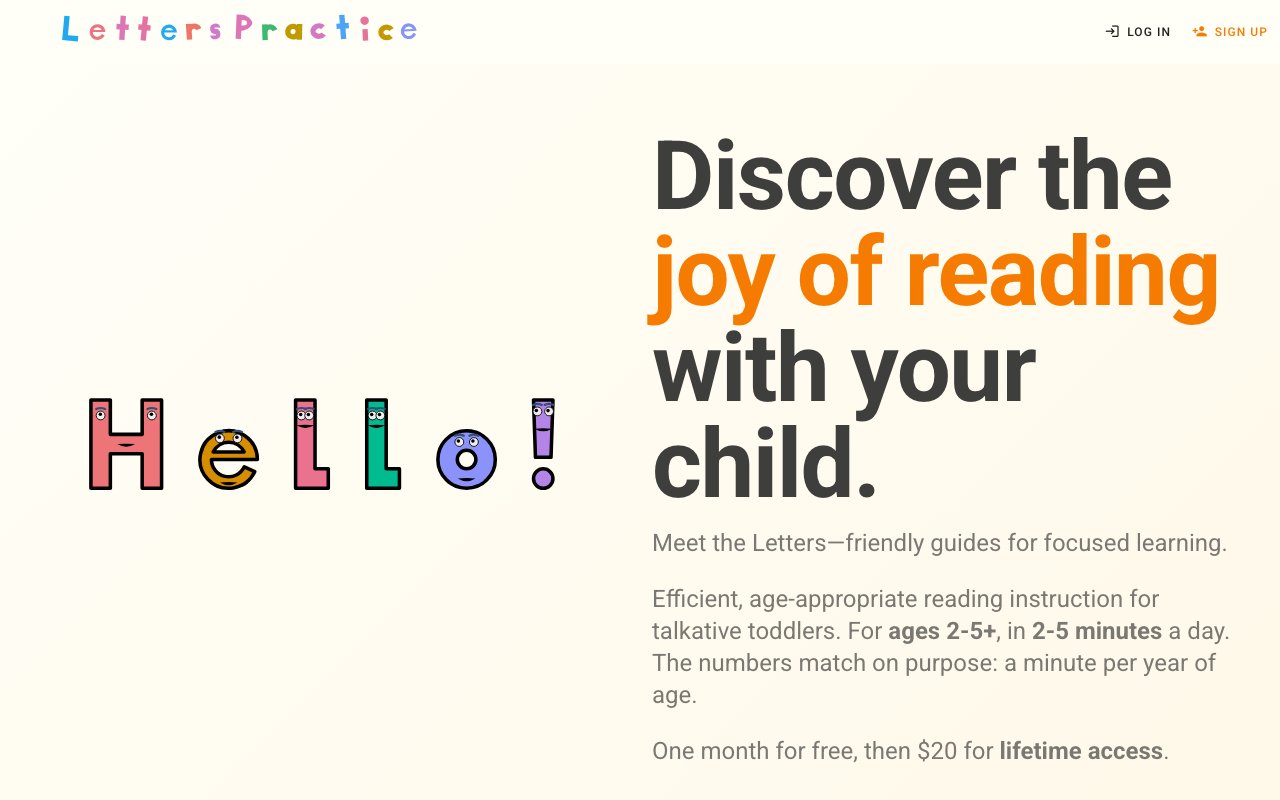
LettersPractice is a web app that teaches young children to read, aimed at ages two to five and up, using a spaced-repetition system the team calls SRS++. Instead of drilling flat flashcards, it runs short daily sessions where friendly characters called LetterPeople introduce letter names, sounds, and the words those sounds build. The whole thing is framed around early literacy for every child, and it's designed to slot into a few quiet minutes of a family's day rather than demand a lesson block. The result feels less like a worksheet and more like a short visit with a cast of characters who each carry a sound.
Early reading is really a memory problem underneath. A child meets a letter or a sound, then loses it if they don't see it again at the right moment, and most apps just pile on more content and hope some of it lands. LettersPractice leans on the idea that learned concepts fade if they aren't revisited at the right intervals, so it schedules each concept to come back just before a child is likely to forget it. The practice compounds across sessions rather than resetting every time they open the app, which is the same reason spaced repetition works for adults learning languages and, here, for kids learning letters. The scheduling stays invisible to the child, who just sees the same friendly faces turning up again at the right moments.
Under the hood it gives every item an ELO-style rating and runs a review scheduler that works out the next time a child should see it. As the child answers, the system updates that rating and books the next review, which is the science-backed part the site leans on. Sessions are short by design, roughly two to five minutes, so it fits a young attention span and a busy parent's day without becoming a battle, and reviews can be scheduled for classroom use as well as at home. Because the difficulty adjusts to each child, an easy item fades from the rotation while a shaky one comes back more often.
A deliberate choice here is that children can't mindlessly click through. Exercises like filling in the missing letters require an authentic, correct response before anything advances, so screen time turns into real practice instead of tapping to the next screen. There's no reward for guessing quickly, which keeps a toddler from learning to game the app rather than the letters. Each session ends with a quiet animation of the letters working on their hobbies, a small payoff that keeps kids wanting to come back without turning the whole thing into a loud, prize-driven arcade that trains the wrong instinct.
The curriculum unfolds in stages rather than dumping everything at once. Early on it's letter sounds and simple word-building, and later stages open up fuller spelling exercises and more independence as a child is ready for them. It adapts to where a child actually starts, whether that's a first-time learner with nothing unlocked yet, one who already knows some letter names and sounds, or one who can read a handful of words on their own, so the same app suits a two-year-old and an older sibling on different footing. That staged release also means the app grows with a child instead of being outgrown in a week.
It fits parents of toddlers and preschoolers who want a calm, structured way to build reading at home, and it deliberately avoids the loud, ad-heavy arcade feel a lot of kids' apps default to. Where it stands apart from typical early-reading apps is the memory engine sitting underneath, which treats retention as the core problem to solve rather than an afterthought bolted onto a pile of games. The characters and animations are the friendly surface, and the scheduler is the actual product doing the work. That focus on remembering, not just exposure, is what separates it from an app that simply shows a child a lot of letters and moves on.
Access is a one-time purchase rather than a subscription. You get a free month to try it with your child, and after that lifetime access is a flat twenty dollars, handled through Stripe, with no recurring bill. For a household weighing whether a reading app is worth it, the trial covers a full month before any payment, and the price is a single charge you pay once rather than another monthly line item that quietly renews in the background. For a tool a child might open daily for a year or more, a one-time price lands differently than a subscription that keeps charging long after the novelty wears off. Since it runs in the browser, there's nothing to install and it works on whatever device the family already has to hand.
Key Features
- ELO-based spaced-repetition review engine
- Science-backed phonics curriculum
- Friendly LetterPeople character guides
- Short two to five minute daily sessions
- Exercises that require correct responses
- Adaptive starting level per child
Pros & Cons
What we like
- Built on spaced repetition so lessons stick
- Sessions are short enough for young attention spans
- Kids can't click through without engaging
- One-time price with no ongoing subscription
Room for improvement
- Narrow focus on early reading for young children
- One-time purchase kicks in after a one-month free trial
- Curriculum releases in stages rather than all at once
- Small, young product without a long track record
Frequently Asked Questions
What is LettersPractice?
Is LettersPractice free?
What age is LettersPractice for?
How does the spaced repetition work?
Best For
Featured in
Alternatives to LettersPractice
Trello
The kanban board that taught the rest of the industry what a card was

CalendHub
Smart scheduling and calendar management for teams

Confluence
Atlassian's long-running team wiki that anchors many enterprise knowledge stacks
Kibu
Vertical software for disability service providers covering compliance, documentation, and programming
Reviews (10)
Exactly what I needed
LettersPractice has quietly become part of my daily flow. Where it really wins is adaptive starting level per child. It does what it says, which is rarer than it should be. Easy yes for anyone weighing the same trade offs.
Good, with a few caveats
Three months of LettersPractice later, here is what holds up. Where it really wins is sessions are short enough for young attention spans. Setup was painless and I was productive the same day. It fits well for reinforcing phonics between classroom lessons. My only gripe is small, young product without a long track record. Glad I made the switch.
Solid but not perfect
LettersPractice has quietly become part of my daily flow. Where it really wins is short two to five minute daily sessions. Found it works best for teaching a toddler letter sounds at home. It would be a five if not for narrow focus on early reading for young children. Recommending it to people in a similar spot.
Exactly what I needed
LettersPractice solves a real problem for me without making a fuss about it. The built on spaced repetition so lessons stick is more useful than I expected. Mostly using it for teaching a toddler letter sounds at home. Worth it for what I get out of it.
It just works
Tried LettersPractice on a side project first, then rolled it out everywhere. Got real value out of friendly letterpeople character guides. Found it works best for reinforcing phonics between classroom lessons. No regrets so far.
Powerful once it clicks
Started using LettersPractice casually, now it is pinned in my dock. Got real value out of built on spaced repetition so lessons stick. It fits well for reinforcing phonics between classroom lessons. The catch is small, young product without a long track record. Glad I made the switch.
Does the job, a few gripes
LettersPractice has quietly become part of my daily flow. Where it really wins is built on spaced repetition so lessons stick. Found it works best for reinforcing phonics between classroom lessons. The catch is curriculum releases in stages rather than all at once. Hard to imagine going back to my old setup.
Finally something that fits
Picked LettersPractice for the price, stayed for the quality. Where it really wins is friendly letterpeople character guides. Performance has been steady even when I lean on it hard. It fits well for preparing a preschooler for independent reading. Easy yes for anyone weighing the same trade offs.
Solid daily driver
Picked LettersPractice for the price, stayed for the quality. Support actually answered when I had a question, which surprised me. It earns its place in my stack.
Pulled its weight from week one
LettersPractice solves a real problem for me without making a fuss about it. The kids can't click through without engaging is more useful than I expected. The output quality holds up better than I expected. Hard to imagine going back to my old setup.
Badge builder
Add LettersPractice to your website
Choose a badge style and size, preview it here, then copy the generated HTML. Badge images are self-contained SVGs and do not require an external script.

<a href="https://toolindex.net/tools/letterspractice?ref=badge" target="_blank" rel="noopener">
  <img src="https://toolindex.net/badge/letterspractice/medium.svg" alt="LettersPractice - Listed on Tool Index" width="180" height="50" />
</a>How to use the badge
- 1. Pick the style, size, and theme that fit your layout.
- 2. Copy the generated HTML from the code block.
- 3. Paste it into your footer, homepage, or press page.
Standard badge available
The standard listing badge is available now. Score and circle badges are limited to tools currently ranked in the top 10 of a category.
Badge clicks return visitors to this profile with a referral tag so the source remains identifiable.
Related Tools
Confluence
Atlassian's long-running team wiki that anchors many enterprise knowledge stacks
Asana
Project management for teams that live in projects, tasks and dependencies
Kevin Gabeci Toolkits
Seven AI toolkits for writing books, making music, cutting video, and building agents.

Logseq
An open-source outliner notes app where every bullet is a first-class block
Work on LettersPractice? Request listing access or correction