
Linguin
Multilingual dictionary for 120+ languages with AI speaking practice
Gallery
About Linguin
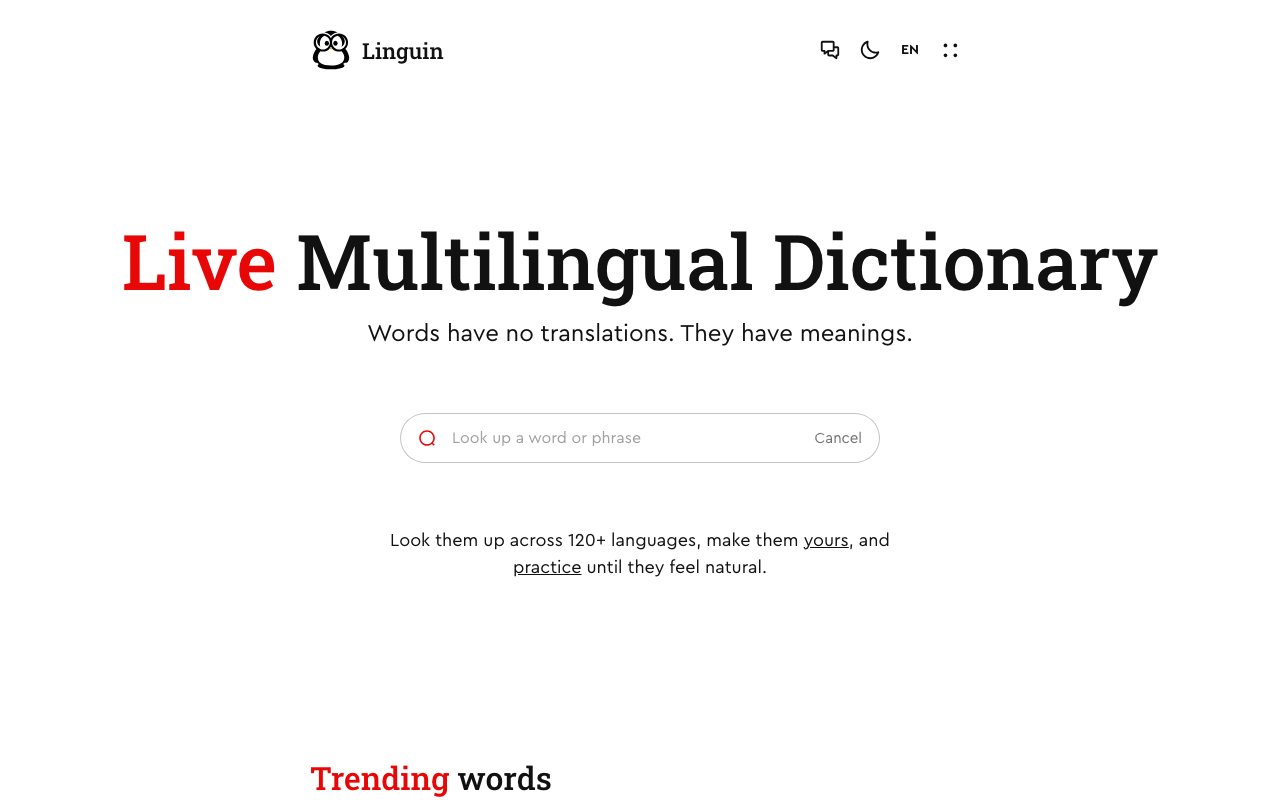
Linguin takes a fundamentally different approach to language learning by treating words as meaning carriers rather than items to translate. The platform operates as a multilingual dictionary spanning over 120 languages, but it goes well beyond simple word lookups. Each entry provides cultural context, slang variations, pronunciation guidance, and real example sentences showing how native speakers actually use the term. This philosophy acknowledges that words don't have direct equivalents across languages. They have meanings that shift based on context, region, and speaker intent. Traditional translation tools miss these nuances entirely, leaving learners with technically correct but practically awkward vocabulary.
The core dictionary experience starts with simple explanations before diving into nuanced definitions. Users can browse trending words that highlight current slang and emerging vocabulary, keeping learners connected to how languages actually evolve in real conversations. The platform indexes idiomatic expressions and colloquialisms that traditional dictionaries often miss entirely. For someone learning Japanese, Spanish, Mandarin, or any of the other supported languages, this means understanding not just what a word technically means but when and how people really use it. Context examples demonstrate real usage patterns rather than sterile textbook sentences that nobody actually speaks.
Practice features transform Linguin from a reference tool into an active learning system. The speaking practice component lets users engage in AI-powered conversations built around specific vocabulary. Each session places words in realistic scenarios where a traveler, professional, or casual speaker might actually encounter them. The system provides honest feedback on progress afterward, helping learners identify patterns in their mistakes and track improvement over time. Exercises accompany dictionary entries, reinforcing retention through active recall and contextual application. This combination of lookup and practice means users can discover a new word, understand its meanings, and immediately start building muscle memory around using it correctly.
Language learners at any level will find value here, though intermediate and advanced students may benefit most from the cultural depth and nuance emphasis. Beginners can still use the straightforward definitions and pronunciation guides to build foundational vocabulary, but the platform really shines when helping someone understand the subtle differences between similar words or grasp why a particular phrase works in one situation but sounds awkward in another. The distinction between formal and informal registers, regional variations in meaning, and the cultural baggage that words carry all become clearer through Linguin's approach to presenting information.
Polyglots managing multiple languages simultaneously will appreciate the consistent interface across the entire language catalog. Switching between languages doesn't mean adapting to different dictionary styles or feature sets. The same depth of information, the same practice tools, and the same organizational structure apply whether someone is studying their second language or their seventh. This uniformity reduces friction when maintaining multiple languages at different proficiency levels, which becomes increasingly important as vocabulary expands and nuances multiply across linguistic boundaries.
Developers can integrate Linguin's dictionary capabilities into their own applications through API access. This opens possibilities for language learning apps, writing assistants, translation tools, and educational platforms that need multilingual definition and translation support. The API handles the same rich data available through the web interface, including meanings, examples, and pronunciation information. Third-party applications can leverage years of lexicographical work without building their own databases from scratch. Billing for API usage operates separately from learner subscriptions, allowing developers to scale usage based on their application's actual needs.
What separates Linguin from machine translation services like DeepL or ChatGPT is its explicit focus on understanding rather than converting. Translation tools optimize for producing equivalent text in another language as quickly and accurately as possible. Linguin optimizes for helping humans comprehend what words actually mean and how they function in real communication. The speaking practice and exercise components further distinguish it from static dictionary applications that stop at definitions without offering any path to internalization. For serious language learners who want more than surface-level vocabulary acquisition, this combination of depth, practice, and cultural awareness addresses needs that simpler tools leave unfilled.
Key Features
- Dictionary supporting 120+ languages
- Typo tolerant and phrase aware search
- AI powered voice conversation practice
- Real time transcription and feedback
- Usage examples and pronunciation guides
- Developer API for integrations
Pros & Cons
What we like
- Covers 120+ languages including less common ones
- Focus on meaning and usage rather than literal translation
- Voice conversations feel natural with fast response times
- Single platform for lookups, exercises, and speaking practice
Room for improvement
- Pricing structure not clearly published
- Speaking practice may have usage limits on free tier
- Newer platform with smaller community than established apps
- Focus on vocabulary over grammar instruction
Frequently Asked Questions
What is Linguin?
How many languages does Linguin support?
Is Linguin free?
How does the speaking practice work?
Best For
Featured in
Alternatives to Linguin

CalendHub
Smart scheduling and calendar management for teams
Kevin Gabeci Toolkits
Seven AI toolkits for writing books, making music, cutting video, and building agents.

PrimeTask
Offline-first work OS with tasks, CRM, and canvas views you buy once and own forever
Kibu
Vertical software for disability service providers covering compliance, documentation, and programming
Reviews (9)
Finally something that fits
Came to Linguin after getting frustrated with what I had before. Where it really wins is single platform for lookups, exercises, and speaking practice. Mostly using it for looking up unfamiliar words across multiple languages. It earns its place in my stack.
It just works
Have been running Linguin for a while, here is where I land. Setup was painless and I was productive the same day. Hard to imagine going back to my old setup.
Genuinely impressed
Started using Linguin casually, now it is pinned in my dock. Their take on voice conversations feel natural with fast response times is genuinely good. Found it works best for understanding idioms and slang in context.
Solid but not perfect
Came to Linguin after getting frustrated with what I had before. The interface stays out of my way, which I appreciate. It just works, day after day, without surprises. My only gripe is pricing structure not clearly published. Easy yes for anyone weighing the same trade offs.
Solid but not perfect
Came to Linguin after getting frustrated with what I had before. The output quality holds up better than I expected. The catch is pricing structure not clearly published.
Two months in, no regrets
Linguin has quietly become part of my daily flow. The output quality holds up better than I expected. Would sign up again without thinking twice.
Exactly what I needed
Found Linguin on a Show HN thread and I am glad I clicked. Where it really wins is real time transcription and feedback. No regrets so far.
Genuinely impressed
Started using Linguin casually, now it is pinned in my dock. What stands out is how it handles typo tolerant and phrase aware search. The core workflow is smooth once you are set up. Would sign up again without thinking twice.
Quietly excellent
Hadn't planned on switching, but Linguin was hard to ignore. The interface stays out of my way, which I appreciate. It fits well for practicing spoken language with real time ai feedback.
Badge builder
Add Linguin to your website
Choose a badge style and size, preview it here, then copy the generated HTML. Badge images are self-contained SVGs and do not require an external script.

<a href="https://toolindex.net/tools/linguin?ref=badge" target="_blank" rel="noopener">
  <img src="https://toolindex.net/badge/linguin/medium.svg" alt="Linguin - Listed on Tool Index" width="180" height="50" />
</a>How to use the badge
- 1. Pick the style, size, and theme that fit your layout.
- 2. Copy the generated HTML from the code block.
- 3. Paste it into your footer, homepage, or press page.
Standard badge available
The standard listing badge is available now. Score and circle badges are limited to tools currently ranked in the top 10 of a category.
Badge clicks return visitors to this profile with a referral tag so the source remains identifiable.
Related Tools

Confluence
Atlassian's long-running team wiki that anchors many enterprise knowledge stacks
Asana
Project management for teams that live in projects, tasks and dependencies
Kevin Gabeci Toolkits
Seven AI toolkits for writing books, making music, cutting video, and building agents.

Logseq
An open-source outliner notes app where every bullet is a first-class block
Work on Linguin? Request listing access or correction