MacRun Agent Macs
Rent a dedicated always-on Mac for Claude Code, Codex, and other coding agents
Gallery
About MacRun Agent Macs
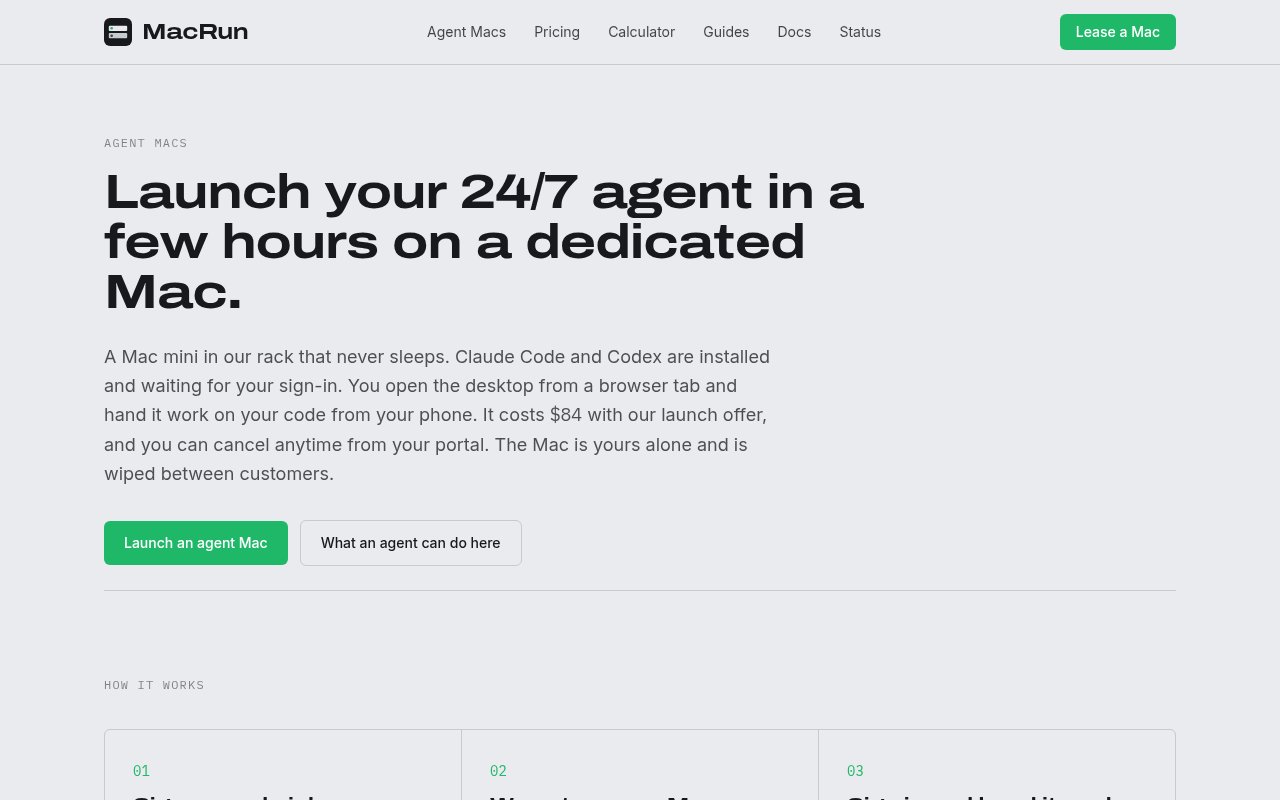
MacRun Agent Macs is a hosted hardware service for running coding agents on a dedicated Mac mini that stays awake around the clock. It is aimed at developers who want Claude Code or Codex to continue working after a laptop closes, without buying, configuring, and maintaining another Mac at home or in an office. Each customer gets a physical machine rather than a shared virtual Mac. MacRun installs the supported coding agents, keeps a logged-in desktop session available, and provides a browser-based route into that desktop when a task needs human attention. The machine is reserved for one customer and is wiped before it is assigned again.
The onboarding flow is deliberately hands-on. A customer chooses an agent and hardware option, checks out, and receives access after MacRun prepares the machine. The site says currently available units are normally ready within one to four hours. The first browser session opens to a Terminal with the selected agent ready for the customer to sign in using their own Claude or ChatGPT account. Both Claude Code and Codex are installed and kept updated, and the customer can switch between them or run both later. MacRun doesn't bundle model usage or API credits, so the existing AI subscription remains a separate cost and stays under the customer's own account. Sign-in happens directly on the assigned Mac. The company says it doesn't read the customer's sessions, keys, or conversations, which keeps the model account relationship separate from the hardware lease.
The service combines unattended uptime with several ways to step back in. Sleep is disabled, auto-login keeps the session active, wired Ethernet provides connectivity, and battery backup protects against short power interruptions. A customer can open the graphical desktop in a browser without installing a client. SSH and Screen Sharing are also available over Tailscale for people who prefer those routes. Once the agent's own remote control features are configured, tasks can be sent from the Claude or ChatGPT phone app. When a login approval, two-factor code, visual check, or other human action blocks the work, the customer can reopen the browser desktop and resolve it. MacRun provides direct email support for machine problems, but it doesn't monitor or babysit the agent's decisions.
The machine is a normal administrator-controlled Mac, not a locked agent appliance. The standard current option is an Apple M6 Mac mini with 16 GB of unified memory and a 256 GB SSD. It comes with Chrome, tmux, Homebrew, and Xcode alongside the coding agents, and users can install packages, extensions, simulator runtimes, or another coding agent with their own administrator password. Higher-memory M5 Pro configurations are offered for local models through tools such as Ollama, MLX, or LM Studio. Those machines are built to order and have separate build fees, while the base machine is intended mainly for agents that call cloud models. MacRun also sells a distinct CI runner plan on the same hardware. The agent plan costs more because it adds the persistent graphical session, maintained coding agents, and browser desktop needed for interactive unattended work.
MacRun fits solo developers and small software teams that have enough continuous agent work to justify a dedicated Mac. It is particularly relevant to iOS and macOS projects, where Xcode, simulators, signing workflows, and other Apple tooling make a general Linux server a poor substitute. The service is not a managed agent operator. MacRun supplies and supports the machine, but customers still decide what the agent may access, write the tasks, review its work, and intervene when it gets stuck. The acceptable use described on the site also limits hosted agents to software development and supporting tools. General inbox, CRM, or social automation is outside the plan's scope.
Agent Mac pricing is paid and flat rather than metered by the minute. The listed monthly price for the available M6 configuration is $169, with a temporary launch offer shown separately, and annual billing provides twelve months for the price of ten. The M4 and higher-memory M5 Pro configurations have their own monthly prices and availability. Billing for a built-to-order unit begins when it goes live, and some models require an upfront build fee. Plans can be canceled through the portal, but customers need to copy out anything they want to retain before access ends because the machine is then erased. The clearest value is predictable dedicated capacity and a ready remote desktop, while light or occasional agent use may not justify a full monthly hardware lease.
Key Features
- Dedicated always-on Mac mini
- Claude Code and Codex installed
- Browser-based remote desktop
- Phone control through agent apps
- Administrator access for custom tools
- Tailscale SSH and Screen Sharing
Pros & Cons
What we like
- Keeps coding agents running when a laptop is closed
- Provides a private physical Mac for each customer
- Supports Xcode and other macOS development tools
- Uses predictable monthly pricing without token markup
Room for improvement
- Requires a separate Claude or ChatGPT subscription
- Customers still supervise and secure their agents
- Use is limited to software development work
- Light usage may not justify a dedicated lease
Frequently Asked Questions
What is a MacRun Agent Mac?
Does MacRun include model usage?
Can customers install other software?
What happens when a customer cancels?
Best For
Featured in
Alternatives to MacRun Agent Macs
MongoDB Atlas
The fully-managed cloud version of MongoDB with built-in search, vector search, time series, and serverless tiers.
Hetzner
High-performance European cloud hosting at unbeatable prices

Neon
Serverless Postgres with database branching, scale-to-zero compute, and a generous free tier.
Rememori
Embedded memory engine for AI agents in TypeScript with zero dependencies
Our take
Tool Index Editorial · Oct 2026· 3.5/5
MacRun Agent Macs rents developers a dedicated, always-on Mac mini with Claude Code and Codex installed, browser desktop access, and Tailscale options. We found the offer unusually concrete. The available M6 machine has 16 GB of memory and 256 GB of storage, is prepared in one to four hours, and lists at $169 per month with a $84 launch offer.
The service solves availability, not autonomy. Customers still bring a Claude or ChatGPT plan, supervise risky actions, manage backups, and copy files out before a cancelled machine is wiped. The base hardware is fine for cloud-backed agents but limited for larger local models, while higher-memory tiers cost materially more. It makes most sense for sustained Mac-specific work where maintaining another machine is the bigger nuisance.
Editorial opinion from the Tool Index team, written from the public product pages. Not a user review.
Reviews (0)
No reviews yet
Be the first to share your experience with MacRun Agent Macs
Sign in to write a reviewBadge builder
Add MacRun Agent Macs to your website
Choose a badge style and size, preview it here, then copy the generated HTML. Badge images are self-contained SVGs and do not require an external script.

<a href="https://toolindex.net/tools/macrun?ref=badge" target="_blank" rel="noopener">
  <img src="https://toolindex.net/badge/macrun/medium.svg" alt="MacRun Agent Macs - Listed on Tool Index" width="180" height="50" />
</a>How to use the badge
- 1. Pick the style, size, and theme that fit your layout.
- 2. Copy the generated HTML from the code block.
- 3. Paste it into your footer, homepage, or press page.
Standard badge available
The standard listing badge is available now. Score and circle badges are limited to tools currently ranked in the top 10 of a category.
Badge clicks return visitors to this profile with a referral tag so the source remains identifiable.
Related Tools

Coolify
Self-hostable, open source alternative to Heroku and Netlify
Hetzner
High-performance European cloud hosting at unbeatable prices

Upstash
Serverless Redis, Kafka, and QStash for modern applications

OpenBenchmarks
Public, externally validated benchmarks that help agents pick SaaS APIs
Work on MacRun Agent Macs? Request listing access or correction