
Magic Layers
Split a flat PNG or JPEG into named, transparent layers you can edit in any design tool
Gallery
About Magic Layers
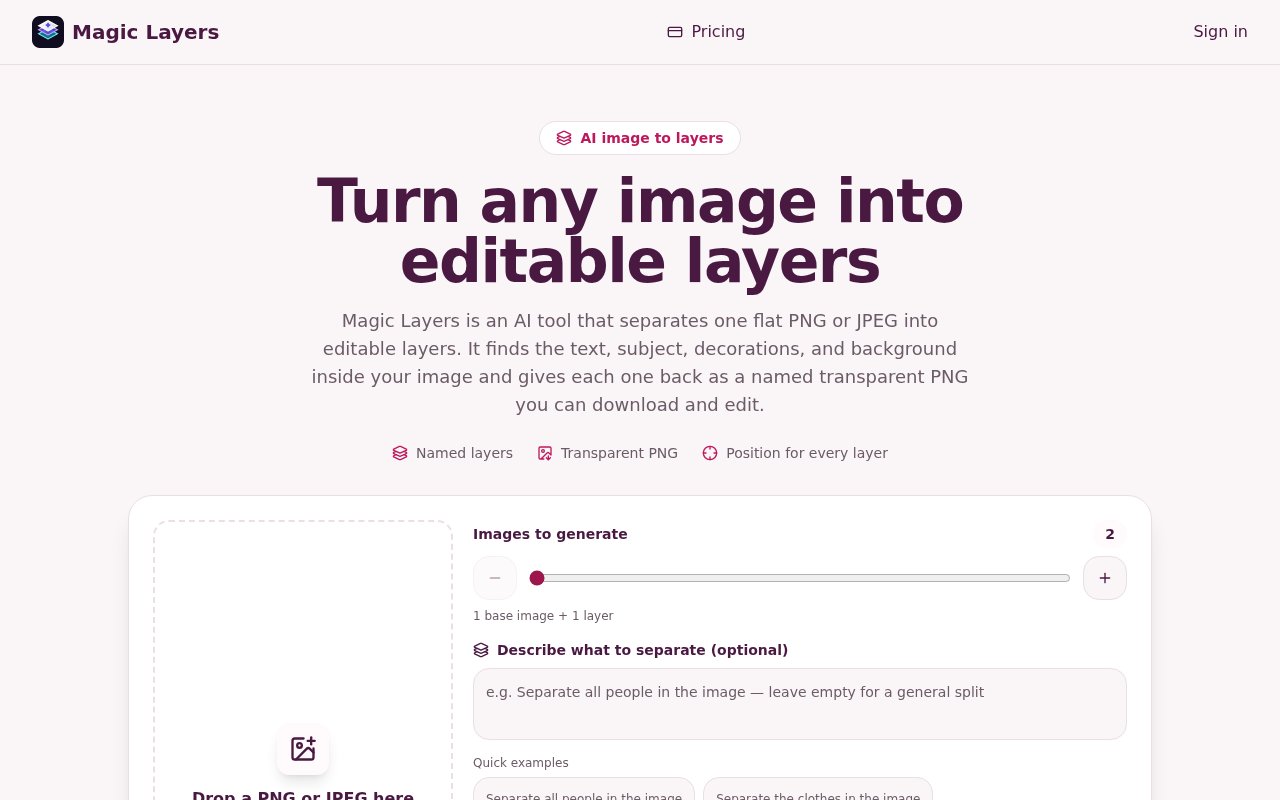
Magic Layers is an AI tool that takes a flat PNG or JPEG and splits it into separate, editable layers. Upload a finished graphic and it hands back the text, the subjects, the decorative elements and the background as individual transparent PNGs, each with a name, a short description and its original position, so the pieces drop back into Figma, Photoshop, Canva or a slide deck where they were. The problem it solves is the one every marketing team eventually hits, where a visual exists but its project file doesn't, because the source was never shared, was lost, or was made by someone who has since moved on.
The process has three steps. You upload an image of at least 512 by 512 pixels, which is downscaled automatically if it's over 10 MB. You pick a target layer count between 2 and 15 and can describe how you'd like it separated, for example keeping the headline and the product as their own layers. The model, which the about page identifies as ByteDance's Seedream running through the Volcano Engine Ark service, analyses the composition and segments it, and you review the results, check placement and download the layers. The service runs on Cloudflare Workers with D1 and R2 behind it, keeps source images for seven days, and doesn't store the generated layers at all.
What you do with the layers is up to your editor. Each one is a transparent PNG with its original position recorded, so placing them back on a canvas at the same coordinates reassembles the source, and moving, scaling or deleting any one of them is then ordinary layer editing in Figma, Photoshop, Canva or a slide tool. The name and description on each layer make a stack of a dozen files navigable, which matters when the separation returns more pieces than you expected, and since the layers themselves aren't stored, the download is the copy you keep.
It's aimed at marketing teams, social media creators, presentation designers, game and UI developers, e-commerce sellers and design students, which is a long list that shares one need, reusing a graphic they can't open in its native editor. A campaign banner that needs a new headline, a product shot that should move to a different background, or an old poster that wants a refresh are the typical jobs, and each of them is faster when the elements arrive already separated.
Where it differs from a background remover is scope. A remover gives you a subject and a hole. Magic Layers tries to separate every major element, and it lets you say how many pieces you want and what they should be. It's also candid about what it isn't. The output is transparent raster PNGs, not a recovered Photoshop, Figma or Illustrator document, so text comes back as pixels rather than editable type. The target count is approximate, high-contrast graphic images separate better than soft photographic ones, and the provider rejects some inputs, including copyright-protected and adult material. The site also notes that separating an image grants no rights to the underlying artwork.
Compared with the alternatives, the pitch is time. Rebuilding a graphic by hand from a flat export means retyping the headline, masking the product and repainting the background, an hour for a designer and a non-starter for a marketer, and a background remover gets you a third of the way. Magic Layers aims to get most of the way in one upload, with the honest caveat that text arrives as pixels and complex photographic scenes may need a second pass or a manual cleanup. The limits worth weighing are the subscription-only pricing, since no free trial or free credits are mentioned, and the dependence on a third-party model whose behaviour the service can't fully control. It's independently built and operated and states plainly that it has no affiliation with Adobe, Figma or Canva. As a young product, the track record is short, and the quality of a separation is something to judge on your own images rather than the examples.
Access is paid. Basic is $29 a month for 400 credits, Pro is $79 for 1,200 and Studio is $149 for 2,400, and every layer returned costs two credits, so the tiers work out to roughly 200, 600 and 1,200 layers a month. You're billed only for the layers you actually receive, failed jobs aren't charged, and there are no upfront holds. One-time credit packs exist for occasional use, and monthly plans can be cancelled at any time. Getting started means picking a plan and uploading a first image, and the about page notes that high-contrast, graphic compositions separate best and that the layer count is a target rather than a promise. Questions go to contact@magiclayers.net.
Key Features
- AI separation of images into transparent PNG layers
- Named layers with descriptions and positions
- Adjustable target of 2 to 15 layers
- Text prompt to guide the separation
- Billing only for layers returned
- Seven-day source retention, layers not stored
Pros & Cons
What we like
- Recovers editable pieces when the source file is gone
- Separates every major element, not just the background
- Failed jobs and missing layers aren't charged
- Clear about limits and content rules
Room for improvement
- No free trial or free credits
- Output is raster PNG, not an editable PSD or Figma file
- Layer count is approximate and quality varies by image
- Depends on a third-party model provider
Frequently Asked Questions
What is Magic Layers?
Is Magic Layers free?
Do I get a Photoshop or Figma file back?
What happens to my images?
Best For
Featured in
Alternatives to Magic Layers
View all
Framer
Visual website builder that lets designers ship production-grade marketing sites with real CMS, SEO controls, and code components.

Webflow
Visual website builder that produces clean, semantic HTML and CSS, with a CMS, e-commerce, and a Webflow-hosted CDN.

Apatero Studio
Creator studio for AI image, video, audio, 3D, and avatars. Every model worth using, in one workspace.

Pixel Painters
Unlimited graphic design subscriptions built only for churches and ministries
Our take
Tool Index Editorial · Oct 2026· 3.0/5
Magic Layers separates a flat PNG or JPEG into a base image and named transparent PNG elements, with positions that help rebuild the composition in Figma, Photoshop, Canva, or slides. We found its scope clearer than a background remover. The user can request two to 15 outputs and describe what should be split, while failed or refused jobs are not charged.
It does not recover an editable source file. Text, vector paths, fonts, and effects return as raster pixels, the requested layer count is only a target, and busy low-contrast images may need cleanup. There is no free trial shown. Plans start at $29 per month for up to 200 returned images, with each output costing two credits. That makes it useful when a lost source file has real value, but hard to justify for an occasional experiment.
Editorial opinion from the Tool Index team, written from the public product pages. Not a user review.
Reviews (0)
Badge builder
Add Magic Layers to your website
Choose a badge style and size, preview it here, then copy the generated HTML. Badge images are self-contained SVGs and do not require an external script.

<a href="https://toolindex.net/tools/magic-layers?ref=badge" target="_blank" rel="noopener">
  <img src="https://toolindex.net/badge/magic-layers/medium.svg" alt="Magic Layers - Listed on Tool Index" width="180" height="50" />
</a>How to use the badge
- 1. Pick the style, size, and theme that fit your layout.
- 2. Copy the generated HTML from the code block.
- 3. Paste it into your footer, homepage, or press page.
Standard badge available
The standard listing badge is available now. Score and circle badges are limited to tools currently ranked in the top 10 of a category.
Badge clicks return visitors to this profile with a referral tag so the source remains identifiable.
Related Tools
Apatero Studio
Creator studio for AI image, video, audio, 3D, and avatars. Every model worth using, in one workspace.

Tailwind CSS
Rapidly build custom designs without leaving your HTML

Figma
Collaborative interface design tool

Marvel
Lightweight prototyping platform for turning images and screens into clickable mobile and web prototypes.
Work on Magic Layers? Request listing access or correction