OpenScreenShot
Open-source Chrome extension for full-page screenshots and annotation
Gallery
About OpenScreenShot
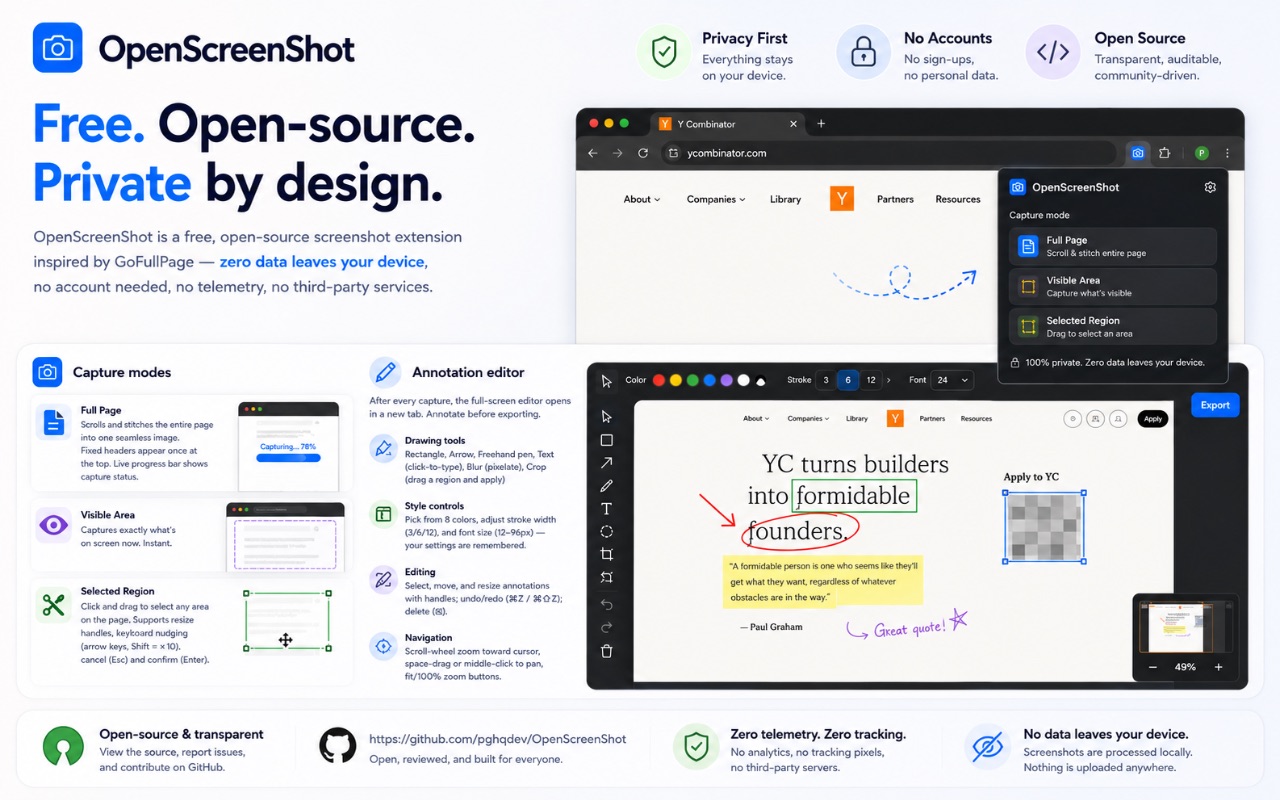
OpenScreenShot is a Chrome extension for taking and marking up screenshots, built around one clear promise, that nothing you capture ever leaves your device. It grabs the whole page rather than only the slice you can see, opens the image straight into a built-in editor, and lets you annotate and export it without touching a server, an account, or any third-party service. The whole flow, from capture to finished file, happens inside your browser.
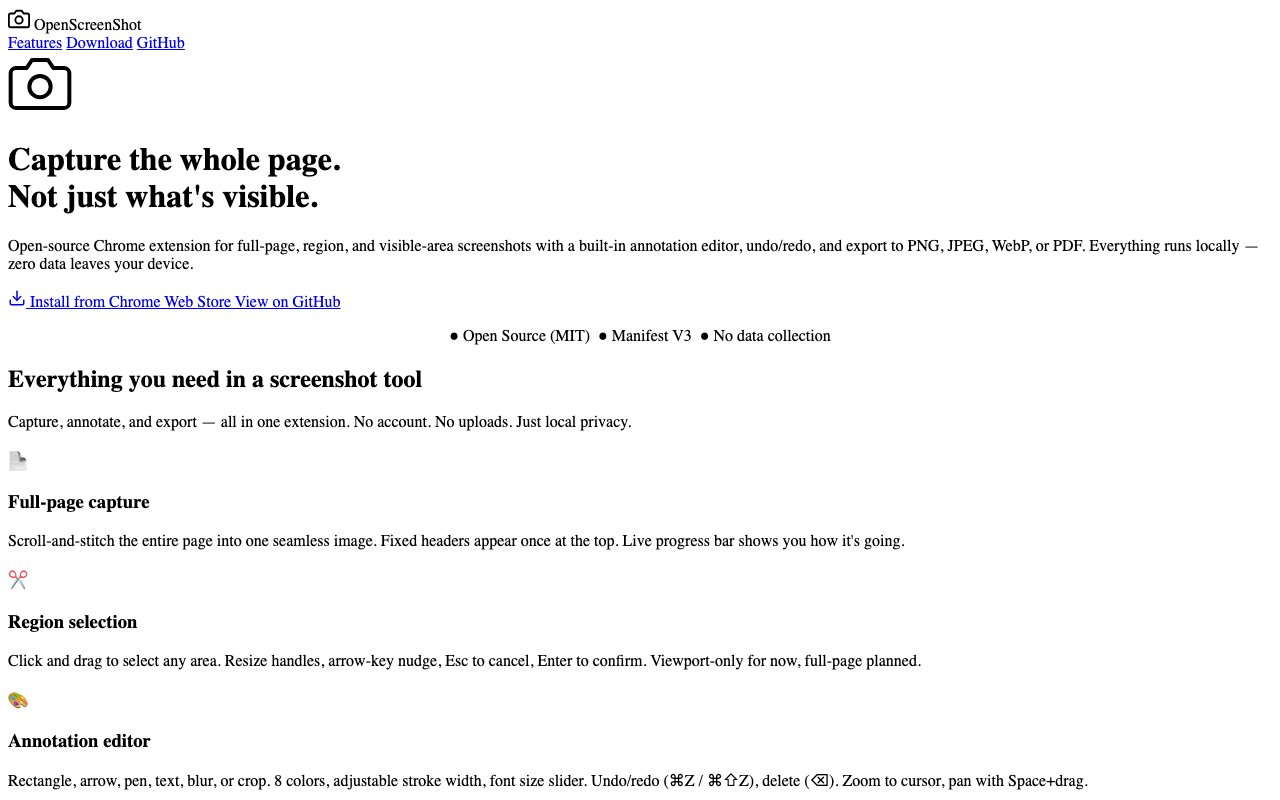
The headline capability is full-page capture. Long articles, dashboards, chat threads, and feeds usually run well past the edge of the screen, and most quick screenshots only catch the visible window, which means stitching several images together by hand afterward. OpenScreenShot scrolls the page automatically and stitches the pieces into one continuous image, so you get the entire thing in a single shot. When you'd rather grab just part of the page, there's a region selector you drag out and then fine-tune with resize handles before capturing, so you can frame exactly the area you care about.
Once you've captured something, it opens in an annotation editor rather than dumping a file into your downloads folder for you to hunt down later. You can draw rectangles and arrows to point at things, sketch freehand with a pen, drop in text, blur out anything sensitive, and crop the frame down to what matters. The editor keeps the basics close at hand, with undo and redo, an eight-colour palette, adjustable stroke widths, and zoom and pan so you can work precisely even on a tall full-page capture.
Export is just as flexible. When you're happy with the markup you can save the result as a PNG, a JPEG, a WebP, or a PDF, and the PDF option supports multiple pages for when a single capture is genuinely long. That range covers most of what people actually need, whether you're pasting a quick PNG into a chat, saving a lighter WebP for the web, or handing someone a paged PDF of a full report. Each format has its place, and having them built in means you're not opening a separate converter after the fact just to produce the file type someone asked for.
It's worth being clear about the gap it fills. Your operating system and the browser itself can already grab what's on screen, and some browsers hide a full-page command inside developer tools, but none of them hand you an editor the moment you capture. OpenScreenShot closes that loop, so the same action that takes the shot also drops you into a place to mark it up and choose a format, which is usually the reason you were taking the screenshot in the first place. The full-page stitching is the other piece the built-in options tend to miss or handle awkwardly, and here it's the headline feature rather than a buried command you have to remember exists.
The privacy stance is the throughline that ties it all together. Everything happens locally in the browser, with no data collection, no telemetry, no account to create, and no third-party services in the path. For anyone who's uneasy about pushing screenshots of internal tools, customer dashboards, or private conversations through a cloud service they don't control, that local-only design is the main reason to reach for this over the better-known alternatives that upload first and ask questions later.
It fits a broad audience because the job is such a common one. Developers and QA folks filing bug reports, support teams walking a customer through an issue, product people capturing a competitor's flow, and writers or educators building documentation will all find what they need without learning a heavy app. Because it's a browser extension, there's no separate program to install and keep updated, and it's always a click away in the toolbar while you're already working in the tab you want to capture. That low overhead is a big part of the appeal, since a screenshot tool only helps if it's already there when you need it.
OpenScreenShot is free and open source, released under the MIT license with the code available on GitHub and the extension listed on the Chrome Web Store. It's a young project with a deliberately tight feature set, so it won't give you cloud sync, shareable links, or a sprawling library of effects, and the community around it is still small. What it does give you is fast, private, full-page screenshots with the annotation basics done well, plus the freedom to read the source or adapt it yourself if you ever want to. For a task most people do several times a week, a fast, private, no-account tool that lives in the toolbar is an easy thing to keep around, and the open licence means it isn't going to sprout a paywall or start phoning home later.
Key Features
- Full-page capture with auto-scroll stitching
- Region selection with resize handles
- Built-in annotation editor
- Arrows, rectangles, pen, text, and blur
- Export to PNG, JPEG, WebP, and PDF
- Fully local with no data collection
Pros & Cons
What we like
- Captures the entire page, not just the viewport
- Annotate and export without leaving the browser
- Runs fully local with no account or telemetry
- Open source under the MIT license
Room for improvement
- Chrome extension only
- Newer project with few GitHub stars
- No cloud sync or shareable links
- Feature set is deliberately minimal
Frequently Asked Questions
What is OpenScreenShot?
Is OpenScreenShot free?
Who is OpenScreenShot for?
How is it different from other screenshot tools?
Best For
Featured in
Alternatives to OpenScreenShot

CalendHub
Smart scheduling and calendar management for teams

Brief
A news reader that condenses the day's coverage into short, sourced briefs
Ghostmeet
Self-hosted meeting transcription and AI summaries that stay on your machine
Kibu
Vertical software for disability service providers covering compliance, documentation, and programming
Reviews (11)
Exactly what I needed
Started using OpenScreenShot casually, now it is pinned in my dock. It just works, day after day, without surprises. Found it works best for blurring sensitive details before sharing. Easy yes for anyone weighing the same trade offs.
Quietly excellent
Came to OpenScreenShot after getting frustrated with what I had before. What stands out is how it handles arrows, rectangles, pen, text, and blur. The interface stays out of my way, which I appreciate.
Good, with a few caveats
OpenScreenShot has quietly become part of my daily flow. The runs fully local with no account or telemetry is more useful than I expected. Setup was painless and I was productive the same day. One thing that bugs me is chrome extension only.
Genuinely impressed
Have been running OpenScreenShot for a while, here is where I land. Where it really wins is annotate and export without leaving the browser. Worth it for what I get out of it.
Recommended without reservation
OpenScreenShot solves a real problem for me without making a fuss about it. The built-in annotation editor is more useful than I expected. Mostly using it for blurring sensitive details before sharing.
Exactly what I needed
Found OpenScreenShot on a Show HN thread and I am glad I clicked. The thing I keep coming back to is how reliable it is. The interface stays out of my way, which I appreciate. Mostly using it for blurring sensitive details before sharing. No regrets so far.
Recommended without reservation
Found OpenScreenShot on a Show HN thread and I am glad I clicked. The interface stays out of my way, which I appreciate. It slotted into my routine without much fuss. Mostly using it for marking up a screenshot for a bug report. Easy yes for anyone weighing the same trade offs.
Quietly excellent
Started using OpenScreenShot casually, now it is pinned in my dock. The fully local with no data collection is more useful than I expected. Setup was painless and I was productive the same day.
Two months in, no regrets
Started using OpenScreenShot casually, now it is pinned in my dock. The thing I keep coming back to is how reliable it is. Setup was painless and I was productive the same day. Found it works best for marking up a screenshot for a bug report. No regrets so far.
Powerful once it clicks
Came to OpenScreenShot after getting frustrated with what I had before. Got real value out of export to png, jpeg, webp, and pdf. It would be a five if not for newer project with few github stars. Worth it for what I get out of it.
Recommended without reservation
Hadn't planned on switching, but OpenScreenShot was hard to ignore. Their take on full-page capture with auto-scroll stitching is genuinely good. Found it works best for marking up a screenshot for a bug report. Would sign up again without thinking twice.
Badge builder
Add OpenScreenShot to your website
Choose a badge style and size, preview it here, then copy the generated HTML. Badge images are self-contained SVGs and do not require an external script.

<a href="https://toolindex.net/tools/openscreenshot?ref=badge" target="_blank" rel="noopener">
  <img src="https://toolindex.net/badge/openscreenshot/medium.svg" alt="OpenScreenShot - Listed on Tool Index" width="180" height="50" />
</a>How to use the badge
- 1. Pick the style, size, and theme that fit your layout.
- 2. Copy the generated HTML from the code block.
- 3. Paste it into your footer, homepage, or press page.
Standard badge available
The standard listing badge is available now. Score and circle badges are limited to tools currently ranked in the top 10 of a category.
Badge clicks return visitors to this profile with a referral tag so the source remains identifiable.
Related Tools

Confluence
Atlassian's long-running team wiki that anchors many enterprise knowledge stacks
Asana
Project management for teams that live in projects, tasks and dependencies
Kevin Gabeci Toolkits
Seven AI toolkits for writing books, making music, cutting video, and building agents.

Logseq
An open-source outliner notes app where every bullet is a first-class block
Work on OpenScreenShot? Request listing access or correction