
Pagora AI
WordPress AI page builder that generates complete pages from natural language descriptions
Gallery
About Pagora AI
Pagora AI is a WordPress plugin that replaces the traditional drag and drop page building workflow with natural language prompts. Instead of wrestling with block editors or learning complex page builder interfaces, users describe the page they want in plain English and the AI generates a complete, publish ready page with layout, copy, styling, and interactivity already in place. The plugin handles landing pages, product pages, coming soon pages, and full homepages from a single text description, then lets users refine results through ongoing conversation or direct code editing. This approach eliminates the visual builder learning curve entirely while still producing professional quality output.
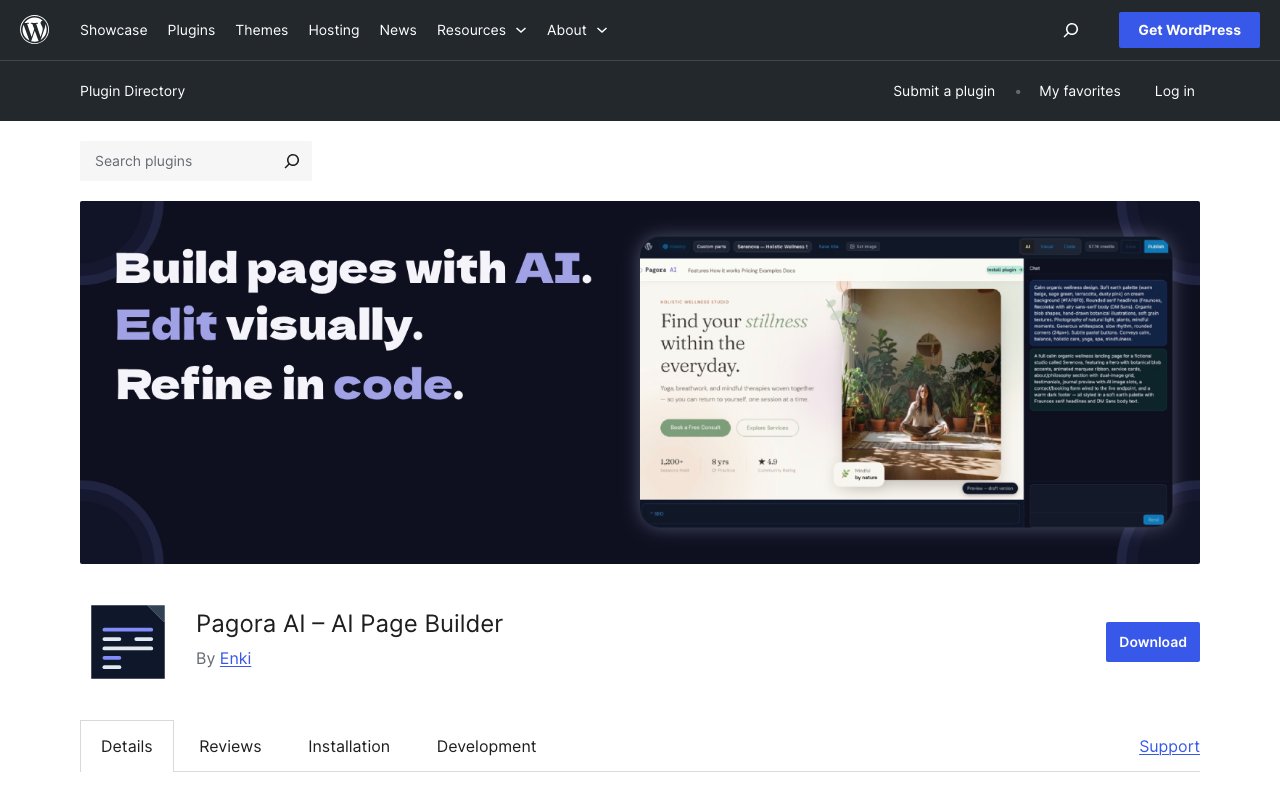
The plugin works as a client for the Pagora AI cloud service, which means no AI models run on the WordPress server itself. After installation, users connect their Pagora AI account from the settings panel, then open any WordPress page and click Edit with Pagora AI to access the builder interface. The workspace splits into three sections with a chat panel on the left, a live preview in the center, and a full code editor on the right. Generated pages use UnoCSS for Tailwind style utility classes, Alpine.js for declarative interactivity, and Motion One for smooth animations, all bundled automatically without requiring additional plugin installations. The preview updates instantly after every AI response or manual edit, providing immediate visual feedback during the creation process.
What separates Pagora AI from typical no code builders is the hybrid approach to control. Beginners can build entire pages without touching code by simply chatting with the AI about changes they want to make. Requests like make the hero section darker, add a pricing table, or shorten the introduction get processed and applied to the live preview instantly. But developers who prefer direct manipulation can open the built in CodeMirror editor and adjust the HTML, CSS, and JavaScript themselves. The editor includes syntax highlighting, auto formatting, and keyboard shortcuts, giving technical users the same level of control they would have with hand coded pages. This dual mode design means teams with mixed skill levels can collaborate effectively on the same page.
Version history provides a safety net for experimentation. Every save creates a snapshot that users can restore with one click, eliminating the fear of breaking something during iterative refinement. The plugin also includes an AI image generation feature that lets users create and insert images directly from the editor without leaving the WordPress admin or sourcing visuals from external stock libraries. A built in SEO panel handles meta titles, descriptions, and featured images for each page, centralizing the optimization work that would otherwise require separate plugins or manual theme edits. The template system lets users save any finished page as a reusable starting point for future projects, building an organizational library of proven layouts over time.
The architecture stays isolated from the rest of the WordPress theme. Pagora AI only overrides theme rendering on specific pages where users activate it, leaving all other pages and the theme itself completely untouched. This isolation means existing sites can adopt the plugin for specific landing pages without risking conflicts with current content or theme functionality. Under the hood, page content lives in post meta with separated HTML, CSS, and JavaScript for draft and published states. Compiled assets get written to the uploads folder with hashed filenames for cache busting, and the plugin includes automatic cache purge integrations for WP Rocket, W3 Total Cache, and LiteSpeed Cache. These integrations prevent stale cached versions from serving after page updates.
Target users include small business owners who need landing pages without hiring designers, solo entrepreneurs launching products quickly, and agencies producing client sites on tight timelines. Marketing teams who need to spin up campaign pages faster than their development queue allows will appreciate the independence the chat interface provides. Developers who want AI assistance but refuse to give up code access will find the editor mode particularly useful for fine tuning generated output. The plugin requires WordPress 6.3 or higher and PHP 8.0 or higher, with the unfiltered HTML capability typically limited to administrators needed for full editor access.
The plugin itself is free to install from the WordPress plugin repository. Page generation is powered by the Pagora AI cloud service, which starts new accounts with a free trial for creating initial pages before requiring a paid plan. This lets users validate that the output quality meets their standards before committing money. Full pricing details are available on the Pagora AI website. The plugin collects no telemetry on its own, and all prompts and generated code transit exclusively through Pagora AI servers with no data sent to third parties. Source code is open and available on GitHub for those who want to build from source, audit the codebase, or contribute improvements back to the project.
Key Features
- Natural language page generation
- Built in code editor with syntax highlighting
- Version history with one click restore
- AI image generation and insertion
- SEO panel for meta and title
- Reusable page templates
Pros & Cons
What we like
- Generates complete pages from plain English descriptions
- Full access to the underlying HTML, CSS, and JavaScript
- Modern libraries bundled without extra plugin installs
- Version snapshots let you experiment without risk
Room for improvement
- Requires a paid cloud service after the free trial
- Very new plugin with fewer than ten active installs
- Needs Administrator role for the unfiltered HTML capability
- Page generation depends on external API availability
Frequently Asked Questions
What is Pagora AI?
Is Pagora AI free?
Can I edit the generated code?
Will Pagora AI break my theme?
Best For
Featured in
Alternatives to Pagora AI

Framer
Visual website builder that lets designers ship production-grade marketing sites with real CMS, SEO controls, and code components.

Sanity
Composable content platform with a customizable studio, real-time collaboration, and a queryable structured content backend.

Carrd
Single-developer-built site builder for fast, single-page sites: link-in-bio pages, landing pages, and personal cards.

Teachizy
France-based no-code platform for building, hosting, and selling online courses without tech skills
Reviews (10)
Solid daily driver
Hadn't planned on switching, but Pagora AI was hard to ignore. Their take on generates complete pages from plain english descriptions is genuinely good. Support actually answered when I had a question, which surprised me. Hard to imagine going back to my old setup.
Powerful once it clicks
Came to Pagora AI after getting frustrated with what I had before. What stands out is how it handles ai image generation and insertion. It has shaved real time off my week. Found it works best for generating coming soon or product pages without code knowledge. One thing that bugs me is requires a paid cloud service after the free trial. Easy yes for anyone weighing the same trade offs.
Genuinely impressed
Tried Pagora AI on a side project first, then rolled it out everywhere. Where it really wins is generates complete pages from plain english descriptions. Easy yes for anyone weighing the same trade offs.
Worth a look
Tried Pagora AI on a side project first, then rolled it out everywhere. The generates complete pages from plain english descriptions is more useful than I expected. Found it works best for prototyping page layouts before handing off to a developer.
Recommended without reservation
Three months of Pagora AI later, here is what holds up. Their take on version history with one click restore is genuinely good. Found it works best for building landing pages in minutes instead of hours.
It just works
Tried Pagora AI on a side project first, then rolled it out everywhere. Their take on built in code editor with syntax highlighting is genuinely good. Mostly using it for generating coming soon or product pages without code knowledge. Worth it for what I get out of it.
Quietly excellent
Found Pagora AI on a Show HN thread and I am glad I clicked. What stands out is how it handles modern libraries bundled without extra plugin installs. The core workflow is smooth once you are set up.
Decent with some rough edges
Started using Pagora AI casually, now it is pinned in my dock. Their take on seo panel for meta and title is genuinely good. The core workflow is smooth once you are set up. It would be a five if not for very new plugin with fewer than ten active installs. It earns its place in my stack.
Two months in, no regrets
Came to Pagora AI after getting frustrated with what I had before. What stands out is how it handles natural language page generation. It has shaved real time off my week. Mostly using it for iterating on page copy and structure through conversation.
Solid daily driver
Picked Pagora AI for the price, stayed for the quality. The built in code editor with syntax highlighting is more useful than I expected. Performance has been steady even when I lean on it hard. It fits well for iterating on page copy and structure through conversation. No regrets so far.
Badge builder
Add Pagora AI to your website
Choose a badge style and size, preview it here, then copy the generated HTML. Badge images are self-contained SVGs and do not require an external script.

<a href="https://toolindex.net/tools/pagora-ai?ref=badge" target="_blank" rel="noopener">
  <img src="https://toolindex.net/badge/pagora-ai/medium.svg" alt="Pagora AI - Listed on Tool Index" width="180" height="50" />
</a>How to use the badge
- 1. Pick the style, size, and theme that fit your layout.
- 2. Copy the generated HTML from the code block.
- 3. Paste it into your footer, homepage, or press page.
Standard badge available
The standard listing badge is available now. Score and circle badges are limited to tools currently ranked in the top 10 of a category.
Badge clicks return visitors to this profile with a referral tag so the source remains identifiable.
Related Tools
Sanity
Composable content platform with a customizable studio, real-time collaboration, and a queryable structured content backend.

Bubble
Full-stack no-code platform for building real web applications with visual programming, a database, and a workflow engine.

Tally
Form builder with a Notion-like editor, conditional logic, payments, and a generous free tier with unlimited submissions.

Glide
No-code platform that turns spreadsheets and databases into mobile and web apps, with computed columns and AI actions.
Work on Pagora AI? Request listing access or correction