
Photobook Studio
Browser-based photo book builder with automatic layouts, press printing, and hand binding
Gallery
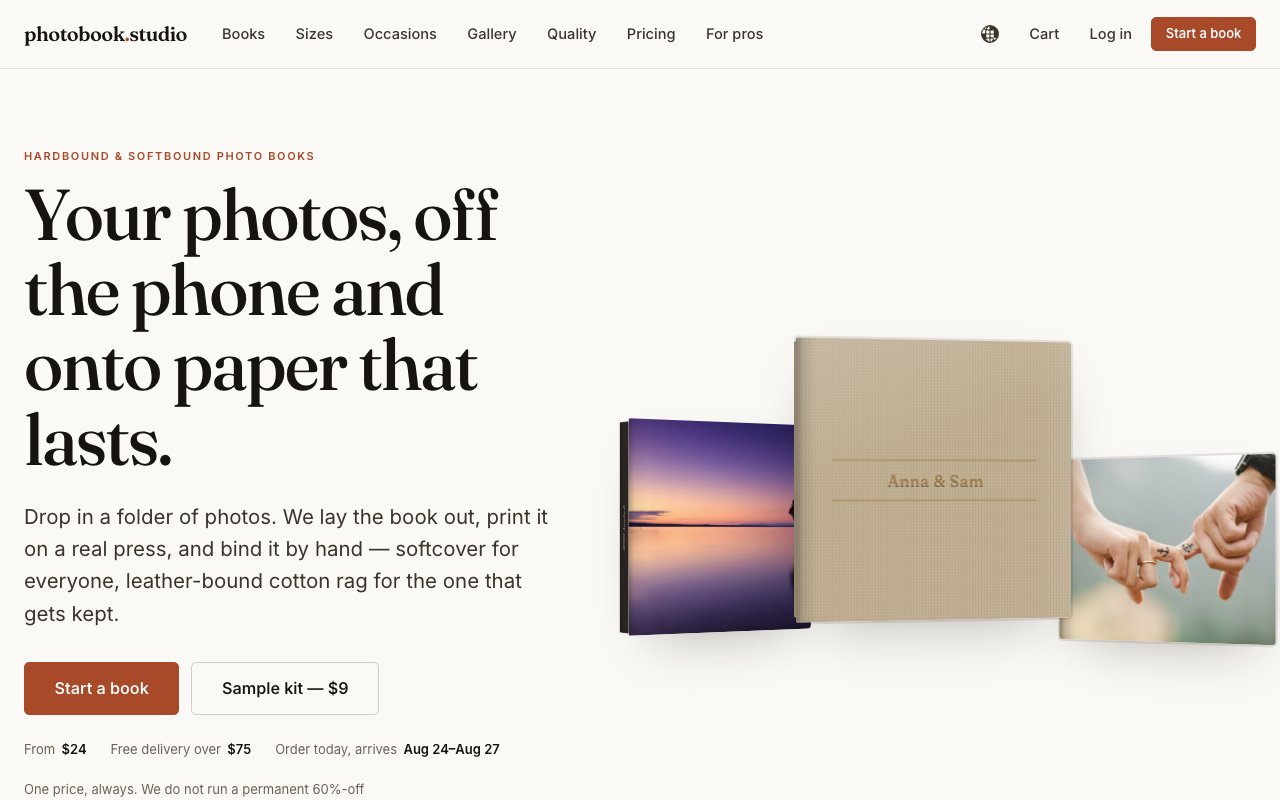
About Photobook Studio
Photobook Studio turns the photos sitting on your phone into a properly printed, hardbound or softbound book. It's a browser-based service, so there's nothing to install and no desktop editor to learn. The flow is three steps. You drop your photos in, up to 1,200 of them per book, the service lays the whole thing out automatically, and you nudge the layout with drag and drop until it looks right. When you're happy, the book is printed on a real press, bound by hand, inspected before it ships, and sent with tracked delivery. That last mile matters, a human checks the finished book before it goes in the box, so problems get caught at the bindery instead of at your doorstep.
The problem it's solving is the one everyone quietly has. Years of photos accumulate in camera rolls and cloud libraries and never become anything physical. Most photo book editors make that worse by demanding hours of manual page-by-page fiddling, which is why so many half-finished album projects get abandoned. Photobook Studio flips the order, the automatic layout does the heavy lifting first and your job is just adjustment, which is a much smaller ask than starting from blank spreads and the difference between a book that ships and one that dies in a browser tab.
A few details show the service takes print quality seriously. Every photo gets a resolution check, so low-quality images are flagged before they ever hit the press instead of surprising you as a blurry full-page spread. You can order free press proofs, actual sample spreads printed on the production press, before committing to a full book. There's a $9 sample kit if you want to feel the papers and bindings in hand first. And the premium lay-flat editions use mounted spreads that open a full 180 degrees without the gutter swallowing the middle of your panoramas, the detail that separates a real album from a stack of stapled prints.
Collaboration is built in for group projects. You can share an upload link so family members or wedding guests add their photos directly, without giving them access to your layout, which keeps the crowdsourcing useful and the design under your control. One order can ship copies to multiple addresses with personalized messages, which matters when grandparents in three cities all want the baby album. Delivery dates are guaranteed as specific dates rather than vague ranges, a genuinely useful promise when the book is a gift with a hard deadline like an anniversary or a holiday.
It's aimed at couples printing wedding albums, new parents building baby books, families doing the yearly compilation, travelers who want the trip on a shelf instead of in a folder, pet owners, and professionals who need polished group photo books. There's also a Pro account path with wholesale pricing and template setup for high-volume users like photographers producing client albums, so the same pipeline scales from one sentimental book a year to a working part of a photography business.
Pricing runs across seven editions, so the range is wide. Softcover books start at $24, Classic Hardcover at $44, Linen Hardcover at $72, Lay-Flat Premium at $112, Photographic Lay-Flat at $159, Archival Heirloom at $239, and the top-end Giclée Atelier edition starts at $429. Delivery is free on orders over $75. There's no subscription and the site is explicit about no hidden fees, you simply pay per book, which also means there's no account to maintain or plan to remember between the yearly album and the next wedding in the family. The spread of editions is the useful part, the same layout can go out as a $24 softcover for the cousins and a $239 archival edition for the couple. One genuinely unusual touch is that you can download a print-ready PDF of your finished layout for free even if you never place an order, which means the design work is never held hostage to a checkout.
Support is human rather than automated. There's no published email address, but the contact page promises that a person reads every message with replies within one working day, and the stated policy on order problems is reprint or refund, your choice. For a purchase that's usually emotional, a wedding album or the first year of a child's life, that posture counts for something. If you've been meaning to get photos off your phone and onto a shelf, this is one of the lower-friction ways to do it, and the free PDF, free press proofs, and cheap sample kit make it easy to verify the quality before spending real money on the heirloom editions.
Key Features
- Automatic layouts with drag-and-drop adjustment
- Up to 1,200 photos per book
- Print resolution checking before press
- Collaborative photo upload links
- Lay-flat mounted 180-degree spreads
- Guaranteed specific delivery dates
Pros & Cons
What we like
- Free print-ready PDF download even without ordering
- Free press proofs and a $9 sample kit before you commit
- Seven editions cover budgets from $24 to $429 and up
- Human support with a reprint-or-refund policy
Room for improvement
- No free product, every physical book is a paid order
- Premium lay-flat and heirloom editions get expensive fast
- No published contact email, support runs through a form
- Automatic layouts still need manual nudging for picky spreads
Frequently Asked Questions
What is Photobook Studio?
How much does a book cost?
Can I check the quality before ordering?
Who is Photobook Studio for?
Best For
Featured in
Alternatives to Photobook Studio

Framer
Visual website builder that lets designers ship production-grade marketing sites with real CMS, SEO controls, and code components.

Webflow
Visual website builder that produces clean, semantic HTML and CSS, with a CMS, e-commerce, and a Webflow-hosted CDN.

Apatero Studio
Creator studio for AI image, video, audio, 3D, and avatars. Every model worth using, in one workspace.

Pixel Painters
Unlimited graphic design subscriptions built only for churches and ministries
Reviews (0)
No reviews yet
Be the first to share your experience with Photobook Studio
Sign in to write a reviewBadge builder
Add Photobook Studio to your website
Choose a badge style and size, preview it here, then copy the generated HTML. Badge images are self-contained SVGs and do not require an external script.

<a href="https://toolindex.net/tools/photobook-studio?ref=badge" target="_blank" rel="noopener">
  <img src="https://toolindex.net/badge/photobook-studio/medium.svg" alt="Photobook Studio - Listed on Tool Index" width="180" height="50" />
</a>How to use the badge
- 1. Pick the style, size, and theme that fit your layout.
- 2. Copy the generated HTML from the code block.
- 3. Paste it into your footer, homepage, or press page.
Standard badge available
The standard listing badge is available now. Score and circle badges are limited to tools currently ranked in the top 10 of a category.
Badge clicks return visitors to this profile with a referral tag so the source remains identifiable.
Related Tools
Apatero Studio
Creator studio for AI image, video, audio, 3D, and avatars. Every model worth using, in one workspace.

Tailwind CSS
Rapidly build custom designs without leaving your HTML

Figma
Collaborative interface design tool

Marvel
Lightweight prototyping platform for turning images and screens into clickable mobile and web prototypes.
Work on Photobook Studio? Request listing access or correction