
Reclaim AI
AI scheduling that defends your focus time and adapts when meetings move
Gallery
About Reclaim AI
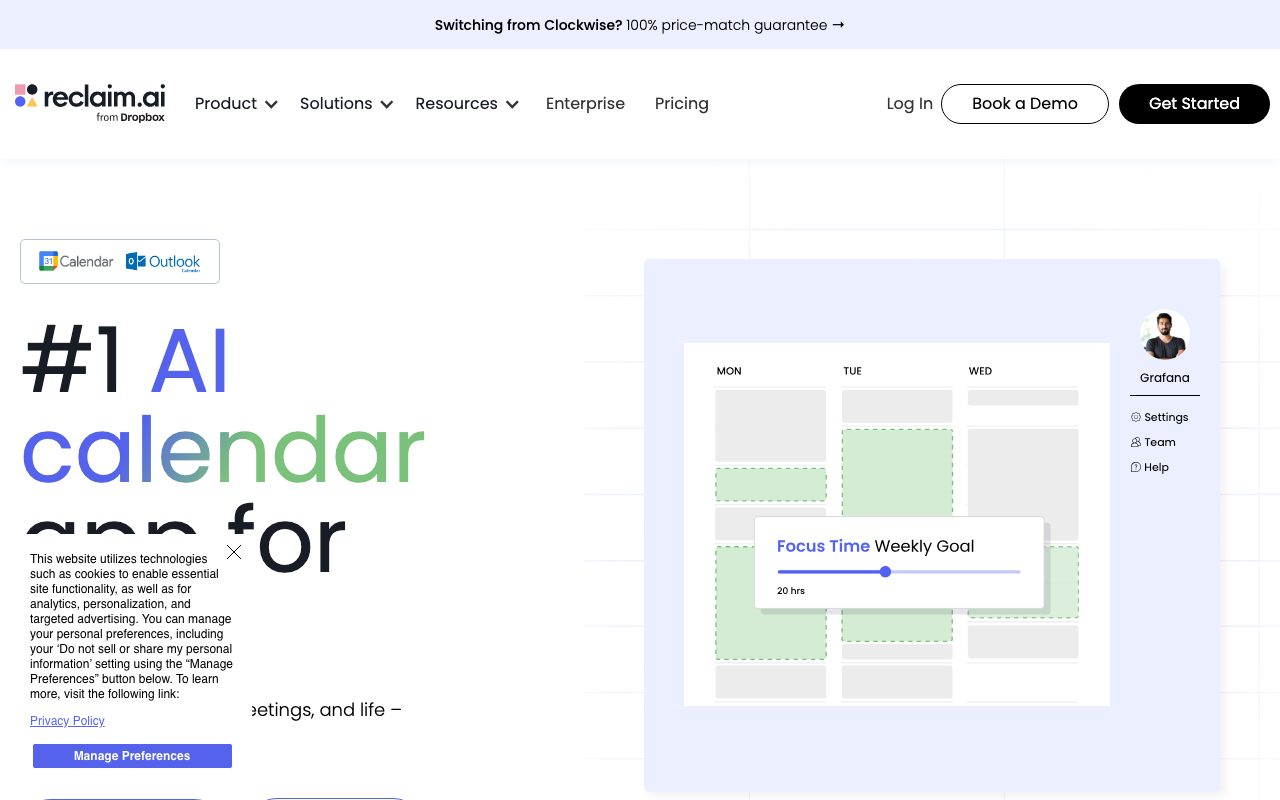
Reclaim AI is the calendar assistant that schedules your tasks, habits, and meetings without you playing Tetris with your week. You add a task with a duration and deadline. Reclaim finds the right block, places it, and reshuffles when conflicts arrive.
The pitch hit hardest for the busy knowledge worker who keeps saying "I'll do it Friday" and never does. Reclaim turns that good intention into a real calendar event with a defended block.
It's not magic. It's smart automation built on top of Google Calendar. The intelligence is in the rebalancing and the buffer logic. Once it's set up, you stop thinking about your calendar at all.
What Reclaim AI does
Reclaim sits on top of your Google Calendar. You define habits (recurring blocks like "deep work" or "lunch"), tasks (one off blocks with a deadline), and policies (when meetings can be scheduled).
The auto scheduler places tasks and habits in the open slots. When a meeting takes a slot, Reclaim moves the task elsewhere. When you finish a task early, Reclaim updates the calendar.
The product also handles meeting scheduling links similar to Calendly, smart 1:1 finding (Reclaim picks a time both calendars agree on), and sync to Slack for status awareness.
Who Reclaim AI is for
Knowledge workers with calendar heavy weeks. Engineering managers, product managers, founders, designers, sales leaders. Anyone who wants their calendar to reflect their priorities, not just their meetings.
Teams use Reclaim for shared scheduling and 1:1s. The team plan adds visibility into who's free and how to find joint deep work time.
Solopreneurs use Reclaim to defend focus time. Block out 2 hours per day for the actual product work. Reclaim shifts other things around it. The discipline is enforced by software, not willpower.
Pricing
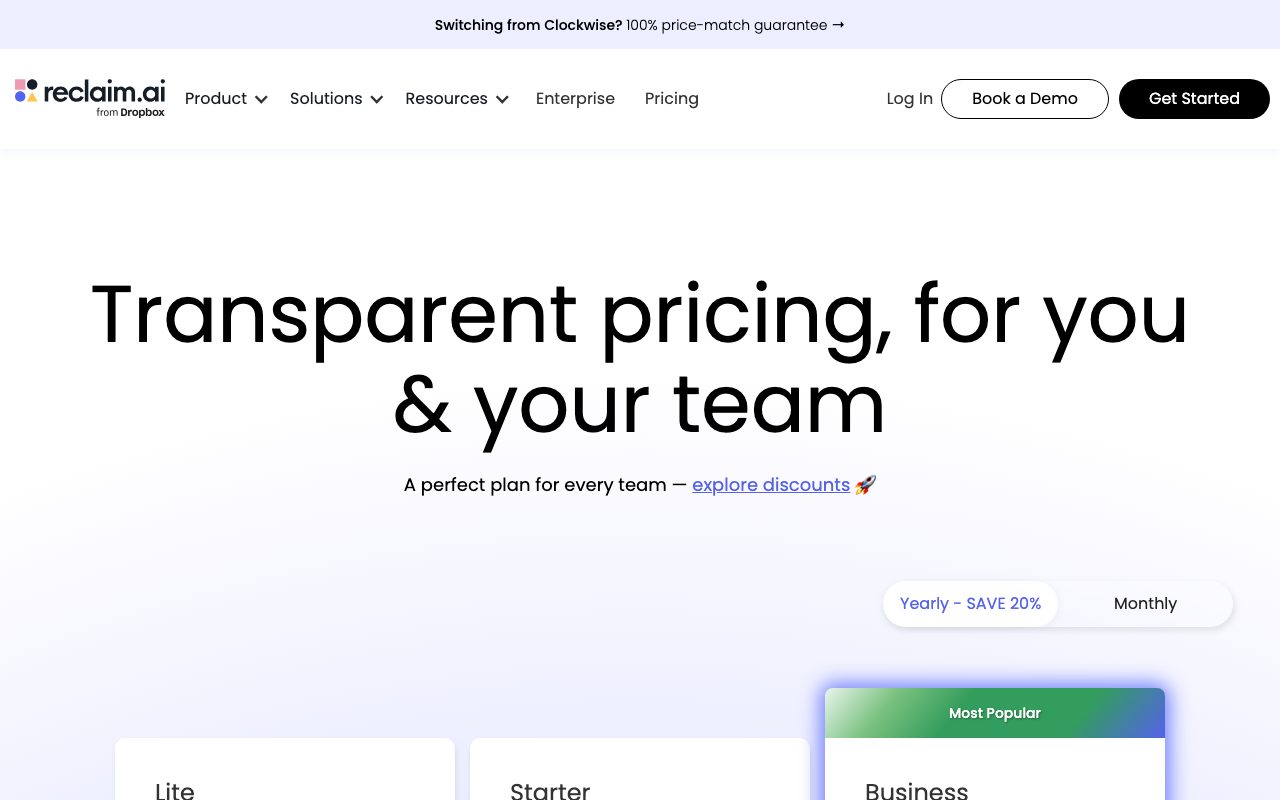
Free plan covers basic auto scheduling with a limited task queue. Useful to evaluate but tight for power users.
Starter starts around $10 per month with full task scheduling and habits. Business jumps to $18 per month and adds team features and analytics. Enterprise has custom pricing for larger orgs.
The annual discount is meaningful. Most users land on the Starter or Business plan after the first month of trial.
Features I find essential
The auto rescheduling is the magic. A meeting drops onto your morning. Your deep work block moves to afternoon. Your lunch shifts ten minutes. Done. You see the new layout, no manual dragging.
Habits are underrated. Set "30 minutes of email" as a habit at 9am with flexibility. Reclaim finds the slot most days. You stop having a 90 minute email avalanche on Friday morning.
Smart 1:1s are clever. You and your direct report both connect Reclaim. The tool picks a recurring slot that works for both. When either of you has conflicts, the slot reschedules automatically.
Where Reclaim trips
Google Calendar only. No Outlook native support yet. If you live in Microsoft 365, you're locked out for now.
The Slack integration is helpful but the status sync sometimes lags. Real time isn't quite real time.
Heavy meeting weeks defeat the system somewhat. If 80 percent of your week is meetings, Reclaim can't conjure space that doesn't exist. The tool helps most when you have some flexibility.
Reclaim AI vs the alternatives
Motion is the closest competitor. Similar auto scheduling, more aggressive AI positioning, pricier. We compare in Reclaim vs Motion.
Clockwise is the team focus alternative, especially for engineering teams. See best calendar tools for the full field.
Calendly handles meeting scheduling but doesn't auto schedule your tasks. Different niche. Browse Reclaim AI alternatives for more.
If your task list lives in Todoist or Asana and you keep failing to actually schedule the work, connect Reclaim. The calendar block makes the task real, not aspirational.
Common Reclaim AI questions
Does Reclaim work with Outlook? Not yet, full native support is a roadmap item. Today it's Google Calendar only.
Can Reclaim sync from Todoist or Asana? Yes, via integrations. Tasks flow into Reclaim and get scheduled. Browse calendar tools for related picks.
Does Reclaim share my calendar with anyone? Only with people you authorize. Standard Google Calendar permissions still apply.
The bottom line on Reclaim AI
Reclaim AI is the smartest layer I've used on top of Google Calendar. The auto scheduling and rebalancing remove a small but constant cognitive tax. After a week, the calendar manages itself.
If you're calendar heavy and you want to spend less mental energy on time blocks, Reclaim earns its slot. The Starter plan is enough for most individuals.
The category is small but Reclaim has clear leadership in the auto scheduling niche. Pair it with a focused task tool and you've offloaded a real chunk of weekly planning. Browse the toolindex catalog for adjacent productivity picks.
Setting up Reclaim AI well
Connect your primary calendar. Define your working hours. Set your meeting hours window (usually narrower than working hours to protect deep work blocks).
Define your habits first. Lunch. Email triage. Deep work. Exercise. The habits set the floor for your week. Tasks fill the gaps.
Be honest about energy. Schedule deep work in the morning if that's when you focus. Schedule meetings in the afternoon if that's when your energy serves people. The system respects what you tell it.
Habits that actually stick
Morning routine block. 30 minutes for inbox triage and planning. Reclaim places it consistently. You start the day with intention instead of reactivity.
Deep work block. Two hours of focus time daily, ideally in the morning. The block is defended. Meetings get scheduled around it.
End of day block. 15 minutes to close loops. Update tasks. Plan tomorrow. Walk away cleanly. The transition matters more than the time.
Reclaim plus task tools
The integrations with Todoist, Asana, ClickUp, and Linear pull tasks into Reclaim. Tasks with deadlines and durations get scheduled automatically.
The friction is keeping task durations honest. If you mark a 2 hour task that actually takes 30 minutes, your calendar lies to you. Calibrate weekly.
Use the priority field. High priority tasks get scheduled earlier. Lower priority slips when conflicts hit. The system needs your inputs to be honest.
Working in a Reclaim team
Smart 1:1s are the team killer feature. The recurring 1:1 finds time both calendars agree on. When either has a conflict, it reschedules.
Team scheduling links act like Calendly with auto allocation across team members. Useful for support or sales rotations.
The team analytics show focus time, meeting time, and category breakdowns across the team. Useful for managers spotting overload patterns before burnout hits.
Reclaim AI for sales reps
The auto scheduling fits sales workflows where calendars stay open for prospect calls. Defend prep time and follow up time around the calls.
Smart scheduling links replace Calendly for many reps. The links auto rebalance availability based on existing calendar load.
The 1:1 scheduling between rep and manager keeps the recurring meeting alive even when both have busy weeks.
Reclaim AI for engineering teams
Defended deep work blocks fight meeting bloat. The team plan visibility helps managers respect focus time.
Buffer time around meetings auto adds. Engineers don't context switch the second they leave a call.
Sprint ceremonies (standups, planning, retros) get scheduled as habits. Predictable cadence, less calendar negotiation.
Reclaim AI for executives
Executives have the worst calendar problems. Many meetings, little focus time, frequent reschedules. Reclaim's auto rebalancing earns its keep here.
Defend strategic thinking time. Three hours a week, marked as a habit. The system protects the slot even as new meetings arrive.
Use the analytics. The breakdown of meeting categories surfaces patterns. Too many 1:1s? Too many recurring meetings nobody questions? Data drives the audit.
Reclaim AI tradeoffs
The auto rescheduling is great for individuals. It can confuse coworkers who saw your block last week and now see something else this week.
Communicate the system. "I use Reclaim, my calendar shifts." Set expectations.
For shared blocks (group focus time, team standups), use the team plan. Solo Reclaim doesn't coordinate across calendars without it.
Reclaim AI common adoption patterns
Solo professional starts with three habits and a few tasks. Adds more over weeks as the system proves itself.
Team manager starts with smart 1:1s for direct reports. Expands to defended deep work blocks. Adds team analytics over time.
Whole team rollouts work when leadership uses it visibly. Bottom up adoption stalls without modeling from above.
Reclaim AI FAQ
Does Reclaim work with multiple calendars? Yes. Connect personal and work calendars. The system respects events from all of them.
Can I override Reclaim's scheduling? Yes. Move tasks manually. Lock specific times. The system adapts.
Does Reclaim work for hourly workers? Less well. The product assumes salaried knowledge workers with calendar control.
Reclaim AI for parents and caregivers
Block out school pickup, daycare drop off, and family dinners as habits. The system protects them.
The flexibility settings matter. Not every habit needs the same time daily. Set a flexible window and let the system find the right slot.
The integration with personal calendars helps blend work and personal scheduling without leaking sensitive details.
Reclaim AI long term value
Compounding benefits over months. Better focus time. Less calendar friction. More predictable weeks.
The cost is small relative to the calendar pain it removes. Most users who try it for a month keep using it for years.
Pair it with a strong task system and clear priorities. The tool amplifies what you give it. Garbage in, garbage out applies.
Tutorial / Demo
Key Features
- Smart habits that find their own time slots
- Tasks scheduled around your real availability
- One-on-ones that auto-rebook when needed
- Scheduling links and group polls
- Calendar sync between accounts
- Working hours and buffer rules
Pros & Cons
What we like
- Defends focus time without manual replanning
- Free tier is genuinely useful
- Plays well with Google and Outlook
- Smart sync hides personal events as busy
Room for improvement
- Google Calendar required for full functionality
- Some features locked to higher tiers
- Auto-scheduling can confuse coworkers at first
Frequently Asked Questions
Reclaim AI vs Motion, which one?
Does Reclaim AI have a free tier?
Does it work with Outlook?
Will Reclaim mess with my real meetings?
Is Reclaim AI overkill for a solo founder?
Best For
Featured in
Tags
Alternatives to Reclaim AI
View allMotion
An AI calendar that automatically schedules your tasks around your meetings
Akiflow
A keyboard-first daily planner that pulls every notification into one inbox

Sunsama
A daily planner that makes you slow down and pick what actually fits today
Cal.com
Open source scheduling infrastructure for everyone
Our take
Tool Index Editorial · May 2026· 4.6/5
What Reclaim AI is really selling — beyond the marketing copy — is ai scheduling that defends your focus time and adapts when meetings move.
Worth highlighting: Defends focus time without manual replanning, Free tier is genuinely useful, and Plays well with Google and Outlook. What to watch for: Google Calendar required for full functionality and Some features locked to higher tiers.
In short: Reclaim AI is a strong pick when you need defending deep-work blocks against meeting creep, and a harder sell if google Calendar required for full functionality would be a dealbreaker.
Editorial opinion from the Tool Index team, written from the public product pages. Not a user review.
Reviews (3)
Onboarded the team in a day
Tried Reclaim AI on a side project first. Genuine strength: plays well with Google and Outlook. Mostly using it for anyone who wants Calendly plus auto time-blocking. Glad I made the switch.
Solid daily driver
Tried half a dozen options before landing on Reclaim AI. What stands out is how defends focus time without manual replanning. Scheduling links and group polls works the way you'd hope.
Underrated honestly
Came to Reclaim AI after frustration with what I had before. Real selling point: free tier is genuinely useful. Got real value out of calendar sync between accounts. It fits well for anyone who wants Calendly plus auto time-blocking. That said, auto-scheduling can confuse coworkers at first is a real gripe. Hard to imagine going back to my previous setup.
Pros
- Defends focus time without manual replanning
- Smart sync hides personal events as busy
Cons
- Auto-scheduling can confuse coworkers at first
Badge builder
Add Reclaim AI to your website
Choose a badge style and size, preview it here, then copy the generated HTML. Badge images are self-contained SVGs and do not require an external script.

<a href="https://toolindex.net/tools/reclaim-ai?ref=badge" target="_blank" rel="noopener">
  <img src="https://toolindex.net/badge/reclaim-ai/medium.svg" alt="Reclaim AI - Listed on Tool Index" width="180" height="50" />
</a>How to use the badge
- 1. Pick the style, size, and theme that fit your layout.
- 2. Copy the generated HTML from the code block.
- 3. Paste it into your footer, homepage, or press page.
Standard badge available
The standard listing badge is available now. Score and circle badges are limited to tools currently ranked in the top 10 of a category.
Badge clicks return visitors to this profile with a referral tag so the source remains identifiable.
Related Tools

Confluence
Atlassian's long-running team wiki that anchors many enterprise knowledge stacks
Asana
Project management for teams that live in projects, tasks and dependencies
Kevin Gabeci Toolkits
Seven AI toolkits for writing books, making music, cutting video, and building agents.

Logseq
An open-source outliner notes app where every bullet is a first-class block
Work on Reclaim AI? Request listing access or correction