
Revyme
Open-source visual website builder that exports clean Next.js code
Gallery
About Revyme
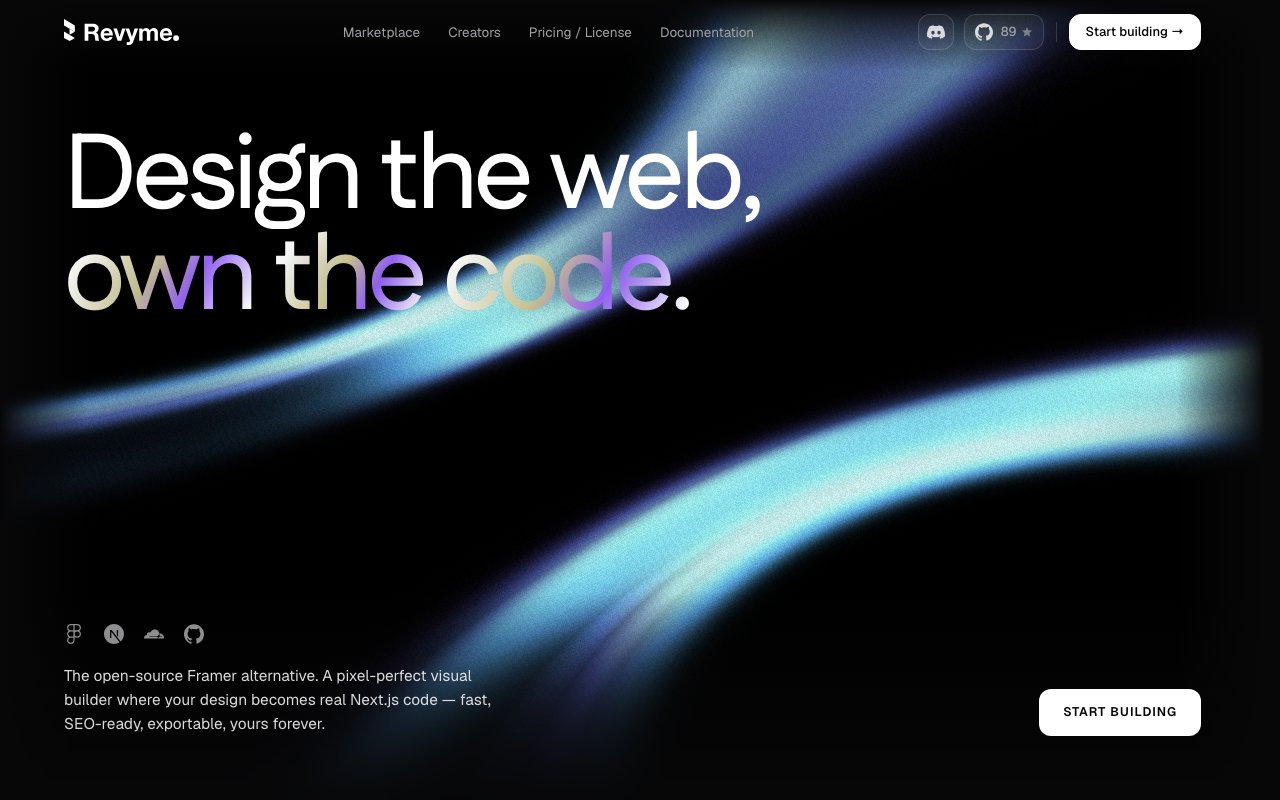
Revyme is an open-source visual website builder that turns pixel-level design work into a real Next.js codebase. It pitches itself as the open-source alternative to Framer, and the framing is fair. You design on a freeform canvas that behaves like a proper design tool, wire in content and interactions, then either publish through Revyme's cloud or export the code and host the site anywhere you want. The builder itself lives on GitHub under the revyme-web organization, so the core product isn't something you rent. You can run it yourself, and the project keeps a public Discord alongside the repository for support and discussion.
The problem it goes after is the lock-in that comes standard with visual site builders. Framer, Webflow, and their peers are genuinely good at the design side, but the site you build stays inside their platform, and leaving usually means rebuilding from scratch. Revyme flips that arrangement. Everything you design compiles to Next.js, with Tailwind output available on the higher cloud plans, so the artifact you end up with is a normal codebase a developer can open, extend, and deploy on any host. Design tools and code ownership have mostly been an either-or choice, and this is a serious attempt at having both.
In practice you work on an infinite canvas where you drag, snap, and align every element with real layout underneath, rather than fighting breakpoints in a form-based page editor. Existing designs import straight from Figma. Scroll, hover, and click-driven motion gets designed on the canvas instead of written in animation code. A built-in CMS turns any layout into a living collection with typed content binding, which is how blogs, listings, and other repeating structures come out of a static design. Localization is handled per locale with automatic language detection and right-to-left support, and teams can edit the same file together with live cursors and inline comments.
Publishing runs through a native Cloudflare Workers integration when you stay on the cloud product, and there's a post-launch toolkit with analytics and A/B testing built in. That last part matters more than it sounds. Most code-export builders consider their job finished at deploy and leave measurement to third-party scripts. Revyme keeps testing and analytics inside the same tool that owns the layout, so running a variant on a landing page doesn't mean bolting on another vendor. Documentation lives at a public docs site, and the comparison pages double as a candid map of where the product sits in the builder landscape.
It fits designers who want to ship production sites without waiting on a developer, and developers who would rather receive a Next.js project than a mockup of one. Small teams and studios building marketing sites, landing pages, and content-heavy sites get the most out of it, since the CMS, localization, and testing features cover the usual round of post-launch requests. Teams that already deploy on Cloudflare will find the publishing path especially short, and agencies that hand sites off to clients get a clean exit story, because the deliverable is a codebase rather than an account on someone else's platform.
What separates it from the tools in its own comparison pages, and it publishes head-to-heads against Framer, Webflow, Figma Sites, Wix Studio, Squarespace, Plasmic, and Webstudio, is the pairing of open source with code export. Plenty of builders offer one or the other. Offering both means you can start on the hosted product and walk away later with your site intact, or skip the cloud entirely and self-host the builder from the first day. Either way the output belongs to you. The usual caveat with young open-source builders applies here too, the community is smaller than what surrounds Framer or Webflow, so expect to lean on the Discord rather than a decade of Stack Overflow answers.
Access is generous at the bottom. The free tier includes unlimited pages, languages, CMS usage, viewers, and code export, and self-hosting the open-source builder costs nothing. Paid cloud plans are priced per published site. Lite runs ten euros a month with a custom domain, no watermark, advanced analytics, and 10 GB of storage. Pro at thirty euros adds Tailwind export, A/B testing with two goals per test, a staging environment, 7-day backups, and 100 GB of storage. Studio at sixty euros brings multivariate testing with unlimited goals, 30-day backup history with editor restore, unlimited staging environments, dedicated Slack support, and 500 GB of storage. Annual billing takes roughly seventeen percent off, and commercial licensing questions go to hello@revyme.com. For a young project, the pricing page reads unusually complete.
Key Features
- Pixel-accurate freeform design canvas
- Figma design import
- Next.js code export with Tailwind option
- Built-in CMS with typed content binding
- Per-locale localization with RTL support
- Real-time collaboration with live cursors
Pros & Cons
What we like
- Open source and free to self-host
- Exports a real Next.js codebase, so no platform lock-in
- Free tier includes unlimited pages, CMS, and code export
- CMS, localization, analytics, and A/B testing in one tool
Room for improvement
- Younger project with a smaller community than Framer or Webflow
- Code export targets Next.js only
- Tailwind export and A/B testing sit on the paid cloud plans
- Self-hosting the builder takes technical setup
Frequently Asked Questions
What is Revyme?
Is Revyme free?
How is Revyme different from Framer or Webflow?
Can I self-host Revyme?
Best For
Featured in
Alternatives to Revyme

Framer
Visual website builder that lets designers ship production-grade marketing sites with real CMS, SEO controls, and code components.
Contentful
Headless CMS that models content as structured data and delivers it through APIs to web, mobile, and other channels.

Sanity
Composable content platform with a customizable studio, real-time collaboration, and a queryable structured content backend.

Teachizy
France-based no-code platform for building, hosting, and selling online courses without tech skills
Reviews (0)
Badge builder
Add Revyme to your website
Choose a badge style and size, preview it here, then copy the generated HTML. Badge images are self-contained SVGs and do not require an external script.

<a href="https://toolindex.net/tools/revyme?ref=badge" target="_blank" rel="noopener">
  <img src="https://toolindex.net/badge/revyme/medium.svg" alt="Revyme - Listed on Tool Index" width="180" height="50" />
</a>How to use the badge
- 1. Pick the style, size, and theme that fit your layout.
- 2. Copy the generated HTML from the code block.
- 3. Paste it into your footer, homepage, or press page.
Standard badge available
The standard listing badge is available now. Score and circle badges are limited to tools currently ranked in the top 10 of a category.
Badge clicks return visitors to this profile with a referral tag so the source remains identifiable.
Related Tools
Sanity
Composable content platform with a customizable studio, real-time collaboration, and a queryable structured content backend.

Bubble
Full-stack no-code platform for building real web applications with visual programming, a database, and a workflow engine.

Tally
Form builder with a Notion-like editor, conditional logic, payments, and a generous free tier with unlimited submissions.

Glide
No-code platform that turns spreadsheets and databases into mobile and web apps, with computed columns and AI actions.
Work on Revyme? Request listing access or correction