
SaneHosts
Manage Mac hosts-file blocking with local profiles, curated lists, and Touch ID
Gallery
About SaneHosts
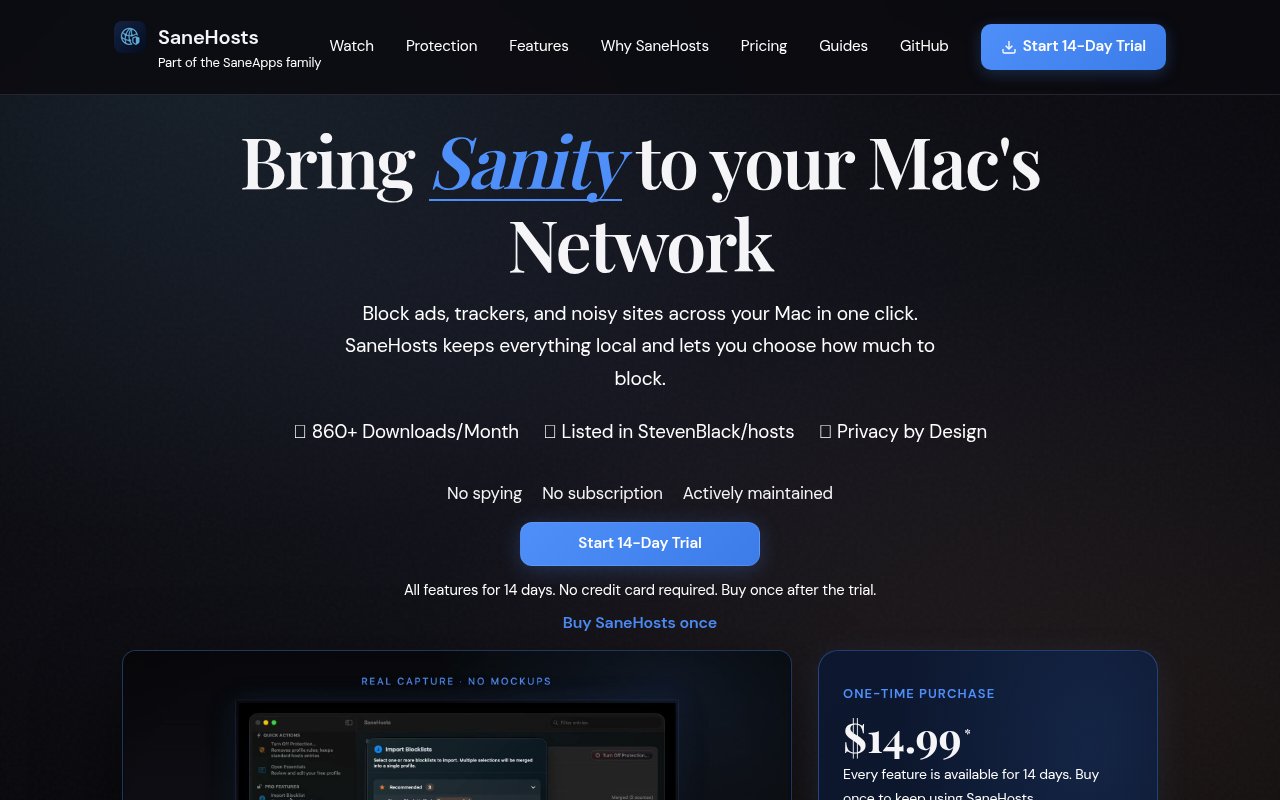
SaneHosts is a native Mac utility that turns the system hosts file into an approachable control panel for blocking ads, trackers, malware, adult content, gambling sites, social media, and other unwanted destinations. A hosts file can redirect known domains before browsers or other applications connect to them, which makes it useful for system-wide filtering. Managing a large file by hand is error prone, though, and switching between different sets of rules usually means editing protected system data in a text editor. SaneHosts replaces that manual process with named profiles, curated protection levels, and one-click activation. It stays on the Mac, doesn't require a cloud account, and uses the network behavior already built into macOS rather than adding a VPN or browser-only extension.
The fastest route is to choose one of five protection levels. Essentials focuses on ads, trackers, and malware, while Family Safe adds adult and gambling domains. Focus Mode also targets social media distractions, Privacy Shield adds more telemetry and advanced trackers, and Kitchen Sink applies the broadest collection. The official site gives approximate sizes ranging from about 170,000 entries at the lightest level to about 700,000 at the largest. People who want more control can build custom profiles, enable lists from a catalog of more than 200 curated presets, or import lists from local files and URLs. Profiles can be merged or duplicated, and entries can be enabled or disabled in bulk. That makes the app useful both for a quick default and for someone who already has preferred community blocklists.
Applying a profile changes a protected system file, so macOS asks for Touch ID or the user's password before SaneHosts writes the update. The app keeps automatic backups that can be used to roll back, and it flushes the DNS cache after activation or a profile switch so new rules take effect without a manual Terminal command. Because the hosts file affects domain lookup for the whole machine, the result applies beyond Safari or Chrome. Desktop clients, games, and other software use the same rules when they try to reach a listed host. SaneHosts runs from the menu bar and allows quick switching, which is helpful when a strict focus profile is appropriate during work but a lighter profile is better at another time.
The privacy posture is simple and local. Hosts data stays on the Mac, there is no personal-content upload, and a cloud account isn't part of the workflow. The site also links to the source code so technically inclined buyers can inspect how the utility works. It describes the product as having no speed impact because it isn't tunneling traffic through a remote VPN. That architecture also sets a clear boundary. SaneHosts blocks by domain through the system hosts file rather than inspecting page content, filtering individual requests with browser logic, or replacing a full network security service. If a desired site shares infrastructure with a blocked host, or a broad list catches something important, the user may need to change levels or adjust the profile.
SaneHosts fits Mac users who want system-wide filtering without maintaining a hosts file by hand. Privacy-conscious users can combine well-known security and advertising lists, parents can start with the Family Safe profile, and people trying to reduce distractions can switch on Focus Mode during a work session. It also suits technical users who already understand blocklists but want safer activation, backups, and profile management. The most important distinction from a browser extension is coverage across applications. The distinction from a VPN blocker is that traffic isn't routed through a service. Those advantages come with a narrower platform and mechanism. The app requires macOS 14 Sonoma or later, has no Windows or mobile version, and it can only enforce rules that can be represented as hosts entries.
Access is paid after a full trial. The direct download includes every feature for 14 days, requires no credit card, and then costs $14.99 as a one-time purchase. There is no recurring subscription for SaneHosts. The purchase includes unlimited profiles, the curated blocklist catalog, protection levels, importing, merging, and bulk controls. A Homebrew cask is also documented for users who prefer that installation route, but the application still needs local system access to update the hosts file. The trial is long enough to test whether a chosen protection level breaks important sites and whether switching profiles fits a normal routine. Buyers should confirm that their Mac runs Sonoma or newer, since older macOS releases aren't supported.
Key Features
- Five curated protection levels
- Custom hosts profiles
- Two hundred curated blocklists
- Touch ID protected changes
- Automatic backups and rollback
- Automatic DNS cache flushing
Pros & Cons
What we like
- Blocks domains across Mac applications
- Keeps hosts data on the device
- Avoids subscriptions with one-time pricing
- Makes profile changes easy to reverse
Room for improvement
- Requires macOS 14 or later
- No permanent free tier
- Hosts rules can't filter page content
- Broad lists may need manual adjustment
Frequently Asked Questions
What is SaneHosts?
Does SaneHosts send hosts data to the cloud?
Is SaneHosts free?
Which Macs can run SaneHosts?
Best For
Featured in
Alternatives to SaneHosts
View all
1Password
Password and secrets manager for individuals, families, and developer teams with strong CLI and SSH agent support.
Clerk
Drop-in authentication and user management for modern apps

Tailscale
WireGuard-based mesh VPN that connects your devices, servers, and cloud resources into one private network in minutes.

BackPedal
UK bike theft protection that sends recovery agents after your stolen bike
Our take
Tool Index Editorial · Sep 2026· 3.5/5
SaneHosts is a Mac utility for applying curated and custom hosts-file blocklists without editing system files by hand. It suits people who want system-wide blocking for ads, trackers, telemetry, distracting sites, or family filters. All features are available for a 14-day trial, then the app costs $14.99 once.
The one-click profiles, Touch ID protected changes, automatic DNS flushing, and backups make a blunt system mechanism much safer to manage. Keeping the data local is also the right default. Hosts-file blocking remains blunt, however. It blocks whole domains rather than page elements, a broad list can break legitimate services, and users may need to tune exceptions. It also requires a recent Mac, so it is not a network-wide solution.
Editorial opinion from the Tool Index team, written from the public product pages. Not a user review.
Reviews (0)
Badge builder
Add SaneHosts to your website
Choose a badge style and size, preview it here, then copy the generated HTML. Badge images are self-contained SVGs and do not require an external script.

<a href="https://toolindex.net/tools/sanehosts?ref=badge" target="_blank" rel="noopener">
  <img src="https://toolindex.net/badge/sanehosts/medium.svg" alt="SaneHosts - Listed on Tool Index" width="180" height="50" />
</a>How to use the badge
- 1. Pick the style, size, and theme that fit your layout.
- 2. Copy the generated HTML from the code block.
- 3. Paste it into your footer, homepage, or press page.
Standard badge available
The standard listing badge is available now. Score and circle badges are limited to tools currently ranked in the top 10 of a category.
Badge clicks return visitors to this profile with a referral tag so the source remains identifiable.
Related Tools
Clerk
Drop-in authentication and user management for modern apps

DomeSOC
Autonomous SOC that grades every AI claim against evidence before it reaches an analyst

Reel
Forensic evidence capture for regulated Kubernetes, plus a free open-source VEX hub

HeimWall
Menu bar app that catches secrets and PII before you paste them into AI coding tools
Work on SaneHosts? Request listing access or correction