
Sanitizer
Desktop app that strips sensitive data from documents before they reach an LLM
Gallery
About Sanitizer
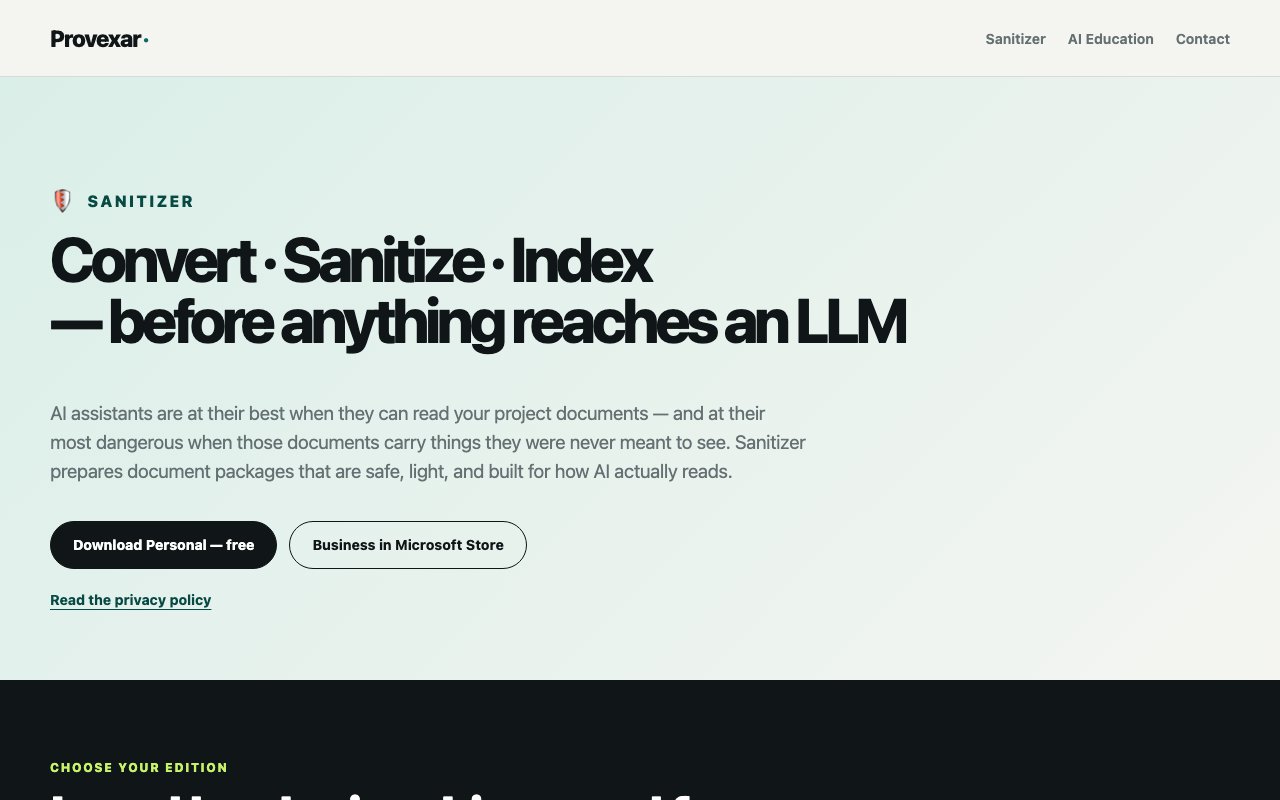
Sanitizer from Provexar solves a problem that keeps cropping up whenever sensitive documents meet AI assistants. You've got contracts, financial records, or client files that could benefit from analysis or summarization, but feeding them directly to a language model means exposing names, credentials, and confidential details to external servers. Sanitizer intercepts that workflow by scrubbing documents on your own machine before anything leaves your computer. The tool converts bulky PDFs and Word files into clean Markdown and flat CSV formats, stripping away the formatting bloat while extracting and redacting sensitive data according to your project policies. What remains is a lightweight, anonymized version ready for AI processing without the privacy headache. A 40 MB PDF becomes a fraction of that size while preserving the actual content that matters.
The way Sanitizer handles redaction sets it apart from simpler anonymization scripts. It operates in what the developers call reversible mode, replacing sensitive information with opaque tokens rather than deleting it outright. Names become placeholders, account numbers become references, and identifying details transform into neutral markers that carry no meaning outside your local vault. The AI works with these placeholder tokens and returns its analysis referencing them. Then Sanitizer restores the original values locally, so your final output reads naturally with real names and figures intact. The language model never sees the actual sensitive content, but you get results that make sense in context. This approach means you can run queries against client documents, summarize internal reports, or build searchable knowledge bases without compromising confidentiality. The un-redaction vault stays entirely on your device, never touching any cloud service or requiring any network connection to function.
Beyond sanitization, the tool includes a dual indexing system designed specifically for AI retrieval workflows. Full-text indexing handles exact term searches when you need precision, finding specific phrases or identifiers across your document collection. Semantic indexing interprets meaning for broader queries, understanding that a question about revenue growth should surface financial projections even if those exact words don't appear. When you ask a question, Sanitizer's retrieval tools automatically pull relevant paragraphs along with citations back to the source material. This combination makes it practical to maintain searchable archives of company documents without manually tagging everything or relying on external search services that would require uploading your files. The conversion step also helps here by reducing file sizes significantly, so retrieval operations don't choke on bloated originals and AI context windows don't fill up with formatting noise rather than actual content.
Provexar offers two editions of Sanitizer. The Personal version runs free on Windows 10 and 11, requires no administrator privileges, and installs per-user with a footprint around 450 MB. Everything works without creating accounts, submitting registration information, or connecting to license servers. For business use, there's a $49.99 monthly subscription available through the Microsoft Store, which includes automatic updates and is licensed for commercial and team workflows. Both versions share the same core functionality with local-only processing and no cloud uploads. A 15-day trial through the Microsoft Store lets business users evaluate the full feature set before committing to the subscription. Version 1.0.1 is currently available with ongoing updates expected.
The target audience splits naturally between individual professionals and company teams. Solo consultants handling client documents, researchers working with private datasets, journalists protecting sources, or anyone who wants to use AI assistants without sending sensitive files to external servers will find the Personal edition covers their needs. Business teams can use the paid tier to standardize document preparation across departments, maintaining consistent redaction policies while building internal knowledge bases that stay internal. Legal teams can analyze contracts without exposing client details. Finance teams can summarize reports without leaking proprietary figures. The tool doesn't require integrations with specific AI platforms since it works at the document level before you ever paste content into ChatGPT, Claude, or whatever assistant you prefer. Whatever workflow you already have, Sanitizer slots in at the preparation stage.
What makes Sanitizer genuinely useful rather than just another privacy tool is that it treats the entire workflow as one connected problem. Converting formats, sanitizing content, indexing for retrieval, and reversing redaction after analysis are all handled in a single local application rather than requiring multiple utilities cobbled together. There's no juggling separate converters, anonymizers, and search tools or uploading to conversion services first. The emphasis on reducing context window waste through format optimization also shows practical thinking about how people actually use these tools with token-limited models where every character counts. For anyone regularly processing confidential documents who's tired of manually scrubbing names or avoiding AI assistance altogether out of caution, Sanitizer offers a structured way to get the benefits without the exposure risks that come from sending private data through external services.
Key Features
- Local PDF and Word to Markdown conversion
- Sensitive data removal with token replacement
- Full-text and semantic document indexing
- Optional local un-redaction of AI answers
- No cloud uploads or account required
- Microsoft Store distribution for Business tier
Pros & Cons
What we like
- Entire workflow runs locally, keeping sensitive data off external servers
- Free personal edition with no account or subscription
- Dual indexing makes cleaned documents searchable by term or meaning
- Business tier is Microsoft-signed for cleaner Windows install
Room for improvement
- Limited to PDFs and Word documents
- Personal edition installer is unsigned, triggering SmartScreen warnings
- Windows only, no macOS or Linux support
- Sanitization quality depends on pattern recognition accuracy
Frequently Asked Questions
What is Sanitizer?
Is Sanitizer free?
What platforms does Sanitizer support?
Does Sanitizer send my documents to the cloud?
Best For
Featured in
Alternatives to Sanitizer
View all
1Password
Password and secrets manager for individuals, families, and developer teams with strong CLI and SSH agent support.
Clerk
Drop-in authentication and user management for modern apps

Tailscale
WireGuard-based mesh VPN that connects your devices, servers, and cloud resources into one private network in minutes.

BackPedal
UK bike theft protection that sends recovery agents after your stolen bike
Reviews (0)
Badge builder
Add Sanitizer to your website
Choose a badge style and size, preview it here, then copy the generated HTML. Badge images are self-contained SVGs and do not require an external script.

<a href="https://toolindex.net/tools/sanitizer?ref=badge" target="_blank" rel="noopener">
  <img src="https://toolindex.net/badge/sanitizer/medium.svg" alt="Sanitizer - Listed on Tool Index" width="180" height="50" />
</a>How to use the badge
- 1. Pick the style, size, and theme that fit your layout.
- 2. Copy the generated HTML from the code block.
- 3. Paste it into your footer, homepage, or press page.
Standard badge available
The standard listing badge is available now. Score and circle badges are limited to tools currently ranked in the top 10 of a category.
Badge clicks return visitors to this profile with a referral tag so the source remains identifiable.
Related Tools
Clerk
Drop-in authentication and user management for modern apps

DomeSOC
Autonomous SOC that grades every AI claim against evidence before it reaches an analyst
Reel
Forensic evidence capture for regulated Kubernetes, plus a free open-source VEX hub

HeimWall
Menu bar app that catches secrets and PII before you paste them into AI coding tools
Work on Sanitizer? Request listing access or correction