
SaturnSQL
Collaborative SQL editor that saves, schedules, and delivers query results to Sheets, Slack, and email
Gallery
About SaturnSQL
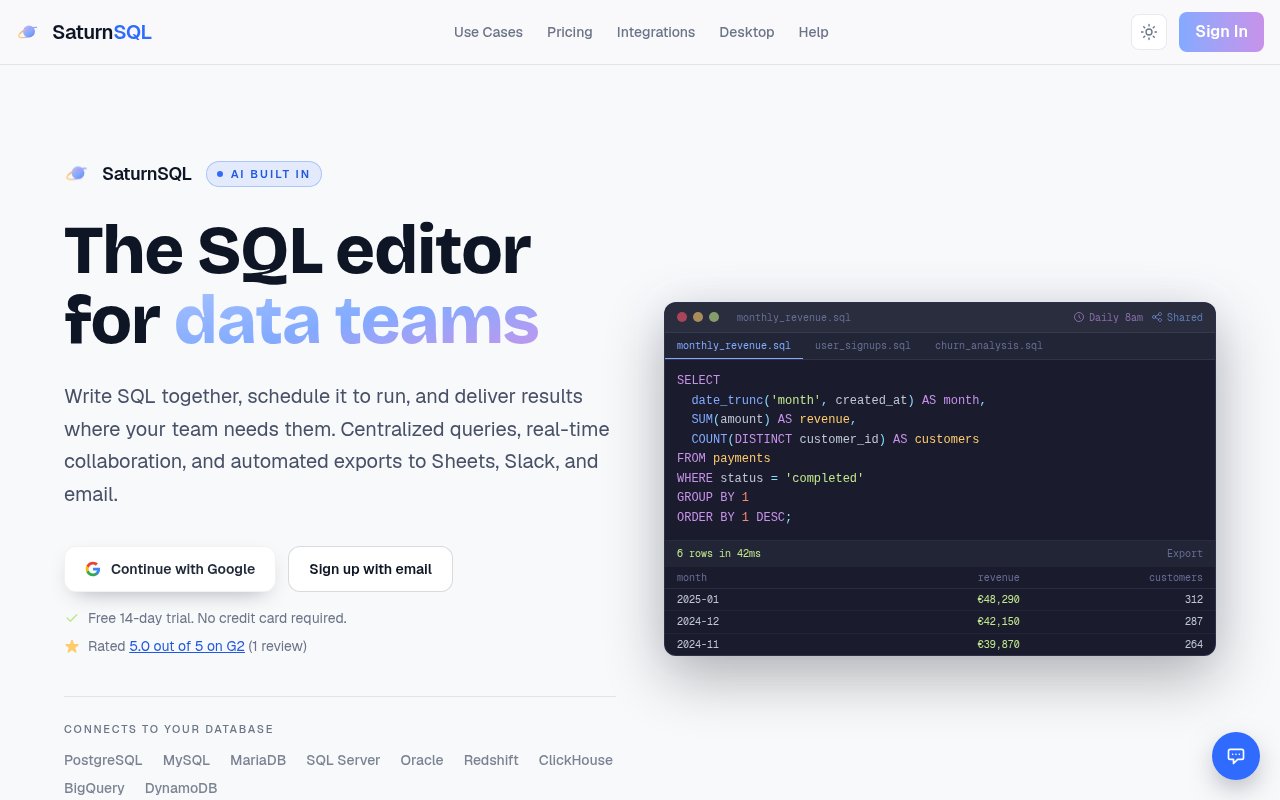
SaturnSQL is a collaborative SQL editor for data teams. It's the place where a team writes its queries, saves the ones worth keeping, schedules the ones that have to run every day, and sends the results to the people who asked for them, in Google Sheets, Slack, or email. It was built when PopSQL and SeekWell announced they were shutting down, and the site carries migration guides for both, so the audience it has in mind is teams who had a shared query tool and suddenly needed a new one.
The gap it fills sits between a database client and a full BI platform. A desktop client is fine for one analyst, but the queries live on that person's laptop, nobody else can find them, and every recurring report means someone remembering to run it and paste the numbers into a sheet. A BI tool solves that at the cost of a modelling layer and a licence most small teams don't need. SaturnSQL sits in the middle. Queries are written in plain SQL, stored in a shared library, and run on a schedule with the output delivered automatically. The migration guides matter here, because the teams it's courting had already organised their reporting around a shared query library and don't want to rebuild it from scratch.
Getting started means creating an account with email or Google and connecting a database from the settings page with host, port, database name, and credentials, with SSL supported on the connection. It talks to PostgreSQL, MySQL, MariaDB, SQL Server, Oracle, Redshift, ClickHouse, BigQuery, and DynamoDB, with Snowflake added on the Pro tier. The editor has schema-aware autocomplete and a schema explorer, and results appear under the query. Saved queries take a descriptive name so teammates can find them, and inviting people to the workspace turns that collection into a shared knowledge base. Connections are shared through the workspace as well, so credentials don't get pasted around in chat. There's a web editor plus desktop apps for macOS and Linux.
Scheduling is where it earns its keep. A saved query can run hourly, daily, weekly, or monthly, and from the Starter plan up the schedule goes down to the minute. Results land in Google Sheets, Slack, or an inbox, and there are several export formats for one-off pulls. Because the schedule hangs off the saved query, editing the SQL changes what everyone receives on the next run, and query version history on the Pro tier keeps the earlier revisions. Pro also adds an AI assistant inside the editor that drafts, explains, and optimises queries, plus an API with webhooks. That API is how the product hooks into AI coding agents, with Claude Code, Codex, and Cursor named in the getting started guide.
It fits data teams, analysts, and the business users who depend on them. Business users don't need to write SQL themselves to get value; a scheduled query someone else wrote lands in their sheet or channel on time. If your reporting today is a folder of .sql files and a calendar reminder, or if you're one of the teams that lost PopSQL or SeekWell, that's the seat it's built for. It's a hosted product rather than open source, so teams that need to self-host will want to look elsewhere, and it has a public listing on G2 for anyone who wants third-party opinions before trying it.
Where it differs from a general database client is that the unit of work is the team's query, not the session. Everything downstream, the schedule, the delivery, the history, the sharing, hangs off that saved object, which is the model PopSQL users will recognise. Where it differs from a BI suite is scope. There's no semantic layer or dashboard builder to maintain; the output is a table that lands in a sheet, a channel, or an inbox, which is what most recurring requests actually need. The AI assistant follows the same logic. It works on the query in front of you rather than trying to replace the analyst, and it's gated to the Pro tier while it's in beta.
Access is freemium. The Free plan costs nothing and allows one database connection and one saved query, enough to try the editor. Starter is 19 euros per user per month with multiple connections, unlimited saved queries, and scheduling. Pro (AI) is 29 euros per user per month, in limited beta, with the AI editor at roughly two million tokens a month, version history, Snowflake, and the API. Enterprise is custom, also in limited beta, and adds SSO and SAML, collaborative editing, and dedicated support. Support is standard on Free and Starter and priority on Pro. Paid plans come with a 14-day trial and no credit card, annual billing isn't offered yet, and there's no published contact email; support runs through the help pages.
Key Features
- Schema-aware SQL editor with autocomplete
- Shared saved query library
- Scheduled queries down to the minute
- Delivery to Google Sheets, Slack, and email
- Secure shared database connections
- AI assistant to draft and explain SQL
Pros & Cons
What we like
- Nine database engines, with Snowflake on Pro
- Free plan plus a 14-day trial with no card
- Migration guides for PopSQL and SeekWell users
- Desktop apps for macOS and Linux alongside the web editor
Room for improvement
- Free plan allows one connection and one saved query
- AI editor and API are still in limited beta
- No annual billing yet
- Hosted only, no self-hosting option
Frequently Asked Questions
What is SaturnSQL?
Is SaturnSQL free?
Which databases does SaturnSQL support?
How is SaturnSQL different from PopSQL?
Best For
Featured in
Alternatives to SaturnSQL
View allMongoDB Atlas
The fully-managed cloud version of MongoDB with built-in search, vector search, time series, and serverless tiers.

Neon
Serverless Postgres with database branching, scale-to-zero compute, and a generous free tier.

Airtable
Spreadsheet-database hybrid with linked records, multiple views, automations, and an interface designer for internal apps.

DataExpert.io Academy
Live and self-paced academy that trains you for real data engineering and AI jobs
Our take
Tool Index Editorial · Sep 2026· 4.0/5
SaturnSQL is a shared SQL workspace that stores team queries, schedules them, and delivers results to Sheets, Slack, email, or exports. We found broad database support, practical connection guidance, and a credible middle ground between a solo database client and a full BI stack. The free plan is very limited, while Starter costs EUR 19 per user each month. Pro costs EUR 29 but is still in limited beta.
The shared query library and minute level scheduling are the parts that hold up, particularly for teams replacing manual weekly reports or moving from PopSQL or SeekWell. Its limitations are equally clear. Snowflake, email delivery, version history, API access, and AI assistance sit on the beta Pro tier, annual billing isn't offered, and teams needing self hosting or a mature semantic layer should look elsewhere.
Editorial opinion from the Tool Index team, written from the public product pages. Not a user review.
Reviews (0)
Badge builder
Add SaturnSQL to your website
Choose a badge style and size, preview it here, then copy the generated HTML. Badge images are self-contained SVGs and do not require an external script.

<a href="https://toolindex.net/tools/saturnsql?ref=badge" target="_blank" rel="noopener">
  <img src="https://toolindex.net/badge/saturnsql/medium.svg" alt="SaturnSQL - Listed on Tool Index" width="180" height="50" />
</a>How to use the badge
- 1. Pick the style, size, and theme that fit your layout.
- 2. Copy the generated HTML from the code block.
- 3. Paste it into your footer, homepage, or press page.
Standard badge available
The standard listing badge is available now. Score and circle badges are limited to tools currently ranked in the top 10 of a category.
Badge clicks return visitors to this profile with a referral tag so the source remains identifiable.
Related Tools

Supabase
The open source Firebase alternative

Sleep Suivour
Track your sleep, improve your rest

Upstash
Serverless Redis, Kafka, and QStash for modern applications
PlanetScale
Serverless MySQL platform with branching and zero-downtime migrations
Work on SaturnSQL? Request listing access or correction