
SpikeUI
Visual Windows app builder with editable code, AI assistance, and web export
Gallery
About SpikeUI
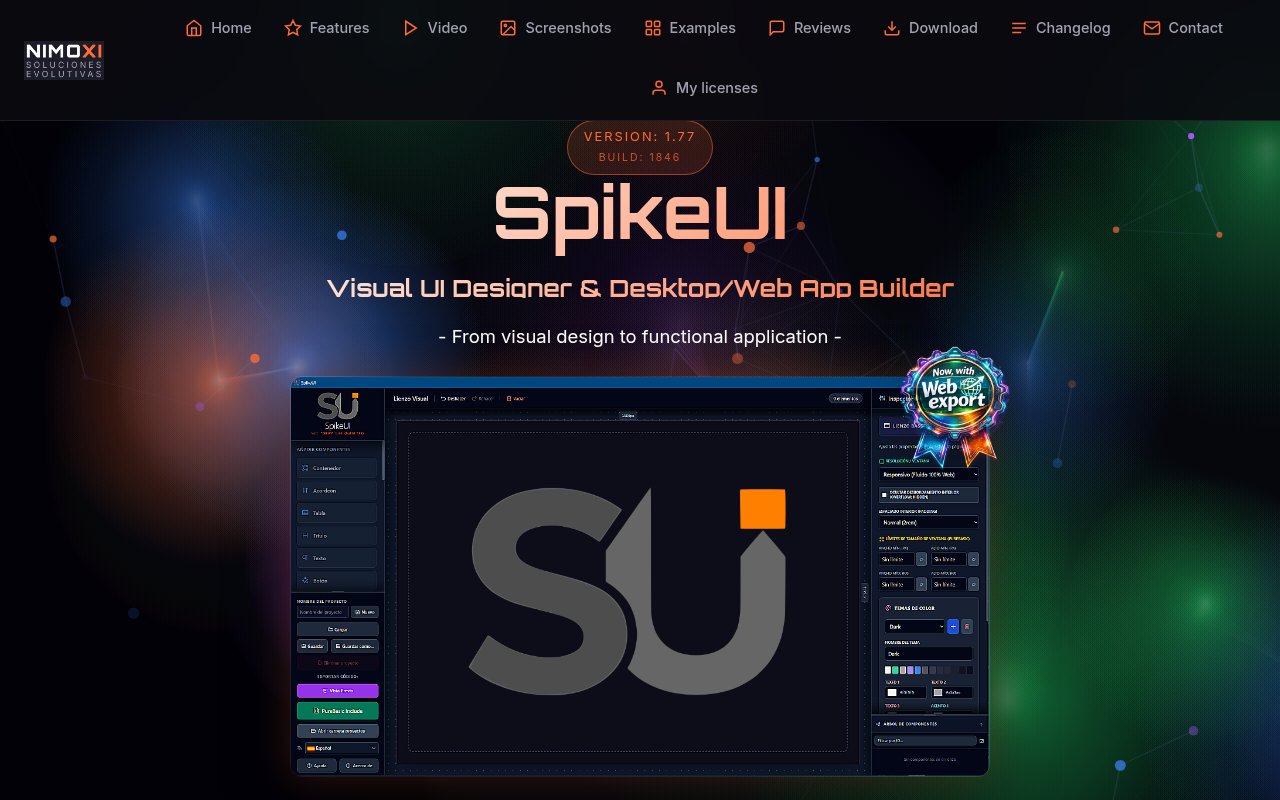
SpikeUI is a visual interface designer and app builder for creating native Windows programs and browser-based apps without laying out every control by hand. It brings a WYSIWYG canvas, a library of interface components, property editors, project management, and code export into one Windows application. The editor is aimed at people who want the speed of drag and drop design but don't want to lose access to the underlying implementation. A project can leave the tool as a Windows executable, a PureBasic module, a single-file web app, or a folder of HTML, CSS, JavaScript, and assets.
The design workflow starts on a visual canvas. Users place buttons, inputs, selectors, text, images, icons, and other controls, then organize them through an element tree. Dedicated editors handle dimensions, padding, margins, scale, typography, borders, shadows, gradients, colors, and themes. Interaction settings cover events and cursor behavior, while animation controls let a creator preview transitions in real time. Project controls let users save and load their work, preview it, and choose an export route from the same environment. The editor also includes documentation intended to explain its workflow in multiple supported languages. The point of the WYSIWYG approach is that the layout in the editor reflects the exported result closely, reducing the translation work that often appears between a mockup and the application that eventually ships.
SpikeUI also exposes the generated code. A developer can begin visually, inspect the output, and make deeper changes when the built-in controls are no longer enough. The export choices support several kinds of delivery. Native Windows output can be packaged as an executable, PureBasic users can export a .pbi module, and browser projects can be delivered either as one self-contained web app or as separate web files. The maker says the resulting work has no external runtime dependencies, CDN requirement, or auxiliary framework. That makes the output easier to move, archive, and run offline than a project coupled to a hosted builder.
A built-in AI assistant can design, wire, and refine components from a written request. It shows a plan for approval before making changes on the canvas, giving the user a checkpoint before generated edits are applied. The assistant can connect to compatible AI providers through the user's own account, or work with private, free local models. That choice is useful for developers who already pay for a model provider and for people who would rather keep that part of the workflow local. AI is an aid inside the same editor rather than the only way to create or revise a project.
The product fits solo developers, PureBasic users, internal tool builders, and technically minded designers who need a functional interface faster than they could code one from scratch. It can be used to prototype a desktop utility, assemble a polished front end for an existing workflow, or create a compact browser app without adopting a large JavaScript framework. Full code access makes it more flexible than a closed no-code system, although users still need development judgment for application logic, data handling, and anything beyond the interface behaviors provided by the editor.
Its clearest advantage is the range between visual editing and portable output. The same project environment covers themes, component hierarchy, typography, interaction, animation, and several export targets. Multilingual support is available in the editor and documentation, as well as relevant parts of exported output. Visual controls for fonts, weights, spacing, borders, gradients, and shadows give a user meaningful styling range before any manual code editing begins. The main boundary is the platform. SpikeUI itself is Windows only, and native executable export is for Windows, even though web output can run in modern browsers. Teams committed to macOS or Linux development environments won't get the same local authoring workflow.
SpikeUI is sold as a one-time license with no subscription. At the time reviewed, the site showed a launch price of about 35 euros and a regular price of about 65 euros for a lifetime license covering the 1.xx release line. A downloadable demo provides a full trial with limits, and the maker explicitly recommends trying it and reading the documentation before buying. This is therefore a paid tool with a trial, not a lasting free tier. For a Windows user who values visual construction, editable code, and independent exported files, the pricing posture is straightforward and unusually free of recurring fees.
Key Features
- WYSIWYG interface canvas
- Editable generated code
- Built-in AI design assistant
- Native and web export
- Visual themes and animations
- Self-contained offline output
Pros & Cons
What we like
- Combines drag and drop design with full code access
- Exports native executables and multiple web formats
- Works with provider accounts or private local AI models
- Uses a one-time license instead of a subscription
Room for improvement
- The editor is available only on Windows
- Native executable export targets Windows
- The downloadable demo has usage limits
- Complex application logic still needs developer input
Frequently Asked Questions
What is SpikeUI?
What can SpikeUI export?
How does the AI assistant work?
Is SpikeUI free?
Best For
Featured in
Alternatives to SpikeUI

Framer
Visual website builder that lets designers ship production-grade marketing sites with real CMS, SEO controls, and code components.
Contentful
Headless CMS that models content as structured data and delivers it through APIs to web, mobile, and other channels.

Sanity
Composable content platform with a customizable studio, real-time collaboration, and a queryable structured content backend.

Teachizy
France-based no-code platform for building, hosting, and selling online courses without tech skills
Our take
Tool Index Editorial · Oct 2026· 3.5/5
SpikeUI is a Windows visual builder for desktop interfaces and browser apps, with editable generated code and exports to Windows executables, PureBasic modules, or web files. It suits solo developers and internal tool builders who want drag and drop layout without being trapped in a hosted runtime. The public page presents it as a one time purchase with a limited demo and no subscription, though the captured page did not state the current checkout amount.
We like the mix of visual styling, code access, local model support, and self contained output. The boundary is Windows. The editor and native executable target do not serve Mac or Linux developers, even if the web export runs elsewhere. It also remains primarily an interface builder, so data handling, application logic, security, and cleanup of generated code still require developer judgment.
Editorial opinion from the Tool Index team, written from the public product pages. Not a user review.
Reviews (0)
Badge builder
Add SpikeUI to your website
Choose a badge style and size, preview it here, then copy the generated HTML. Badge images are self-contained SVGs and do not require an external script.

<a href="https://toolindex.net/tools/spikeui?ref=badge" target="_blank" rel="noopener">
  <img src="https://toolindex.net/badge/spikeui/medium.svg" alt="SpikeUI - Listed on Tool Index" width="180" height="50" />
</a>How to use the badge
- 1. Pick the style, size, and theme that fit your layout.
- 2. Copy the generated HTML from the code block.
- 3. Paste it into your footer, homepage, or press page.
Standard badge available
The standard listing badge is available now. Score and circle badges are limited to tools currently ranked in the top 10 of a category.
Badge clicks return visitors to this profile with a referral tag so the source remains identifiable.
Related Tools
Sanity
Composable content platform with a customizable studio, real-time collaboration, and a queryable structured content backend.

Bubble
Full-stack no-code platform for building real web applications with visual programming, a database, and a workflow engine.

Tally
Form builder with a Notion-like editor, conditional logic, payments, and a generous free tier with unlimited submissions.

Glide
No-code platform that turns spreadsheets and databases into mobile and web apps, with computed columns and AI actions.
Work on SpikeUI? Request listing access or correction