
StealthOS
An all-in-one iPhone privacy app with a Tor browser, encrypted vault, password manager, and on-device AI
Gallery
About StealthOS
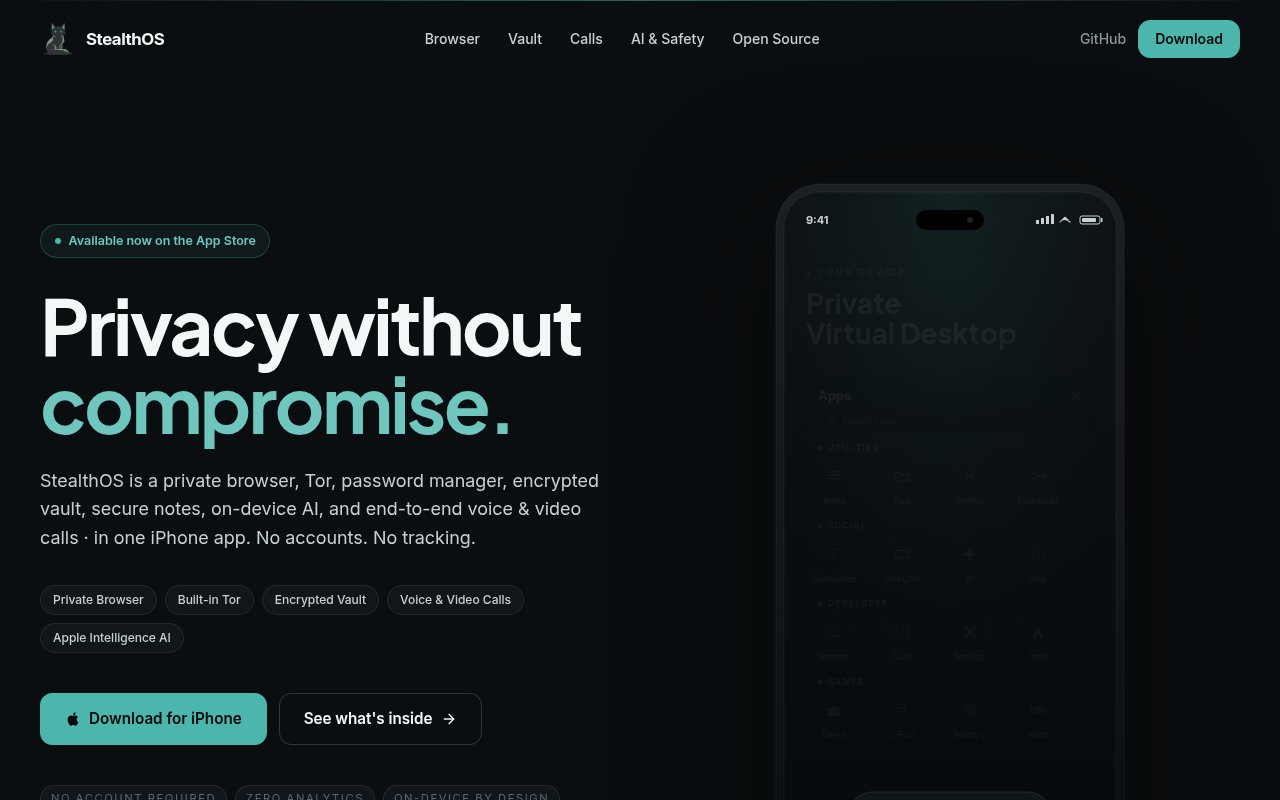
StealthOS is an iPhone app that packs the tools a privacy-minded person would otherwise collect one at a time into a single sandbox. It's a private browser with a built-in Tor client, a password manager, an encrypted vault for files, photos, and notes, PGP for messages, end-to-end encrypted voice and video calls, and an on-device AI assistant, all behind one icon and with no account to create. It's listed on the App Store as StealthOS Private Browser, from a developer called Olib AI, and it needs iOS 18 or later.
The problem it goes after is fragmentation. Doing privacy properly on a phone usually means a Tor browser from one developer, a password manager from another, a vault app from a third, and a calling app whose encryption you take on trust. Each has its own update cadence and its own idea of where your keys live, and most of them want an account, which is the one thing a privacy tool should be able to do without. StealthOS keeps those pieces inside one app with one security model, which is easier to reason about and harder to misconfigure.
The browser is where most people will start. It blocks WebRTC leaks, resolves DNS over HTTPS, spoofs device identifiers to blunt fingerprinting, flags phishing sites, and can block any website from touching the camera or microphone. Tor runs inside the app rather than through a separate proxy, routes to .onion addresses, and has a kill switch. The vault encrypts with AES-256-GCM using keys held in the Secure Enclave, the password manager handles TOTP codes and autofill, and the newest release adds real PGP so you can encrypt, decrypt, and sign messages that open in GnuPG, Proton Mail, and Thunderbird. Calls run peer to peer or through a relay over what the developer calls a Connection Pool, and the AI assistant runs on the device through Apple Intelligence on iOS 26 and later. There's also a virtual desktop workspace, multiplayer games over the encrypted pool, and snapshot backup and restore of the whole setup. The App Store listing puts the app at around 242 MB, which reflects how much is bundled inside it.
The developer describes the audience as privacy-conscious iPhone users who want consolidated security tools without registration or tracking, and that's the honest framing, one app for people who'd otherwise install five and configure each one. Journalists and travellers are natural fits, since the browser, the vault, and the encrypted calling cover the three things those groups tend to worry about on a phone. It also suits technical users, since the paid tier bolts on an SSH terminal, a Linux shell, a code editor, and a network mapper, which turns the sandbox into something closer to a pocket workstation.
What sets it apart is that the building blocks are public. The developer publishes the Tor client packaged as a static iOS framework built from Tor 0.4.9, a peer-to-peer connection pool built on Apple's multipeer connectivity, a zero-knowledge WebSocket relay written in Rust, and the encrypted chat component as open-source repositories on GitHub, with the chat and connection pool under the MIT licence. The app itself isn't open source, so it's not a fully auditable build, but the parts doing the cryptography and the networking can be read, which is more than most all-in-one privacy apps offer. The no-registration stance and the on-device AI mean there's no account to leak and no prompt leaving the phone.
The limits are worth knowing. It's iPhone only and needs iOS 18 or later, with the AI features gated to iOS 26. It's a young app, with nine App Store ratings at the time of writing, which is too few to say much either way, and a 1.3.0 release in August that's recent enough for the feature set to still be moving. A feature list this long means some corners will be thinner than a dedicated tool, and an all-in-one app concentrates trust in a single developer, which cuts both ways. Bundling games and a virtual desktop alongside Tor will read as scope creep to some users, though nothing forces you to open them.
Access is freemium. The core privacy features, including Tor, the encrypted vault, calling, and the on-device AI, are free. Premium is $4.99 a month or $49.99 a year and adds ten fingerprint profiles, the SSH terminal, Linux shell, code editor, and NetMap. The subscription is bought through the App Store as an in-app purchase, so the developer never asks for an account or an email address. The free tier isn't a time-limited trial, and the premium extras are the ones a power user would want rather than the ones a privacy user needs, so most people can decide whether the app suits them without spending anything. Support is at support@stealthos.app.
Key Features
- Private browser with anti-fingerprinting
- Built-in Tor with kill switch
- AES-256-GCM encrypted vault
- Password manager with TOTP and autofill
- End-to-end encrypted voice and video calls
- On-device AI assistant
Pros & Cons
What we like
- No account or registration required
- Core privacy features are free
- Networking and crypto components are open source
- PGP works with GnuPG, Proton Mail, and Thunderbird
Room for improvement
- iPhone only, iOS 18 or later
- AI features need iOS 26
- Young app with few App Store ratings
- Very broad feature list for one app
Frequently Asked Questions
What is StealthOS?
Is StealthOS free?
Is StealthOS open source?
What devices does it support?
Best For
Featured in
Alternatives to StealthOS
View all
1Password
Password and secrets manager for individuals, families, and developer teams with strong CLI and SSH agent support.
Clerk
Drop-in authentication and user management for modern apps

Tailscale
WireGuard-based mesh VPN that connects your devices, servers, and cloud resources into one private network in minutes.

BackPedal
UK bike theft protection that sends recovery agents after your stolen bike
Our take
Tool Index Editorial · Sep 2026· 3.0/5
StealthOS combines an iPhone browser, Tor access, an encrypted vault, passwords, calls, notes, and on device AI in one app. It is aimed at privacy conscious users who prefer one local workspace with no account, and the site is unusually specific about features such as a Tor kill switch, Secure Enclave keys, and self hosted relay support.
We appreciate the no analytics stance and the links to open security components, but the breadth is also the main concern. A browser, password manager, vault, calling stack, AI assistant, desktop shell, and games create a very large security surface for one young app. The captured page does not provide pricing or independent audit results, and iPhone only support limits its usefulness across a mixed device setup.
Editorial opinion from the Tool Index team, written from the public product pages. Not a user review.
Reviews (0)
Badge builder
Add StealthOS to your website
Choose a badge style and size, preview it here, then copy the generated HTML. Badge images are self-contained SVGs and do not require an external script.

<a href="https://toolindex.net/tools/stealthos?ref=badge" target="_blank" rel="noopener">
  <img src="https://toolindex.net/badge/stealthos/medium.svg" alt="StealthOS - Listed on Tool Index" width="180" height="50" />
</a>How to use the badge
- 1. Pick the style, size, and theme that fit your layout.
- 2. Copy the generated HTML from the code block.
- 3. Paste it into your footer, homepage, or press page.
Standard badge available
The standard listing badge is available now. Score and circle badges are limited to tools currently ranked in the top 10 of a category.
Badge clicks return visitors to this profile with a referral tag so the source remains identifiable.
Related Tools
Clerk
Drop-in authentication and user management for modern apps

DomeSOC
Autonomous SOC that grades every AI claim against evidence before it reaches an analyst
Reel
Forensic evidence capture for regulated Kubernetes, plus a free open-source VEX hub

HeimWall
Menu bar app that catches secrets and PII before you paste them into AI coding tools
Work on StealthOS? Request listing access or correction