StitchCraft
Turn any photo into a printable cross stitch chart with DMC floss codes, plus optional AI redraws
Gallery
About StitchCraft
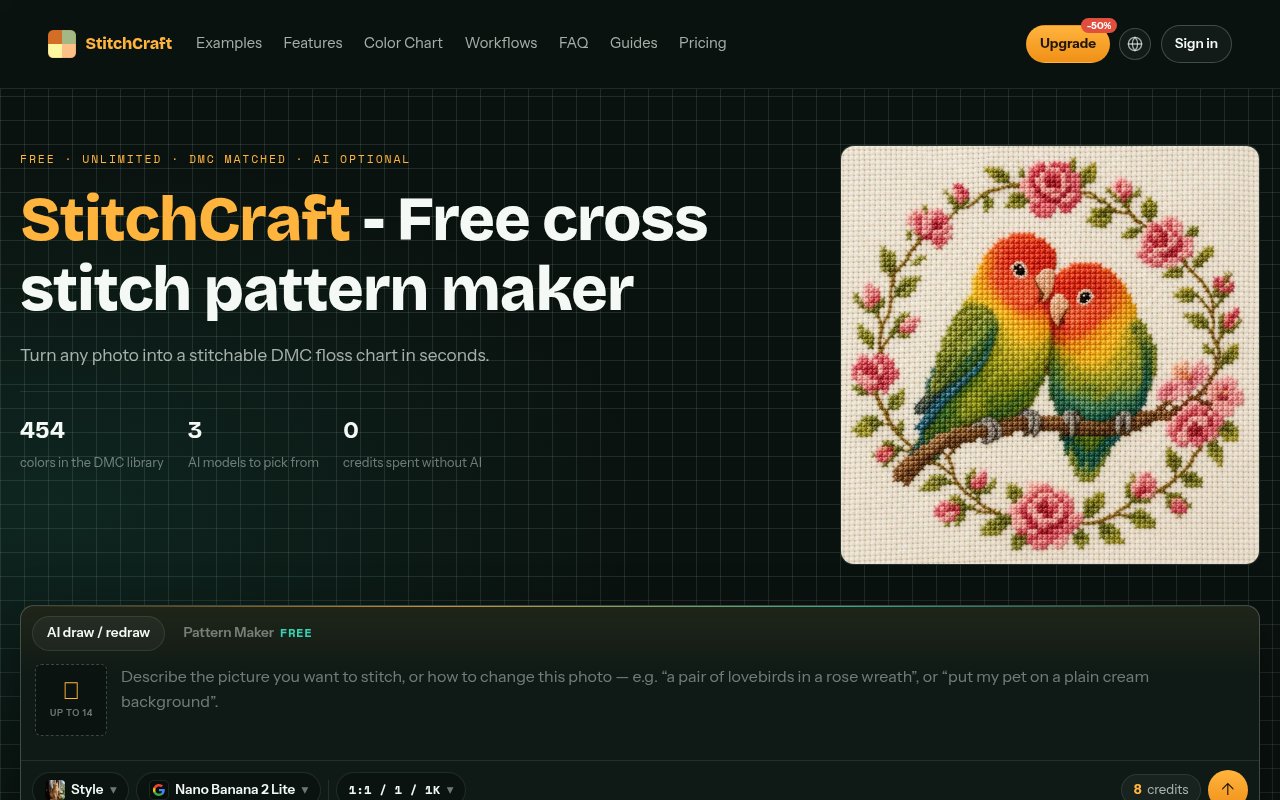
StitchCraft is a web-based cross stitch pattern maker that turns a photo into a printable chart with real DMC floss codes. You upload a picture in the browser, set the grid width and how many colors you want, and export a PDF that a stitcher can work from, complete with a symbol chart and an estimate of how many skeins each color will need. The basic conversion is free and unlimited, and the site adds optional AI redraws for photos that don't convert cleanly on their own.
The problem it solves is an old one for anyone who has tried to stitch a family photo or a pet. Converting a photograph into a grid of thread colors by hand is tedious, and naive automatic versions produce what stitchers call confetti, scattered single stitches of odd colors that make the piece a chore to sew. StitchCraft matches colors against the 454 DMC strands using CIELAB, a perceptual color space, so the palette choices look right to a human eye rather than just being numerically close, and it gives you controls to reduce confetti before you print.
The workflow runs entirely in the browser for a direct conversion, which means the photo never leaves your machine. You adjust the grid and the palette size, watch a live preview of the resulting chart, and tweak until the tradeoff between detail and color count looks sensible for the project. The export is a print-ready PDF with DMC codes, symbols and skein estimates, and there's a DMC color list with substitution hints for when a shop is out of a shade. A PNG export is available too, and every export comes with commercial rights, so the patterns can be sold.
A sensible first run is a clear photo with a simple background, a modest grid width and a limited palette, since the number of colors is what drives both the confetti and the shopping list. From there the live preview makes it easy to see whether adding colors buys detail or just noise, and the skein estimate tells you what the choice costs in thread before you commit to a print.
The difference between the two paths is worth understanding before spending credits. The direct conversion maps the photo straight onto the grid and matches each cell to a DMC color, so the preview is what prints. An AI redraw runs the image through one of the hosted models first to simplify it, and the result then goes through the same charting step. It helps most with busy backgrounds and fine textures, and it costs credits per pass, so the sensible order is to try the free path first and reach for a redraw only when the preview is a mess of confetti.
The AI side is where the paid features live. Three image models are on offer, GPT Image 2 from 4 credits, Nano Banana 2 Lite at 8 credits, and Nano Banana 2 at 10 credits, with higher resolutions and quality settings costing more. They can redraw a busy photo into something that charts cleanly, and there's text-to-image generation for making a pattern from a description with no photo at all. Paid tiers add renders up to 4K and watermark-free downloads on those AI results.
It's for cross stitch enthusiasts, from beginners making a first custom piece to experienced stitchers and small sellers producing patterns for others. The free tier covers the people who just want a chart from a photo, while the subscriptions target anyone generating patterns regularly or leaning on the AI redraws. The site is available in multiple languages and carries a blog of guides alongside a standalone DMC floss color chart tool.
What makes it different from the general run of pattern converters is the combination of genuinely free, unlimited, local conversion with a proper DMC-matched palette, and the choice to keep AI as an optional layer rather than a gate in front of the core feature. You can ignore the AI entirely and still get a chart that follows real thread codes and skein counts. The flip side is that the AI redraws are credit-metered, so heavy use of them is where the cost lands, and the tool is narrowly about cross stitch rather than knitting, crochet or other charted crafts.
Access is freemium. The free plan includes unlimited photo-to-chart conversions, PDF and PNG exports, the DMC list with substitution hints, a commercial license and 10 welcome credits to try the AI models. Pro is $120 a year, which the site presents as $10 a month on yearly billing, for 1,000 AI credits a month, and Ultra is $360 a year for 3,000. Yearly billing is half the monthly rate. Subscription credits expire after a month, credit-pack credits last six months, and per-model pricing is offered as an alternative to a subscription. Support is reachable at support@crossstitchpatternmaker.app.
Key Features
- Photo to DMC chart conversion in the browser
- 454 DMC colors matched in CIELAB
- Print-ready PDF with symbols and skein estimates
- Confetti reduction and live grid preview
- Optional AI redraw with three image models
- Text-to-image pattern generation
Pros & Cons
What we like
- Core conversion is free, unlimited and local
- Real DMC codes and skein counts, not generic colors
- Commercial rights on every export
- AI is optional rather than a paywall
Room for improvement
- AI redraws are credit-metered
- Cross stitch only, not other charted crafts
- Subscription credits expire monthly
- Monthly billing costs about twice the yearly rate
Frequently Asked Questions
What is StitchCraft?
Is StitchCraft free?
Does it upload my photos?
Can I sell the patterns I make?
Best For
Featured in
Alternatives to StitchCraft
View all
Framer
Visual website builder that lets designers ship production-grade marketing sites with real CMS, SEO controls, and code components.
Webflow
Visual website builder that produces clean, semantic HTML and CSS, with a CMS, e-commerce, and a Webflow-hosted CDN.

Apatero Studio
Creator studio for AI image, video, audio, 3D, and avatars. Every model worth using, in one workspace.

Pixel Painters
Unlimited graphic design subscriptions built only for churches and ministries
Our take
Tool Index Editorial · Oct 2026· 4.0/5
StitchCraft converts photos into cross stitch charts with DMC thread colors, stitch symbols, palette controls, and fabric sizing. The core browser workflow is useful for hobbyists and small pattern sellers because photo conversion and PNG export are unlimited, while the current pricing page includes five free PDF exports. Optional AI generation costs eight credits per run, and one time packs start at $9.90 for 300 credits.
We like that the ordinary chart maker is not hidden behind the AI charge. Real thread codes, a live preview, and palette reduction are the features that matter at the hoop. Complex photos can still create noisy patterns and need manual judgment, while free PDF output is capped. AI results also add another interpretive step, so a clean looking image is not automatically an enjoyable or economical pattern to stitch.
Editorial opinion from the Tool Index team, written from the public product pages. Not a user review.
Reviews (0)
Badge builder
Add StitchCraft to your website
Choose a badge style and size, preview it here, then copy the generated HTML. Badge images are self-contained SVGs and do not require an external script.

<a href="https://toolindex.net/tools/stitchcraft?ref=badge" target="_blank" rel="noopener">
  <img src="https://toolindex.net/badge/stitchcraft/medium.svg" alt="StitchCraft - Listed on Tool Index" width="180" height="50" />
</a>How to use the badge
- 1. Pick the style, size, and theme that fit your layout.
- 2. Copy the generated HTML from the code block.
- 3. Paste it into your footer, homepage, or press page.
Standard badge available
The standard listing badge is available now. Score and circle badges are limited to tools currently ranked in the top 10 of a category.
Badge clicks return visitors to this profile with a referral tag so the source remains identifiable.
Related Tools
Apatero Studio
Creator studio for AI image, video, audio, 3D, and avatars. Every model worth using, in one workspace.

Tailwind CSS
Rapidly build custom designs without leaving your HTML

Figma
Collaborative interface design tool

Marvel
Lightweight prototyping platform for turning images and screens into clickable mobile and web prototypes.
Work on StitchCraft? Request listing access or correction