Text Logo
A browser editor for text logos and wordmarks with Google Fonts and SVG export
Gallery
About Text Logo
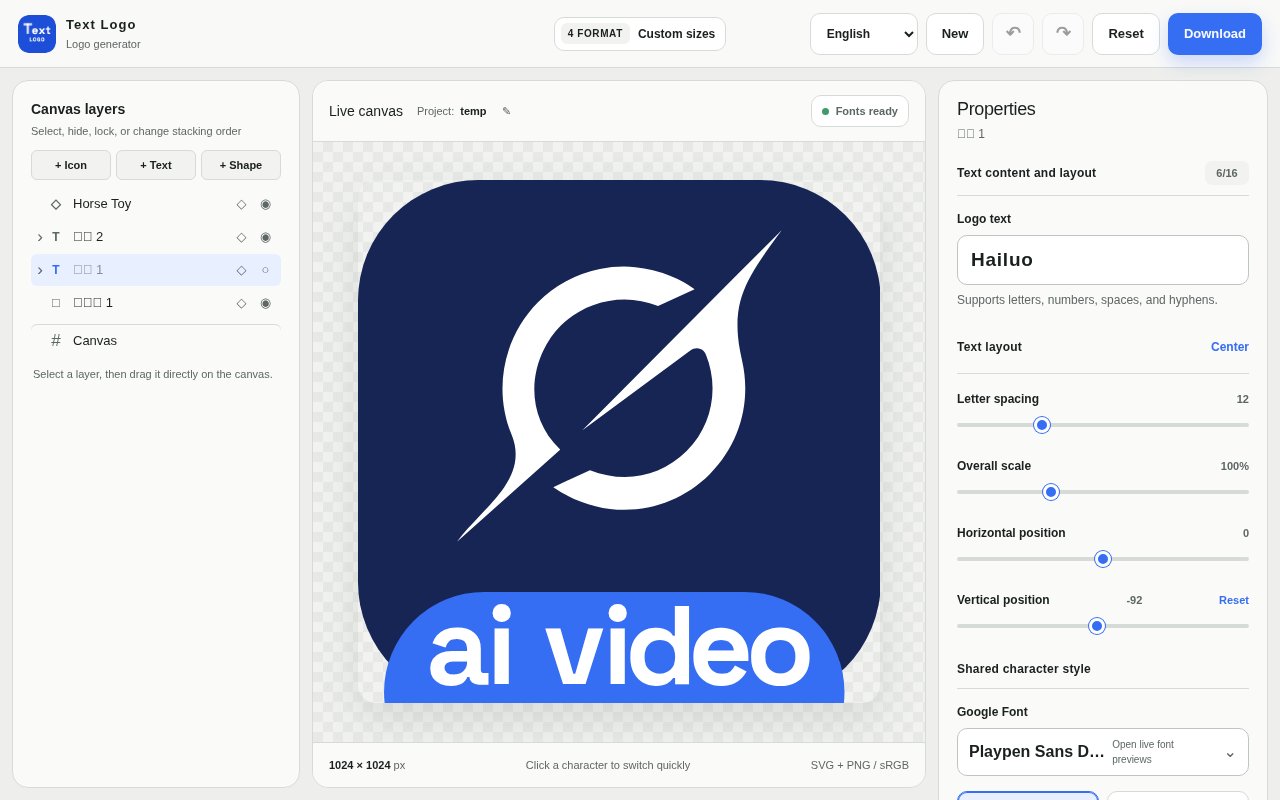
Text Logo is a lightweight editor that runs in the browser and does one thing, which is help you make a text logo or wordmark without opening a full design suite. You type your name or word, pick a typeface from a library of more than 1,900 Google Fonts, adjust colour, size, spacing and rotation, and export the result as a vector or a bitmap. There's no account to create before you start and nothing to install.
The problem it solves is a familiar one for anyone launching something small. A side project, a newsletter, a local business or an internal tool needs a mark that looks deliberate, but hiring a designer is overkill and a general-purpose design app is more friction than the job deserves. Wordmarks are the honest default for most of those cases, and a wordmark is mostly a typography decision. Text Logo narrows the tool down to that decision.
The editor is built on a canvas with layers. Text sits on one layer, icons and shapes on others, and you can upload an image if the mark needs one. Each character can be styled on its own, so a single letter can take a different colour or weight, and letter spacing, backgrounds and custom canvas dimensions are all adjustable. Fonts are previewed live as you browse, which matters when you're comparing a few hundred candidates. Projects are saved locally in your browser, so you can come back and keep editing, though the terms are clear that local storage isn't a backup and you should keep your own copies of anything important. Export options are more thorough than the simplicity suggests. The SVG keeps everything as vectors so it scales from a favicon to a shop sign without loss, and raster exports can be set to a custom pixel size, with 1024 by 1024 as a typical starting point, in sRGB so colours match what you saw on screen. PNG, WebP and ICO cover web and favicon use. The Google Fonts library spans many languages and scripts, so a name that isn't in Latin script isn't an afterthought.
Getting a good result takes minutes rather than hours. Type the name, shortlist two or three typefaces that fit the tone, then spend the time on spacing and weight, since those are what separate a considered wordmark from a default font at 48 pixels. If one letter deserves emphasis, style it on its own. Export the SVG as the master file and a PNG or ICO at the sizes your site needs.
It's for founders, indie developers, small business owners and anyone else who needs a clean wordmark today and doesn't want to learn a design tool to get it. Designers might use it for a quick first pass before refining elsewhere, since the SVG export drops straight into any vector editor. Agencies can knock out placeholder marks for pitches, and developers can produce a favicon and a header logo for a new project in the same sitting.
What sets it apart from the bigger logo generators is restraint. Most of them lead with templates and generated icon mashups that end up looking like everyone else's. Text Logo assumes the type is the logo and gives you precise control over it instead of a gallery of clip art. The per-character styling and the vector export are the two features that make it more than a font preview page. On ownership, the terms state that you keep the rights to what you make and can use exports for personal or commercial purposes, subject to the licences of any third-party fonts or assets you bring in. Compared with the two usual alternatives, the maths is simple. A designer will produce something better but costs money and days, and for a placeholder or a side project that's hard to justify. A full design tool gives you the same control over type but asks you to learn it first and to manage fonts yourself. Text Logo sits in the gap, with the Google Fonts library already loaded and the export handled, at the price of doing only text. If your brand needs an illustrated mark you'll outgrow it quickly, and that's fine; the SVG comes with you.
The rough edges are mostly on the business side. The pricing page lists three subscription tiers, Starter at $9 a month, Pro at $29 and Enterprise at $99, with monthly and yearly billing and a lifetime option mentioned, but it describes them in terms of projects, credits and API access rather than stating which editor features are free and which aren't. The terms confirm that both free and paid features exist and that any charge is shown before checkout, so the practical advice is to try the editor and see where you hit a limit. There's also no published contact email, and the product is young. Access is freemium in practice. You can open the editor and start designing immediately, with paid tiers for people who need more projects, higher limits or the API. If you need a decent wordmark in the next twenty minutes and you'd rather adjust kerning than browse templates, that's the situation it's built for.
Key Features
- Library of more than 1,900 Google Fonts
- Per-character colour and styling
- Layers for text, icons, shapes, and images
- Custom canvas size and backgrounds
- SVG, PNG, WebP, and ICO export
- Projects saved locally in the browser
Pros & Cons
What we like
- Start designing with no account or install
- Vector export scales to any use
- Per-character control most generators lack
- You keep the rights to what you make
Room for improvement
- Pricing page doesn't say which features are gated
- Local-only project storage isn't a backup
- Text-first, so icon-heavy logos need another tool
- No published contact email
Frequently Asked Questions
What is Text Logo?
Is Text Logo free?
What can I export from Text Logo?
Do I own the logos I make with Text Logo?
Best For
Featured in
Alternatives to Text Logo
View all
Framer
Visual website builder that lets designers ship production-grade marketing sites with real CMS, SEO controls, and code components.
Webflow
Visual website builder that produces clean, semantic HTML and CSS, with a CMS, e-commerce, and a Webflow-hosted CDN.

Apatero Studio
Creator studio for AI image, video, audio, 3D, and avatars. Every model worth using, in one workspace.

Pixel Painters
Unlimited graphic design subscriptions built only for churches and ministries
Our take
Tool Index Editorial · Oct 2026· 3.0/5
Text Logo is a focused browser editor for wordmarks, with live Google Font previews, layers, per-character styling, and SVG, PNG, WebP, and ICO export. We found it quicker than opening a general design suite for a side project or placeholder brand, and the vector export gives a designer something useful to refine later. No account is needed to start editing.
The product gets less clear at the pricing boundary. Its page lists $9, $29, and $99 monthly tiers in terms of projects and credits, but does not explain which editor or export features trigger payment. Projects are stored in the browser, so they are not a backup or a cross-device library. It is good at typography-first marks, but illustrated identities and serious brand systems still need another tool.
Editorial opinion from the Tool Index team, written from the public product pages. Not a user review.
Reviews (0)
Badge builder
Add Text Logo to your website
Choose a badge style and size, preview it here, then copy the generated HTML. Badge images are self-contained SVGs and do not require an external script.

<a href="https://toolindex.net/tools/text-logo?ref=badge" target="_blank" rel="noopener">
  <img src="https://toolindex.net/badge/text-logo/medium.svg" alt="Text Logo - Listed on Tool Index" width="180" height="50" />
</a>How to use the badge
- 1. Pick the style, size, and theme that fit your layout.
- 2. Copy the generated HTML from the code block.
- 3. Paste it into your footer, homepage, or press page.
Standard badge available
The standard listing badge is available now. Score and circle badges are limited to tools currently ranked in the top 10 of a category.
Badge clicks return visitors to this profile with a referral tag so the source remains identifiable.
Related Tools
Apatero Studio
Creator studio for AI image, video, audio, 3D, and avatars. Every model worth using, in one workspace.

Tailwind CSS
Rapidly build custom designs without leaving your HTML

Figma
Collaborative interface design tool

Marvel
Lightweight prototyping platform for turning images and screens into clickable mobile and web prototypes.
Work on Text Logo? Request listing access or correction