Todoist
A friendly, fast personal task manager that grows up gracefully into a team tool
Gallery
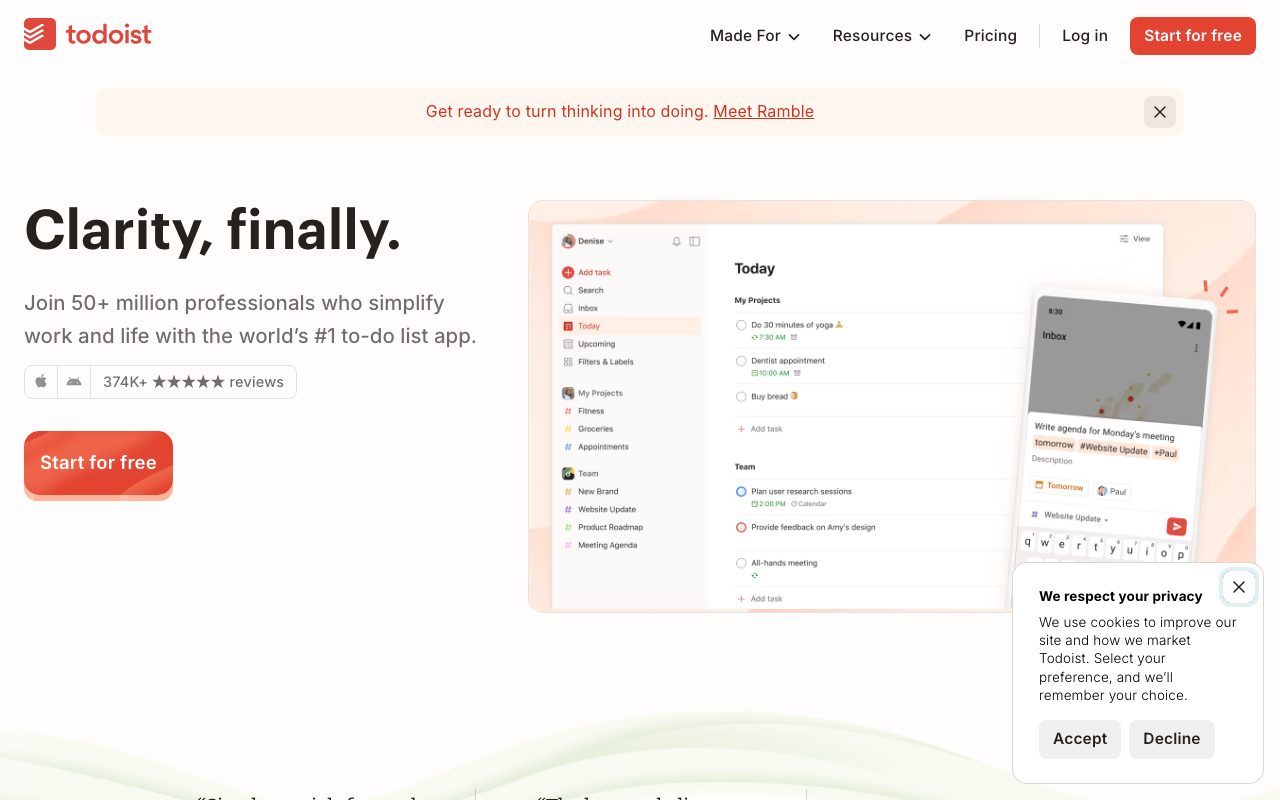
About Todoist
Todoist is the task manager that has been quietly excellent for over a decade. It is a cross-platform to-do app with projects, labels, filters, recurring tasks, and natural-language task entry that still feels magic the first time you use it. Todoist runs on every operating system and most browsers, and your tasks sync everywhere instantly.
The category exploded with Notion, Things, OmniFocus, TickTick, and dozens of others. Todoist has held its own by sticking to the brief: a task manager that is good at managing tasks. That focus is the entire reason it is still here.
I have used Todoist on and off for years. The honest take follows.
What Todoist does
Todoist captures tasks fast and organizes them well. The natural-language input is the headline feature. Type "submit invoice every Monday at 9am" and Todoist parses the recurrence, the time, and the project tag without a clunky form.
Tasks live inside projects (which can nest into sub-projects). Labels and filters let you slice across projects (everything tagged "errands," everything due this week, everything in the "work" project labeled "high priority").
Recurring tasks are best-in-class. The recurrence engine handles weekday-only, monthly on the 15th, every other Tuesday, and dozens of other patterns. If you have a recurring routine, Todoist just gets it.
The Karma system gamifies productivity. You earn points for completing tasks; streaks build. Some users love it, some find it ignorable. It does not get in the way.
Who Todoist is for
Anyone who wants a focused task app that works the same way on phone, desktop, and browser. Knowledge workers who want a fast capture tool. Project managers running personal lists. Students managing assignments. Parents tracking household chores.
It is less of a fit for full-team project management (use Asana, Linear, or Notion). It is also less of a fit for users who want everything (notes, tasks, docs, wiki) in one app; Todoist stays in its lane.
Pricing
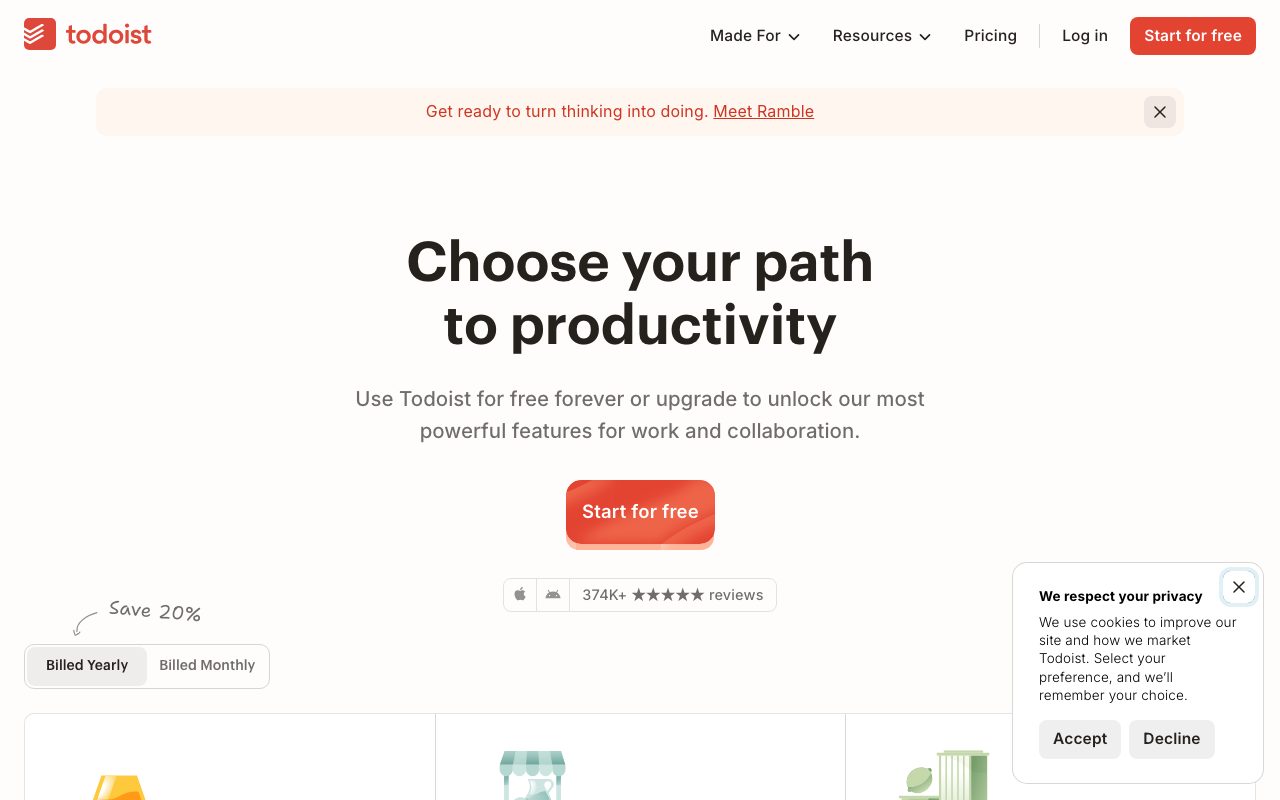
The free tier covers personal use with a meaningful task and project limit. Pro at five dollars a month adds reminders, more projects, file uploads, and themes. Business tier covers small teams with shared inboxes and admin features.
Pricing has been stable for years. There is no aggressive enterprise upsell, no "switch to AI add-on, that will be 30 dollars more." It is one of the fairer pricing pages in software.
Features that earn the loyalty
Natural-language input is the standout. The parser handles dates, times, recurrence, projects, labels, and priorities in a single line of text. Power users add tasks faster than they can type a sentence.
Filters use a query language with logical operators, dates, and label combinations. You can build a "Today's high-priority work tasks except waiting-for items" view in seconds. This is the feature that makes Todoist scale to power users.
The cross-platform reliability is unmatched. iOS, Android, macOS, Windows, Linux, web, browser extensions, plus integrations with Gmail, Outlook, Google Calendar, and Slack. Every machine is the same Todoist.
Quick capture from anywhere. Keyboard shortcut on desktop, share-sheet on mobile, browser extension on web. The tax of "where do I put this" is close to zero.
The board view (kanban) and calendar view give you the angles that the list view does not. Personal kanban for project work; calendar for time-bound tasks. Both have improved a lot in recent versions.
Tradeoffs
Todoist is intentionally narrow. No notes, no docs, no wiki, no time tracking (unless you bolt it on through integrations). If you want one app for everything, Todoist will frustrate you.
The team features are functional, not deep. Use Linear, Asana, or ClickUp if your team needs project management at depth. Use Todoist if your team wants a shared task list.
The desktop apps are Electron-based, which means decent but not native-feeling. Performance is fine; the experience does not have the snap of a tool like Things 3 on macOS.
Todoist's superpower is that it has resisted the urge to become Notion. Stay focused, ship the basics excellently, win the long term.
Todoist vs alternatives
Versus TickTick, TickTick has more features (built-in pomodoro, calendar, habits) for a similar price. Todoist has cleaner design and more reliable sync. Reasonable people disagree.
Versus Things 3, Things is Apple-only and design-perfect. Todoist is cross-platform and feature-richer. Pick Things if you live on Apple; pick Todoist for everything else.
Versus Notion, Notion is everything-in-one; Todoist is just tasks. Use both if your brain compartmentalizes; use one if it does not.
Versus Apple Reminders or Google Tasks, Todoist is more capable and cross-platform. The native tools are free and tied to their ecosystems.
See best task managers, Notion alternatives, and Todoist vs Things.
Common questions
Is Todoist free? Yes, with a generous tier. Does Todoist work on Linux? Yes, with a native app. Can it integrate with my calendar? Yes, two-way Google Calendar sync. Does it support recurring tasks well? Yes, best in class. Can teams use it? Yes, with the Business plan.
Bottom line
Todoist is the right pick for individuals who want a fast, reliable, cross-platform task manager that does one job well. It is not the right pick for teams running deep project management or for users who want everything in one app. The free tier is enough to evaluate; Pro is reasonably priced for the value.
If your task system is "Apple Notes plus willpower," Todoist is the upgrade. Browse tools for founders and the Todoist profile for current pricing.
Todoist setup that scales
Projects mirror your contexts. Work, personal, side projects, household. Sub-projects for big initiatives. Keep the count under twenty active projects; archive the rest.
Labels add the orthogonal axis. @errands, @phone, @waiting, @deep-work. A task can be in the work project with a deep-work label; the filter "deep-work tasks today" cuts across projects.
Filters are the power user feature. Build a Today view that excludes "waiting" tasks. Build a Weekly Review filter that surfaces no-due-date tasks. Save them in the sidebar.
Recurring tasks for routines: "exercise every weekday at 7am," "review goals every Sunday." The recurrence engine handles the patterns; you stop scheduling them manually.
Integrations that earn it
Google Calendar two-way sync: tasks with due times show up on your calendar. Calendar events stay separate from tasks; the line is intentional.
Email forwarding: forward an email to your Todoist project address; it becomes a task. The "this email needs follow-up" workflow becomes one keystroke.
Browser extension: capture a task with a keyboard shortcut from any webpage. The URL attaches automatically.
Slack integration: turn Slack messages into tasks with a slash command. Useful for ops teams.
The Karma debate
The Karma points and streaks gamify completion. Some people love it; some find it annoying. Disable in settings if it is not your style. The tool does not depend on it.
The streak pressure is real for some users. If completing tasks for the streak overrides completing the right tasks, the gamification is hurting you. Be honest with yourself.
Common pitfalls
Over-elaborate filter setups. Three good filters beat fifteen complex ones you forget to use.
Treating Todoist as a notes app. It is not. Use Apple Notes, Bear, Obsidian, or Notion for notes; Todoist for tasks.
Ignoring the Inbox. The Inbox is for fast capture; if you process it twice a day, your task system stays clean.
Todoist power user features
Filters with logical operators: today & p1, no date & @work, overdue & !@waiting. Build views that match how you actually think about tasks.
Templates: save a project structure as a template; clone for new projects. Useful for recurring project types like client onboarding.
Goals: weekly task completion targets. Some users find this motivating; others ignore it.
Quick Add syntax: prefixes and shortcuts inside the natural-language input. # for project, @ for label, ! for priority, dates as text.
Todoist on the road
Mobile app is excellent. Quick capture from anywhere, full feature parity with desktop, offline mode for flights.
Apple Watch: glance at today's tasks, mark complete, add new. Surprisingly useful for quick capture.
Wear OS: similar story. Smaller screens, capture-focused.
Voice integrations with Siri, Google Assistant, Alexa: add tasks by voice. Faster than typing in some contexts.
Todoist for teams, briefly
The Business plan adds team workspaces, shared projects, admin controls. Not a replacement for project management tools at depth; a strong shared task list.
Comment threads on tasks let team members discuss without the noise of chat. Important context stays attached to the work.
Permissions are simple. Members can edit; guests can view. The simplicity is intentional.
Todoist alternatives recap
Things 3: Apple-only, beautiful, opinionated. Pick if you live on Apple.
TickTick: more features, similar price. Pick if you want pomodoro and habit tracking built in.
OmniFocus: deep GTD focus, Apple-leaning. Pick for serious GTD practice.
Any.do: simpler, lighter. Pick for minimalists.
Microsoft To Do: free, integrates with Outlook. Pick if you live in Microsoft.
Apple Reminders: free, native, basic. Pick for the lightest possible setup.
Todoist's longevity
Todoist has been around since 2007. The platform's stability is rare in software.
The team has resisted feature creep. Most tools in this space have absorbed notes, docs, calendars; Todoist stayed focused.
The pricing has been stable. The free tier remains generous.
For users who want a tool that will be the same in five years, Todoist is a safer bet than the latest hot productivity app.
Tutorial / Demo
Key Features
- Natural-language quick add
- Projects, sections, labels and filters
- Today, Upcoming and custom views
- Cross-platform: web, desktop, mobile, Apple Watch
- Templates and shared projects
- Karma streaks and productivity stats
Pros & Cons
What we like
- Best-in-class quick capture
- Lightweight and fast on every platform
- Mature filter syntax for power users
- Personal use is fine on the free plan
Room for improvement
- No native time blocking or calendar
- Premium needed for reminders and labels limits
- Less suited for engineering-style task tracking
Frequently Asked Questions
Is Todoist free?
Todoist vs TickTick, which should I pick?
Does Todoist work offline?
Can my team use Todoist?
Does Todoist have an API?
Best For
Featured in
Tags
Alternatives to Todoist
View all
TickTick
A todo app that quietly bundles a calendar, habit tracker and Pomodoro timer
Trello
The kanban board that taught the rest of the industry what a card was

Sunsama
A daily planner that makes you slow down and pick what actually fits today
Motion
An AI calendar that automatically schedules your tasks around your meetings
Our take
Tool Index Editorial · May 2026· 4.8/5
If you're evaluating Todoist, the headline is simple: a friendly, fast personal task manager that grows up gracefully into a team tool, and most teams will get value out of the box.
Where it wins: Best-in-class quick capture, Lightweight and fast on every platform, and Mature filter syntax for power users. Less impressive: No native time blocking or calendar and Premium needed for reminders and labels limits.
In short: Todoist is a strong pick when you need personal GTD systems, and a harder sell if no native time blocking or calendar would be a dealbreaker.
Editorial opinion from the Tool Index team, written from the public product pages. Not a user review.
Reviews (10)
Cancelled after the past year
Hadn't planned on switching, but Todoist was hard to ignore. What stands out is how personal use is fine on the free plan. Found it works best for family or partner shared lists. It would be a 5 if not for less suited for engineering-style task tracking. Might revisit when they iterate further.
Recommended without reservation
Two quarters of using Todoist, here's what holds up. Where it really wins is lightweight and fast on every platform. Their take on karma streaks and productivity stats is solid. Still recommending it to people in similar setups.
Pros
- Mature filter syntax for power users
- Best-in-class quick capture
Did exactly what I needed
Tried Todoist on a side project first. Real selling point: personal use is fine on the free plan. Templates and shared projects works the way you'd hope. Mostly using it for solo professionals tracking client work. Sticking with Todoist.
Pros
- Lightweight and fast on every platform
Underrated honestly
Picked Todoist for the lower price, stayed for the actual quality. The biggest win has been lightweight and fast on every platform. Their take on today, Upcoming and custom views is solid. Still recommending it to people in similar setups.
Pros
- Best-in-class quick capture
- Lightweight and fast on every platform
Bought it for one feature, stayed for ten
Have been using Todoist for a while, here's where I land. Honestly impressed by how mature filter syntax for power users. Mostly using it for family or partner shared lists.
Recommended without reservation
Came to Todoist after frustration with what I had before. Genuine strength: lightweight and fast on every platform. Got real value out of natural-language quick add. That said, less suited for engineering-style task tracking is a real gripe. Still recommending it to people in similar setups.
Cons
- Premium needed for reminders and labels limits
Easy 5 from me
The pitch for Todoist sounded too good to be true. Mostly true. Genuine strength: best-in-class quick capture. Main use case: personal GTD systems. Hard to imagine going back to my previous setup.
Wanted to love it, couldn't
Honest take: Todoist delivers most of what the marketing promises. Where it really wins is lightweight and fast on every platform. One thing that bugs me: less suited for engineering-style task tracking.
Pros
- Mature filter syntax for power users
- Personal use is fine on the free plan
- Lightweight and fast on every platform
Stuck the landing for our team
Todoist solves a real problem for me, but it's not magic. The thing I keep coming back to: mature filter syntax for power users. Their take on projects, sections, labels and filters is solid. Main use case: family or partner shared lists. Sticking with Todoist.
Pros
- Best-in-class quick capture
- Lightweight and fast on every platform
- Personal use is fine on the free plan
Honest take after two months
Honest take: Todoist delivers most of what the marketing promises. Real selling point: lightweight and fast on every platform. Projects, sections, labels and filters works the way you'd hope. It fits well for solo professionals tracking client work. Easy yes for anyone weighing the same trade-offs.
Pros
- Mature filter syntax for power users
- Best-in-class quick capture
- Personal use is fine on the free plan
Badge builder
Add Todoist to your website
Choose a badge style and size, preview it here, then copy the generated HTML. Badge images are self-contained SVGs and do not require an external script.

<a href="https://toolindex.net/tools/todoist?ref=badge" target="_blank" rel="noopener">
  <img src="https://toolindex.net/badge/todoist/medium.svg" alt="Todoist - Listed on Tool Index" width="180" height="50" />
</a>How to use the badge
- 1. Pick the style, size, and theme that fit your layout.
- 2. Copy the generated HTML from the code block.
- 3. Paste it into your footer, homepage, or press page.
Standard badge available
The standard listing badge is available now. Score and circle badges are limited to tools currently ranked in the top 10 of a category.
Badge clicks return visitors to this profile with a referral tag so the source remains identifiable.
Related Tools
Confluence
Atlassian's long-running team wiki that anchors many enterprise knowledge stacks
Asana
Project management for teams that live in projects, tasks and dependencies
Kevin Gabeci Toolkits
Seven AI toolkits for writing books, making music, cutting video, and building agents.

Logseq
An open-source outliner notes app where every bullet is a first-class block
Work on Todoist? Request listing access or correction