
VpsPilot
Manage Linux VPS servers from Android with guided SSH workflows, backups, and undo
Gallery
About VpsPilot
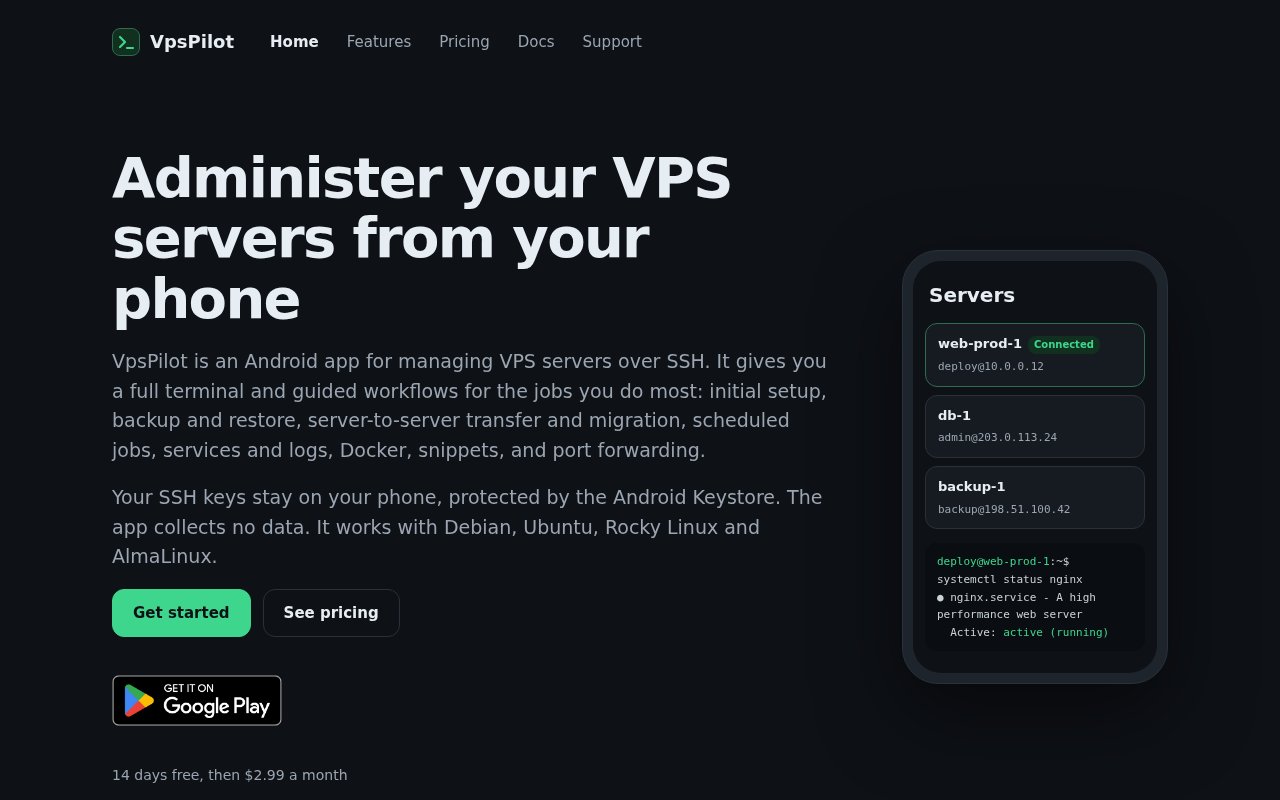
VpsPilot is an Android app for administering Linux virtual private servers over direct SSH. It combines a mobile-friendly terminal with guided workflows for jobs such as initial setup, system updates, backups, service management, Docker operations, deployments, and security checks. The idea is to make short server interventions practical from a phone without hiding what happens on the machine. It is built for people who run their own websites, APIs, containers, or databases and occasionally need to respond while they are away from a laptop. Server transfer and migration workflows are also included for moving a workload rather than only maintaining it in place.
The terminal is designed around the awkward parts of using SSH on a phone. A key row adds Esc, Ctrl, Alt, Tab, arrow keys, Home, and End, so familiar actions such as stopping a process or searching shell history don't depend on a mobile keyboard layout. Multiple servers can remain open at once. When a task is better expressed as a repeatable procedure, guided workflows cover updates, firewall configuration, SSH hardening, and other setup work. VpsPilot shows every command before it runs, keeping the user involved rather than turning server changes into an opaque button press. This review step is especially useful on a small screen, where a mistyped command is harder to spot.
For files and recovery, the app includes SFTP browsing and an editor that retains the previous version when a change is saved. It can back up files and databases, retain a chosen number of copies, and restore data onto a fresh server. Scheduled jobs run on the server itself, so they continue when the phone is off, and failures can reach the phone as notifications. Snippets turn frequently used commands into one-tap actions with values filled in at run time. A history records runs, while snapshots taken before supported changes provide an Undo path if a configuration edit causes trouble. Backup scheduling happens on the server, which means protection doesn't depend on the Android app staying open or the handset remaining connected.
VpsPilot also covers common application operations. It can start and stop Docker containers, read container logs, and work with systemd services. Git deployment support connects an account, lets the user choose a repository, then pulls, builds, and restarts the application. Port forwarding is available for reaching services through SSH. A security check reviews open ports, SSH settings, updates, and failed logins, with guided fixes for detected issues. Long-running actions can continue after the user leaves the screen, and the app asks for confirmation before risky steps. A Running now view tracks active work so leaving a screen doesn't make an operation disappear from view.
The security model keeps the management connection between the phone and the server. Private SSH keys remain on the device and are protected by Android Keystore, with the app designed so those keys can't be exported. Saved tokens and other secrets are encrypted locally and sent to the server without placing them in the command line or shell history. The product says it has no account, advertising, or tracking, and it collects no data. An encrypted export can move servers, snippets, and recipes to a new phone without relying on a hosted VpsPilot account. That export and import path also lets a user preserve app configuration when changing Android devices.
The app supports Debian, Ubuntu, Rocky Linux, and AlmaLinux servers that can be reached over SSH. That makes it a practical fit for solo developers, self-hosters, and small operators with a handful of conventional Linux VPS instances. It can help restart a failed container, inspect logs, apply a vetted update, restore a backup, or deploy a small project while away from a desk. It isn't positioned as a fleet control plane for a large operations team. Its strength is turning the repeated work of personal server administration into readable mobile steps while keeping a real terminal nearby.
What separates VpsPilot from a generic Android SSH client is the combination of reviewable workflows and recovery features. A plain terminal provides full control but doesn't automatically preserve a configuration before an edit or remind the user to validate a service. VpsPilot builds those safer habits into supported jobs and still exposes the commands for inspection. Access begins with a 14-day free trial, after which the published price is $2.99 per month or $19.99 per year. There is no ongoing free plan listed, and the product is Android only, so people who need iPhone access or centralized team management will need a different option.
Key Features
- Mobile-friendly SSH terminal
- Reviewable guided server workflows
- Encrypted file and database backups
- Docker and systemd management
- Configuration snapshots with undo
- Android Keystore key protection
Pros & Cons
What we like
- Shows commands before running guided changes
- Keeps SSH keys protected on the phone
- Covers terminal and routine admin workflows
- Scheduled jobs continue with the phone off
Room for improvement
- Available only on Android
- Supports four named Linux distributions
- No permanent free tier
- Narrower than a team fleet platform
Frequently Asked Questions
What is VpsPilot?
Where does VpsPilot keep SSH keys?
Which servers does VpsPilot support?
Is VpsPilot free?
Best For
Featured in
Alternatives to VpsPilot
View allMongoDB Atlas
The fully-managed cloud version of MongoDB with built-in search, vector search, time series, and serverless tiers.
Hetzner
High-performance European cloud hosting at unbeatable prices

Railway
Deploy apps to production infrastructure in seconds
Cloudflare Pages
Free Jamstack hosting on Cloudflares edge with unlimited bandwidth and tight integration with Workers.
Reviews (0)
Badge builder
Add VpsPilot to your website
Choose a badge style and size, preview it here, then copy the generated HTML. Badge images are self-contained SVGs and do not require an external script.

<a href="https://toolindex.net/tools/vpspilot?ref=badge" target="_blank" rel="noopener">
  <img src="https://toolindex.net/badge/vpspilot/medium.svg" alt="VpsPilot - Listed on Tool Index" width="180" height="50" />
</a>How to use the badge
- 1. Pick the style, size, and theme that fit your layout.
- 2. Copy the generated HTML from the code block.
- 3. Paste it into your footer, homepage, or press page.
Standard badge available
The standard listing badge is available now. Score and circle badges are limited to tools currently ranked in the top 10 of a category.
Badge clicks return visitors to this profile with a referral tag so the source remains identifiable.
Related Tools

Coolify
Self-hostable, open source alternative to Heroku and Netlify
Hetzner
High-performance European cloud hosting at unbeatable prices

Upstash
Serverless Redis, Kafka, and QStash for modern applications

Heroku
The original git-push PaaS. Owned by Salesforce, still kicking, still the easiest way to deploy a Rails or Django app.
Work on VpsPilot? Request listing access or correction