
Willow Voice
AI dictation that turns speech into clean, formatted text in any app
Gallery
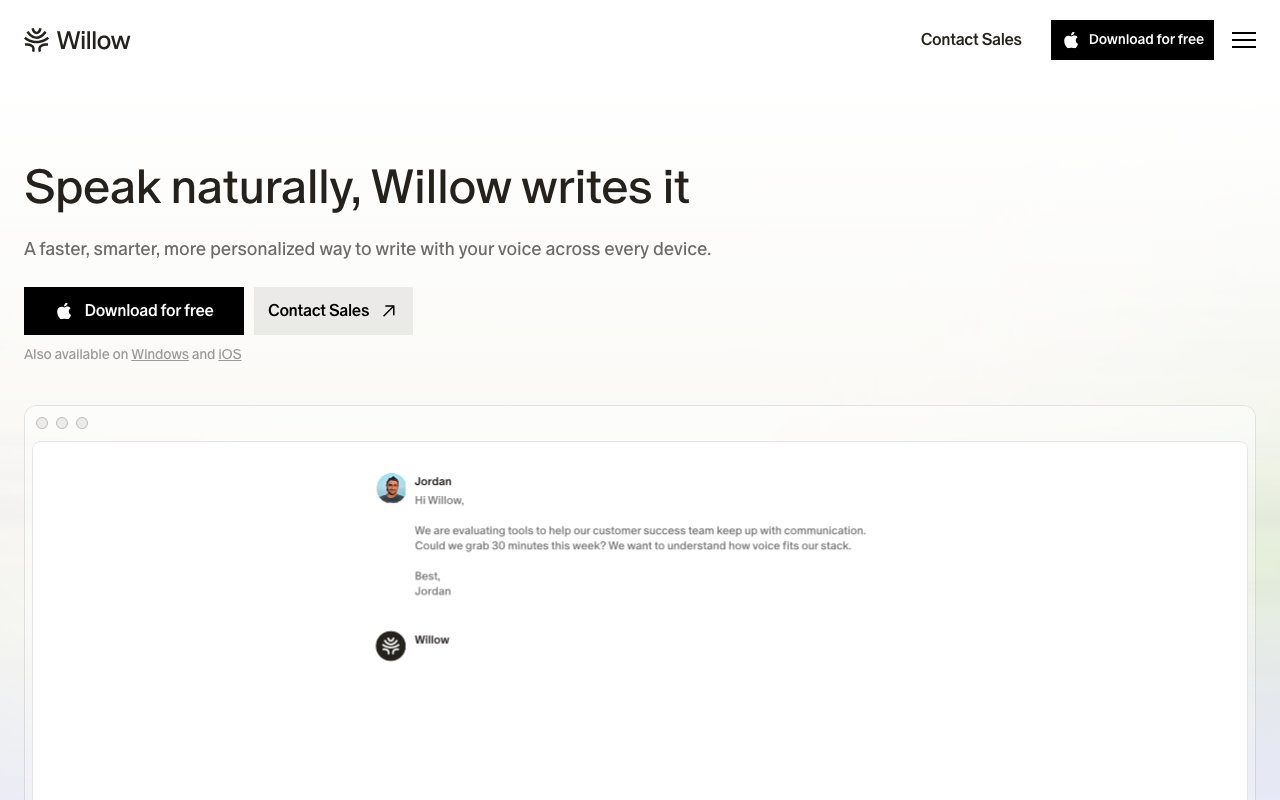
About Willow Voice
Willow is an AI dictation app that turns spoken words into finished text inside whatever application you're already working in. You drop your cursor into a text field, hold a hotkey, talk the way you'd talk to a coworker, and let go. The words show up cleaned up, punctuated, and stripped of the ums and false starts that usually make raw transcription useless. The premise is simple, most people think faster than they type, so the real bottleneck for email, Slack, docs, and even code comments is the keyboard rather than the idea itself.
What makes Willow more than a novelty is that it lives quietly in the background across your whole desktop and phone instead of inside one editor. It works anywhere you can type, which in practice covers Slack, Gmail, Notion, Cursor, iMessage, and any other field that accepts text. Under the hood it runs on two speech models. A lighter model called Frontier Mini powers the free tier, and a stronger model called Frontier Pro handles the paid plans. Beyond plain transcription, Willow reformats as you speak, cutting filler words and fixing punctuation so what lands reads like a written sentence and not a transcript of one. The app itself is a lightweight menu-bar and hotkey layer, so it stays out of the way until the moment you actually want to speak.
Several touches push it past basic voice typing. It gradually learns your writing style and tone, so the output starts to sound like something you would have typed yourself rather than a robotic readout. An auto-learning dictionary remembers names, product terms, and abbreviations it has seen before, which is exactly the spot where generic speech-to-text tends to fall apart. A Scribe feature lets you save phrases you reach for constantly and insert them by voice, and a whisper mode is built to cope with background noise and uneven pacing. It also handles more than a hundred languages and switches between them without you touching a setting, which is useful for anyone who works in two languages during the same day.
The intended user is anyone who writes all day and wants to move faster, and the site backs that up with a claim of more than 100,000 professionals on board, plus named users at companies like Reddit, HubSpot, Yelp, Gusto, and Instacart. For teams and regulated work the security story carries real weight. Willow is SOC 2 Type II certified, offers HIPAA compliance on higher tiers, and advertises zero data retention, meaning your audio and text aren't kept around after the words are delivered. There's also an offline mode, so dictation keeps working even when the connection drops, which matters for anyone handling sensitive material away from a desk.
Getting started is light. You install the app on Mac, Windows, or iPhone, pick a hotkey, and begin talking into any field. Nothing has to be copied out of a separate window, since the text drops straight where your cursor already sits. Over the first week it starts absorbing the words and names you use most, which is when the accuracy claims begin to hold up in everyday use rather than just in a demo. The company frames the payoff as roughly four times faster writing and around five hours reclaimed each week, and while those numbers are marketing figures, the underlying pitch is that talking beats typing for most short-form writing.
Where Willow tries to separate itself is speed and cleanup rather than raw word accuracy alone. It claims text can appear in as little as 200ms and that it's noticeably sharper than the dictation already built into your operating system. The style-matching and the personal dictionary are the parts that actually change the workflow, since they are what turn a block of transcribed speech into a message you can send without a second editing pass. For people who dictate long passages, the increased dictation length on paid plans removes the usual cap that cuts you off mid-thought.
Access is freemium. The free tier asks for no card and includes the lighter Frontier Mini model, limited personalization, and 20 Scribe uses a week. Individual Pro is $15 a month, or $12 with annual billing, and unlocks the stronger Frontier Pro model, priority transcription, unlimited Scribe, and the writing-style memory. Team Pro runs $12 per seat a month with a three-seat minimum and adds centralized billing, admin controls, and team-wide personalization. An Enterprise tier is custom priced and layers on full SOC 2 and HIPAA compliance, zero data retention, and dedicated support for organizations that need it. Billing is per user, so a single person can stay on the free tier indefinitely and only move up when the weekly Scribe cap or the lighter model starts to get in the way.
Key Features
- Dictation in any text field
- Automatic filler-word removal
- Writing-style personalization
- Auto-learning custom dictionary
- Support for 100+ languages
- SOC 2 and HIPAA compliance
Pros & Cons
What we like
- Works across any app you already type in
- Turns messy speech into clean, formatted text
- SOC 2 Type II certified with zero data retention
- Free tier available without a credit card
Room for improvement
- Strongest speech model is limited to paid plans
- Team plan requires a minimum of three seats
- Covers Mac, Windows, and iPhone but not Linux or Android
- Transcription quality still depends on your mic and surroundings
Frequently Asked Questions
What is Willow Voice?
Is Willow Voice free?
Who is Willow Voice for?
How is Willow different from built-in dictation?
Best For
Featured in
Alternatives to Willow Voice
Trello
The kanban board that taught the rest of the industry what a card was

CalendHub
Smart scheduling and calendar management for teams

Confluence
Atlassian's long-running team wiki that anchors many enterprise knowledge stacks
Kibu
Vertical software for disability service providers covering compliance, documentation, and programming
Reviews (11)
Finally something that fits
Three months of Willow Voice later, here is what holds up. The output quality holds up better than I expected. Performance has been steady even when I lean on it hard. Worth it for what I get out of it.
Finally something that fits
Have been running Willow Voice for a while, here is where I land. Where it really wins is automatic filler-word removal. Easy yes for anyone weighing the same trade offs.
Recommended without reservation
Willow Voice solves a real problem for me without making a fuss about it. The automatic filler-word removal is more useful than I expected. The core workflow is smooth once you are set up. Mostly using it for capturing long-form thoughts across apps quickly.
Worth a look
Started using Willow Voice casually, now it is pinned in my dock. What stands out is how it handles auto-learning custom dictionary. Found it works best for dictating notes and docs without typing. Recommending it to people in a similar spot.
Solid daily driver
Three months of Willow Voice later, here is what holds up. The thing I keep coming back to is how reliable it is. It earns its place in my stack.
Worth a look
Started using Willow Voice casually, now it is pinned in my dock. Got real value out of dictation in any text field. No regrets so far.
Pulled its weight from week one
Willow Voice has quietly become part of my daily flow. Support actually answered when I had a question, which surprised me. The defaults are sensible, so I was not fighting settings on day one. It earns its place in my stack.
Exactly what I needed
Willow Voice has quietly become part of my daily flow. The interface stays out of my way, which I appreciate. It just works, day after day, without surprises. Would sign up again without thinking twice.
It just works
Started using Willow Voice casually, now it is pinned in my dock. The soc 2 type ii certified with zero data retention is more useful than I expected. It handles the boring parts so I can focus on the work that matters. It fits well for writing code comments and prompts hands-free. Worth it for what I get out of it.
Quietly excellent
Picked Willow Voice for the price, stayed for the quality. What stands out is how it handles writing-style personalization. The core workflow is smooth once you are set up. Found it works best for writing code comments and prompts hands-free. Recommending it to people in a similar spot.
Pulled its weight from week one
Came to Willow Voice after getting frustrated with what I had before. What stands out is how little babysitting it needs. Worth it for what I get out of it.
Badge builder
Add Willow Voice to your website
Choose a badge style and size, preview it here, then copy the generated HTML. Badge images are self-contained SVGs and do not require an external script.

<a href="https://toolindex.net/tools/willow-voice?ref=badge" target="_blank" rel="noopener">
  <img src="https://toolindex.net/badge/willow-voice/medium.svg" alt="Willow Voice - Listed on Tool Index" width="180" height="50" />
</a>How to use the badge
- 1. Pick the style, size, and theme that fit your layout.
- 2. Copy the generated HTML from the code block.
- 3. Paste it into your footer, homepage, or press page.
Standard badge available
The standard listing badge is available now. Score and circle badges are limited to tools currently ranked in the top 10 of a category.
Badge clicks return visitors to this profile with a referral tag so the source remains identifiable.
Related Tools
Confluence
Atlassian's long-running team wiki that anchors many enterprise knowledge stacks
Asana
Project management for teams that live in projects, tasks and dependencies
Kevin Gabeci Toolkits
Seven AI toolkits for writing books, making music, cutting video, and building agents.

Logseq
An open-source outliner notes app where every bullet is a first-class block
Work on Willow Voice? Request listing access or correction