
Workbench
A free always-on cloud terminal you can reach from any SSH client on any device
Gallery
About Workbench
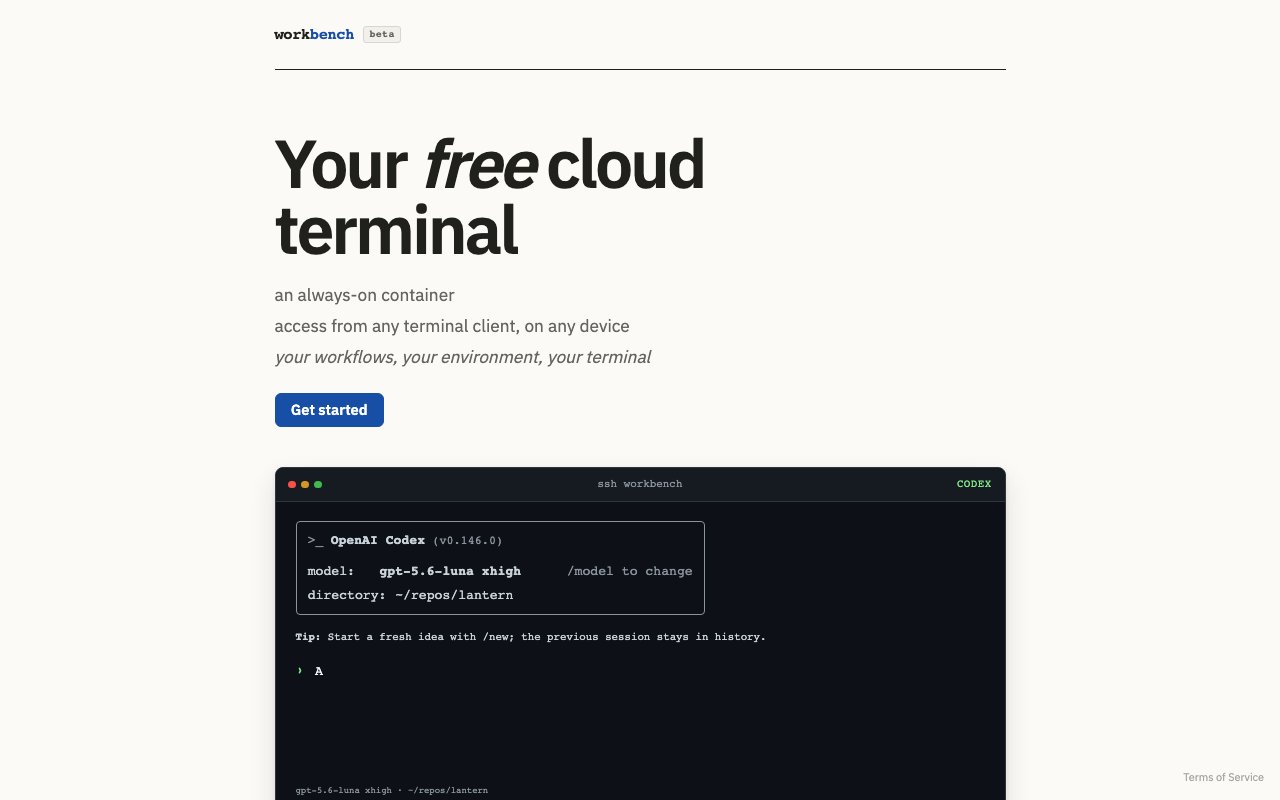
Workbench is a cloud terminal service that gives you an always-on Linux container you can reach over SSH from any terminal client on any device. The pitch is deliberately simple. Instead of a full cloud IDE with an editor, panels, and a browser tab you have to keep open, you get a persistent Debian machine in the cloud, and you connect to it the same way you'd connect to any server, from your laptop's terminal, from an SSH app on a tablet or phone, or from whatever machine happens to be in front of you. It's easier to understand as a persistent personal server with the administration removed than as yet another development environment product.
The container persists between sessions, which is the whole point. Your files, your shell configuration, your cloned repositories, and your running tmux sessions are still there when you come back, so you can start something on a desktop at home and pick the same session up later from a different device. The environment ships as Debian 13 with the essentials preinstalled, ssh, tmux, git, bash, curl, and more, so it behaves like a normal server rather than a locked-down sandbox with a custom shell.
Always-on is the operative phrase. This isn't a container that spins up when you connect and evaporates when you leave. The machine keeps existing while you're away, which is what lets a tmux session started at lunch still be running at midnight, and what makes the service usable as a stable home for anything that needs to keep going while your own hardware sleeps in a bag.
There's also an AI angle. The demo on the site shows integration with Codex, an AI coding assistant, running inside the container, along with preconfiguration for repositories and agents. That positions Workbench as a home for terminal-based AI coding workflows, the kind where an agent needs a persistent machine with your repos already cloned rather than a fresh sandbox that forgets everything between runs. For that use the persistence matters twice over, once for the repositories and once for whatever working state the agent builds up as it goes. Sign-in supports GitHub authentication along with a device flow and one-time codes, which fits the multi-device model, since a phone SSH client can authorize without a password.
The natural audience is developers who want a scratch machine that's always on without renting and maintaining a VPS. That includes people working from an iPad or a locked-down work laptop, people who want long-running jobs like builds or downloads to survive closing the lid, and people running terminal-first AI agents that need somewhere durable to live. If your workflow already lives in tmux and vim, this is your workflow with the hardware problem removed.
The multi-device story is more than a bullet point. Because access is plain SSH rather than a proprietary client, every terminal app already works with it, the built-in terminal on a Mac or Linux box, any Windows SSH client, and the many SSH apps on iOS and Android. The hero copy on the site puts it plainly, your workflows, your environment, your terminal, and the product mostly stays out of the way beyond keeping that machine alive for you.
What makes it different from the crowded cloud development space is the refusal to be an IDE. Codespaces, Gitpod, and similar products organize themselves around a repository and an editor. Workbench organizes itself around a machine. There's no web editor to learn and no per-project workspace lifecycle, just one persistent box that's yours. That makes it less polished for jumping between many projects, but far more natural if what you want is simply a computer in the cloud that answers on port 22.
Access is freemium and the product wears a beta badge. The free tier includes 1 vCPU, 1.5 GB of RAM, and storage the site sizes at roughly 3 to 5 projects, with no payment required. The paid tier is 6 dollars a month for 2 vCPUs, 4 GB of RAM, and room for 8 to 10 projects. Those are modest machines, fine for editing, git work, scripts, and lighter builds, less so for heavy compilation or anything memory-hungry. The site itself is minimal, there's no public documentation or contact address yet, just the landing page, the terms, and the signup flow.
The beta label should set expectations accordingly. Resource tiers and features may shift, and with only a terms page published, questions currently have nowhere official to go. Against that, the service asks for no payment details on the free tier, so the downside of an experiment is bounded at zero dollars, and the cost of finding out whether it fits your workflow is a single SSH command.
Key Features
- Persistent always-on Debian 13 container
- SSH access from any terminal client
- Preinstalled tmux, git, bash, and curl
- Codex AI assistant integration
- Repository and agent preconfiguration
- GitHub, device flow, and OTP sign-in
Pros & Cons
What we like
- Environment and sessions persist between connections
- Works from any device with an SSH client
- Free tier requires no payment details
- No VPS to provision or maintain
Room for improvement
- Still in beta with a very thin site
- No public documentation or contact address yet
- Free tier is limited to 1 vCPU and 1.5 GB RAM
- Terminal-only, no web editor or IDE
Frequently Asked Questions
What is Workbench?
Is Workbench free?
How is Workbench different from Codespaces or Gitpod?
Who is Workbench for?
Best For
Featured in
Alternatives to Workbench
MongoDB Atlas
The fully-managed cloud version of MongoDB with built-in search, vector search, time series, and serverless tiers.
Hetzner
High-performance European cloud hosting at unbeatable prices

Railway
Deploy apps to production infrastructure in seconds
Cloudflare Pages
Free Jamstack hosting on Cloudflares edge with unlimited bandwidth and tight integration with Workers.
Reviews (0)
Badge builder
Add Workbench to your website
Choose a badge style and size, preview it here, then copy the generated HTML. Badge images are self-contained SVGs and do not require an external script.

<a href="https://toolindex.net/tools/workbench?ref=badge" target="_blank" rel="noopener">
  <img src="https://toolindex.net/badge/workbench/medium.svg" alt="Workbench - Listed on Tool Index" width="180" height="50" />
</a>How to use the badge
- 1. Pick the style, size, and theme that fit your layout.
- 2. Copy the generated HTML from the code block.
- 3. Paste it into your footer, homepage, or press page.
Standard badge available
The standard listing badge is available now. Score and circle badges are limited to tools currently ranked in the top 10 of a category.
Badge clicks return visitors to this profile with a referral tag so the source remains identifiable.
Related Tools

Coolify
Self-hostable, open source alternative to Heroku and Netlify
Hetzner
High-performance European cloud hosting at unbeatable prices

Upstash
Serverless Redis, Kafka, and QStash for modern applications

Heroku
The original git-push PaaS. Owned by Salesforce, still kicking, still the easiest way to deploy a Rails or Django app.
Work on Workbench? Request listing access or correction