Affinity Designer
Professional vector and raster illustration app with one-time pricing, native apps on Mac, Windows, and iPad.
Gallery
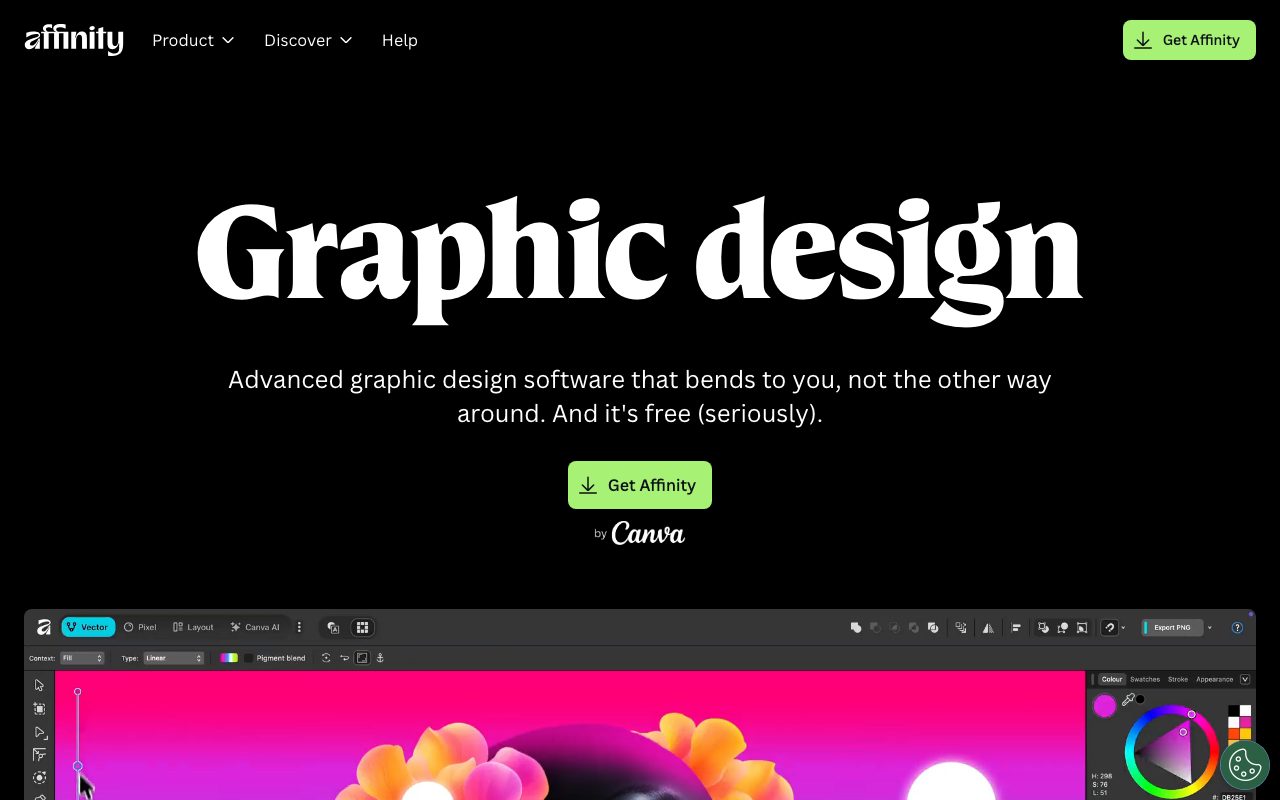
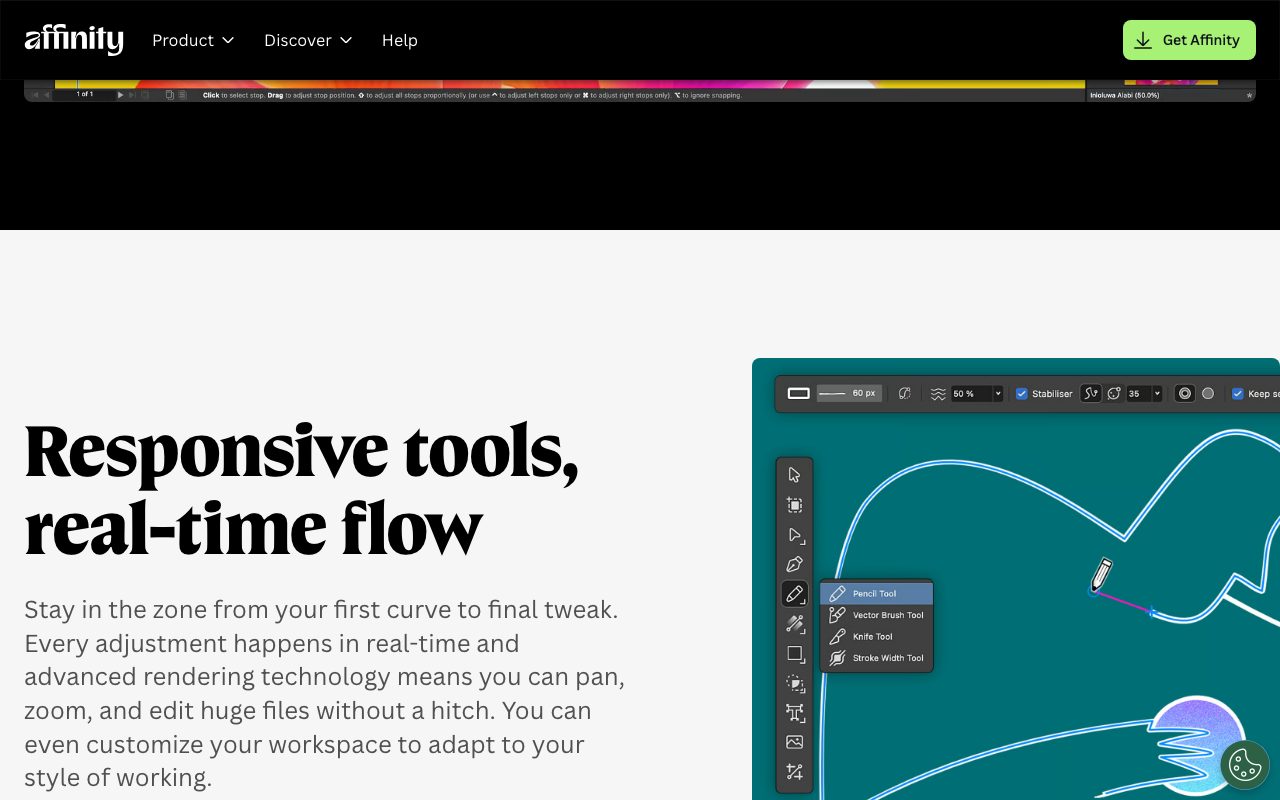
About Affinity Designer
Affinity Designer is a one-time-purchase vector and pixel design app from Serif. It runs on macOS, Windows, and iPad. Photoshop and Illustrator users moved here when Adobe pushed everyone onto subscriptions.
The pitch is simple. You pay once, you own it forever. No monthly bills, no Creative Cloud installer eating your RAM at boot.
Affinity Designer 2 ships with a unified workflow that mixes vector and raster work in the same document. You can place a Photoshop file, draw vectors over it, and export the whole thing without round-tripping between apps.
What Affinity Designer actually does
Affinity Designer is built around personas. You toggle between a vector persona for Bezier work and a pixel persona for raster painting. That mode-switch trick is rare in design tools.
It handles logo design, icon sets, marketing layouts, UI mockups, illustration, and packaging artwork. Designers use it for brand systems, posters, app icons, and full magazine spreads.
Files open fast. Pan and zoom stay smooth even on 300 DPI A1 canvases with thousands of objects. That GPU-accelerated engine is one reason Affinity Designer keeps showing up on hardware where Illustrator stutters.
Who Affinity Designer is for
Freelance designers who hate subscription fatigue are the obvious crowd. Indie illustrators love it for the persona switching. Studios on tight budgets like the per-seat math.
It's also the rare pro tool that doesn't gate you behind a perpetual rental. Students and hobbyists who only ship a few projects per year save real money compared to Adobe.
If your team relies on tight Illustrator file handoffs with print bureaus, you'll still hit small compatibility issues. Most freelancers can ignore them.
Pricing breakdown
Affinity Designer 2 costs around $70 for the desktop version. The iPad version is roughly $19. The Affinity V2 Universal License bundles Designer, Photo, and Publisher for all platforms at about $165.
That bundle is a steal. Three pro apps across mac, Windows, and iPad for less than two months of Creative Cloud All Apps.
There's a free trial. Upgrades to future major versions cost extra, but you keep using the version you bought forever.
Standout features
The persona system is the headline feature. You can drop into pixel mode mid-vector to retouch a placed photo without launching another app.
Constraints, symbols, and a non-destructive boolean operations panel make icon work fast. The asset panel keeps brand libraries close.
Live vector preview during transforms feels great. The pencil and contour tools are sharp enough for serious illustration.
Honest tradeoffs
Plugin ecosystem is thin. Illustrator has decades of third-party scripts and extensions. Affinity has barely any.
Variable fonts, certain SVG quirks, and complex Pantone workflows still need workarounds. Studios doing daily print proofs sometimes keep Illustrator around just in case.
Auto-save works, but cloud sync isn't a built-in like Adobe's. You'll want a local backup workflow.
If you've ever opened Illustrator just to tweak a logo and felt the subscription rage, Affinity Designer is the cure.
Affinity Designer vs Illustrator vs Figma
Illustrator is the industry standard with the deepest plugin library. Figma is browser-first and built around real-time collaboration. Affinity Designer is the desktop pro app for people who want to own their tools.
For UI work, see our best UI design tools roundup. Vector-curious shoppers should check the Illustrator alternatives page. We also keep a Affinity vs Figma comparison for context.
Other Affinity Designer alternatives worth a look: Sketch, Inkscape, and Vectornator. Each fills a slightly different niche.
Bottom line on Affinity Designer
Affinity Designer earned its reputation by being honest about pricing and serious about performance. It's not trying to be everything Adobe is. It's trying to be the parts you actually use.
For freelancers, students, and shops tired of CC's monthly drip, Affinity Designer is the easiest switch. Browse more options in our tools for freelance designers list and our Sketch profile.
One-time pricing, real GPU performance, and a friendly UI. Affinity Designer keeps winning quiet converts year after year.
Affinity Designer for icon design and branding
Icon designers and brand identity studios are some of Affinity Designer's most loyal users. The persona switching makes building a full app icon set fast. You draw clean vector glyphs, hop into pixel persona for a quick anti-aliased preview, and export at any size.
The asset panel keeps your component library at hand. Drop a logomark into the asset panel, then drag instances into any document later. It's the closest the app gets to a Figma-style component library.
For brand work, the symbols feature lets you reuse layers across artboards. Update the master and every instance updates. That's a real productivity unlock for guidelines documents.
Print and prepress workflows in Affinity Designer
Designers doing real print work get CMYK, spot color, bleed, slug, and PDF/X export out of the box. The print preview persona shows separations and overprints clearly.
Pantone colors are supported but not as deeply as Illustrator. Some print bureaus have specific workflows that still expect Illustrator-native files. Check with your printer before committing.
Multi-page documents work. You can lay out a small brochure or business card spread without launching Affinity Publisher, though Publisher is the better tool for longer documents.
Performance on Apple Silicon and Windows
Affinity Designer 2 is native on Apple Silicon. Performance on M-series Macs is fast even on multi-thousand-object scenes. Pan and zoom stay smooth at 4K resolution.
Windows performance is solid on modern hardware. The same GPU acceleration helps. The iPad version on M-series iPads is genuinely usable for serious illustration work, not just sketching.
Battery life when running Designer on a MacBook Pro is reasonable. It's not as light as Procreate, but it's fine for a full design afternoon away from the wall outlet.
Final word on Affinity Designer
If you've been on the fence about leaving Adobe, Affinity Designer is the gentlest landing pad. Most workflows transfer smoothly. The price is right. Your files are yours forever.
Pair it with Affinity Photo for raster work and Affinity Publisher for layout. The bundle covers most studio needs at a fraction of CC's annual cost.
Affinity Designer extras worth knowing
Designers moving from Illustrator appreciate the boolean operations panel, which keeps source shapes editable until you flatten. That non-destructive flow saves time during logo iteration.
Studio Link, the macOS feature that lets you share Affinity tools across apps, makes Designer feel cohesive with Photo and Publisher. Switching between vector edits and photo retouching is one keystroke.
Affinity's iPad version pairs beautifully with Apple Pencil. Pressure, tilt, and barrel roll all work for vector and pixel personas. Sketch layouts, refine vectors, and finish exports without leaving the iPad.
Multi-document support means you can keep a brand kit, an icon set, and an artwork file open at once. Drag assets between them to compose new work fast.
Affinity's roadmap is community-influenced. The team takes feature requests on its forum seriously, and many improvements ship from user-driven conversations. That feels rare for paid creative software in 2026.
Performance has been stable across multiple versions. Files don't bloat. Renders stay sharp at extreme zoom levels. The engine has aged well.
For more design tool comparisons, browse our best vector design tools roundup. Many readers cross-shop with our Figma and Sketch profiles too.
Affinity Designer FAQ
Is Affinity Designer better than Illustrator? It depends on your workflow. For freelance and indie work, Affinity Designer is often the smarter pick. For agency studios deeply integrated with the rest of Adobe Creative Cloud, Illustrator still wins on plugin depth and team workflows.
Can Affinity Designer open AI files? Yes, with caveats. The PDF-compatible flavor of AI files opens cleanly. Pure AI files require some compatibility tricks. For round-tripping with Illustrator users, exporting through PDF is the safest pattern.
Does Affinity Designer support variable fonts? Variable font support has improved across recent updates. Most modern variable fonts work, though some advanced axes don't render perfectly. Check before committing to a font-heavy project.
Can I use Affinity Designer commercially? Yes. The license allows commercial use with no royalties. Buy once, use it for client work, sell what you create. Simple terms, no surprises.
What about cloud sync? Affinity has cloud document storage in beta on iPad. Desktop sync isn't built-in like Adobe's Creative Cloud Files. Most users handle sync via iCloud, Dropbox, or Google Drive. Not as seamless as Adobe but workable.
Affinity Designer has earned its place in the modern designer's toolkit. The persona switching, performance, and pricing model make it a defensible long-term choice. For indie designers and small studios, it's often the smartest pick on the market.
Tips for getting the most out of Affinity Designer
Set up custom keyboard shortcuts early. Affinity ships with sensible defaults, but tweaking them to match your muscle memory from previous tools speeds up the transition meaningfully.
Build a reusable color palette in your studio file. Brand-consistent palettes save you from picking colors fresh each project, and the asset panel keeps them one click away.
Take advantage of artboards. One document with multiple artboards beats juggling several files. Logo variants, social media sizes, and print versions all live in one place.
Leverage the boolean operations panel for icon design. Non-destructive booleans let you tweak source shapes long after assembling the final logo. Iteration becomes painless.
For collaborative work, set up a shared Dropbox or iCloud folder for studio files. Affinity files versionable cleanly, and the team license covers multiple seats. The dance between collaborators is friendlier than CC's licensing model implies.
Affinity's growing community shares brushes, fonts, and templates regularly. Plug into the Affinity Spotlight community for free resources and inspiration from other working designers.
Tutorial / Demo
Key Features
- Combined vector and raster workflow in one document
- Native apps on macOS, Windows, and iPad
- Custom rendering engine for large, complex documents
- Symbols, constraints, and reusable assets
- CMYK and managed color for print production
- One-time purchase with a perpetual license
Pros & Cons
What we like
- Buy once, own forever, with no subscription required
- Genuine cross-platform parity including iPad
- Strong performance on dense, multi-thousand-object documents
Room for improvement
- Smaller plugin ecosystem than Adobe Illustrator
- Roadmap clarity uncertain after Canva acquisition
Frequently Asked Questions
Is Affinity Designer really one-time pay?
Affinity Designer vs Adobe Illustrator, what's the catch?
Does Affinity Designer support both vector and raster?
Can I open .ai or .psd files in Affinity Designer?
Does it run on iPad?
Best For
Featured in
Tags
Alternatives to Affinity Designer
View all
Pixelmator Pro
Mac-native raster and vector image editor with machine-learning enhancements and a one-time purchase price.
Inkscape
Free, open-source vector graphics editor built around SVG, with a deep tool set for illustration, logos, and technical drawing.
Sketch
Mac-native vector design app that pioneered the modern UI workflow with symbols, shared libraries, and a deep plugin ecosystem.
Krita
Free, open-source painting application built by and for digital illustrators, with a brush engine and animation timeline.
Our take
Tool Index Editorial · May 2026· 4.6/5
Affinity Designer is the kind of tool you adopt when you want professional vector and raster illustration app with one-time pricing, native apps on mac, windows, and ipad.
Where it wins: Buy once, own forever, with no subscription required, Genuine cross-platform parity including iPad, and Strong performance on dense, multi-thousand-object documents. Honest gripes: Smaller plugin ecosystem than Adobe Illustrator and Roadmap clarity uncertain after Canva acquisition.
In short: Affinity Designer is a strong pick when you need editorial illustration mixing vector and texture, and a harder sell if smaller plugin ecosystem than Adobe Illustrator would be a dealbreaker.
Editorial opinion from the Tool Index team, written from the public product pages. Not a user review.
Reviews (3)
Stuck the landing for our team
The pitch for Affinity Designer sounded too good to be true. Mostly true. Where it really wins is genuine cross-platform parity including iPad. Found it works best for editorial illustration mixing vector and texture. Honest gripe: smaller plugin ecosystem than Adobe Illustrator.
Pros
- Genuine cross-platform parity including iPad
Worth the price of admission
Got Affinity Designer on the recommendation of someone I trust. The biggest win has been buy once, own forever — no subscription required. Got real value out of one-time purchase with a perpetual license. Main use case: iPad-first sketching that finishes on desktop. Glad I made the switch.
Cons
- Roadmap clarity uncertain after Canva acquisition
- Smaller plugin ecosystem than Adobe Illustrator
Worth the price of admission
Affinity Designer has quietly become part of my daily flow. Genuine strength: buy once, own forever — no subscription required. Their take on one-time purchase with a perpetual license is solid. Sticking with Affinity Designer.
Badge builder
Add Affinity Designer to your website
Choose a badge style and size, preview it here, then copy the generated HTML. Badge images are self-contained SVGs and do not require an external script.

<a href="https://toolindex.net/tools/affinity-designer?ref=badge" target="_blank" rel="noopener">
  <img src="https://toolindex.net/badge/affinity-designer/medium.svg" alt="Affinity Designer - Listed on Tool Index" width="180" height="50" />
</a>How to use the badge
- 1. Pick the style, size, and theme that fit your layout.
- 2. Copy the generated HTML from the code block.
- 3. Paste it into your footer, homepage, or press page.
Standard badge available
The standard listing badge is available now. Score and circle badges are limited to tools currently ranked in the top 10 of a category.
Badge clicks return visitors to this profile with a referral tag so the source remains identifiable.
Related Tools

Apatero Studio
Creator studio for AI image, video, audio, 3D, and avatars. Every model worth using, in one workspace.

Tailwind CSS
Rapidly build custom designs without leaving your HTML
Figma
Collaborative interface design tool

Marvel
Lightweight prototyping platform for turning images and screens into clickable mobile and web prototypes.
Work on Affinity Designer? Request listing access or correction