Sketch
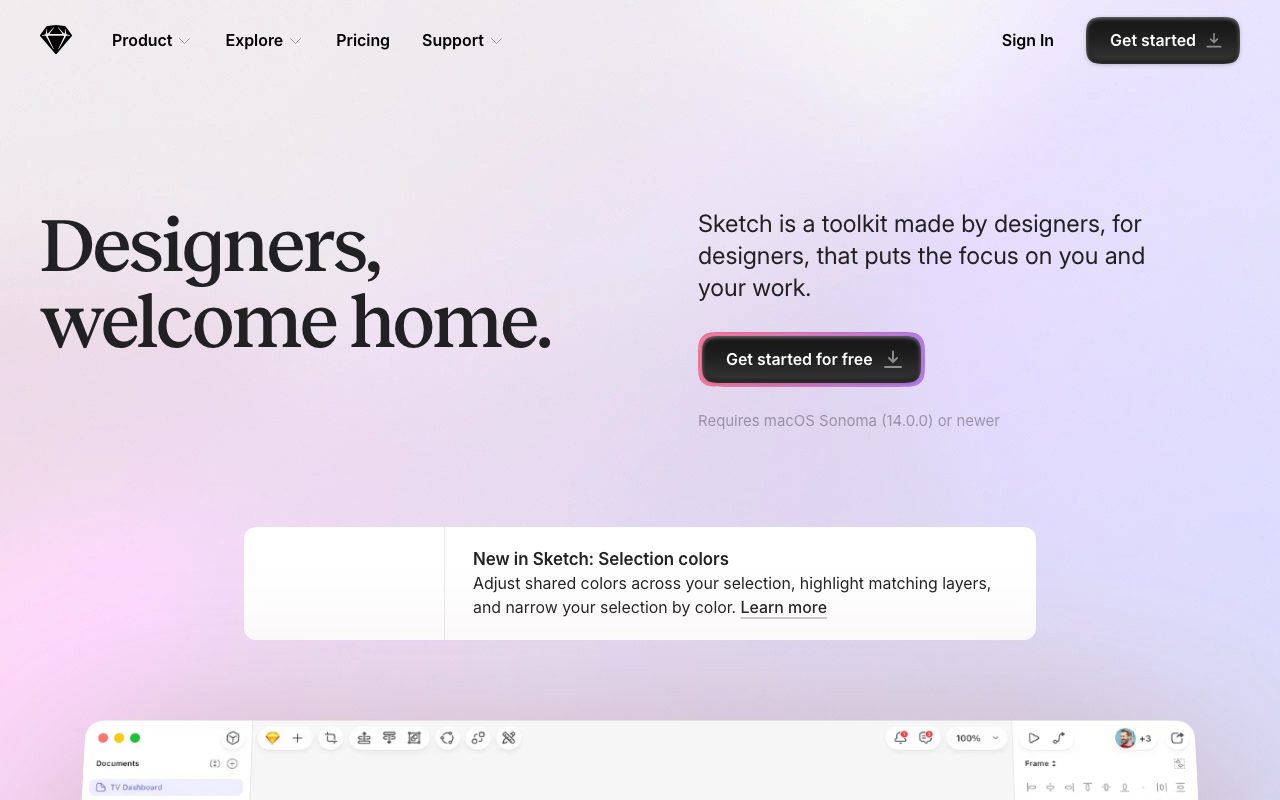
Mac-native vector design app that pioneered the modern UI workflow with symbols, shared libraries, and a deep plugin ecosystem.
Gallery
About Sketch
Sketch is the Mac-native vector design app that defined modern UI workflows for nearly a decade. Symbols, shared libraries, and a deep plugin ecosystem all originated or got popularized here. Then Figma showed up, ate most of the market, and Sketch is now the focused alternative for teams that prefer native software.
For Mac-only teams that don't need real-time multiplayer collaboration, Sketch remains a strong, fast, polished tool. The 2025 and 2026 releases have leaned into web companion features and async collaboration to stay competitive.
What Sketch offers
Sketch is a vector design app focused on UI design, icon work, and digital product design. It runs natively on macOS as an installed app. Files live on your machine or in Sketch Cloud, with optional collaborative inspection and prototyping in browser-based companion views.
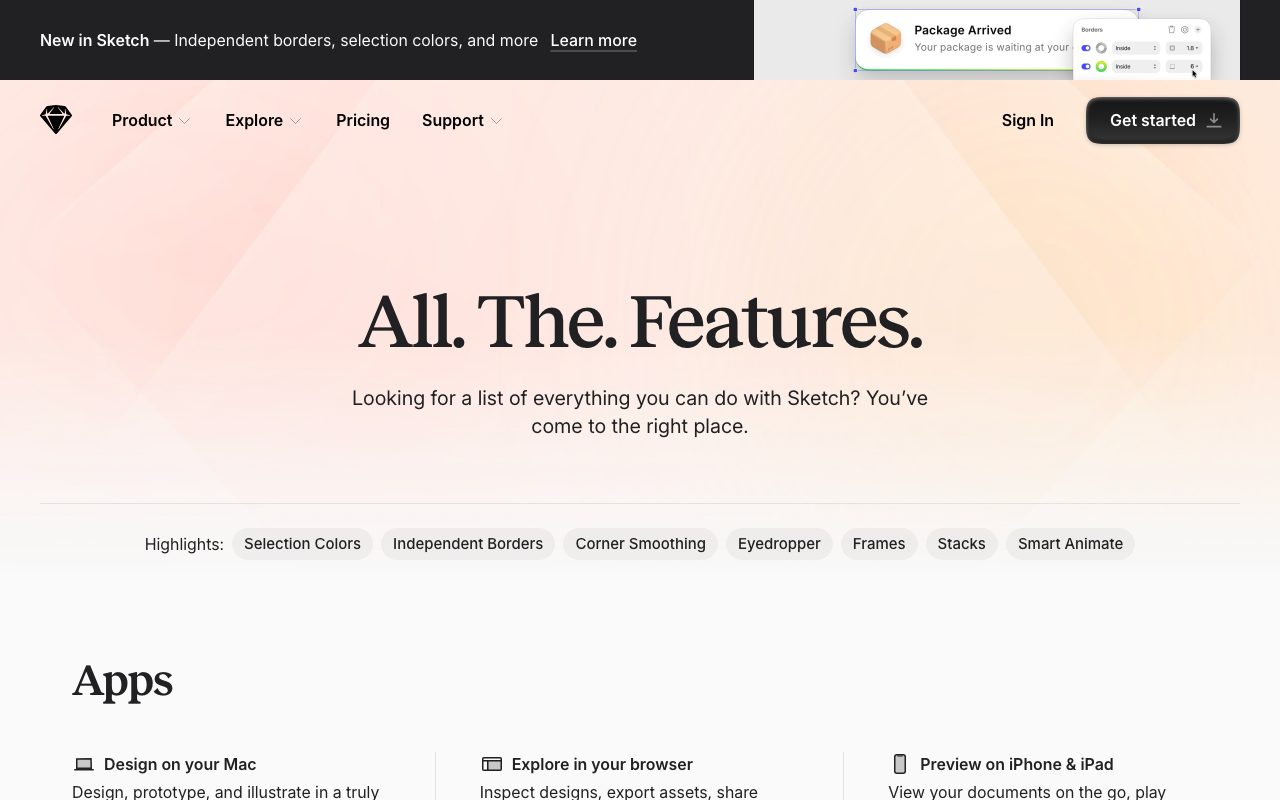
The core capabilities cover artboards, components (called Symbols), shared libraries, prototyping, design tokens, and exporting. The plugin ecosystem extends almost every aspect of the workflow, from icon systems to handoff tools to AI assistants.
Symbols and Libraries
Symbols in Sketch are reusable components that update everywhere when the source changes. Libraries let you share Symbols across files and across teams. The system was the original "design system" tool before that phrase existed, and it's still excellent.
Who Sketch is for
Sketch fits Mac-based design teams that prefer native apps over web tools. Many enterprise teams stay on Sketch because the file format is local, the performance is fast, and the security posture is straightforward. Solo designers and small studios also choose it for the polish.
Sketch isn't a fit for teams that need real-time co-editing across operating systems. Figma owns that use case decisively. If half your team is on Windows or Linux, Sketch is structurally wrong.
Sketch pricing
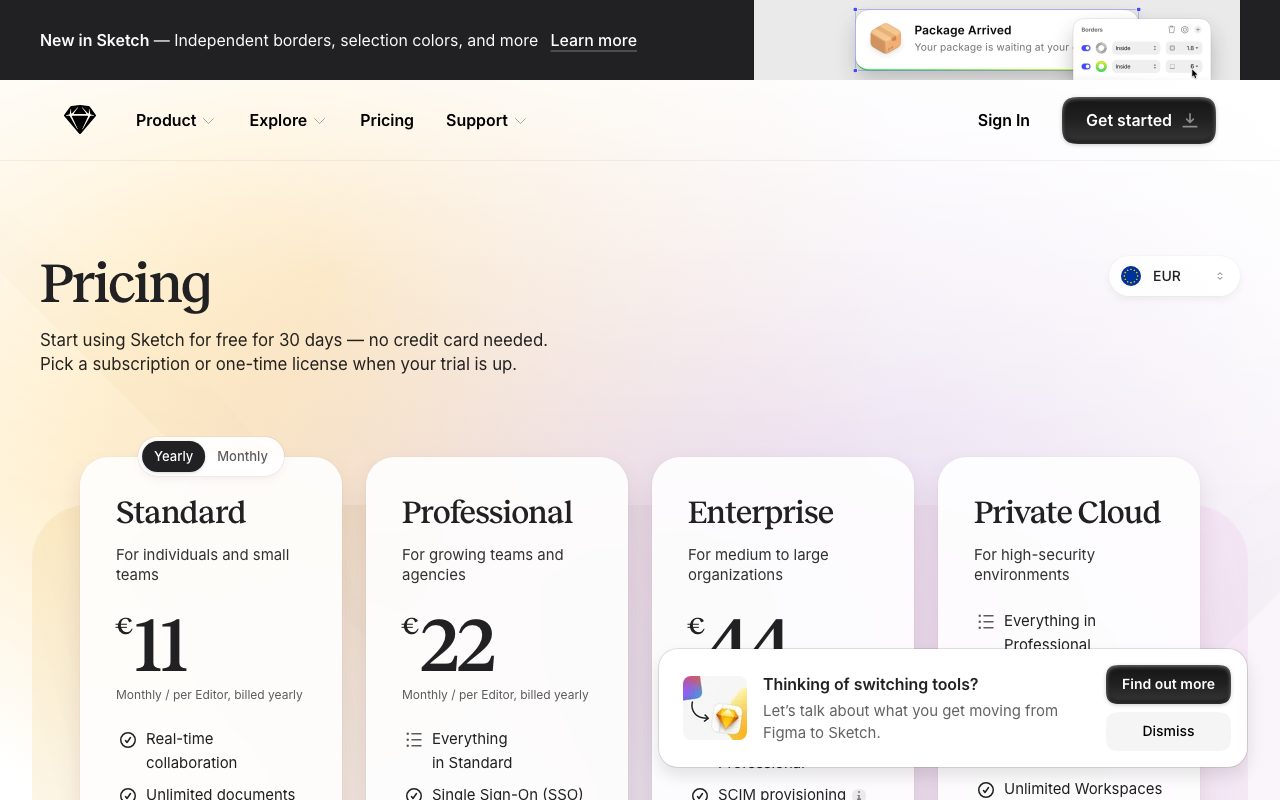
Sketch sells on a subscription model that's friendlier than most. Standard is $120 per editor per year, billed annually. That includes a Mac app license, web companion features, and one year of updates. After the year, you keep the app version you have indefinitely; you only pay again to get newer versions.
Business plans add SSO, advanced permissions, and admin tools. Education licenses are free with verification. The pricing is significantly cheaper than Figma's per-seat editor model for teams that don't need real-time co-editing.
Sketch features that matter
The Mac-native performance is real. Large files open faster, scroll smoother, and respond more crisply than browser-based tools. For designers who push thousands of layers across dozens of artboards daily, the difference adds up.
The plugin ecosystem covers icon libraries, content generation, handoff to engineering, automated audits, and AI-assisted design. Plugins are written in JavaScript and run inside the app. Many of the most popular ones are free.
Web companion
Sketch's web companion lets non-designers view, comment, and inspect designs without installing the app. Engineers grab CSS or React snippets. Stakeholders leave comments on artboards. The experience isn't as collaborative as Figma's but covers the most common cross-team needs.
Tradeoffs
Sketch lost the cross-platform war. If you're starting a new design team in 2026, Figma is the safer choice unless you have specific reasons to prefer native software. Sketch's market share has shrunk for years, though the company is profitable and active.
Real-time multiplayer editing is limited compared to Figma. Sketch supports async collaboration and view-only sharing well, but two people can't draw on the same artboard simultaneously the way they can in Figma. Some teams genuinely need that and some teams genuinely don't.
Sketch is the right pick for Mac-only teams that value performance and polish over real-time multiplayer. For everyone else, Figma is the path of least resistance.
Sketch vs alternatives
Compared to Figma, Sketch is faster on local files but loses on cross-platform collaboration. The choice usually comes down to whether your whole team is on Mac. Compared to Adobe XD, Sketch is healthier as a product since Adobe wound XD down.
Compared to Penpot, Sketch is more polished and mature; Penpot is open source and free. See our best UI design tools roundup, Figma alternatives guide, and Sketch vs Figma breakdown.
Bottom line on Sketch
Sketch is a strong, focused, native design tool for Mac-based teams. The pricing is fair, the performance is excellent, and the plugin ecosystem still covers most needs. For teams that fit the constraints, Sketch is genuinely better than Figma in daily use.
For most new teams in 2026, Figma's flexibility and platform reach make it the default. Sketch makes sense when the platform constraint is fine, the team values native software, and the pricing math favors per-year licenses over per-seat-per-month subscriptions.
Sketch in 2026 reality check
Sketch's market position has stabilized. The market share losses to Figma slowed in 2024 and 2025. The remaining Sketch user base is loyal and the product continues to ship meaningful updates. Companies that committed to Sketch years ago and built robust design system practices around it generally stay.
The decision for new teams is harder. The default reasonable choice is Figma due to network effects, plugin ecosystem, and cross-platform reach. Choosing Sketch in 2026 requires a specific reason: native performance, file format ownership, Mac-only workforce, or pricing preference for per-year licenses over Figma's per-seat-per-month model.
Sketch design system workflow
Sketch's design system tooling remains excellent. Symbols, Libraries, and design tokens compose into mature systems. Smart Layout handles responsive resizing of components automatically. The Symbols overrides system supports theming, content variants, and state changes cleanly. Many of these features were Sketch innovations that other tools later copied.
Teams running serious design systems in Sketch usually have a dedicated design ops person managing the libraries. Updates propagate cleanly to consuming files when configured well. The ecosystem of plugins around design tokens, code generation, and Storybook integration is mature.
Sketch handoff and developer integration
The handoff to engineering goes through Sketch Cloud's web inspector. Engineers can view designs, copy CSS, get measurements, and export assets without installing the desktop app. The experience is solid, comparable to Figma's developer mode. Plugins like Zeplin extend this further for teams that want a dedicated handoff tool.
Code generation through plugins covers React, SwiftUI, and Flutter to varying degrees of completeness. None produce production-ready code, but they accelerate the initial component scaffolding meaningfully. Teams that take handoff seriously usually invest in custom plugins specific to their stack.
Common Sketch questions
Should I migrate from Sketch to Figma? Depends on your situation. If your team is happy on Sketch, your Mac fleet is consistent, and your design system works well, there's no urgent reason. If you're hiring across platforms, collaborating real-time matters, or struggling with design ops, Figma's case strengthens.
How is the Mac-native performance advantage? Real but smaller than it used to be. Figma has improved performance significantly over the years. On a modern Mac with reasonable file sizes, the performance gap is barely noticeable. On older Macs or very large files, Sketch still feels faster.
What about the Windows situation? Sketch is Mac-only and shows no signs of changing that. Companies with mixed-OS design teams either run Sketch on Mac and use Sketch Cloud for cross-platform viewing, or move to Figma. There's no comfortable middle path.
Sketch as a focused alternative
The case for Sketch in 2026 isn't winning the design tool war. It's being the focused, polished, native alternative for teams that fit its constraints. The company is smaller than Figma but profitable and active. Updates ship regularly. The community remains engaged.
For Mac-only teams that prefer software they can hold rather than software that lives in browser tabs, Sketch delivers. The pricing model is friendlier than Figma at scale. The Mac-native experience is genuinely better in many small ways. None of this changes Figma's market dominance, but it explains why Sketch has a stable ongoing customer base.
Final take on Sketch
Sketch has made peace with its position as the focused alternative to Figma. The team isn't trying to win the cross-platform war. They're serving the customer base that values native software, design system maturity, and per-year licensing. That focus has produced a healthy, ongoing business with active development and a loyal community.
The product continues to evolve. Recent releases have improved web companion features, plugin APIs, and design system tooling. The Mac-native performance advantage is smaller than it once was but still real for large files. The pricing model remains friendlier than Figma's per-seat-per-month structure for teams that don't need real-time multiplayer collaboration.
For Mac-only design teams choosing tooling in 2026, Sketch is a legitimate choice rather than a legacy one. The decision usually comes down to specific team constraints: cross-platform requirements (Figma wins), real-time collaboration needs (Figma wins), native performance preference (Sketch wins), per-year pricing preference (Sketch wins). Most teams will land on Figma due to the network effect, but Sketch deserves consideration when the constraints align with its strengths.
Sketch plugin ecosystem and extensibility
The Sketch plugin marketplace remains rich after years of development. Plugins cover icon libraries, design system tooling, content generation, accessibility checking, code generation, and integrations with task tools. Many of the most useful plugins are free and maintained by the community. Some commercial plugins compete directly with paid features in other tools.
The plugin API gives developers deep access to Sketch document structure, layer manipulation, and UI extension. Building Sketch plugins is JavaScript-based and well-documented. Teams with specific design system or workflow needs can build custom plugins to automate their unique processes. That extensibility has historically been one of Sketch's strengths.
For Mac-based design teams considering tooling in 2026, the plugin ecosystem alone justifies serious evaluation of Sketch. The combination of native performance, mature design system features, and extensible plugin architecture creates capabilities that even Figma's broader market doesn't fully match. The right choice depends on team constraints, but Sketch deserves more consideration than its reduced market share might suggest at first glance.
Tutorial / Demo
Key Features
- Vector editing with artboards and infinite canvas
- Reusable symbols and shared component libraries
- Smart layout for responsive component sizing
- Web app for inspection, prototyping, and review
- Plugin API with hundreds of community extensions
- Free unlimited viewers in every workspace
Pros & Cons
What we like
- Mature, deep plugin ecosystem
- Local file ownership with cloud collaboration on top
- Per-editor pricing keeps reviewer costs at zero
Room for improvement
- macOS-only, so Windows and Linux teammates cannot edit
- Real-time co-editing is less fluid than fully cloud-native rivals
Frequently Asked Questions
Sketch vs Figma in 2026?
How much does Sketch cost?
Is Sketch Mac only?
Does Sketch have real-time collaboration?
Does Sketch import from Figma?
Best For
Featured in
Tags
Alternatives to Sketch
View all
Figma
Collaborative interface design tool
Balsamiq
Low-fidelity wireframing tool that intentionally looks hand-drawn so reviewers focus on flows, not pixels.
Affinity Designer
Professional vector and raster illustration app with one-time pricing, native apps on Mac, Windows, and iPad.
Penpot
Open-source design and prototyping platform built on web standards, with a self-hostable server and SVG-native files.
Our take
Tool Index Editorial · May 2026· 4.6/5
Sketch is the kind of tool you adopt when you want mac-native vector design app that pioneered the modern ui workflow with symbols, shared libraries, and a deep plugin ecosystem.
On the strengths side: Mature, deep plugin ecosystem, Local file ownership with cloud collaboration on top, and Per-editor pricing keeps reviewer costs at zero. What to watch for: macOS-only, so Windows and Linux teammates cannot edit and Real-time co-editing is less fluid than fully cloud-native rivals.
In short: Sketch is a strong pick when you need designing native iOS and macOS app interfaces, and a harder sell if macOS-only, so Windows and Linux teammates cannot edit would be a dealbreaker.
Editorial opinion from the Tool Index team, written from the public product pages. Not a user review.
Reviews (6)
Quietly excellent
First impression of Sketch was 'huh, this is actually thought through.' Genuine strength: local file ownership with cloud collaboration on top. Main use case: wireframing and rapid screen exploration on a laptop. Still recommending it to people in similar setups.
Pros
- Per-editor pricing keeps reviewer costs at zero
- Local file ownership with cloud collaboration on top
It just works
Got Sketch on the recommendation of someone I trust. Genuine strength: mature, deep plugin ecosystem. Worth calling out the vector editing with artboards and infinite canvas too. Mostly using it for building and maintaining a multi-product design system. Still recommending it to people in similar setups.
Genuinely impressed
Tried half a dozen options before landing on Sketch. Honestly impressed by how mature, deep plugin ecosystem. Worth calling out the vector editing with artboards and infinite canvas too. It fits well for building and maintaining a multi-product design system. Honest gripe: real-time co-editing is less fluid than fully cloud-native rivals. Still recommending it to people in similar setups.
Solid daily driver
Two quarters of using Sketch, here's what holds up. The biggest win has been mature, deep plugin ecosystem. Reusable symbols and shared component libraries works the way you'd hope. Found it works best for handing off specs and assets to engineering. Glad I made the switch.
Best decision this quarter
Honest take: Sketch delivers most of what the marketing promises. What stands out is how per-editor pricing keeps reviewer costs at zero. Easy yes for anyone weighing the same trade-offs.
Underrated honestly
Almost a year of using Sketch, here's what holds up. Real selling point: per-editor pricing keeps reviewer costs at zero. Mostly using it for handing off specs and assets to engineering. Wish they'd address how macOS-only — Windows and Linux teammates cannot edit. Still recommending it to people in similar setups.
Cons
- macOS-only — Windows and Linux teammates cannot edit
- Real-time co-editing is less fluid than fully cloud-native rivals
Badge builder
Add Sketch to your website
Choose a badge style and size, preview it here, then copy the generated HTML. Badge images are self-contained SVGs and do not require an external script.

<a href="https://toolindex.net/tools/sketch?ref=badge" target="_blank" rel="noopener">
  <img src="https://toolindex.net/badge/sketch/medium.svg" alt="Sketch - Listed on Tool Index" width="180" height="50" />
</a>How to use the badge
- 1. Pick the style, size, and theme that fit your layout.
- 2. Copy the generated HTML from the code block.
- 3. Paste it into your footer, homepage, or press page.
Score badge available
Sketch qualifies for the score and circle badges based on its current top-10 positionin Design.
Badge clicks return visitors to this profile with a referral tag so the source remains identifiable.
Related Tools

Apatero Studio
Creator studio for AI image, video, audio, 3D, and avatars. Every model worth using, in one workspace.

Tailwind CSS
Rapidly build custom designs without leaving your HTML
Figma
Collaborative interface design tool

Marvel
Lightweight prototyping platform for turning images and screens into clickable mobile and web prototypes.
Work on Sketch? Request listing access or correction