
Antifailure
A disposable, production-shaped copy of your app for every pull request, with an open-source engine
Gallery
About Antifailure
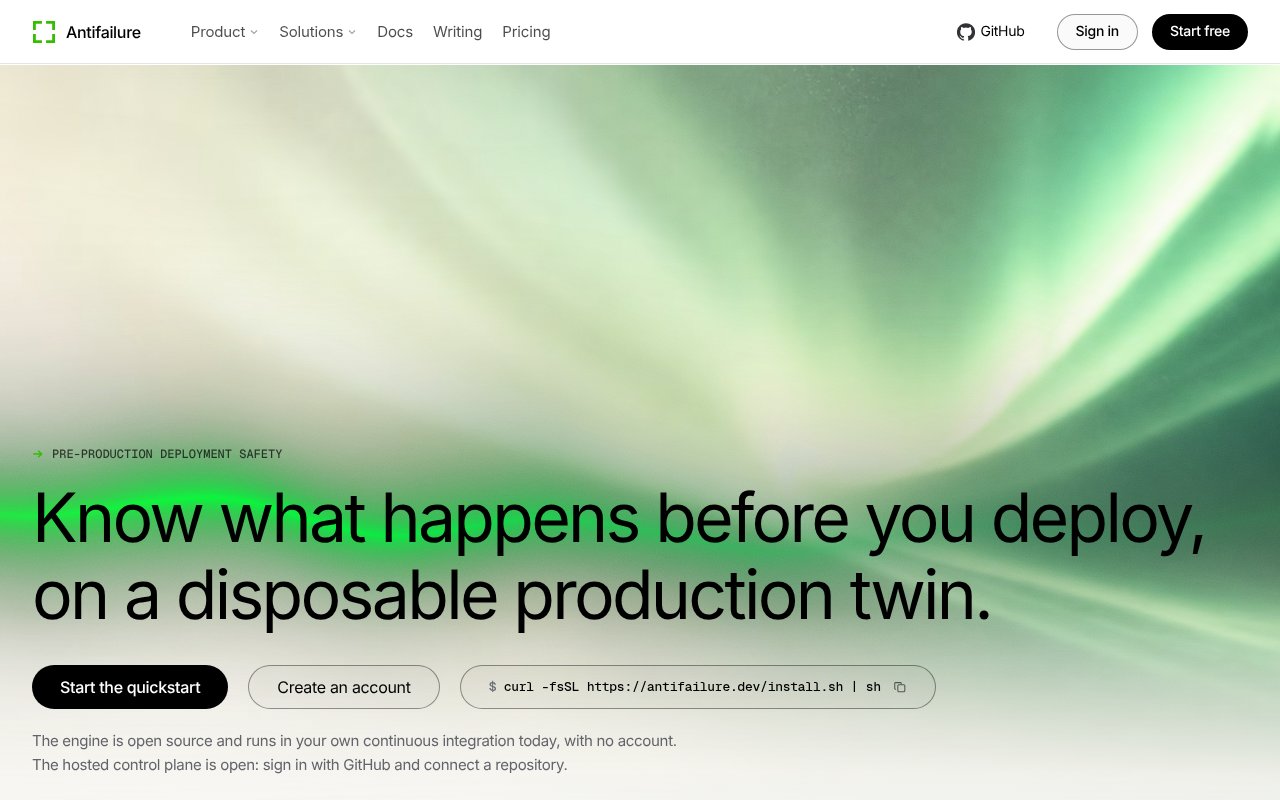
Antifailure builds a disposable copy of production for every pull request, so risky changes get tested against something that behaves like the real thing before customers see them. Each run stands up an isolated twin of the application with sanitised, referentially consistent Postgres data, replaced secrets and credentials, clone-local DNS with no public egress and captured side effects, then tears the whole thing down. The failures it's designed to catch are the ones staging rarely does, including database migrations that take exclusive locks, query plan regressions, table rewrites, and side effects such as a payment call or an email firing in the middle of a test.
The process has four steps. Build the candidate application, restore a sanitised production-shaped dataset the product calls Safe State, contain side effects and egress, and destroy everything afterwards. On the command line that's three commands. af init reads the repository and generates configuration, af up builds the database branch, the services and the network isolation, and af test runs agent-driven workflows against the environment and returns a verdict with evidence, meaning rows read, traces, recordings and reproduction steps rather than a bare pass or fail. Load tests use traffic shaped from real production access logs, so the environment is exercised the way users actually hit it.
Containment is where it's most opinionated. The side-effect firewall fails closed on any destination it doesn't recognise, Stripe is simulated, email is captured and webhooks are blocked, so a test can walk through a billing flow without charging anyone or sending a message. Migration safety measures exclusive locks, hold times, table rewrites and query plans and reports them, which turns the question of whether a migration is safe into numbers. Cleanup is journaled as it happens rather than reconstructed later, and every resource is tracked and verified at teardown, which is what makes running a disposable environment on every pull request tolerable rather than a source of orphaned infrastructure.
It's aimed at B2B SaaS teams that deploy daily, fintech companies where billing and ledger changes need proof, marketplaces with queues, workers and dual writes, and developer tool teams. The trust model is customer-hosted and fail closed, so production data never leaves your boundary, and the hosted control plane is optional. Requirements are modest, Docker for local use, a Node runtime for the agent runner, and optionally a production Postgres connection string for masked copies and a GitHub repository for pull-request checks.
The difference from ephemeral preview environments is the data and the verdict. A preview environment typically boots the app on seed data and tells you it came up. Antifailure runs it on masked production data and tells you what the migration would do to a real table, with evidence attached. The engine is MIT licensed and runs locally with no external communication, with the enterprise code confined to a separate directory under its own licence and absent from downloaded releases. The GitHub repository at antifailure/antifailure shows reproducible builds, signed releases with checksums and an SBOM, close to two thousand commits, and a commitment to API stability from version 1.0, alongside a modest star count that reflects how new it is.
The limits are those of a young, Postgres-centred project. Postgres is the only database the site names, so teams on other engines should check before investing. The workflow assumes Docker and a CI pipeline, and the value depends on feeding it a realistic production shape, since the migration and load results are only as telling as the data behind them. And while the engine is free, the moment you want an organisation-wide view, release policies and retained evidence, the Team tier is the entry point, which is priced for companies rather than side projects.
Access is open source first. The Community plan is $0 and includes the local engine, Docker Compose support, basic Postgres, an MCP server and bring-your-own infrastructure, with no account required and limits of 3 live environments, 24 environment-hours per run and 72 environment-hours per rolling day. Team is a flat $500 a month per organisation rather than per person, and brings the hosted control plane, up to 50 members, included run credits, pull-request checks and execution in your own cloud, with metered environment minutes, data volume and workload execution beyond the included amount. Enterprise runs from $2,000 to $8,000 a month on an annual contract and adds up to 1,000 members, multiple repositories, organisation-wide release policy, evidence retention, fleet management, premium connectors and SLA support. There's no published email, so contact is through the site's form and the GitHub repository.
Key Features
- Sanitised production-shaped Postgres data
- Migration lock and query plan analysis
- Fail-closed side-effect firewall
- Load tests shaped from access logs
- Agent-run workflows with evidence verdicts
- MIT-licensed local engine with MCP server
Pros & Cons
What we like
- Free, open-source engine with no account required
- Production data stays inside your own boundary
- Verdicts come with traces, recordings, and rows read
- Flat per-organisation Team pricing
Room for improvement
- Postgres is the only database the site names
- Hosted control plane starts at $500 a month
- Young project with few GitHub stars so far
- Needs Docker and CI wiring before it pays off
Frequently Asked Questions
What is Antifailure?
Is Antifailure free?
Does production data leave my infrastructure?
How is it different from a preview environment?
Best For
Featured in
Alternatives to Antifailure
View all
Playwright
Microsofts open-source end-to-end browser testing framework for Chromium, Firefox, and WebKit with one API.

Selenium Boot
Java testing framework that brings Spring Boot conventions and Playwright APIs to Selenium

Buildkite
Hybrid CI/CD where the control plane is hosted but the build agents run on your own infrastructure.

Storybook
Open-source workshop for building UI components in isolation. Preview, document, and test them outside the app.
Our take
Tool Index Editorial · Sep 2026· 3.5/5
Antifailure creates a disposable, production-shaped environment where a coding agent can rehearse migrations, user journeys, load, and external side effects before a pull request merges. It is aimed at SaaS, fintech, marketplace, and platform teams whose failures depend on realistic Postgres data rather than seed fixtures. The local MIT-licensed engine is free, while hosted team coordination starts at $500 per organization each month.
We found the evidence model more compelling than the usual preview-environment pitch. Locks, rewritten rows, traces, and teardown proof are useful review material, and fail-closed egress is the correct default around payments and email. Adoption is not light, however. It assumes Docker, Postgres, credible sanitized data, and CI wiring, while the price jumps quickly once shared reporting is needed. Teams should prove one risky migration locally before buying the broader platform.
Editorial opinion from the Tool Index team, written from the public product pages. Not a user review.
Reviews (0)
Badge builder
Add Antifailure to your website
Choose a badge style and size, preview it here, then copy the generated HTML. Badge images are self-contained SVGs and do not require an external script.

<a href="https://toolindex.net/tools/antifailure?ref=badge" target="_blank" rel="noopener">
  <img src="https://toolindex.net/badge/antifailure/medium.svg" alt="Antifailure - Listed on Tool Index" width="180" height="50" />
</a>How to use the badge
- 1. Pick the style, size, and theme that fit your layout.
- 2. Copy the generated HTML from the code block.
- 3. Paste it into your footer, homepage, or press page.
Standard badge available
The standard listing badge is available now. Score and circle badges are limited to tools currently ranked in the top 10 of a category.
Badge clicks return visitors to this profile with a referral tag so the source remains identifiable.
Related Tools

DeviceKit
Free Screen & Device Tests Online | Private Browser Diagnostics

Chromatic
Visual regression testing and review platform built by the Storybook team, with cloud-rendered snapshots and PR integration.
Playwright
Microsofts open-source end-to-end browser testing framework for Chromium, Firefox, and WebKit with one API.

Tests.ws
WebSocket testing tools, protocol guides, and a Chrome extension for developers
Work on Antifailure? Request listing access or correction