DisplayLatch
Control external monitor brightness on your Mac, for free
Gallery
About DisplayLatch
Featured in
Alternatives to DisplayLatch

FlexInference
Deadline-aware LLM router that finds cheaper inference inside the time you allow
Trello
The kanban board that taught the rest of the industry what a card was

Bear
A beautiful Markdown notes app for Apple devices that doubles as a writing tool
Turborepo
High-performance build system for JavaScript and TypeScript monorepos
Our take
Tool Index Editorial · Nov 2026· 4.0/5
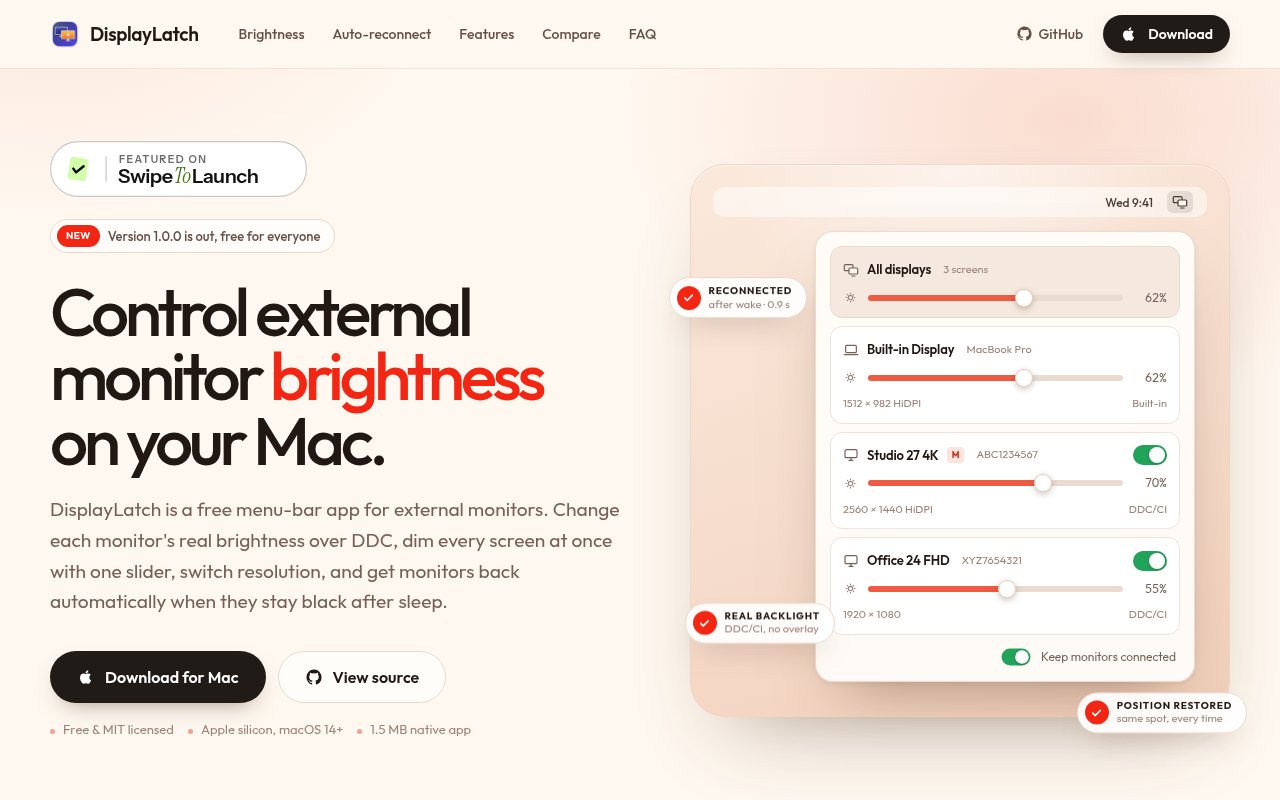
DisplayLatch is a free, MIT-licensed Mac menu bar app for controlling the real backlight on external monitors over DDC/CI. It also groups brightness controls, switches resolutions, remembers arrangements, exposes a command-line tool, and tries to restore displays that stay missing after sleep. That is a strong set of fixes for annoyances macOS still leaves to monitor buttons and cable replugging.
The catch is compatibility. It requires Apple silicon and macOS 14 or later, and real brightness control depends on the monitor supporting DDC/CI properly. Auto-reconnect also touches a fragile part of the display stack, so we'd test it with the exact dock and monitor setup before relying on it. Within those limits, the small native build and no-cost license are compelling.
Editorial opinion from the Tool Index team, written from the public product pages. Not a user review.
Reviews (0)
Badge builder
Add DisplayLatch to your website
Choose a badge style and size, preview it here, then copy the generated HTML. Badge images are self-contained SVGs and do not require an external script.

<a href="https://toolindex.net/tools/displaylatch?ref=badge" target="_blank" rel="noopener">
  <img src="https://toolindex.net/badge/displaylatch/medium.svg" alt="DisplayLatch - Listed on Tool Index" width="180" height="50" />
</a>How to use the badge
- 1. Pick the style, size, and theme that fit your layout.
- 2. Copy the generated HTML from the code block.
- 3. Paste it into your footer, homepage, or press page.
Standard badge available
The standard listing badge is available now. Score and circle badges are limited to tools currently ranked in the top 10 of a category.
Badge clicks return visitors to this profile with a referral tag so the source remains identifiable.
Related Tools

Kevin Gabeci
Solo developer building web apps, cozy browser games, and AI creator toolkits.

Coolify
Self-hostable, open source alternative to Heroku and Netlify

Confluence
Atlassian's long-running team wiki that anchors many enterprise knowledge stacks
Asana
Project management for teams that live in projects, tasks and dependencies
Work on DisplayLatch? Request listing access or correction