Krea AI
Real-time AI creative suite that aggregates 64+ image, video, and 3D models behind one canvas
Gallery
About Krea AI
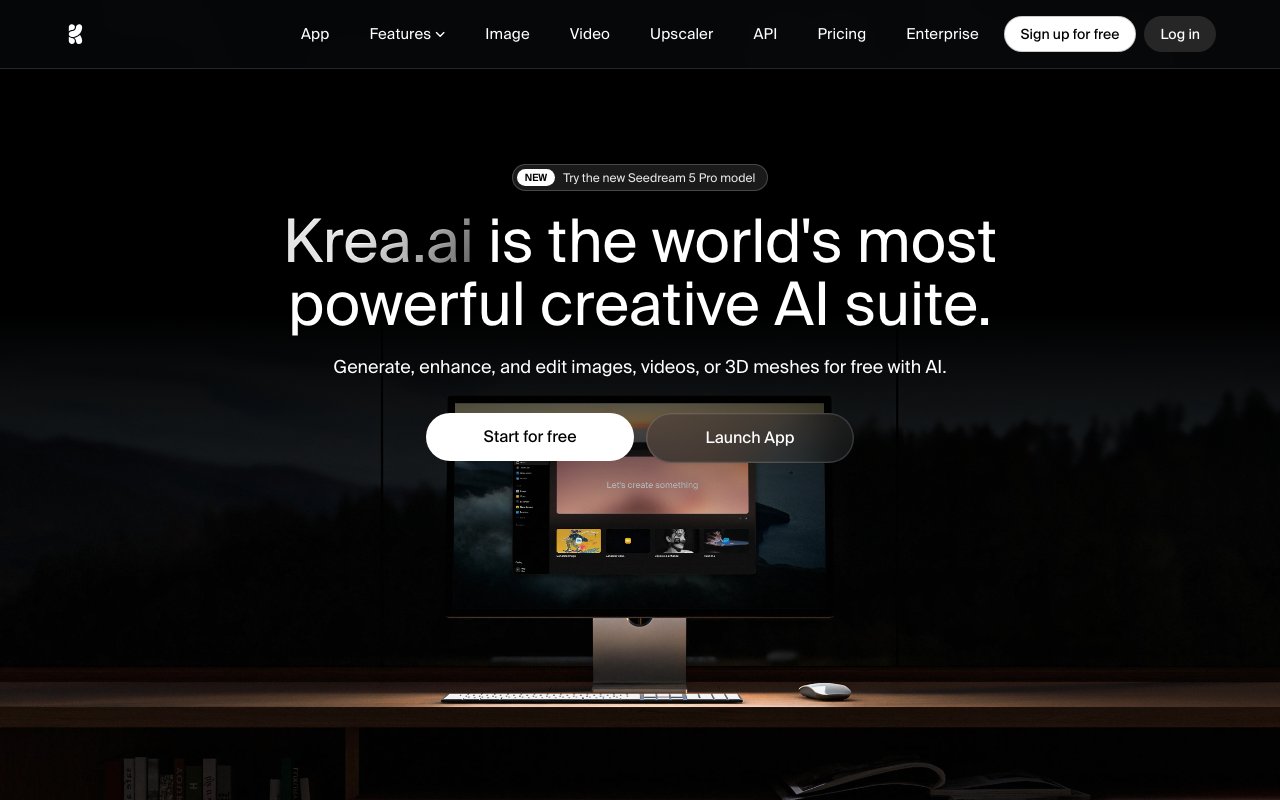
Krea is a browser based creative AI platform that consolidates image generation, video creation, 3D mesh generation, and media enhancement into a single subscription. It's built for people who need to produce visual content quickly without juggling half a dozen separate tools or learning complex interfaces. The platform runs entirely in the browser and requires no software installation, making it accessible from any machine with an internet connection. Over 30 million users across 191 countries have used the service, including teams at Lego, Samsung, Nike, Microsoft, Shopify, and Amazon Studios.
The core of Krea is its generation engine for images. Users can create images from text prompts using over 20 different AI models, including popular options like Flux, Ideogram, and Krea's own proprietary foundation model called Krea 2. The platform supports native 4K resolution output and offers more than 1000 style presets covering everything from photorealistic renders to anime and painterly aesthetics. What sets it apart from typical image generators is the real time canvas feature, which renders changes in under 50 milliseconds. This means you can sketch rough shapes, draw guidelines, or adjust compositions and see AI interpretations update almost instantly. The creative process feels more like drawing than typing prompts and waiting for batch generations to complete.
Video generation pulls from multiple leading models including Veo 3.1, Runway, Kling, and Luma. Users can generate videos from text descriptions or convert still images into motion with consistent character and environment details. The platform supports motion transfer, which lets you apply movement from a reference video onto generated content. Lipsync features synchronize mouth movements to audio tracks. New video models are added regularly, often within days of their public release, so users get access to the latest capabilities without switching platforms or managing multiple subscriptions.
Enhancement tools address common production bottlenecks. Image upscaling reaches resolutions as high as 22K, which is useful for large format printing or archival work. Video upscaling goes to 8K with frame interpolation up to 120fps, smoothing out choppy footage or preparing content for high refresh rate displays. Background removal works on both images and video without requiring manual masking. Generative editing handles more complex changes like object addition or removal, expression adjustments, and lighting modifications while maintaining visual coherence across the frame.
For creators who need consistent output across projects, Krea offers LoRA fine tuning. This lets users train custom models on their own images or videos, whether that's product photography for an ecommerce brand, character designs for a game studio, or a consistent visual style for a marketing campaign. The training happens entirely on Krea's infrastructure, so there's no need to set up local GPU environments or manage compute resources. An asset management system keeps generated content, trained models, and project files organized within the platform.
The interface is deliberately minimal. Krea claims no tutorials are required, which is a bold statement given the breadth of functionality. The design philosophy prioritizes discoverability over feature density, hiding advanced options until they're needed rather than overwhelming new users with every possible setting. For power users who want more control, there's a node based automation system that connects generation, enhancement, and conditional logic steps into reusable workflows. An AI agent feature can execute multi step creative tasks based on natural language instructions.
Pricing starts with a free tier that provides 100 compute units per day. This is enough to experiment with the tools and understand the workflow, but production use requires a paid plan. The Basic tier at $9 per month includes 5000 units and a commercial license for generated content. Pro at $35 per month bumps that to 20000 units and unlocks all video models plus automation features. Max at $105 per month provides 60000 units and unlimited LoRA training with concurrent processing. Business teams can access collaboration features and up to 50 seats at $200 per month with 80000 units. Enterprise pricing is custom and includes dedicated support and custom contractual terms.
Krea also maintains open source versions of its foundation models on GitHub and Hugging Face. Developers who want to self host or integrate the technology into their own pipelines can download the weights directly. For users concerned about data privacy, there's an option to opt out of having proprietary assets used for model training. The speed claims are notable. Krea states it can generate a 1024 pixel Flux image in about 3 seconds, which is faster than most competitors and makes iterative creative work more practical than waiting through longer generation queues.
Key Features
- Real-time canvas that renders as you draw or type, often under 50ms
- Aggregates 64+ models (Flux, Ideogram, Runway, Luma, Veo) plus proprietary Krea models
- Enhance and upscale images up to 22K resolution with native 4K output
- Text-to-video, motion transfer, and video upscaling up to 8K
- Text-to-3D and image-to-3D mesh generation
- LoRA fine-tuning on your own images and 1000+ built-in styles
Pros & Cons
What we like
- One subscription unlocks many top models instead of paying each provider separately
- Real-time feedback makes iterating on composition far faster than queue-and-wait tools
- Covers image, video, and 3D in a single workspace
- Generous free tier with 100 daily compute units and no credit card
Room for improvement
- Free plan grants no commercial license, so paid output is required for client work
- Compute-unit metering means heavy use can drain credits before the daily or monthly refill
- The sheer number of models and settings is a steep learning curve for beginners
- Top resolutions and unlimited concurrency are gated behind the pricier Max plan
Frequently Asked Questions
What is Krea?
Is Krea free?
What is Krea best for?
What makes Krea's real-time generation different?
Best For
Featured in
Alternatives to Krea AI

Freepik AI
AI image generator that aggregates 40+ models inside Freepik's stock and design suite of 250M+ assets
Playground
AI design studio for image generation, logos, social posts, and merch built on multiple swappable models

Leonardo.ai
Image generation suite with fine-tuned models for game and product art

Midjourney
Create stunning AI artwork from text prompts
Reviews (9)
Exactly what I needed
Three months of Krea AI later, here is what holds up. Got real value out of enhance and upscale images up to 22k resolution with native 4k output. What stands out is how little babysitting it needs. It fits well for producing short ai video clips and motion from a single tool.
The kind of tool you forget you are paying for
Krea AI has quietly become part of my daily flow. Where it really wins is lora fine-tuning on your own images and 1000+ built-in styles. It fits well for producing short ai video clips and motion from a single tool. Worth the price for what I get out of it.
Worth the price of admission
Krea AI has quietly become part of my daily flow. It slotted into my routine without much fuss. It just works, day after day, without surprises. Found it works best for concepting and iterating product or marketing visuals in real time. Hard to imagine going back to my old setup.
Best decision this quarter
Krea AI solves a real problem for me without making a fuss about it. Their take on generous free tier with 100 daily compute units and no credit card is genuinely good. Mostly using it for upscaling and restoring low-resolution or old photos to print quality. It earns its place in my stack.
Pulled its weight from week one
Almost a year on Krea AI now, no plans to leave. It has shaved real time off my week. Support actually answered when I had a question, which surprised me. It has been a fit for concepting and iterating product or marketing visuals in real time. No regrets so far.
Two months in, no regrets
Have been running Krea AI for a while, here is where I land. What stands out is how it handles generous free tier with 100 daily compute units and no credit card. Mostly using it for concepting and iterating product or marketing visuals in real time.
Best decision this quarter
Krea AI solves a real problem for me without making a fuss about it. The output quality holds up better than I expected. It fits well for concepting and iterating product or marketing visuals in real time. Worth the price for what I get out of it.
Bought it for one feature, stayed for ten
Found Krea AI on a Reddit thread and I am glad I clicked. The text-to-video, motion transfer, and video upscaling up to 8k is more useful than I expected. Found it works best for upscaling and restoring low-resolution or old photos to print quality. Glad I made the switch.
Onboarded the team in a day
Came to Krea AI after getting frustrated with what I had before. The interface stays out of my way, which I appreciate. Mostly using it for upscaling and restoring low-resolution or old photos to print quality. Would sign up again without thinking twice.
Badge builder
Add Krea AI to your website
Choose a badge style and size, preview it here, then copy the generated HTML. Badge images are self-contained SVGs and do not require an external script.

<a href="https://toolindex.net/tools/krea?ref=badge" target="_blank" rel="noopener">
  <img src="https://toolindex.net/badge/krea/medium.svg" alt="Krea AI - Listed on Tool Index" width="180" height="50" />
</a>How to use the badge
- 1. Pick the style, size, and theme that fit your layout.
- 2. Copy the generated HTML from the code block.
- 3. Paste it into your footer, homepage, or press page.
Score badge available
Krea AI qualifies for the score and circle badges based on its current top-10 positionin AI Image Generators.
Badge clicks return visitors to this profile with a referral tag so the source remains identifiable.
Related Tools

HairstylesPro
Try hundreds of hairstyles on your own photo before you commit to a cut

Recraft
AI image generator built around vector output and brand styles

AIMakeTattoo
Turn text descriptions into visual tattoo concepts with style and placement options
Flux by Black Forest Labs
Open and hosted image models that power half the AI art stack
Work on Krea AI? Request listing access or correction