
Locul
Run scheduled AI bots with local memory on Mac and Windows
Gallery
About Locul
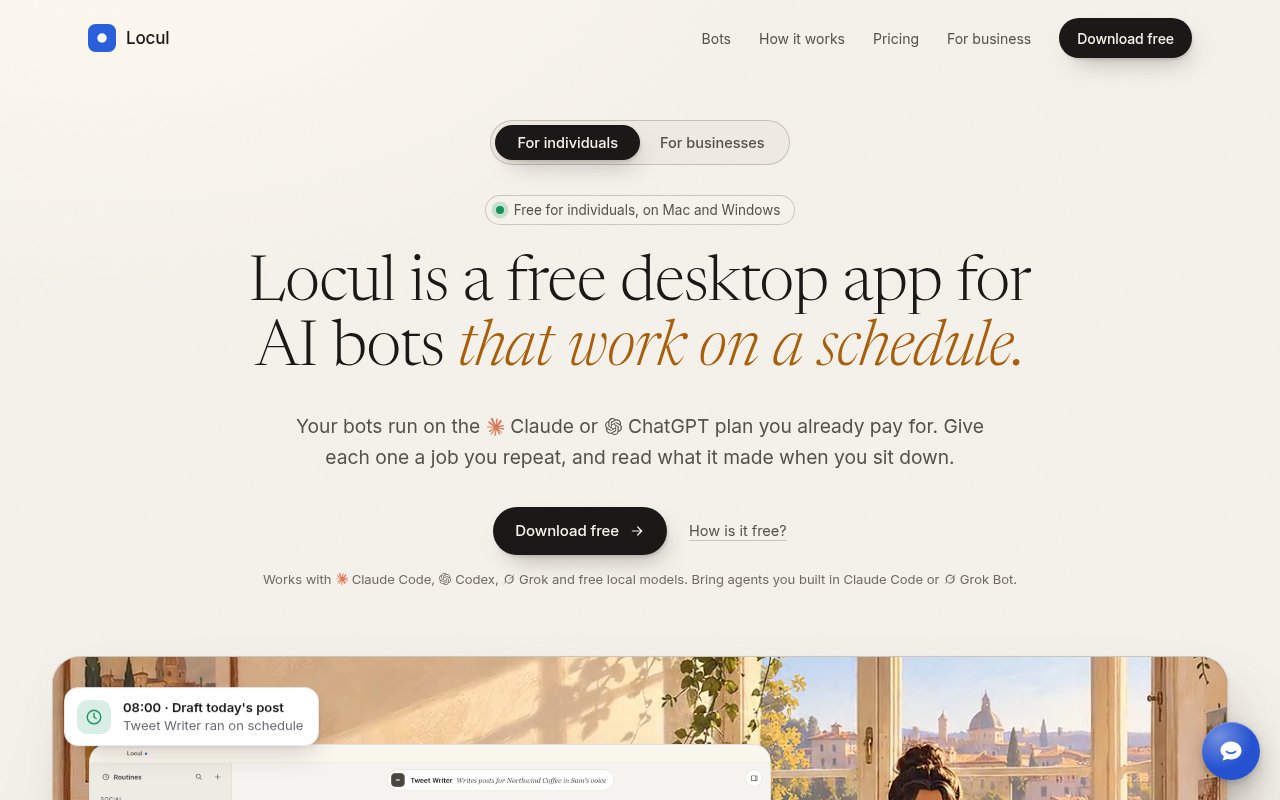
Locul is a desktop app for running a group of AI bots on a Mac or Windows computer. Each bot can have a distinct job, instructions, memory, working folder, and schedule, so repeated work doesn't have to begin with the same explanation every time. It also builds a searchable memory from the notes and files a user chooses, then makes that context available to connected AI tools. The central idea is to separate recurring jobs into focused bots while keeping their working material visible and controllable on the user's own machine.
A user can create a bot for one kind of work, chat with it, teach it preferences, and give it a routine such as checking something every weekday or preparing a monthly draft. Routines keep running when the Locul window is closed, and completed work is waiting when the user returns. Bots can also ask other bots for help. A writing bot, for example, can request facts from a research bot and assets from a design bot, then return the combined draft. Locul says bots draft and wait for approval rather than posting or sending material on their own, which keeps a person in the loop for consequential actions.
The app doesn't require one particular model provider. Bots can run through Claude Code, Codex, Grok, or a local model, and a different model can be selected for each bot. Locul also supports importing agents built in Claude Code and Grok Bot, while its marketplace provides ready-made bots that can be installed instead of configured from scratch. People who prefer local inference can connect tools such as Ollama, LM Studio, llama.cpp, vLLM, or Jan. The AI plan, local hardware, or provider key used to run the model is separate from Locul itself.
Memory is a second major part of the product. Locul reads chosen Markdown files and PDFs, turns useful details into short searchable memories, and can recall them for its own bots or connected apps such as Claude Desktop, Claude Code, Codex, and Cursor. Each bot has its own memories and rules while still being able to draw on related context from the wider brain. Users can inspect, add, edit, or delete memories. The desktop MCP connection lets compatible AI apps on the same computer reach the local brain without requiring the source folders to be uploaded to Locul. Source control remains fairly concrete. Locul skips common dependency folders on its own, and users can hide any folder or file they don't want indexed. The original notes stay where they are, while the app stores extracted memories in its own local database. A bot's working files and rules also remain available in its folder, so the user can inspect what it has rather than relying on an opaque chat history.
Its privacy posture depends on the settings a user chooses. Notes and the primary memory database live on the computer, and a local-only storage mode prevents the brain from syncing to Locul's cloud. Running both memory extraction and bot chats with a local model can keep note content on the device or private network. Cloud backup is enabled when cloud storage is selected, and cloud or third-party models process text when those options are used. That distinction matters because local-first doesn't mean every possible configuration is fully offline. Locul's settings show where memories are stored and where bot and memory processing occur.
Locul fits individuals who repeatedly brief AI about the same clients, projects, writing preferences, or internal decisions. It also suits small teams that want shared context, common bots, and seat management without moving every source document into a new workspace. The strongest advantage is the combination of scheduled agents and reusable memory in one desktop interface. The main constraints are platform support and setup. There is no Linux or mobile app, cloud sync costs extra, and using local models requires suitable hardware and some familiarity with running them.
The individual desktop plan is free with no card required. It includes bots, routines, local MCP connections, export, and up to 1,000 memories stored on one computer. Personal Cloud costs $12 per month or $99 per year and raises the memory allowance to 10,000 while adding cross-device sync and access from web AI tools. The Team plan is $199 per month for five seats, with shared memory, shared bots, seat controls, and a 14-day trial. This makes Locul genuinely useful before payment, but the free plan still expects the user to bring an existing AI subscription, provider key, or local model for the bots themselves.
Key Features
- Bot-specific memory and work folders
- Scheduled routines for recurring work
- Per-bot AI model selection
- Local MCP connections for AI apps
- Cross-bot task delegation
- Installable bot marketplace
Pros & Cons
What we like
- Free individual plan needs no card
- Local-only mode keeps memory on device
- Works across several AI ecosystems
- Bots wait for approval before sending
Room for improvement
- No Linux or mobile app
- Cloud sync requires a paid plan
- AI access is billed or supplied separately
- Local models need suitable hardware and setup
Frequently Asked Questions
What is Locul?
Is Locul free?
Which AI models work with Locul?
Can Locul keep my data entirely local?
Best For
Featured in
Alternatives to Locul
View all
CalendHub
Smart scheduling and calendar management for teams
Kevin Gabeci Toolkits
Seven AI toolkits for writing books, making music, cutting video, and building agents.

Eased Into AI
Learn AI from zero. No jargon, no hype, just steps that work.

Zielor
German exam preparation for DTZ, Leben in Deutschland, Goethe and telc. Waitlist open.
Our take
Tool Index Editorial · Nov 2026· 3.5/5
Locul is a desktop workspace for scheduled AI bots plus a memory layer that Claude Code, Codex, Grok, and local models can use. It suits individuals who already pay for an AI plan and want repeat jobs to run on a timetable, as well as teams that need shared context without moving every workflow into a hosted agent platform. We like the per-bot model choice and the explicit approval step before anything is posted or sent.
The individual plan is free with 1,000 local memories. Personal Cloud costs $12 a month or $99 a year for 10,000 memories and browser access, while Team is $199 a month for five seats, then $39 per extra seat. Locul doesn't include the underlying model usage, and the free tier is tied to one computer. The range from a free desktop app to regulated self-hosted deployment is promising, though teams should verify connectors, background reliability, and security controls in their own environment.
Editorial opinion from the Tool Index team, written from the public product pages. Not a user review.
Reviews (0)
Badge builder
Add Locul to your website
Choose a badge style and size, preview it here, then copy the generated HTML. Badge images are self-contained SVGs and do not require an external script.

<a href="https://toolindex.net/tools/locul?ref=badge" target="_blank" rel="noopener">
  <img src="https://toolindex.net/badge/locul/medium.svg" alt="Locul - Listed on Tool Index" width="180" height="50" />
</a>How to use the badge
- 1. Pick the style, size, and theme that fit your layout.
- 2. Copy the generated HTML from the code block.
- 3. Paste it into your footer, homepage, or press page.
Standard badge available
The standard listing badge is available now. Score and circle badges are limited to tools currently ranked in the top 10 of a category.
Badge clicks return visitors to this profile with a referral tag so the source remains identifiable.
Related Tools

Confluence
Atlassian's long-running team wiki that anchors many enterprise knowledge stacks
Asana
Project management for teams that live in projects, tasks and dependencies
Kevin Gabeci Toolkits
Seven AI toolkits for writing books, making music, cutting video, and building agents.

Logseq
An open-source outliner notes app where every bullet is a first-class block
Work on Locul? Request listing access or correction