MiroTalk
Open-source, self-hosted WebRTC video conferencing with variants for meetings, calls, and broadcasts
Gallery
About MiroTalk
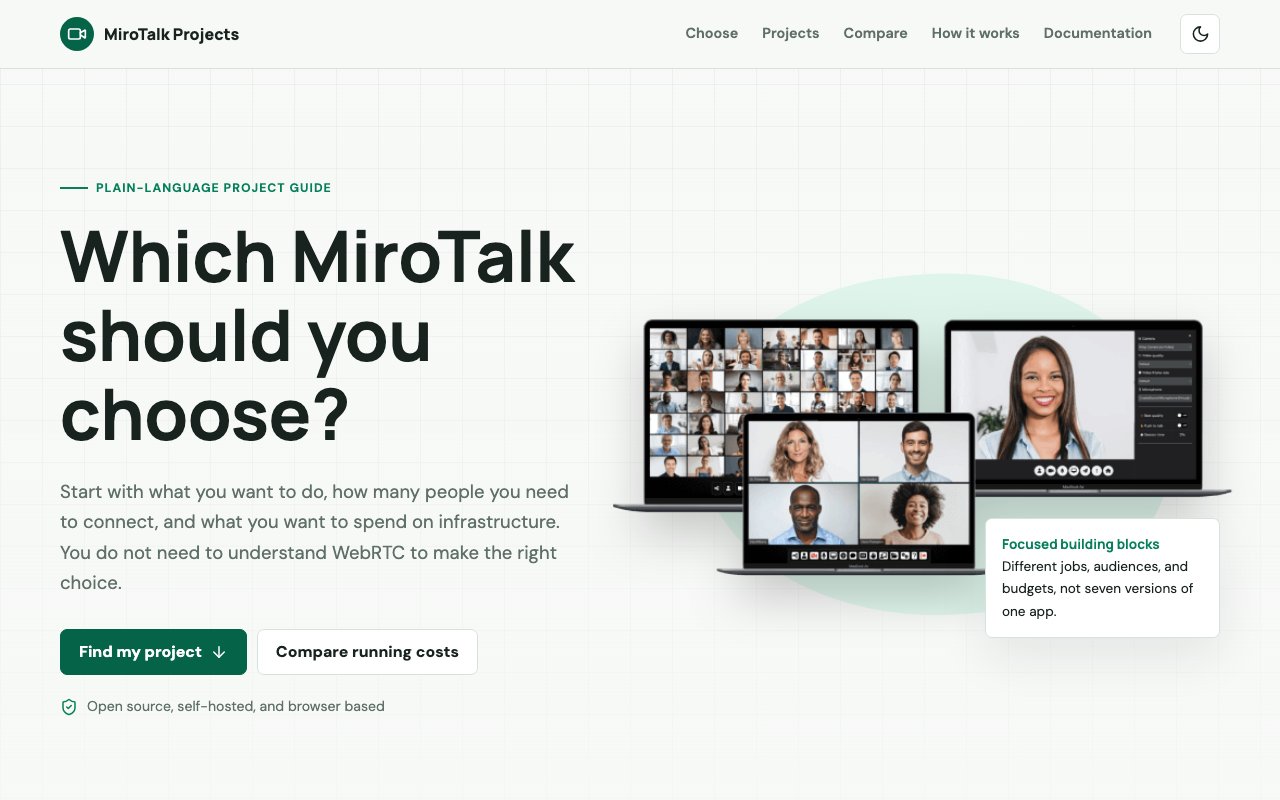
MiroTalk is a family of open-source, self-hosted, browser-based video communication tools built on WebRTC. Rather than one monolithic app that tries to cover every situation, it ships as a set of specialized variants, each tuned to a different use case, audience, and infrastructure budget. WebRTC is the browser's native real-time media standard, so calls run on open web technology rather than a proprietary client, and there's nothing for participants to download, update, or trust. All of them run in the browser, so participants join from a link without installing anything, and all of them live on your own server, so the media and the data stay under your control.
The project started in 2020, when Miroslav Pejic began building it as a side project during the pandemic. The mission has stayed consistent since then, a free and open-source WebRTC platform with privacy and user data control at the center. The framing on the site is blunt, no vendor lock-in, full control of your own data, and a platform for people who don't want their meetings passing through someone else's cloud. The tagline is your platform, your rules, forever, and the self-hosted architecture is what makes that more than a slogan.
The variants map cleanly onto real situations. MiroTalk SFU handles group meetings, webinars, and conferences by routing media through a selective forwarding unit on your server, which costs more to run but scales from small rooms to large ones. That's the shape you want for a webinar or an all-hands, where many streams need coordinating. MiroTalk P2P skips the media server entirely and connects browsers directly to each other, which keeps server costs minimal and suits smaller meetings. It also means the media itself flows straight between participants without passing through an intermediary. MiroTalk C2C strips things down to a clean one-to-one call between exactly two people.
Beyond those three, the lineup covers workflows most conferencing tools ignore. CME does click-to-call with incoming call notifications, aimed at support desks and telehealth setups where a client needs to reach a specific person. That's a workflow ordinary meeting links handle badly, since the person being called needs a ring, not an invitation email. BRO is a live broadcasting variant, one presenter streaming out to many viewers. WEB is a scheduling portal with user accounts, rooms, and schedules that sits in front of the communication apps, and ADMIN is a management layer for monitoring and configuring multiple MiroTalk instances across your infrastructure.
The audience is developers, educators, teams, and communities who want a Zoom-style experience they actually own. That includes organizations with data-residency or privacy requirements that rule out commercial clouds, agencies embedding video into their own products, and self-hosters who simply prefer running their own stack. Because everything is browser-based, the people on the other end of the call don't need to know or care what's running underneath. Educators can run classes on infrastructure the school controls, and a community can put a call link on its own domain instead of pointing members at a big platform.
What makes MiroTalk stand out among open-source conferencing projects is exactly this granularity. Most alternatives give you one architecture and expect you to bend your use case around it. Here you pick the topology that fits, peer-to-peer when you want near-zero server cost, SFU when you need scale, broadcast when it's one-to-many, and you can run several variants side by side with the admin layer keeping watch. It's an unusually honest way to handle the cost-versus-scale tradeoff that every WebRTC deployment runs into.
The honest tradeoff is that self-hosting is a real responsibility. You'll be standing up a server, keeping it patched, and, for the SFU variant, paying for the bandwidth that group calls consume. MiroTalk doesn't pretend otherwise, the variant lineup exists precisely because those costs differ enormously between topologies. Picking P2P where it fits can keep a small team's video bill close to zero, while the SFU is there when a project outgrows it, and the ADMIN layer keeps a mixed deployment manageable.
Access is open source first. The code is public on GitHub under Miroslav Pejic's account, and self-hosting the open-source editions costs you nothing beyond your own server. Commercial editions are also sold through CodeCanyon for those who want that route, so the project runs a dual model, but the open-source, self-hosted path is the heart of it. The author publishes a direct contact email, and there's an active community around the project on GitHub and Discord. For most self-hosters the path is short, take the code, deploy it on a server you control, and you're running your own conferencing service.
Key Features
- Specialized variants for each call topology
- SFU architecture for large group meetings
- Peer-to-peer mode with minimal server cost
- One-to-one and click-to-call editions
- Live broadcasting from one presenter to many
- Admin layer for managing multiple instances
Pros & Cons
What we like
- Fully self-hosted, your media never touches a third-party cloud
- Browser-based, participants join without installing anything
- Pick the exact architecture your budget and scale need
- Open source with an active solo maintainer and community
Room for improvement
- Self-hosting requires server setup and maintenance skills
- Spread across many variants rather than one unified app
- Largely a single-maintainer project
- SFU deployments carry real server costs at scale
Frequently Asked Questions
What is MiroTalk?
Is MiroTalk free?
Which MiroTalk variant should I use?
Who is MiroTalk for?
Best For
Featured in
Alternatives to MiroTalk

ChatDash
White-label platform to deliver, manage, and monetize AI voice agents under your own brand

CalendHub
Smart scheduling and calendar management for teams

Zoom
The default video meeting tool of the post-2020 internet

Substack
Hosted newsletter and publication platform with built-in payments, recommendations, and an audience network for writers.
Reviews (0)
Badge builder
Add MiroTalk to your website
Choose a badge style and size, preview it here, then copy the generated HTML. Badge images are self-contained SVGs and do not require an external script.

<a href="https://toolindex.net/tools/mirotalk?ref=badge" target="_blank" rel="noopener">
  <img src="https://toolindex.net/badge/mirotalk/medium.svg" alt="MiroTalk - Listed on Tool Index" width="180" height="50" />
</a>How to use the badge
- 1. Pick the style, size, and theme that fit your layout.
- 2. Copy the generated HTML from the code block.
- 3. Paste it into your footer, homepage, or press page.
Standard badge available
The standard listing badge is available now. Score and circle badges are limited to tools currently ranked in the top 10 of a category.
Badge clicks return visitors to this profile with a referral tag so the source remains identifiable.
Related Tools
Substack
Hosted newsletter and publication platform with built-in payments, recommendations, and an audience network for writers.

MailerLite
Friendly, affordable email marketing tool with newsletters, automations, landing pages, and a growing creator toolkit.

Twist
Calmer team messaging where threads replace the firehose of channels

Zulip
Threaded team chat that treats topics as a first-class concept
Work on MiroTalk? Request listing access or correction