
Preserve Chat
Turn selected messages from a WhatsApp export into a readable link
Gallery
About Preserve Chat
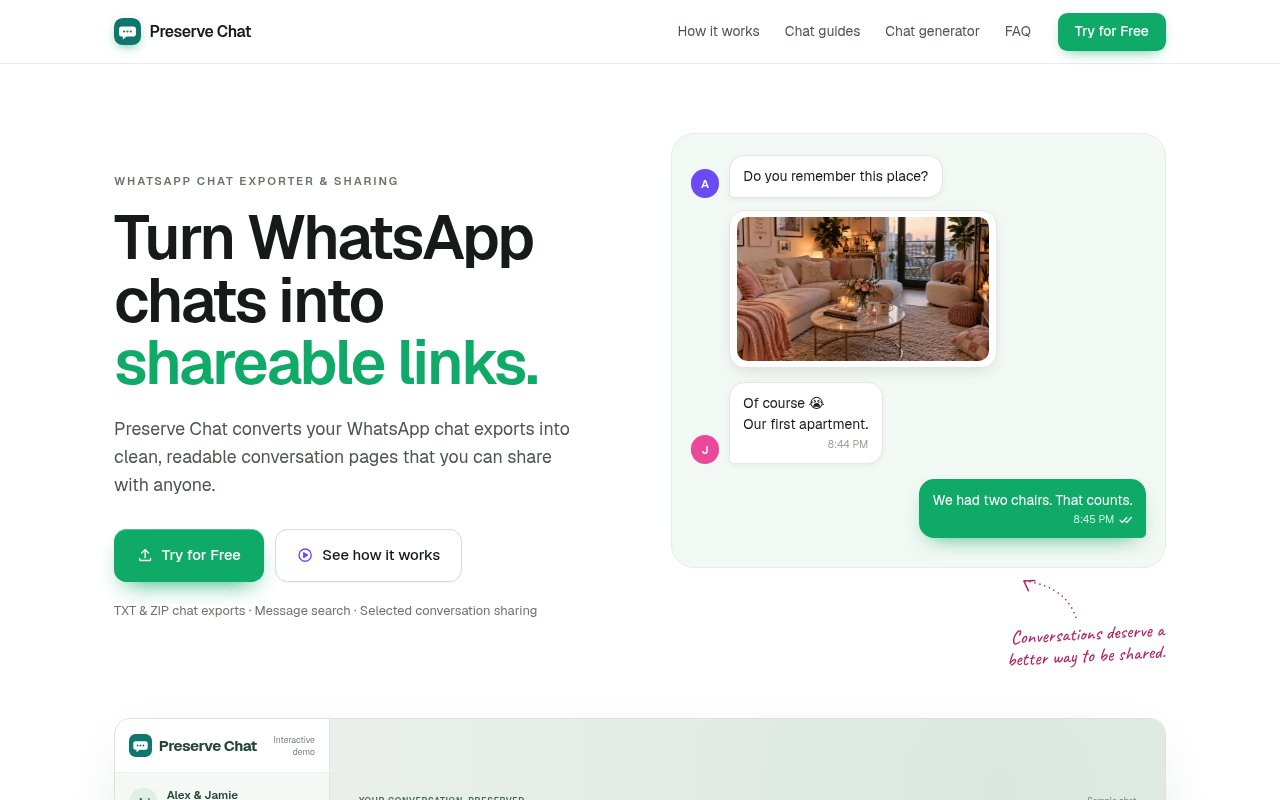
Preserve Chat turns an exported WhatsApp conversation into a readable page that can be shared with one link. WhatsApp already lets people export a chat, but the result is usually a timestamped TXT transcript or a ZIP that is awkward to browse and even harder to present to somebody else. Preserve rebuilds that material into a familiar conversation view, lets the user find the exchange that matters, and publishes only the selected range. It is meant for situations where the context around several messages matters more than a screenshot or a raw file can comfortably show.
The workflow starts outside the product with WhatsApp's own Export chat command. A user saves an individual or group conversation as a TXT file or as a ZIP that may include media, then opens that export in Preserve. The browser lays out the messages in order and provides search by words, phrases, participants, or dates. The user can jump through a long history, choose a first and last message or a date range, select a visual theme, and preview the result from the reader's perspective. Publishing creates a conversation page that opens in an ordinary web browser without asking the recipient to download an archive.
Selection is central to both usefulness and privacy. Preserve reads the original export in the user's browser while they scroll, search, and decide what to share. At that stage the file and unselected messages stay on the device. When the user creates a link, the service uploads only the chosen range rather than the entire source chat. That makes it practical to show a decision from a group, a useful answer, a personal memory, or the relevant part of a disagreement without exposing years of unrelated conversation. The preview helps catch extra messages or personal details before the page goes live. Everything outside the marked boundaries remains outside the published page, so the creator can keep enough context without automatically revealing the full transcript.
Sharing does not require an account. Each published conversation gets a public link for readers and a separate master link that controls the page. The public address is described as private and unguessable, is not listed or indexed by search engines, and remains available until the creator deletes it. The master link can revoke the page from any browser, while the browser used to publish also remembers the user's shares. This accountless approach reduces setup, but it makes careful storage important. Losing both the original browser state and the master link means the user may need to ask the team to remove the page.
Preserve is clear about its security boundaries. Shared pages are encrypted in transit and at rest, but the company holds the keys, so the product is not end-to-end encrypted. The service says it does not routinely read conversations, sell them, use them for advertising, or train machine learning models on them. A public link has no password and can be forwarded by anyone who receives it. Deleting a share removes its messages from the live service and breaks the link, though copies may remain briefly in encrypted backups and any screenshots or saved pages made by recipients remain outside Preserve's control.
The product fits personal memories, family or group plans, workplace context, and an early exchange with a lawyer or adviser where easy reading matters. It is not a WhatsApp backup, a phone migration tool, a deleted message recovery service, or a way to restore an export into WhatsApp. It also does not produce a PDF or make a conversation court ready. Preserve advises keeping the original export unchanged when a formal process may require it. Its page is useful for reading and sharing context, while admissibility, authenticity, fixed pagination, and document filing remain separate concerns.
The site invites visitors to try Preserve Chat for free and does not publish a paid plan or pricing page at the time of review. That makes it an accessible, narrow utility rather than a full conversation management platform. Its strongest qualities are local inspection of the source file, precise range selection, readable presentation, and simple revocation without an account. The main tradeoffs follow from the same simplicity. It is focused on WhatsApp exports, shared pages are protected by hard to guess links rather than passwords, and the hosted copy is not end-to-end encrypted. Users should share only with the consent of the people involved and treat the link like private material. The shared page does not expire on its own.
Key Features
- TXT and ZIP export viewing
- Message and date search
- Precise conversation range selection
- Multiple chat presentation themes
- Accountless shareable conversation links
- Master link page deletion
Pros & Cons
What we like
- Reads the source export locally before publishing
- Uploads only the message range selected
- Presents long exchanges more clearly than screenshots
- Supports link deletion without an account
Room for improvement
- Works only with WhatsApp chat exports
- Shared links have no password protection
- Hosted pages are not end-to-end encrypted
- Does not create PDFs or restorable backups
Frequently Asked Questions
What is Preserve Chat?
Does Preserve Chat upload my whole conversation?
Are Preserve Chat links private?
Can Preserve Chat restore or back up WhatsApp chats?
Best For
Featured in
Alternatives to Preserve Chat

ChatDash
White-label platform to deliver, manage, and monetize AI voice agents under your own brand

CalendHub
Smart scheduling and calendar management for teams

Zoom
The default video meeting tool of the post-2020 internet

Substack
Hosted newsletter and publication platform with built-in payments, recommendations, and an audience network for writers.
Reviews (0)
Badge builder
Add Preserve Chat to your website
Choose a badge style and size, preview it here, then copy the generated HTML. Badge images are self-contained SVGs and do not require an external script.

<a href="https://toolindex.net/tools/preserve-chat?ref=badge" target="_blank" rel="noopener">
  <img src="https://toolindex.net/badge/preserve-chat/medium.svg" alt="Preserve Chat - Listed on Tool Index" width="180" height="50" />
</a>How to use the badge
- 1. Pick the style, size, and theme that fit your layout.
- 2. Copy the generated HTML from the code block.
- 3. Paste it into your footer, homepage, or press page.
Standard badge available
The standard listing badge is available now. Score and circle badges are limited to tools currently ranked in the top 10 of a category.
Badge clicks return visitors to this profile with a referral tag so the source remains identifiable.
Related Tools
Substack
Hosted newsletter and publication platform with built-in payments, recommendations, and an audience network for writers.

MailerLite
Friendly, affordable email marketing tool with newsletters, automations, landing pages, and a growing creator toolkit.

Twist
Calmer team messaging where threads replace the firehose of channels

Zulip
Threaded team chat that treats topics as a first-class concept
Work on Preserve Chat? Request listing access or correction