
Reassign
A visual day planner that lays your whole day on a 24-hour circular dial
Gallery
About Reassign
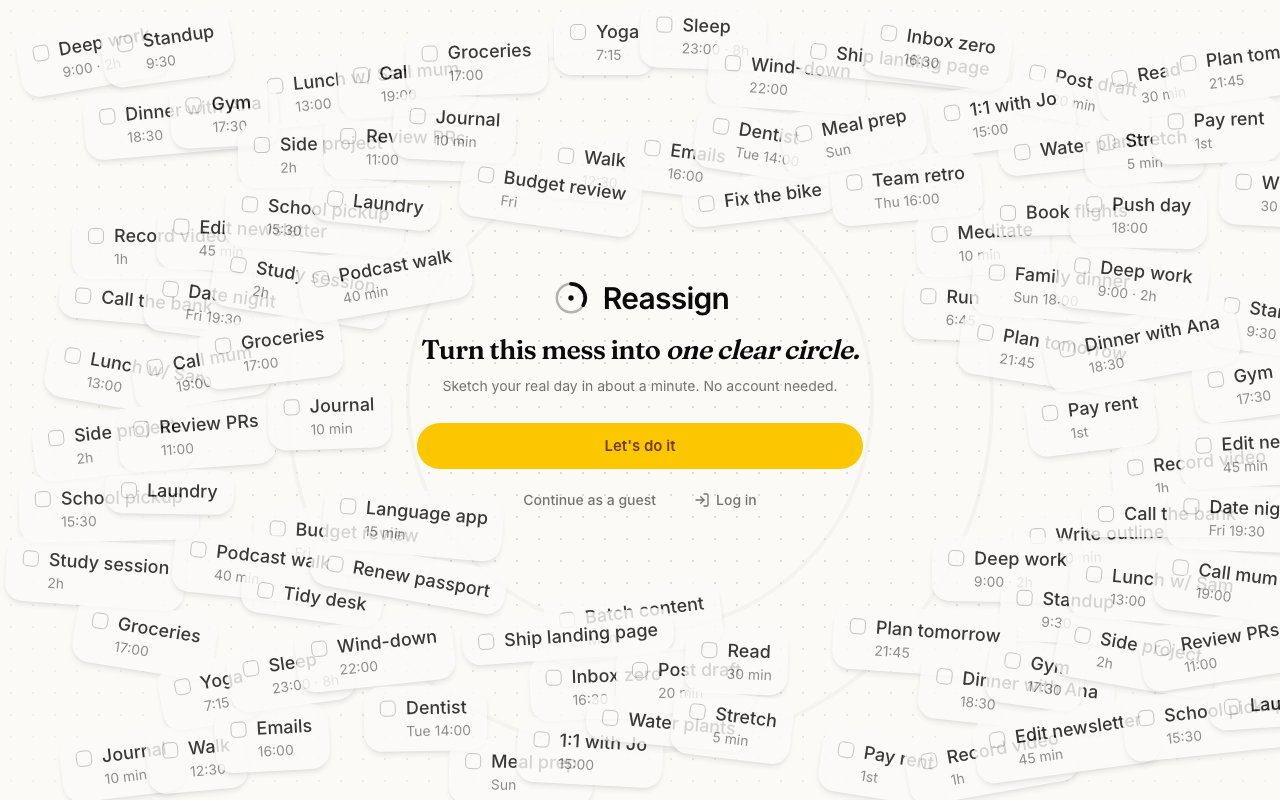
Reassign is a day planner shaped like a clock. Instead of stacking your day in a tall vertical list, it lays all twenty-four hours out as a single circle, midnight at the top and noon at the bottom, so the entire day sits in front of you at a glance. You block time by dragging on the ring, press at nine and sweep round to eleven, and the outline of your day takes shape as you move. The maker, an indie developer who builds in public, sums up the goal in one line, turn this mess into one clear circle, and the app really does read as a single legible picture rather than an endless scroll.
The circular layout is more than a novelty. Seeing a whole day as one dial, instead of a list you have to page through, makes it far easier to notice empty gaps, overloaded afternoons, and the balance between work and the rest of life. Blocks are color-coded and given subtle textures by area, categories like a day job, family, a side project, recharge, and time for yourself, so a single look tells you where the hours are actually going. Plenty of people who find a conventional vertical agenda overwhelming, including many with ADHD, take to the round shape quickly because it fits everything into one frame the eye can hold.
It reaches past drawing, into planning that responds to you. Reassign maps your energy from your sleep, shading the windows where you're likely to focus and the stretches where you'll run low, so you can place demanding work where you'll have the fuel for it rather than fighting your own rhythm. Events that frame a day without consuming a time slot sit separately from your blocks, recurring tasks come back on their own schedule so you set them once, and a day review at the end lines up what you planned against what actually happened. That comparison is where the useful, sometimes uncomfortable learning about your time tends to surface.
For the parts of your life that already live in other apps, it syncs rather than walling you off. Reassign connects to Google Calendar with two-way sync, so meetings flow onto the dial and any change you make there travels back to the calendar, color-coded and sortable by the same areas. It also connects to Claude through an MCP server, which means you can ask an assistant to replan a day that fell apart and let it rearrange your blocks for you, instead of dragging each one back into place by hand when plans shift.
Beyond the single day, Reassign keeps an Insights view that steps back from the dial to show patterns over time, and a backlog where tasks you haven't placed yet can wait until you're ready to drop them onto the ring. The result is a tidy loop, capture what needs doing, block it onto the circle, sync it with your calendar, then look back at how the day really ran. It's a small toolkit rather than a sprawling suite, but the pieces are chosen so the round view stays the center of gravity instead of becoming one more panel competing for attention.
The app runs in the browser on both phone and desktop, and getting going takes no commitment. A guest mode lets you sketch a genuine day in about a minute before you decide whether to create an account, and nothing pushes you to sign up just to try the core idea. That low barrier matches the maker-first, try-before-you-commit feel the whole project carries, right down to the personal note that it's built by one person for fellow makers.
It's aimed at people who plan their own time and want to see it as a whole, makers, solo founders, students, and anyone drawn to time-blocking who has bounced off the usual list-shaped tools. The argument isn't that it does more than a calendar, it's that it presents your day in a shape your brain can absorb in a single look, then keeps that picture in step with the calendar and tasks you already run. For visual thinkers that reframing is the entire point, and it's hard to appreciate from a screenshot until you've dragged a few blocks yourself.
On pricing, Reassign is freemium and honest about the split. The free tier costs nothing and needs no card, letting you plan up to five days ahead, which is enough to live in day to day. A Pro plan at eight dollars a month or seventy-two dollars a year unlocks the Claude-powered planning, recurring events, and an unlimited planning horizon, and there's a fourteen-day Pro trial so you can feel the paid features before paying. Support is reachable by email, and the tool keeps the personal, built-by-one-person tone of an indie project throughout, right down to the maker's note that it's made for fellow makers.
Key Features
- 24-hour circular day dial
- Drag-to-block time gestures
- Google Calendar two-way sync
- AI rescheduling via Claude MCP
- Energy mapping from your sleep
- Planned-versus-actual day review
Pros & Cons
What we like
- Whole day visible on one dial
- Free tier needs no account or card
- Two-way Google Calendar sync stays current
- Claude can replan your day over MCP
Room for improvement
- Free tier caps planning at five days ahead
- AI planning and recurring events are Pro only
- Runs in the browser, no native mobile app
- Solo-maker project with a smaller community
Frequently Asked Questions
What is Reassign?
Is Reassign free?
Does Reassign sync with my calendar?
How is Reassign different from a normal planner?
Best For
Featured in
Alternatives to Reassign

CalendHub
Smart scheduling and calendar management for teams

Brief
A news reader that condenses the day's coverage into short, sourced briefs
Ghostmeet
Self-hosted meeting transcription and AI summaries that stay on your machine
Kibu
Vertical software for disability service providers covering compliance, documentation, and programming
Reviews (9)
Exactly what I needed
Reassign has quietly become part of my daily flow. The claude can replan your day over mcp is more useful than I expected. The core workflow is smooth once you are set up. It fits well for letting claude replan a day that fell apart.
It just works
Started using Reassign casually, now it is pinned in my dock. It just works, day after day, without surprises. The core workflow is smooth once you are set up. It fits well for reviewing planned versus actual time at day's end. Recommending it to people in a similar spot.
Recommended without reservation
Three months of Reassign later, here is what holds up. Their take on whole day visible on one dial is genuinely good. It does what it says, which is rarer than it should be.
Solid daily driver
Found Reassign on a Show HN thread and I am glad I clicked. Got real value out of drag-to-block time gestures. Mostly using it for syncing meetings from google calendar into a dial. Easy yes for anyone weighing the same trade offs.
Finally something that fits
Reassign solves a real problem for me without making a fuss about it. Performance has been steady even when I lean on it hard. Found it works best for time-blocking a full day at a glance.
Good, with a few caveats
Came to Reassign after getting frustrated with what I had before. The free tier needs no account or card is more useful than I expected. One thing that bugs me is free tier caps planning at five days ahead. Would sign up again without thinking twice.
Solid but not perfect
Tried Reassign on a side project first, then rolled it out everywhere. Where it really wins is claude can replan your day over mcp. Support actually answered when I had a question, which surprised me. It fits well for reviewing planned versus actual time at day's end. My only gripe is solo-maker project with a smaller community. Would sign up again without thinking twice.
Genuinely impressed
Have been running Reassign for a while, here is where I land. The thing I keep coming back to is how reliable it is. The defaults are sensible, so I was not fighting settings on day one. It fits well for letting claude replan a day that fell apart. Glad I made the switch.
It just works
Started using Reassign casually, now it is pinned in my dock. Where it really wins is claude can replan your day over mcp.
Badge builder
Add Reassign to your website
Choose a badge style and size, preview it here, then copy the generated HTML. Badge images are self-contained SVGs and do not require an external script.

<a href="https://toolindex.net/tools/reassign?ref=badge" target="_blank" rel="noopener">
  <img src="https://toolindex.net/badge/reassign/medium.svg" alt="Reassign - Listed on Tool Index" width="180" height="50" />
</a>How to use the badge
- 1. Pick the style, size, and theme that fit your layout.
- 2. Copy the generated HTML from the code block.
- 3. Paste it into your footer, homepage, or press page.
Standard badge available
The standard listing badge is available now. Score and circle badges are limited to tools currently ranked in the top 10 of a category.
Badge clicks return visitors to this profile with a referral tag so the source remains identifiable.
Related Tools

Confluence
Atlassian's long-running team wiki that anchors many enterprise knowledge stacks
Asana
Project management for teams that live in projects, tasks and dependencies
Kevin Gabeci Toolkits
Seven AI toolkits for writing books, making music, cutting video, and building agents.

Logseq
An open-source outliner notes app where every bullet is a first-class block
Work on Reassign? Request listing access or correction