
Rollbar
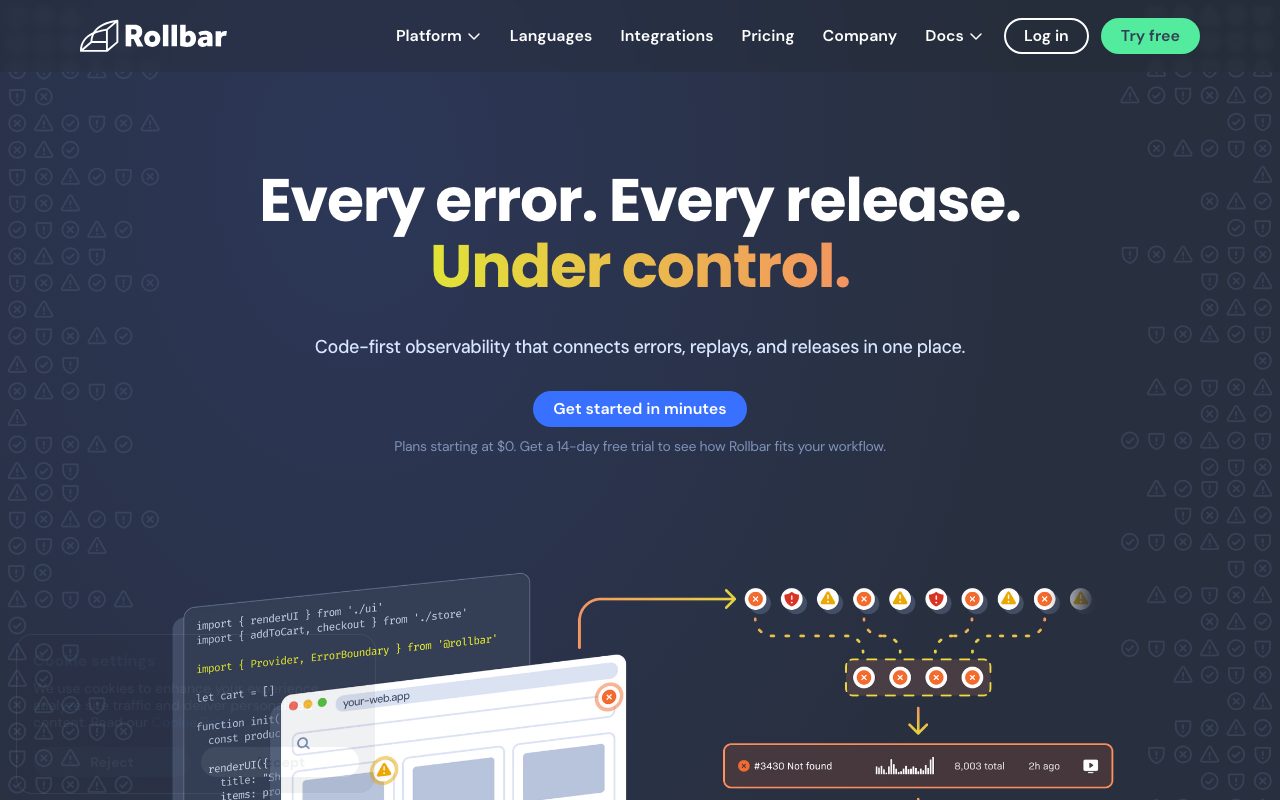
Error monitoring with automated grouping and AI-assisted suggestions for which errors to actually fix first.
Gallery
About Rollbar
Rollbar is the error monitoring tool that focuses on triage. The pitch is "your stack is throwing 50,000 errors a day; tell me which 5 actually matter." That's the problem Rollbar tries to solve harder than anyone.
It doesn't have Sentry's marketing reach or the same product breadth. What it has is solid grouping, fair pricing, and fast routing into your existing tools.
What Rollbar actually does
You install a Rollbar SDK in your application. When your code throws an exception, Rollbar captures it with stack trace, environment context, and user info. Then it groups similar errors so you don't get 10,000 tickets for the same root cause.
Beyond capture, Rollbar tracks deploys, ties new error spikes to specific releases, and pipes alerts into Slack, Jira, GitHub, or PagerDuty. The "what's new today" view is genuinely useful.
SDKs cover 30-plus languages and frameworks. Rails, Django, Node.js, Python, Java, Go, .NET, mobile, JavaScript, the lot. Whatever your stack, Rollbar probably has a clean integration.
Who Rollbar is for
Backend teams drowning in noisy exception streams. Rails or Django apps wanting a cheaper alternative to Sentry. Mobile apps needing crash grouping across versions. DevOps teams correlating deploys with new error classes.
It's a workhorse tool. Less marketing buzz than peers, more focus on doing the job.
Rollbar pricing breakdown
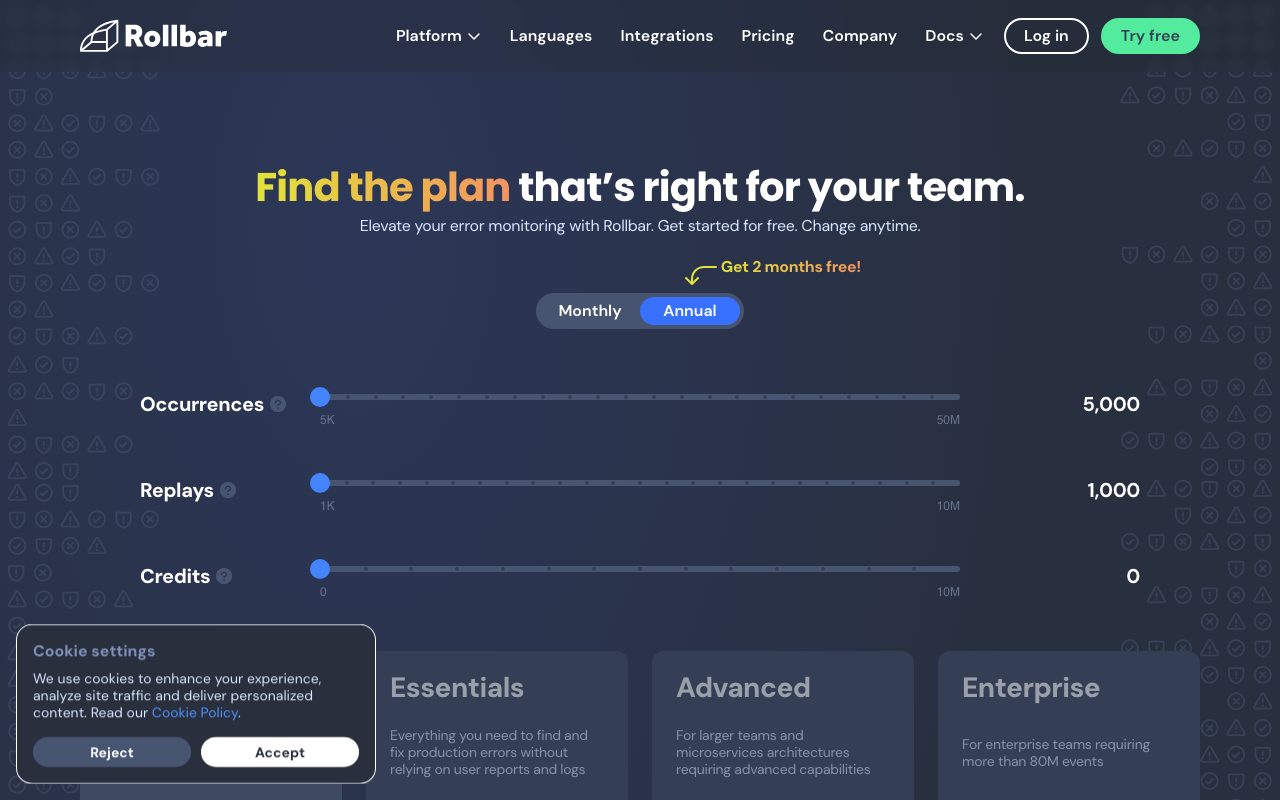
The free Essentials tier handles 5,000 errors per month. Enough for personal projects and small apps.
Advanced runs $21 per month for 25,000 events. Above that, pricing scales by event volume into the hundreds per month for production-scale apps.
Enterprise tiers are custom-quoted. They add SSO, audit logs, and dedicated support.
Compared to Sentry on similar volumes, Rollbar usually lands a bit cheaper at lower tiers. The gap narrows at scale.
Standout Rollbar features
The grouping algorithm is the differentiator. Variant stack traces with the same root cause collapse into one issue. The signal-to-noise ratio in your Slack alerts improves immediately.
Deploy tracking ties error spikes to specific releases. You ship at 3 PM, errors spike at 3:05 PM, Rollbar shows the new error class against that deploy. Root cause becomes obvious.
Issue routing is solid. Send specific error classes to specific Slack channels. Auto-create Jira tickets for high-severity errors. Pipe critical alerts to PagerDuty. The plumbing works.
Source map support handles minified JavaScript without manual mapping. Production stack traces stay readable.
Honest tradeoffs
Less feature breadth than Sentry. Sentry has expanded into performance monitoring, session replay, profiling, and tracing. Rollbar stays focused on errors.
UI feels less modern than newer entrants. It works fine but it's not the prettiest dashboard you'll see this year.
Documentation can be uneven across SDKs. The Rails and JavaScript docs are solid. Some newer language SDKs lag behind.
If you just want errors triaged sanely, Rollbar gets out of your way. If you want a full APM suite, look elsewhere.
Rollbar vs the alternatives
The headline peer is Sentry. Sentry has the bigger feature set, broader community, and more aggressive pricing tiers. Rollbar competes on quieter alerts and steady pricing.
Bugsnag is the third major option. Bugsnag emphasizes stability scores and release health. Most teams pick by trying two and keeping the one that fits their workflow.
Datadog covers errors as part of full APM. Different price point, much broader scope.
Honeycomb and OpenTelemetry-native tools handle observability differently. They're complementary to Rollbar, not replacements.
See best error monitoring, Rollbar alternatives, and Rollbar vs Sentry.
Bottom line on Rollbar
Rollbar is the calm pick in error monitoring. Solid grouping, fair price, integrations that work. It's not flashy. It just earns its keep day after day.
If your Slack channel is a graveyard of duplicate error alerts, Rollbar will fix that. The grouping alone justifies the migration.
Rollbar setup specifics
Setup takes about ten minutes per language. Install the SDK. Add your access token. Hook the SDK into your error handlers. Watch errors flow in.
The Rails SDK is among the most polished. It hooks into Active Support notifications and captures requests, sessions, and parameters automatically. Same for Django on the Python side.
JavaScript setup includes source map upload during build. Without it, production stack traces are unreadable minified gibberish. Most CI workflows automate the upload via Rollbar's CLI.
Rollbar grouping in detail
The grouping algorithm collapses errors that share root causes despite different surface details. A null pointer crash in the same function gets grouped whether the parameter was an integer, a string, or an empty array.
Manual fingerprinting lets you override grouping when the defaults miss. Useful for batch jobs or cron tasks where many distinct errors look similar but should stay separate.
Severity assignment routes errors by importance. Critical errors page on-call. Warning errors land in a Slack channel. Debug errors go nowhere. Customizable per project.
Rollbar common questions
"How does Rollbar compare to Sentry?" Sentry has more breadth (performance, replay, profiling). Rollbar has tighter focus on error triage and slightly cheaper pricing at lower tiers.
"Can I self-host Rollbar?" The hosted product is the primary offering. Enterprise deals can include private cloud.
"What about source maps?" Yes, JavaScript source maps upload via the Rollbar CLI in your build pipeline.
"Does Rollbar support mobile?" Yes for iOS, Android, and React Native. Crash grouping across versions is one of Rollbar's strengths.
Final word on Rollbar
Rollbar is the calm, focused choice in error monitoring. It doesn't try to be your APM, your tracing tool, or your replay product. It tries to triage your errors well.
If your Slack channel is a graveyard of duplicate alerts and you can't tell which errors actually matter, Rollbar will fix that. The grouping alone earns the migration.
For teams that already trust Sentry or Datadog, Rollbar is harder to justify switching to. For teams shopping fresh, it's a credible top-three pick.
Rollbar workflows
The most useful workflow is "monitor errors after each deploy." Rollbar's deploy tracking ties new error classes to specific releases. When errors spike at 3:05 PM after a 3 PM deploy, the cause is obvious.
Rollback decisions become data-driven. New error rate above threshold? Roll back the deploy. Below threshold? Push forward. Removes guesswork from on-call decisions.
Issue routing automation sends new error classes to the right team. Backend errors to backend Slack. Mobile crashes to mobile Slack. Frontend exceptions to frontend Slack. Reduces noise for everyone.
Rollbar for specific stacks
Ruby on Rails: the rollbar gem auto-instruments controllers, models, and background jobs. Setup is one bundle install plus an initializer.
Django: similar auto-instrumentation via the rollbar Python package. Captures view errors, middleware exceptions, and Celery job failures.
Node.js: covers Express, Fastify, Koa, NestJS, and standalone scripts. Async error handling works correctly.
JavaScript browser: window.onerror and unhandled promise rejection capture by default. Source map support keeps stack traces readable in production.
iOS and Android: native crash reporting with version, OS, and device context. Crash grouping works across app versions.
Rollbar with team workflows
Slack integration is the highest-traffic. Configure per-channel routing and severity thresholds. Most teams have one channel for critical errors and another for the firehose.
Jira and GitHub integrations auto-create tickets for new error classes above a severity threshold. Reduces manual triage work for engineering managers.
PagerDuty integration pages on-call when critical errors spike. Setup matters; misconfigured paging is worse than no paging.
Custom webhook integrations cover internal tools. Pipe Rollbar events into your data warehouse, custom alerting, or status pages.
Rollbar pricing details
Free Essentials: 5,000 events per month, basic features. Suitable for personal projects and very small apps.
Advanced: $21 per month for 25,000 events. Adds team features, integrations, and longer retention. Most small-team apps fit here.
Enterprise: custom pricing for high-volume, SSO, audit logs, and dedicated support. Larger orgs negotiate annual contracts.
Rollbar long-term outlook
The error monitoring category has matured. Sentry leads on breadth and brand. Rollbar competes on focus and pricing. Bugsnag holds a niche on mobile and stability scoring.
Each tool has loyal users who prefer its specific approach. Migrations between them are rare. Once your codebase is instrumented, switching is meaningful work.
Rollbar's smart grouping algorithm remains a differentiator. Other tools have improved their grouping but Rollbar still gets cited as best-in-class for noise reduction.
For new teams shopping today, the right approach is "try two free tiers in parallel, pick the one that fits your workflow." Rollbar deserves to be in that test.
The category will continue evolving with observability and tracing. Rollbar's focused positioning could be a strength or a limitation depending on where you want to go.
Tutorial / Demo
Key Features
- SDKs for 30+ languages and frameworks
- Smart grouping that collapses variant stack traces
- Deploy tracking tied to error spikes
- Issue routing to GitHub, Jira, and Slack
- Source map support for minified JavaScript
Pros & Cons
What we like
- Grouping algorithm reduces alert noise meaningfully
- Solid integration coverage
- Reasonable price point at the lower tiers
Room for improvement
- Less feature breadth than Sentry on tracing and replay
Frequently Asked Questions
Rollbar vs Sentry, which one wins?
Does Rollbar have a free tier?
What languages does Rollbar support?
Does Rollbar do performance tracing like Sentry?
Can Rollbar self-host?
Best For
Featured in
Tags
Alternatives to Rollbar

PostHog
All-in-one product analytics, feature flags, and session replay
Honeycomb
High-cardinality observability for distributed systems. Query traces by any field without pre-defining indexes.
Better Stack
Uptime monitoring, on-call scheduling, log management, and status pages bundled into one tool.
Sentry
Error monitoring and performance tracing that tells you exactly which line broke production for which user.
Our take
Tool Index Editorial · May 2026· 4.4/5
If you're evaluating Rollbar, the headline is simple: error monitoring with automated grouping and ai-assisted suggestions for which errors to actually fix first, and most teams will get value out of the box.
What it actually does well: Grouping algorithm reduces alert noise meaningfully, Solid integration coverage, and Reasonable price point at the lower tiers. Where it stumbles: Less feature breadth than Sentry on tracing and replay.
Bottom line: pick Rollbar when you need backend teams drowning in noisy exception streams; look elsewhere if less feature breadth than Sentry on tracing and replay would be a dealbreaker.
Editorial opinion from the Tool Index team, written from the public product pages. Not a user review.
Reviews (5)
Rollbar has been a quiet upgrade
Rollbar is one of those tools you stop noticing because it just works. The thing I keep coming back to: grouping algorithm reduces alert noise meaningfully. The smart grouping that collapses variant stack traces is more useful than I expected. Found it works best for devOps teams correlating deploys with new error classes. Sticking with Rollbar.
Pros
- Solid integration coverage
- Grouping algorithm reduces alert noise meaningfully
Caveats: good ones and frustrating ones
Picked Rollbar for the lower price, stayed for the actual quality. What stands out is how grouping algorithm reduces alert noise meaningfully. The smart grouping that collapses variant stack traces is more useful than I expected. It fits well for mobile apps needing crash grouping across versions. Not perfect: less feature breadth than Sentry on tracing and replay. Decent value once you accept the rough edges.
Pros
- Solid integration coverage
- Grouping algorithm reduces alert noise meaningfully
Recommended without reservation
First impression of Rollbar was 'huh, this is actually thought through.' What stands out is how solid integration coverage. Smart grouping that collapses variant stack traces works the way you'd hope. Would buy again without thinking twice.
Pros
- Solid integration coverage
- Reasonable price point at the lower tiers
- Grouping algorithm reduces alert noise meaningfully
Pulled its weight from week one
Rollbar is one of those tools you stop noticing because it just works. Real selling point: grouping algorithm reduces alert noise meaningfully. Source map support for minified javascript works the way you'd hope. It fits well for devOps teams correlating deploys with new error classes.
Onboarded the team in a day
Tried half a dozen options before landing on Rollbar. Real selling point: solid integration coverage. Issue routing to github, jira, and slack works the way you'd hope. Main use case: backend teams drowning in noisy exception streams.
Badge builder
Add Rollbar to your website
Choose a badge style and size, preview it here, then copy the generated HTML. Badge images are self-contained SVGs and do not require an external script.

<a href="https://toolindex.net/tools/rollbar?ref=badge" target="_blank" rel="noopener">
  <img src="https://toolindex.net/badge/rollbar/medium.svg" alt="Rollbar - Listed on Tool Index" width="180" height="50" />
</a>How to use the badge
- 1. Pick the style, size, and theme that fit your layout.
- 2. Copy the generated HTML from the code block.
- 3. Paste it into your footer, homepage, or press page.
Standard badge available
The standard listing badge is available now. Score and circle badges are limited to tools currently ranked in the top 10 of a category.
Badge clicks return visitors to this profile with a referral tag so the source remains identifiable.
Related Tools

Kevin Gabeci
Solo developer building web apps, cozy browser games, and AI creator toolkits.

Coolify
Self-hostable, open source alternative to Heroku and Netlify

Warp
The modern terminal reimagined with AI and collaboration

Bolt.new
Prompt-to-deployed full-stack app inside the browser
Work on Rollbar? Request listing access or correction