
Loops
Modern email platform built for SaaS teams, combining transactional, marketing, and lifecycle messages with a clean API.
Gallery
About Loops
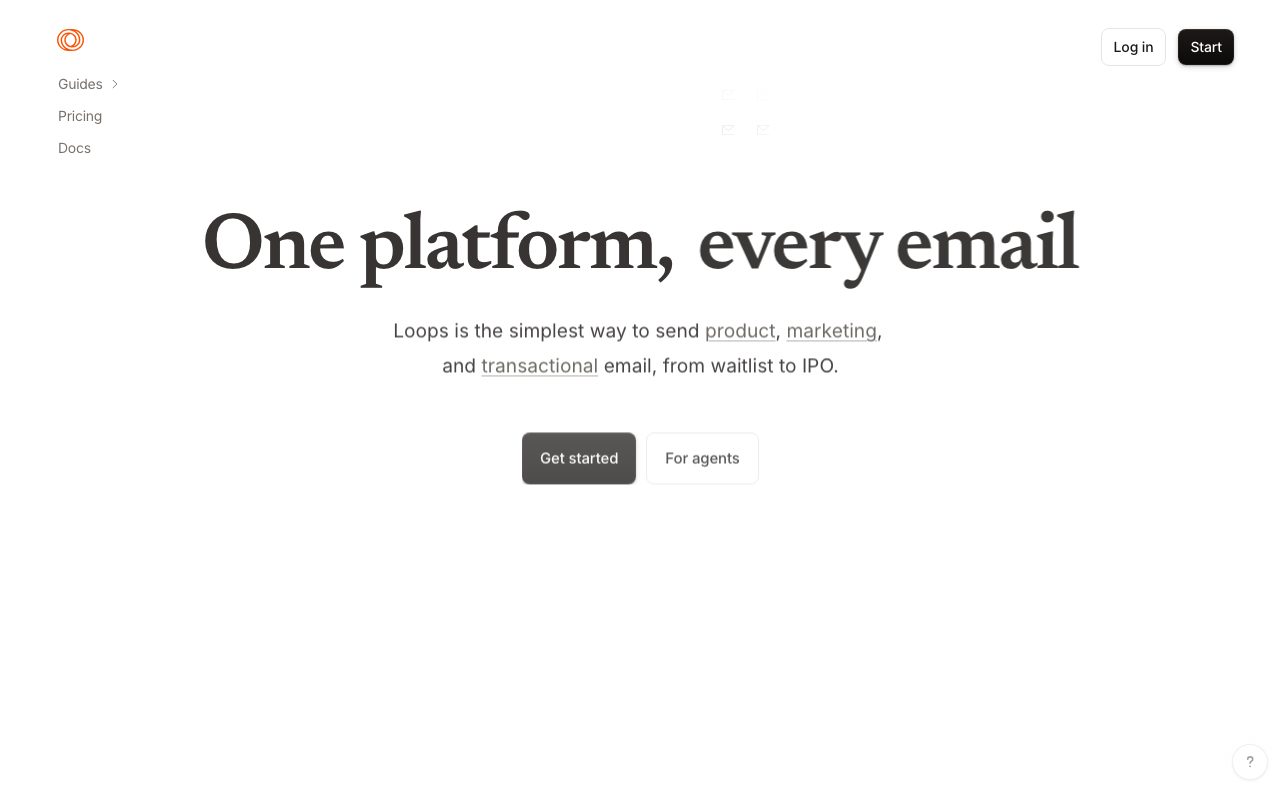
Loops is the email platform that finally treats SaaS workflows as the primary use case. Transactional, marketing, and lifecycle messages live in one tool, with a clean API and a UI built by people who clearly use email tools daily.
Founded by Chris Frantz and Riley Tomasek (both ex-Twitter), Loops launched in 2022 and grew quickly through indie-hacker word-of-mouth. The company raised from First Round and Lightspeed.
If you're comparing email tools for a SaaS product today, you're likely looking at Customer.io, Postmark, and Resend. Here's where Loops fits.
What Loops actually does
Loops handles three categories of email: transactional (password resets, receipts), marketing (newsletters, promotions), and lifecycle (welcome series, churn winbacks). Most tools force you to choose two.
The data model is contact-centric. Each contact has properties (email, plan, signup date, custom fields) and events (signed up, upgraded, canceled). Loops triggers emails based on properties or events.
The campaign editor is genuinely good. Drag-and-drop blocks, plain-text option, preview across devices, and a code-free A/B testing setup. Templates render predictably across Gmail, Apple Mail, and Outlook.
Who Loops is for
SaaS startups are the perfect fit. The pricing model is friendly to small teams, the API is developer-first, and the lifecycle workflow tools cover the most common SaaS email needs.
Indie hackers and bootstrapped founders especially love Loops. The free tier is meaningful. The Pro plan is affordable. The experience is polished without enterprise bloat.
Where Loops doesn't fit: large enterprises with complex compliance needs (SOC 2 is there but the deep enterprise features lag Customer.io), DTC e-commerce brands (Klaviyo specializes here), or very high transactional volume (Postmark or Resend price better at scale).
Pricing breakdown
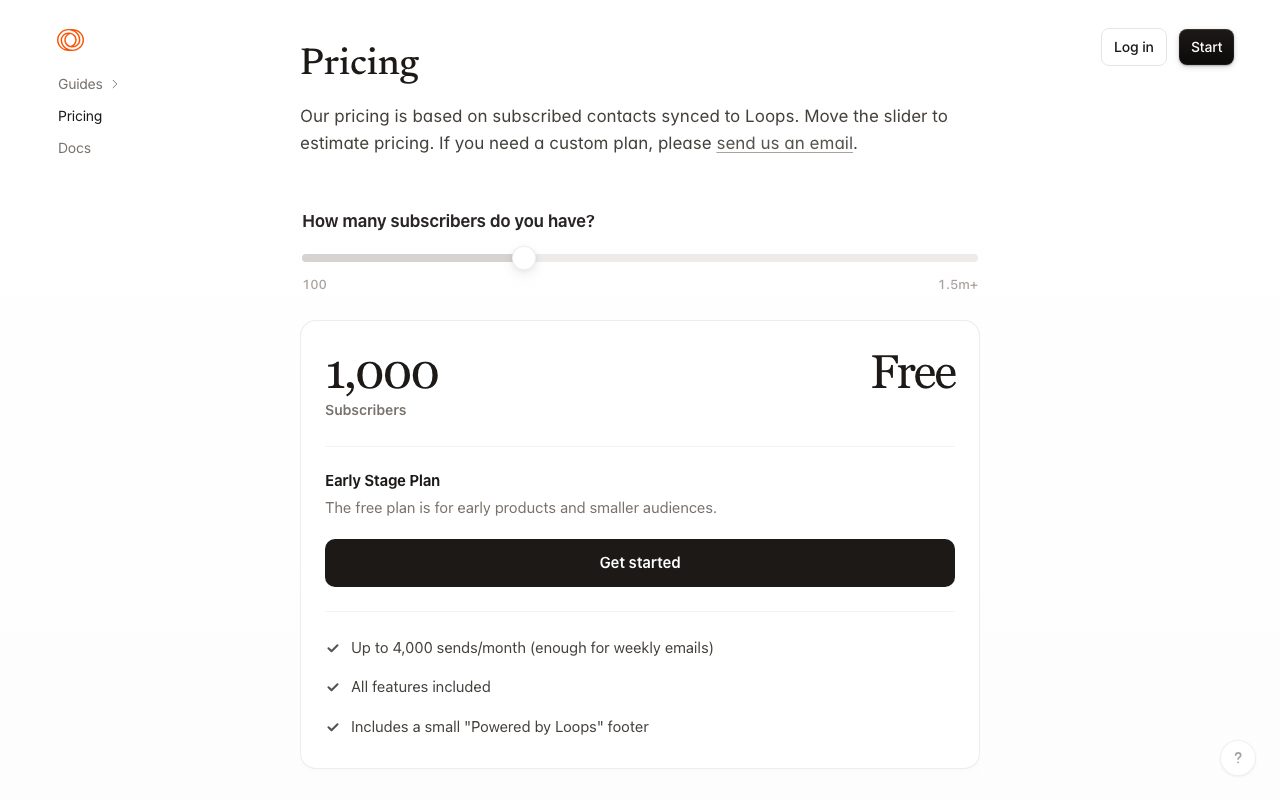
Free tier includes 1,000 contacts and unlimited emails to active users (people who opened in the last 30 days). The "active users" framing is unusual and friendly.
Pro is $49/month for 10,000 contacts. Higher tiers scale by contact count. Enterprise pricing is custom and includes dedicated success management.
The pricing model rewards keeping your list clean. Inactive subscribers don't count toward the limit. This is the opposite of Mailchimp's "every contact costs you forever" approach.
Standout features
Loops are the killer feature
"Loops" (the product feature, not the company name) are visual workflow builders for lifecycle emails. Trigger on event, branch on property, send email, wait, send next, all visually editable.
The implementation is cleaner than Customer.io's, which has more depth but more complexity. Most SaaS lifecycle needs fit Loops perfectly.
Audiences and segmentation
Audiences let you define dynamic groups (Pro plan, signed up this month, has connected GitHub). Segments update in real time and can be used in campaigns or as Loop triggers.
The query builder is intuitive. You don't need SQL or formula knowledge. PMs and marketers can build segments without engineering.
Developer experience
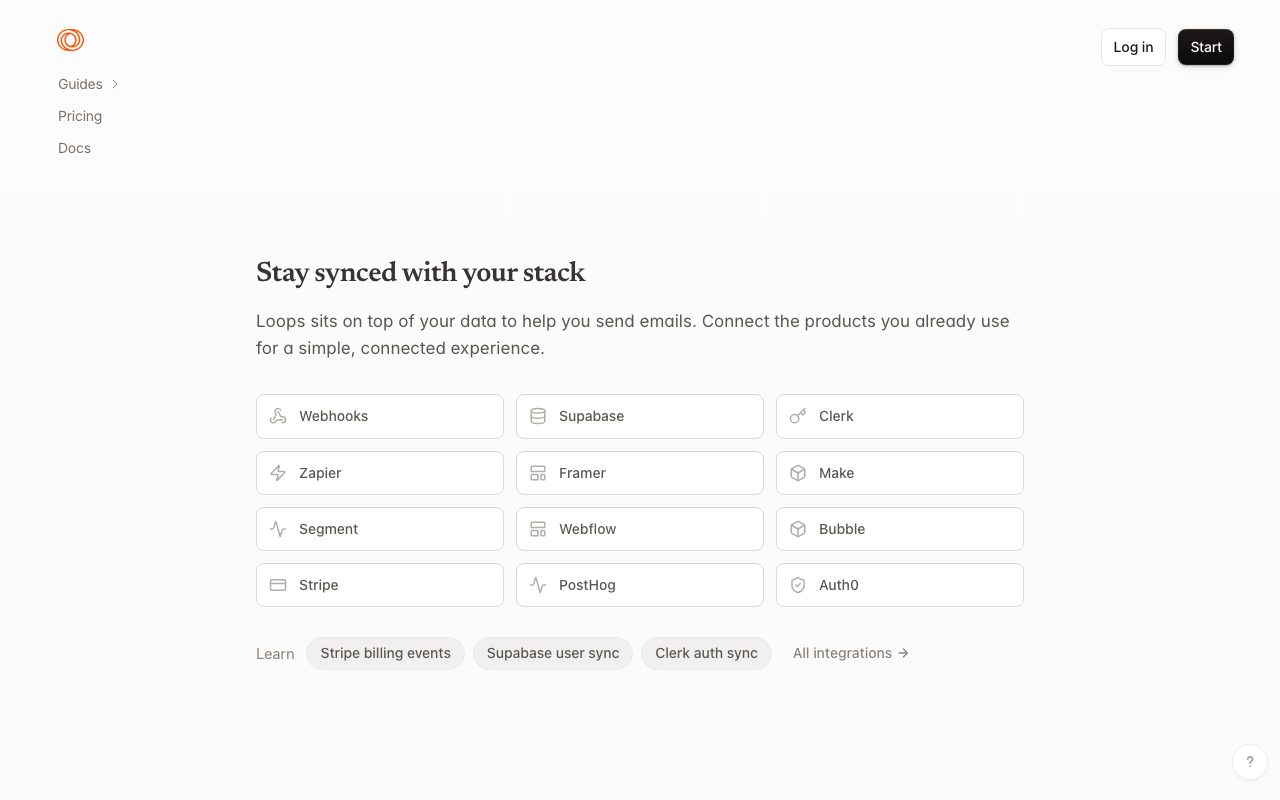
The API and SDKs are excellent. Send transactional, update contacts, fire events, all simple. Webhooks for delivery and engagement events come standard. Documentation is clean and includes language-specific examples.
Loops feels like a product designed by SaaS founders for SaaS founders. The defaults are right. The friction is low. The opinions are correct.
Honest tradeoffs
The product is young. Some features that exist in Customer.io or Klaviyo aren't here yet. SMS, push notifications, and advanced attribution are limited or absent.
Deliverability has been good but newer than Postmark's reputation. If you send 1M+ transactional emails per month, Postmark's deliverability scores still edge ahead in tester benchmarks.
The pricing model surprises some teams. If you have a huge inactive list, you don't pay for it (good!) but you also can't easily reactivate at scale (less good). The model assumes you're aggressive about list hygiene.
Loops vs alternatives
Versus Customer.io: Customer.io is more powerful and more complex. Better for B2B with multi-channel needs (push, in-app, SMS). Loops is faster to set up and cheaper. If you're under 100K contacts and don't need SMS, Loops wins on UX.
Versus Postmark: Postmark is transactional-only. If you don't need marketing email, Postmark is the cleanest choice. Loops bundles both.
Versus Resend: Resend is the developer-first transactional API, similar focus to Postmark with React Email integration. Loops handles marketing too. Different scope.
Versus Brevo or Mailchimp: These are broad SMB tools. Loops is sharper for SaaS-specific lifecycle workflows. Different audiences.
For more, see best email tools for SaaS or compare via Loops vs Customer.io.
Bottom line
Loops is the email tool I'd reach for first if I were starting a SaaS in 2026. The defaults are sensible, the API is clean, and the pricing model rewards healthy list management.
It's not the most powerful tool. Customer.io has deeper analytics and multi-channel support. Klaviyo has stronger e-commerce integrations. Postmark has stronger transactional deliverability.
But for the typical SaaS workflow (welcome series, lifecycle nudges, occasional newsletters, transactional confirmations), Loops nails the 80% case better than the broader tools nail it. The price is right, the experience is good, and the founders ship.
Loops for SaaS lifecycle email
The bread-and-butter use case is SaaS lifecycle: welcome series, onboarding nudges, trial expiration warnings, post-purchase upsells, churn winbacks. Loops handles all of these with the visual workflow builder.
A typical onboarding flow: signup event triggers welcome email, day 1 has a "did you create your first project?" check-in, day 3 has a "have you invited a teammate?" nudge, day 7 closes with feature highlights. Each branch can fork based on user actions.
Compared to Customer.io, Loops' workflow builder is simpler and faster to set up. Less power, more polish. Most SaaS teams won't miss the depth.
Transactional alongside marketing
The killer feature is sending transactional and marketing from one suppression list. When a user unsubscribes, they unsubscribe from marketing only. Transactional (password resets, receipts) keeps flowing.
This isn't possible with Mailchimp + Postmark setups. You either share the suppression list (and break critical transactional) or maintain two systems (and play whack-a-mole). Loops handles it correctly.
The transactional API is clean: simple JSON payload, idempotent send, webhook on delivery. Documentation is excellent. The DX rivals Postmark and Resend.
Templates and design
The drag-and-drop template editor produces clean, mobile-friendly emails. The defaults look good. Custom branding is straightforward (logo, colors, fonts).
For brands that want unique design, the HTML editor accepts custom code. You can also use Markdown for plain-text-feeling emails that perform well in B2B SaaS contexts.
The plain-text option is more important than it sounds. Many founders prefer plain-text emails (more personal, higher reply rates). Loops makes plain-text first-class, not an afterthought.
Audience segmentation
Audiences are dynamic groups based on contact properties. Pro plan users, signed up this month, has connected their bank account. Audiences update in real time as user properties change.
Use audiences for campaign targeting (newsletter to active users only) and Loop entry conditions (only send onboarding to free trial users). The query builder handles AND/OR logic without SQL.
Common Loops questions
How does Loops compare to Resend?
Resend is transactional-only, developer-first, with excellent React Email integration. Loops bundles transactional plus marketing plus lifecycle automation.
If you only need transactional, Resend is the cleanest choice. If you need marketing too, Loops covers more ground without juggling tools.
Can Loops handle high transactional volume?
Yes, up to a point. Loops scales to millions of emails per month for paying customers. Beyond that, dedicated transactional providers (SendGrid, Mailgun) might be cheaper.
The break-even depends on your mix. If marketing is the bigger workload, Loops wins. If you're mostly transactional, Postmark or Resend price better.
Does Loops support deliverability tools like SPF/DKIM/DMARC?
Yes. Onboarding walks you through DNS setup. Loops verifies records and shows status. Custom domain sending is supported on all paid tiers.
For dedicated IPs (high-volume senders who need them), upgrade conversation with Loops sales handles it. Most SaaS startups don't need dedicated IPs until 1M+ emails/month.
For more email tooling, see best email tools for SaaS or tools for SaaS founders.
Loops product velocity
Loops ships fast. New features appear monthly: improved automation, better integrations, more design flexibility. The team is small but executes consistently.
The roadmap (transparent on their site) shows continued investment in SaaS-specific use cases. SMS, push notifications, and richer analytics are all under active development.
For SaaS founders evaluating today, the trajectory matters. Loops in 2026 is meaningfully more powerful than Loops in 2024. Bet on continued improvement if you're committing.
For more email tools, see best email marketing tools.
Loops API integration patterns
The most common integration: send transactional emails from your backend on key events. Signup confirmation, password reset, payment receipt, account deletion. Loops handles all of these with simple API calls.
Lifecycle events are typically fired from your backend too. User upgraded to Pro, user invited a teammate, user hit a milestone. Each event can trigger a Loop or update contact properties.
The webhook system fires on email events: delivered, opened, clicked, bounced, complained. Pipe these to your data warehouse for full attribution analytics.
For more developer tooling, see tools for developers.
Tutorial / Demo
Key Features
- Unified marketing and transactional email
- Event-based audience sync and triggers
- Clean REST API and React Email support
- Visual loop builder for sequences
- Simple per-contact pricing
- Code and no-code template options
Pros & Cons
What we like
- One tool for every kind of email a SaaS sends
- Developer-friendly setup and APIs
- Modern, opinionated UI without bloat
Room for improvement
- Younger ecosystem with fewer third-party integrations
- Reporting and segmentation are still catching up to incumbents
Frequently Asked Questions
What is Loops used for?
Is Loops free to use?
What are the pros and cons of Loops?
Who should use Loops?
Best For
Featured in
Tags
Alternatives to Loops

Customer.io
Event-driven messaging platform for product teams that want to send email, push, SMS, and in-app messages from real user behavior.
Brevo
Marketing platform combining email, SMS, WhatsApp, transactional sending, and a basic CRM under volume-based pricing.

Substack
Hosted newsletter and publication platform with built-in payments, recommendations, and an audience network for writers.

Postmark
Transactional email service obsessed with deliverability, fast inbox arrival, and clean per-message logs for app teams.
Our take
Tool Index Editorial · May 2026· 4.5/5
Loops sits in a crowded category, differentiating itself as modern email platform built for saas teams, combining transactional, marketing, and lifecycle messages with a clean api.
What it actually does well: One tool for every kind of email a SaaS sends, Developer-friendly setup and APIs, and Modern, opinionated UI without bloat. Where it stumbles: Younger ecosystem with fewer third-party integrations and Reporting and segmentation are still catching up to incumbents.
Verdict: Loops cleanly earns its spot in the category — a smart default when you need saaS onboarding and trial conversion sequences.
Editorial opinion from the Tool Index team, written from the public product pages. Not a user review.
Reviews (2)
Surprised how much we use this
First impression of Loops was 'huh, this is actually thought through.' The biggest win has been modern, opinionated UI without bloat. Easy yes for anyone weighing the same trade-offs.
Worth the price of admission
Honest take: Loops delivers most of what the marketing promises. What stands out is how one tool for every kind of email a SaaS sends. Worth calling out the unified marketing and transactional email too. It fits well for transactional emails like receipts and password resets. Hard to imagine going back to my previous setup.
Pros
- Modern, opinionated UI without bloat
Badge builder
Add Loops to your website
Choose a badge style and size, preview it here, then copy the generated HTML. Badge images are self-contained SVGs and do not require an external script.

<a href="https://toolindex.net/tools/loops?ref=badge" target="_blank" rel="noopener">
  <img src="https://toolindex.net/badge/loops/medium.svg" alt="Loops - Listed on Tool Index" width="180" height="50" />
</a>How to use the badge
- 1. Pick the style, size, and theme that fit your layout.
- 2. Copy the generated HTML from the code block.
- 3. Paste it into your footer, homepage, or press page.
Standard badge available
The standard listing badge is available now. Score and circle badges are limited to tools currently ranked in the top 10 of a category.
Badge clicks return visitors to this profile with a referral tag so the source remains identifiable.
Related Tools

Kevin Gabeci
Solo developer building web apps, cozy browser games, and AI creator toolkits.

Coolify
Self-hostable, open source alternative to Heroku and Netlify

Apatero AI
The creator studio for AI image, video, audio, 3D, and avatars, now at apatero.ai.

Warp
The modern terminal reimagined with AI and collaboration
Work on Loops? Request listing access or correction